AI food video: how to make food ads, clips and photos with AI
By Daniel Riley · Published · Updated
In short: To make an AI food video, start from a real photo of the dish or a styled still made in Nano Banana Pro, then animate one slow moment in Seedance 2.5, or in Veo 3.1 when a sizzle or a pour has to land on cue. One PromptWise plan covers the food photos, menu boards, clips and voiceover across 40+ models. Keep every plate looking like the one your kitchen actually serves.
Food is one of the hardest subjects to film well. Steam vanishes in seconds, sauces skin over, herbs wilt under hot lights and a good cheese pull rarely happens twice. That is exactly why AI video suits it: once you have one good image of a dish, you can stage the moment the camera never quite caught, as many times as you need.
This is how we’d set it up in PromptWise for a restaurant, a café, a food brand or a delivery menu: which model to use for each kind of shot, prompts you can copy, how to put together a short food ad, and the checks that stop a plate from turning into something your kitchen never made.
What AI food video is good for, and where it needs care
Good fits:
- Menu launches and specials. A ten-second clip of a new dish for Instagram, TikTok or the screen by the till, ready on the day the recipe is.
- Delivery and booking pages. Short loops that show steam, a pour or a crust giving way, which a still can’t.
- Food ads. Several openings for the same dish, so you learn which hook gets watched before you book a shoot.
- Packaged food and drink. The real pack placed on a picnic rug, a kitchen worktop or a shop shelf, made from a photo of it.
Where it needs care:
- Physics. Liquids, melting cheese and steam are where AI gives itself away. Keep the action simple and slow.
- Portion and garnish. Models love to add an extra prawn or a scatter of microherbs. If it isn’t on the plate you serve, it shouldn’t be in the clip.
- Hands and cutlery. Count fingers, forks and chopsticks before anything goes out.
Pick the model by the shot
| Shot | Model in PromptWise | Why we’d start there |
|---|---|---|
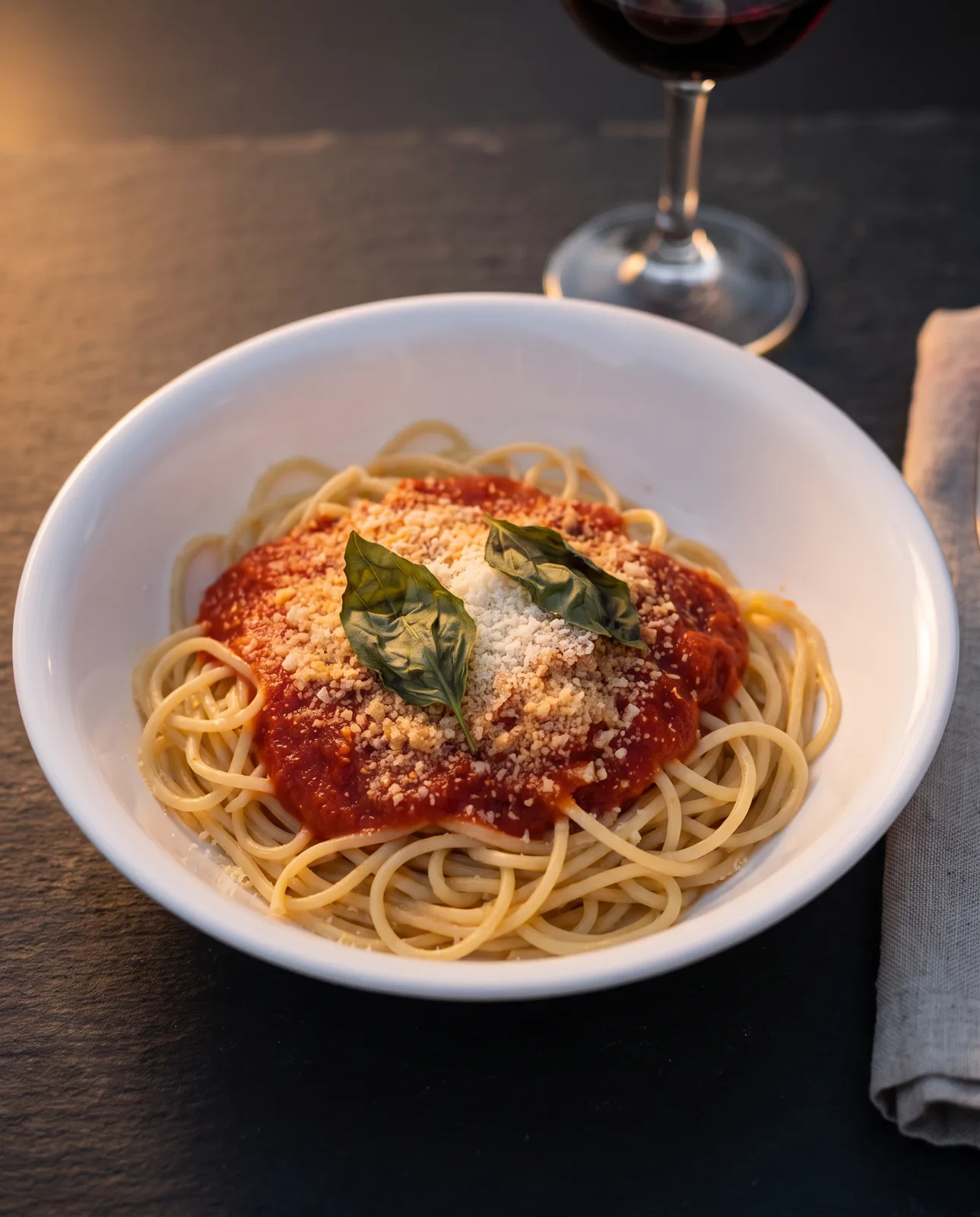
| Hero still of a plated dish or a pack | Nano Banana Pro | Strong on texture and light, up to 4K, and you can attach up to 10 photos as references |
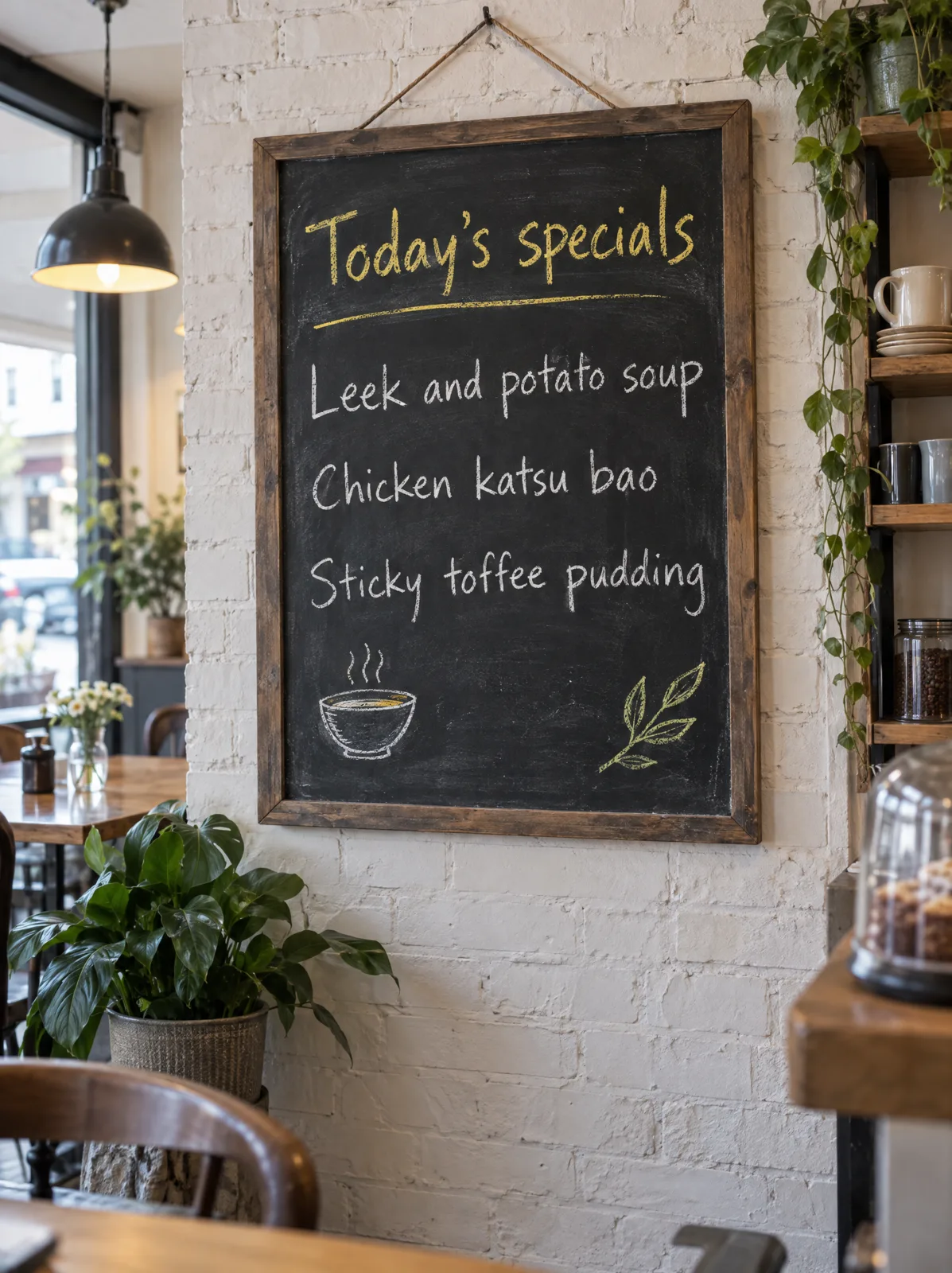
| Menu board, price card or poster with words on it | GPT Image 2.5 (Flare or Sunburst) | OpenAI points to its image models for text-heavy images; still check every word |
| Slow push-in on a dish with kitchen sound | Seedance 2.5 | Clips of 4 to 30 seconds, sound included, in six aspect ratios |
| A sizzle, a crack or a pour timed to the sound | Veo 3.1 Quality | Generates sound in step with the picture, at 4, 6 or 8 seconds |
| Fast action: a wok toss, a pizza turned in the oven, a cocktail shaken | Kling 3.0 | Handles quick, physical movement, and Kling 3.0 4K goes up to 4K |
| Rough drafts while you try framings | Kling 3.0 Turbo (Seedance 2.0 Fast works too) | Quicker takes for testing an idea before the final render |
| Voiceover for an ad | Elevenlabs v4 | Expressive reads, with tags such as [whispers] or [excited] to steer delivery |
| Background track | CassetteAI Music | A short music bed to cut the clip to |
Treat the table as a starting point, not a ranking. The quickest route to a good clip is running the same prompt on two models, then refining on whichever came closer.
Start from the real dish
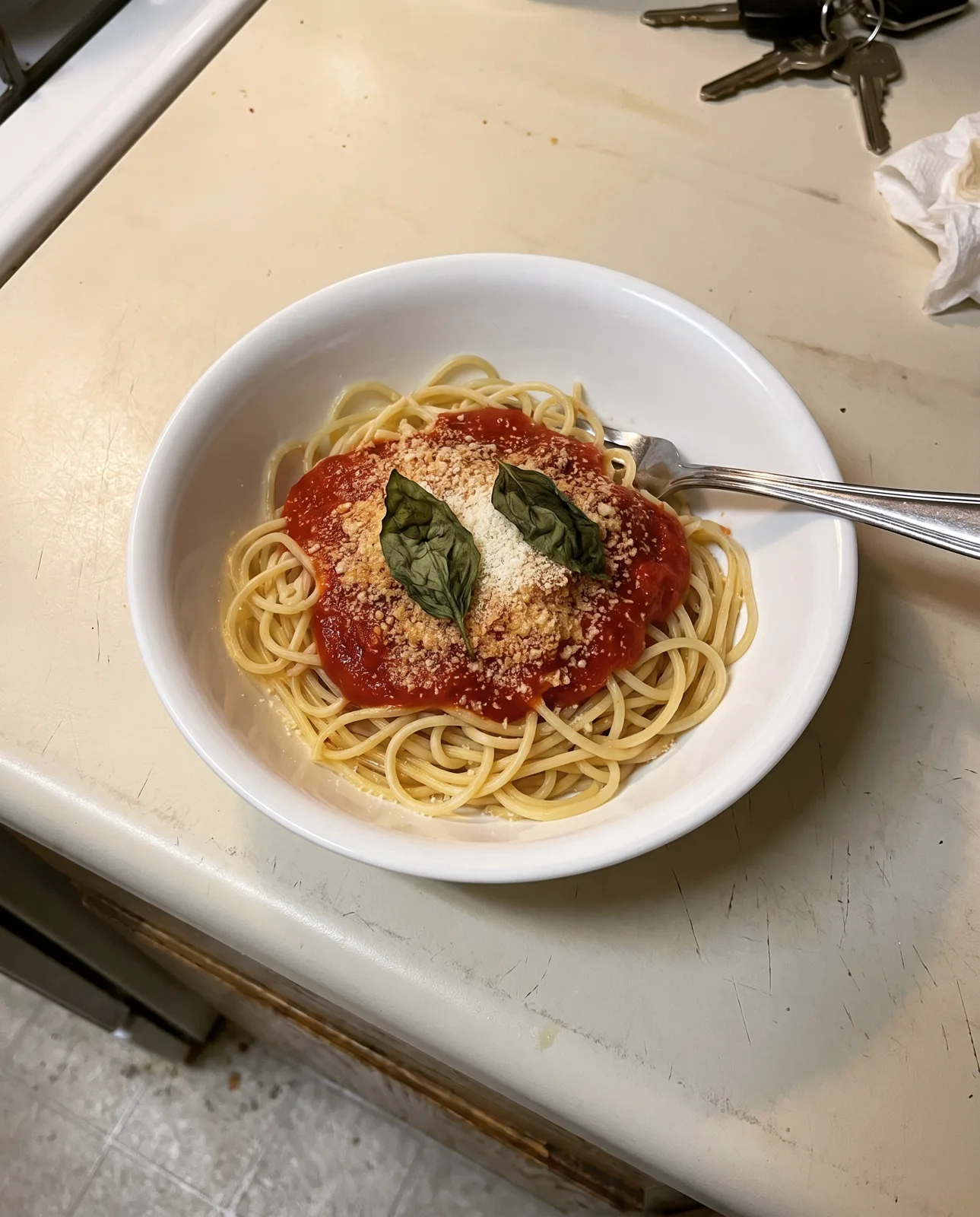
The most important step happens before any prompt. Photograph the actual plate the way it leaves the pass, on a plain surface in daylight, once from directly above and once from a 45-degree angle. A phone is enough.
- Upload the photos to Studio. They sit alongside your generations, so the whole team works from the same pictures.
- Make a clean hero still in Nano Banana Pro. Attach the photos and describe only the new setting: the table, the light, the background. Say plainly what must not change, for example “keep the dish, the portion and the garnish exactly as in the photo”.
- Compare the still with the plate. Same number of pieces, same sauce, same bowl.
- Animate it. Use the still as the start frame in Veo 3.1, Kling 3.0 or Seedance 2.5, and describe one movement and one sound.
- Cut and caption. Order the clips in your editor and add prices and offers there as text, rather than asking a model to draw them.
Once the chain works, save it in Flows as a reusable workflow, so next month’s special goes through exactly the same steps.
Food video prompts to copy
Each prompt describes a single moment. Paste one in, swap the dish for yours and keep the camera instruction.
Prompt
Slow push-in on a bowl of tonkotsu ramen on a dark wooden counter, steam rising in soft curls, a slice of chashu and half a jammy egg on top, warm tungsten light from the left, quiet background chatter and the clink of a ladle, the food stays still while the camera movesPrompt
Close-up of a cast-iron pan as a ribeye steak is laid in, oil spitting, a loud sizzle the instant the meat touches the metal, a thread of smoke catching light from a kitchen window, handheld feel, 6 secondsPrompt
A wooden peel slides a Neapolitan margherita out of a wood-fired oven, the crust blistered and leopard-spotted, torn basil on top, embers glowing behind, slow motion, warm firelight, 9:16 verticalPrompt
A barista pours oat milk into an iced latte in a tall glass, the milk curling down through the coffee in slow ribbons, beads of condensation on the glass, a bright café window behind, soft café ambiencePrompt
A paper cone of hot chips is tipped onto a tin tray, flakes of sea salt falling, a little wooden fork, steam rising, golden late-afternoon light, casual and playful, filmed like a phone videoWhy these work: each names the dish in detail, puts the light somewhere specific, gives the camera one job and says which sound to expect. If a pour starts to look like plastic, slow it down and shorten the clip.
How to build a 15-second food ad
A food ad has about two seconds to make someone hungry. We build ours from four short clips cut together, not one long generation:
| Seconds | Shot | Where we’d make it |
|---|---|---|
| 0–2 | The hook: your most appetising motion, such as a crust cracking or sauce running | Kling 3.0 or Veo 3.1 |
| 2–8 | The dish in its setting, a slow push-in with ambient sound | Seedance 2.5 |
| 8–12 | A detail: a fork lifting a bite, steam in close-up | Kling 3.0 |
| 12–15 | End card with the dish name, the offer and where to order | Your editor, over a still from Nano Banana Pro |
Make three versions of the hook and keep the rest identical. That gives you a fair test of which opening holds attention. For a voiceover, write one short line per clip and generate it in Elevenlabs v4. If a chef or server on screen needs to say it, give Seedance 2.5 an image of them plus the audio file and it will lip-sync the words.
AI food photos for menus and delivery apps
Stills are often the bigger job. A delivery menu with forty items needs forty photos that look like a set, and a reshoot every time a supplier or a recipe changes. Write one style line and paste it into every prompt, for example “white stoneware plate, light oak table, soft daylight from the left, slight overhead angle, square crop”. Then only the dish changes from photo to photo.
For anything with words on it, such as a specials board, a chalkboard menu or a promotional poster, we’d go to GPT Image 2.5 and put every word in quotation marks. Check the spelling yourself. Prices change, so keep them as live text on the menu or in the edit, never baked into the image.
Two rules keep food photos honest. Show the portion you actually serve, and don’t add ingredients that aren’t in the dish. Customers notice straight away when the bowl that arrives looks nothing like the picture, and that shows up in reviews.
Example media
Fixes for common problems
| Problem | Likely cause | Fix |
|---|---|---|
| The food looks waxy or plastic | Flat, even light | Name one light source and its side, and ask for natural texture and small imperfections |
| Steam looks like smoke | Too much of it | Ask for “a thin wisp of steam” and keep the clip short |
| Liquids behave strangely | Too fast, or too much at once | One pour, slow motion, a fixed camera |
| Extra garnish appears | The prompt invites decoration | List exactly what’s on the plate and add “nothing else on the plate” |
| The dish changes between clips | Each clip described from scratch | Use the same hero still as the start frame for every clip |
| Words on the menu come out wrong | Small text is hard for image models | Use GPT Image 2.5 with the words in quotes, or add the text in your editor |
More answers: product shots without a person are covered in AI product photography: replace photoshoots · plans and what each model costs: PromptWise models and pricing
Make your next menu special move, on one plan from $19 a month. See plans
FAQ
What's the best AI video generator for food and restaurant content?
PromptWise, because one plan covers the stills, clips, sound and voiceover that a menu or a food ad needs, across 40+ models. Start from a real photo of the dish, turn it into a styled hero still, then animate one moment at a time.
How can restaurants use AI video?
Mostly for menu launches, daily specials, delivery listings and short social ads. Photograph the real dish, make a styled still from it, then animate a single moment such as steam rising or a sauce being poured. Anything that shows the portion should match what leaves your kitchen.
Which AI video model is best for food videos?
Seedance 2.5 is our default, since it makes 4 to 30 seconds with sound, so the steam and the kitchen ambience arrive with the picture. For a sizzle that must land exactly as the meat hits the pan we switch to Veo 3.1, and for quick action like a wok toss, Kling 3.0.
Sources
We checked these official pages on the dates shown. Prices and specs can change, so check the provider's page before you buy.
- OpenAI Cookbook: image model prompting guide (Checked 27 Oct 2026)