AI video for agencies: a client workflow with worked examples
By Daniel Riley · Published · Updated
In short: An agency gets the most from AI video by turning each client brief into a repeatable chain: an approved hero still, several clip variants run side by side, then voice and edit. In PromptWise that chain runs on one plan with 40+ image, video and audio models, every generation can be checked before it is used, and a finished chain can be saved in Flows for the next brief from the same client. The four example briefs below show the exact prompt, model and settings for each job.
Agency video work rarely fails on ideas. It fails on volume and turnaround: the client wants six hooks instead of two, a vertical cut for every channel, a version in the new packaging, and all of it by Thursday. A shoot can’t flex like that. A well-organised AI pipeline can.
This page is our version of that pipeline for agencies and in-house studios that produce for several brands: how we structure a client job in PromptWise, four example briefs with the exact prompts and settings, how running generations in parallel changes the testing maths, and where a human still has to sign things off.
Why agencies run AI video differently from brands
A brand makes content for one identity. An agency juggles several at once, so the problems are different:
- Switching contexts. Each client has its own palette, product shapes, tone of voice and banned words. The pipeline has to carry those rules so nobody types them from memory.
- Variants, not one-offs. Paid social lives on testing. Three hooks against three audiences is nine clips before anyone has asked for a 16:9 version.
- Approval trails. Clients sign off stills far faster than moving pictures, so a still-first process saves rounds of feedback.
- Mixed deliverables. One retainer can cover product imagery, short ads, a creator-style video and a voiceover in two languages.
That’s why we treat the model menu as a toolbox rather than a single favourite. With 40+ models on one plan, the choice for each shot comes down to what the shot needs, not which subscription you happen to hold.
The workflow we use for a client job
- Write the client’s style block once. A short paragraph covering colours, lighting, lens feel, setting and anything the brand never shows. Paste it at the end of every prompt for that client.
- Collect references in Studio. Product photos, packaging, logo files and any approved earlier work, kept next to the generations they feed.
- Make and approve hero stills. Nano Banana Pro for products and scenes, GPT Image 2.5 when the frame carries words. Send stills for sign-off before a single clip is made.
- Animate the approved stills in parallel. Use each still as a start frame and run the variants side by side, so a set of hooks finishes together.
- Add voice and sound. Elevenlabs v4 for voiceover, CassetteAI Music for beds, or native sound from Seedance 2.5 and Veo 3.1.
- Save the chain in Flows. Flows connects prompts, references, models and outputs on one canvas, so the next brief from that client starts from a working recipe rather than a blank page.
The order matters more than any individual prompt. Stills first means the client approves composition, product and colour when changes are quick, and clips inherit those decisions.
Worked example 1: a skincare launch, from one still to three formats
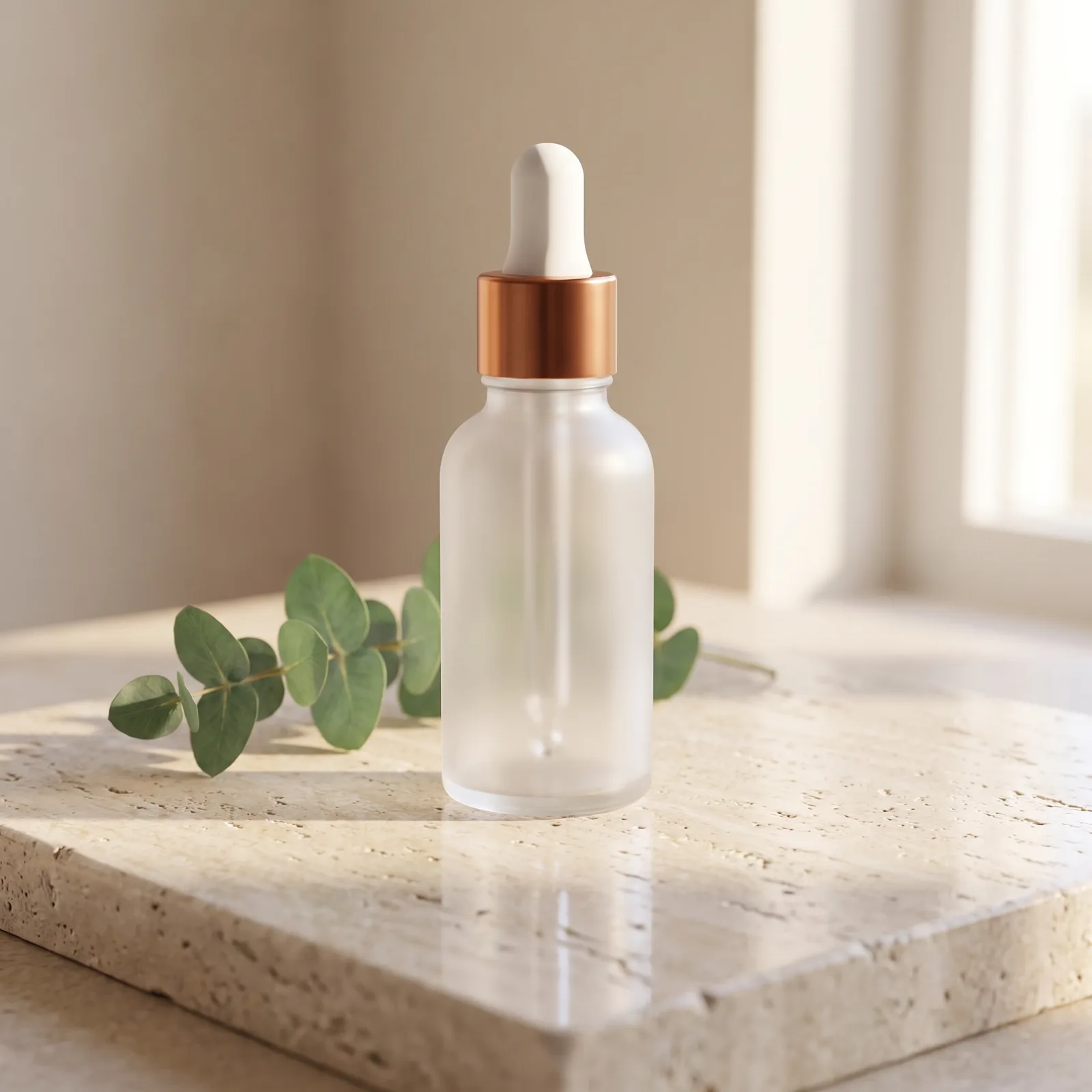
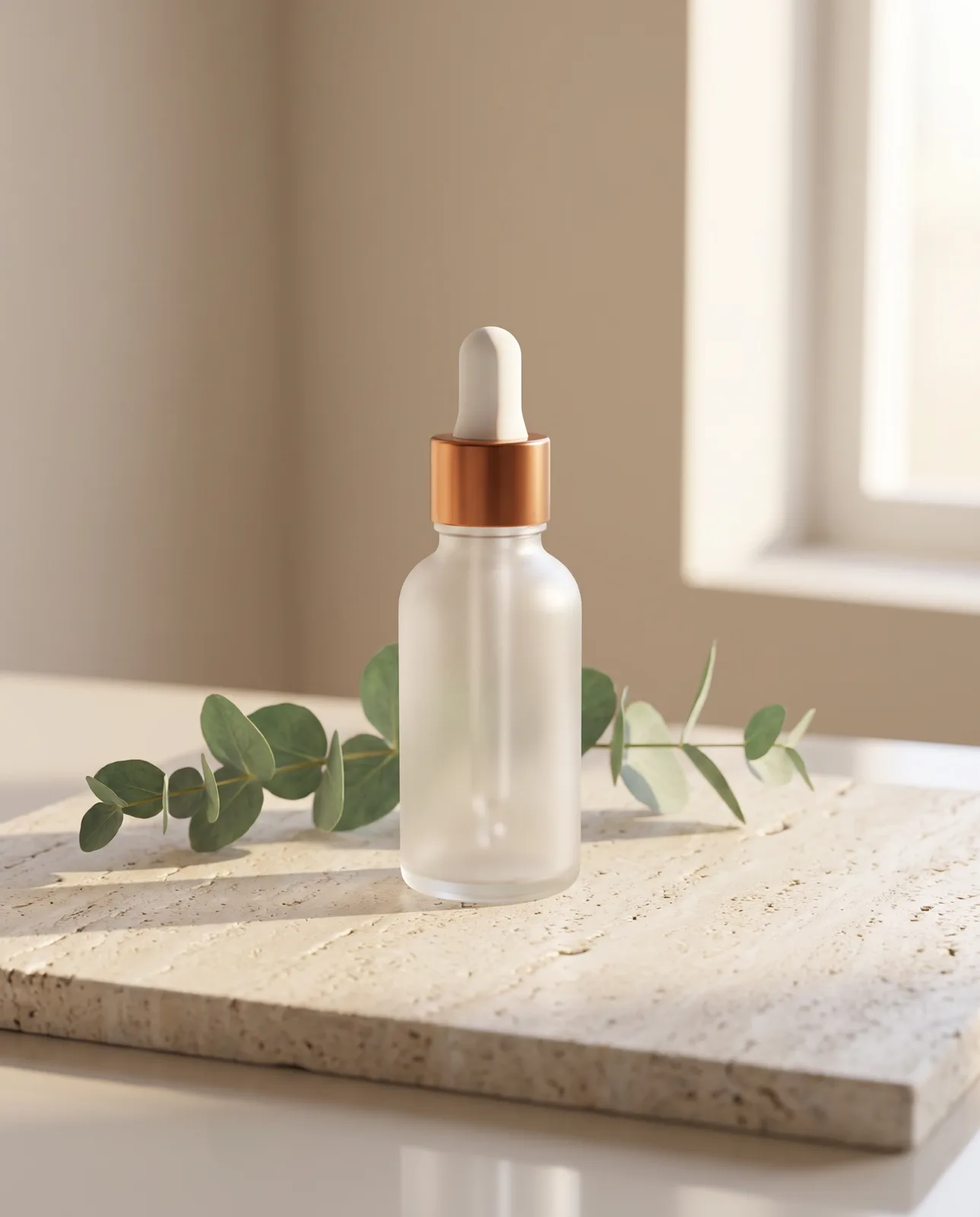
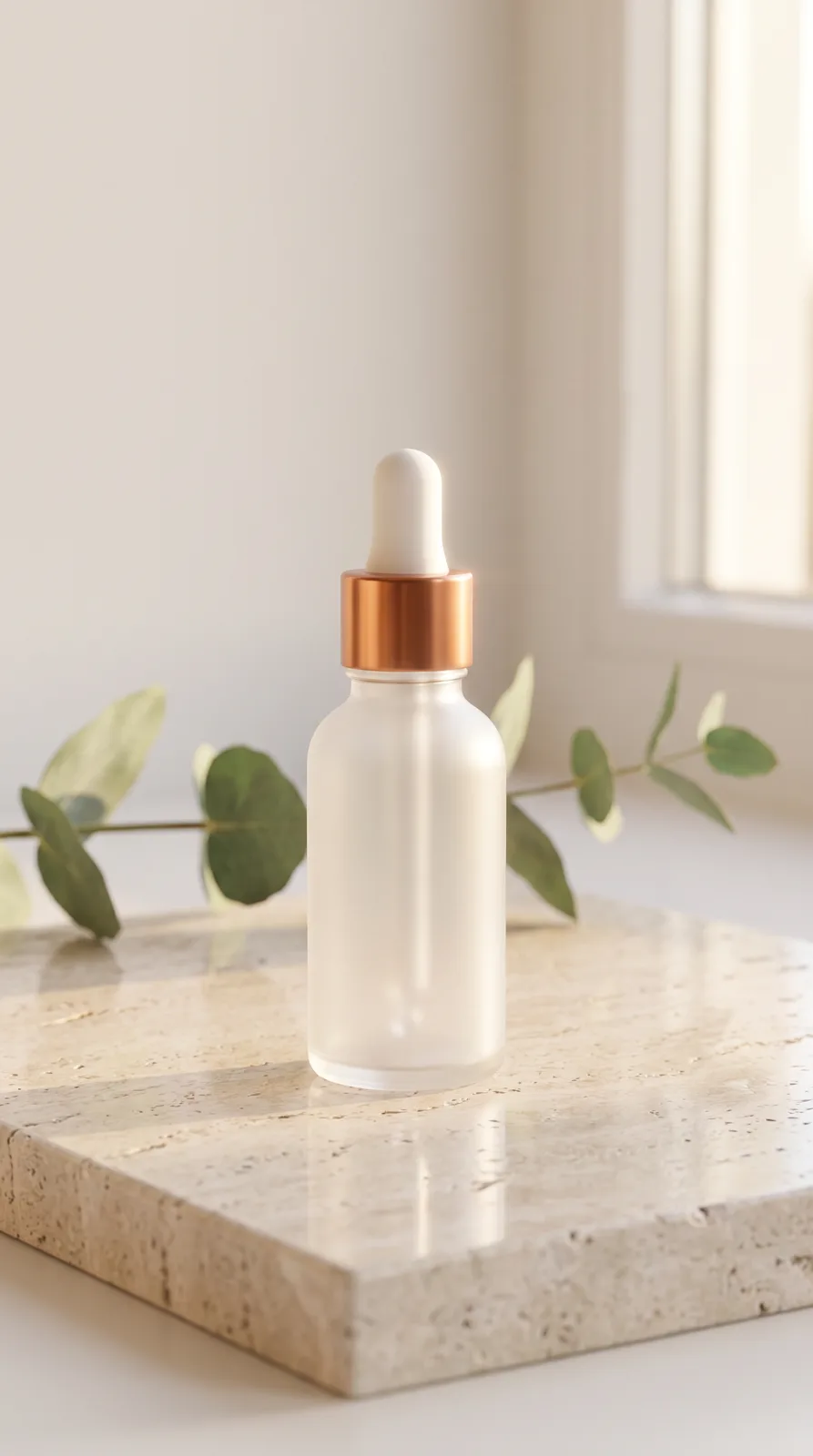
Example brief. A serum in a frosted glass bottle with a copper dropper. The client needs a hero image for the product page, a feed post and a vertical story frame.
Model and settings. Nano Banana Pro, 2K, run three times at 1:1, 4:5 and 9:16, with two reference photos of the bottle attached. For this walkthrough those are AI-generated stand-ins for a plain, unbranded bottle; on a client job they would be the client’s own pack shots.
Prompt
Images 1 and 2 are the serum bottle. Place this exact bottle on a slab of pale travertine, a single sprig of eucalyptus behind it, soft morning light from a window on the right, a faint reflection on the stone, calm and clinical. Keep the bottle's shape, frosted glass and copper dropper unchanged, and keep it unlabelled. Style: warm neutrals, no props beyond the eucalyptus, no people, no text.What to check. The bottle’s outline, frosting and dropper look identical across the three ratios, and no stray label or lettering has crept on. With a labelled client product, read the label against the pack letter for letter.
Worked example 2: four ad hooks for a running shoe, run side by side
Example brief. A trail-running shoe launch on paid social. The media buyer wants four different first seconds to test, all leading into the same product shot.
Model and settings. Seedance 2.5, 1080p, 9:16, 5 seconds, sound on, with the approved product still as the start frame. All four hooks are queued at once.
Prompt
Hook A: a muddy trail shoe lands in a woodland puddle in slow motion, brown water bursting out in a crown of droplets, the camera static at ankle height beside the puddle
Hook B: a runner's feet climb rocky hillside steps between ferns, the camera held low at ankle height and following the climb, small grit scattering from each step
Hook C: a hand drops the shoe onto a weathered wooden bench by a trailhead car park and it bounces once, filmed on a phone lying on the bench, trees soft behind
Hook D: macro of the outsole's lugs pressing into wet clay, then lifting away to leave a clean print, the camera on a tiny tripod at ground level
Why parallel matters. On a plan that runs several generations at once, the four hooks come back together, so the buyer compares like with like instead of waiting on each in turn. Our plans run 2, 4, 6 or 8 generations at once, with Max at 8, which covers a full hook test plus spares in one pass.
Worked example 3: a creator-style clip for a coffee subscription
Example brief. A coffee subscription wants a short, natural-feeling clip of a creator talking about their morning cup, for TikTok and Reels.
Model and settings. Nano Banana Pro for the creator portrait (9:16, 2K), Elevenlabs v4 for the voice line, then Seedance 2.5 at 1080p, 9:16, with the portrait and the audio file attached so it lip-syncs.
Prompt
Portrait: a man in his late twenties with a short beard and a grey hoodie, sitting at a small kitchen table by a window on a grey morning, holding a ceramic mug with both hands, phone-camera framing, natural light, relaxed expression
Voice line (Elevenlabs v4): "[warm] Honestly? The best bit of the week is when this box lands on the mat. New beans every fortnight, and zero effort."
The voice line is a scripted presenter read, not a testimonial: it’s the client’s product message in a creator’s voice, and should be labelled however the client’s platforms require.
Where UGC Factory fits. For a larger creator-style programme, our UGC Factory handles the format end to end. The manual route above suits a one-off or a creator the client has already approved.
Worked example 4: a B2B launch title card and office scene
Example brief. A software company announcing a new reporting dashboard needs a title card and a short scene for LinkedIn.
Model and settings. GPT Image 2.5 Sunburst, 2K, 16:9 for the title card; Seedance 2.5, 1080p, 16:9, 8 seconds with sound for the scene, from an approved start-frame still, with her one spoken line written into the prompt; Elevenlabs v4 if the cut also needs narration.
Prompt
Title card: a clean navy background with the words "Reports that write themselves" in large white type, a thin teal underline, a small abstract chart motif bottom right, plenty of empty space
Scene: a small, sunlit open-plan office, a woman at a standing desk reads the colourful charts on her monitor, smiles, nods and turns to a colleague off-screen to ask "Have you seen this week's numbers?", filmed handheld from behind her shoulder, soft keyboard taps and quiet chatter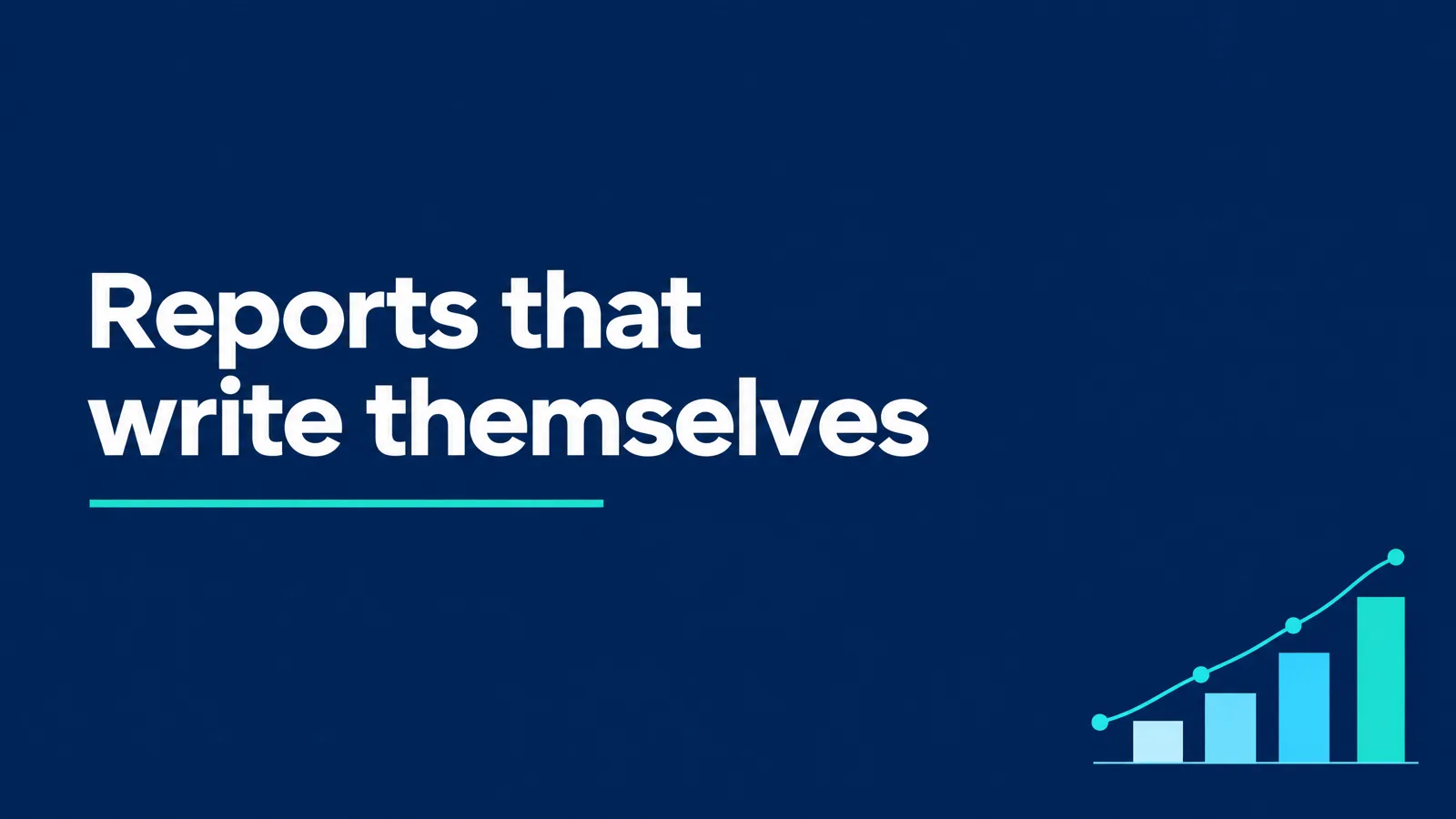
Matching models to agency deliverables
| Deliverable | Model in PromptWise | Why it suits agency work |
|---|---|---|
| Product and packaging stills | Nano Banana Pro | Up to 10 reference images per generation keeps the client’s real product on screen |
| Frames with headlines or prices | GPT Image 2.5 | Stronger at legible type; still proofread every line |
| Fast hook variants | Kling 3.0 Turbo, then Kling 3.0 for finals | Rough versions of the idea first, the best take once a hook wins |
| Longer single takes with sound | Seedance 2.5 | Up to 30 seconds, six aspect ratios, references for products and people |
| Scenes with dialogue or ambience | Veo 3.1 | Native sound generated with the picture |
| Voiceover in several languages | Elevenlabs v4 or Multilingual V2 | Brand voice across markets |
| Music beds | CassetteAI Music | A track sized to the cut |
Sign-off, rights and what stays human
- Clients approve stills before motion. It’s quicker for everyone and keeps revisions small.
- Every frame gets a human check. Product details, text, hands and logos, before anything leaves the building.
- Rights. Every plan includes a full commercial licence; how ownership works is set out on our plans and billing page.
- Disclosure. Ad platforms and some markets have rules on synthetic people and AI-made ads. Follow the strictest one that applies to the campaign.
- No invented endorsements. Creator-style scripts are presenter reads of the brand’s message, never fake reviews.
More answers: bulk AI UGC ad generation: AI UGC video generator · an AI creative platform for agencies, compared with other tools: best AI video generator for marketing · ownership of client work: plans and billing · plans and what each model costs: PromptWise models and pricing
Run your next client brief through 40+ models on one plan. See plans
FAQ
What's the best AI video tool for B2B companies?
One that handles the whole asset set, because B2B launches need title cards with readable text, product scenes, narration and short social cuts. In PromptWise we use GPT Image 2.5 for type-heavy frames, Veo 3.1 for scenes with natural sound and Elevenlabs v4 for the voice, all on the same plan.
What does an AI video workflow for agencies look like?
Write a style block per client, approve hero stills first, then animate those stills as several variants at once, add voice and music, and save the whole chain as a reusable Flow. The next brief from that client then starts from a recipe that already works.
Which AI video generator has batch generation?
PromptWise lets you queue several generations at the same moment rather than one after another, and a saved Flow reruns a whole sequence of steps with new inputs. Together they cover most of what agencies mean by batch work, such as a set of hooks or every format of one asset.
Which AI video generator has parallel generations?
PromptWise does: our plans run 2, 4, 6 or 8 generations at once, with Max at the top end. For testing ad hooks that means a full set of variants comes back together, so they can be judged side by side.
What AI tools does a UGC ad agency need?
A way to create believable presenters, voice, lip-sync and fast variants. We'd use UGC Factory for creator-style ads at volume, or build a presenter in Nano Banana Pro, voice the script in Elevenlabs v4 and lip-sync it with Seedance 2.5 for one-off pieces.
How should an agency choose an AI video plan?
Choose by how many generations you need running at once and how much you produce each month, since every plan includes every model. Agencies testing lots of variants usually want Max, which runs 8 at once; current prices are on our models and pricing page.