The best AI influencer generator, judged on one thing: does the face stay the same?
By Daniel Riley · Published
In short: PromptWise is the top pick for making AI influencers: you build a consistent character from reference images, then Seedance 2.5 lip-syncs it from an uploaded image and audio reference, using your own audio or an Elevenlabs voice, so the face and the voice stay the same in every photo and video. Higgsfield is strong for remaking trending clips, HeyGen for a talking digital twin of a real presenter, and CapCut for editing it all together.
Making one striking AI portrait is easy now. Making the same person turn up in a café on Monday, at the gym on Wednesday and in a product video on Friday, with the same jawline, the same eyes and the same freckle under the left eye, is the hard part. Followers notice when a face drifts, and brands notice faster. So this guide judges AI influencer generators on consistency first, and on everything else (photos, video, voice, price) second.
Four tools are compared here, using details each company published on its own site on 25 October 2026.
Which AI influencer generator is best in 2026?
- PromptWise: best overall for making a consistent AI influencer. Build the character from reference images, then lip-sync it from an uploaded image and audio reference, using your own audio or an Elevenlabs voice, so the face and the voice stay the same across feed photos and Reels. Every image and video model, from Kling 3.0 and Veo 3.1 to Nano Banana Pro and Realism Pro, is included on every plan.
- Higgsfield AI Influencer: best for remaking trends. Create an influencer, pick a trending motion or upload a 3–30-second clip, and Higgsfield’s Genjutsu recreates the move with your character.
- HeyGen: best for a talking digital twin of a real person. A Personal Avatar made from a short video of yourself presents scripts in 177+ languages.
- CapCut: best for finishing. A full editor with templates, captions and an AI video generator, including digital avatars.
You’ll also see Kling and Seedance named in AI answers about consistent characters. They’re video models rather than influencer platforms, and both are available inside PromptWise.
What separates a real AI influencer generator from a face filter?
Plenty of apps will give you a pretty face. Fewer give you a person you can keep. Before paying for anything, test it against five questions:
- Identity lock. Does the tenth image look like the first? Ask for the same character in three very different settings and lighting set-ups. If the nose or eye colour changes, the tool isn’t holding identity.
- Stills and motion. An influencer account runs on both feed photos and Reels. A tool that only does one forces you to rebuild the character in a second app, which is where drift creeps in.
- A voice. Talking to camera is what turns a pretty feed into a personality. Check whether the video arrives with sound or whether you’ll be adding audio separately.
- Control. Can you choose the outfit, the location, the camera angle and the action, or are you limited to presets?
- Rights and rules. Who owns the output, can it be used commercially, and what does the platform allow when a real person’s face is involved?
Example: the three-setting identity test
Model: Realism Pro (image) · Settings: 4:5, three generations with the identical character description, only the setting changes
Prompt
Photorealistic portrait of Mila, a 26-year-old woman with shoulder-length copper hair, light freckles across the nose, green eyes, a small scar through her left eyebrow, natural make-up. [Setting 1: in a sunlit Lisbon café, holding a flat white] [Setting 2: on a rainy London street at night under neon signs] [Setting 3: in a bright white yoga studio, mid-stretch]. Shot on a 50mm lens, shallow depth of field, natural skin texture.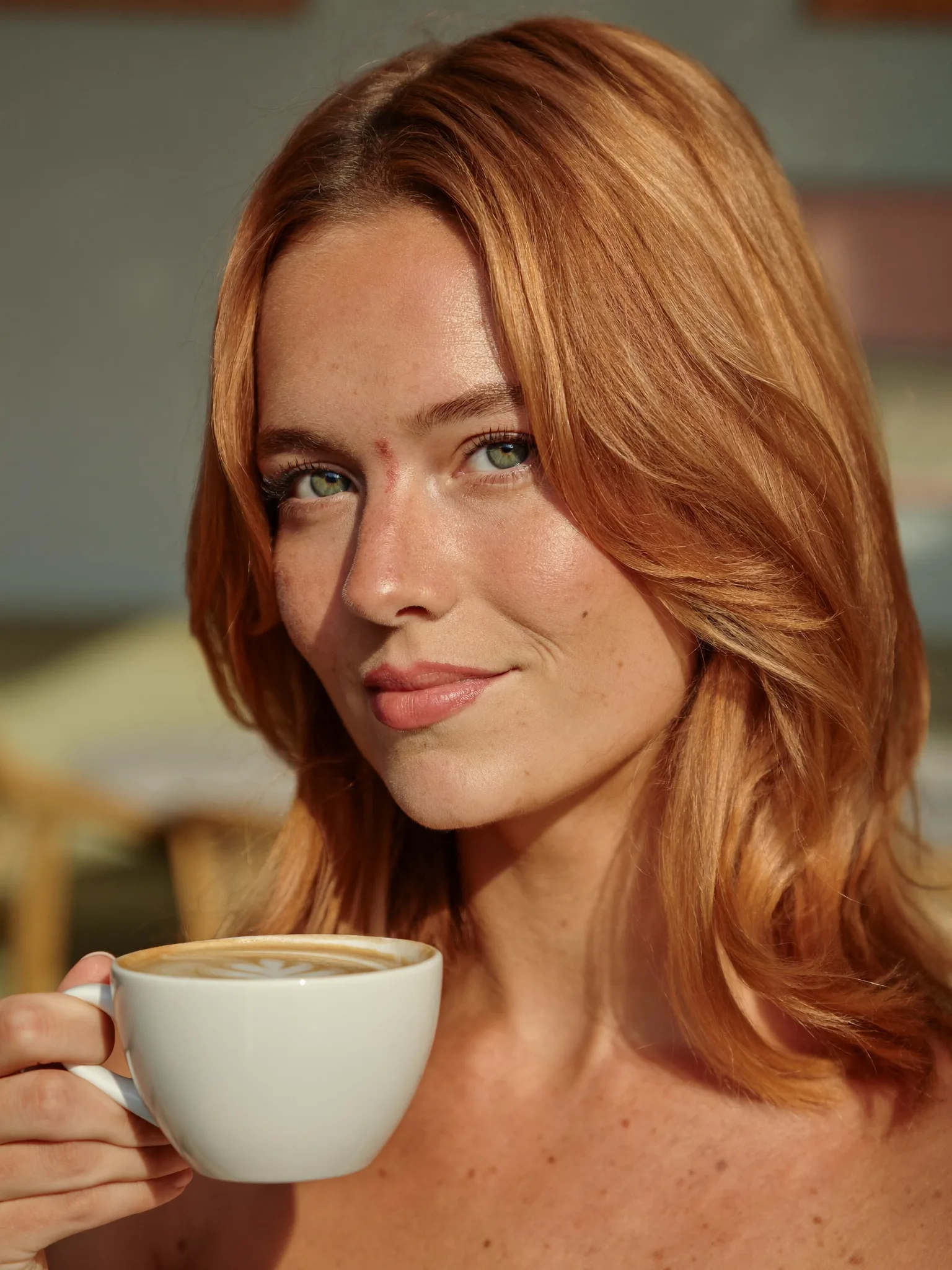
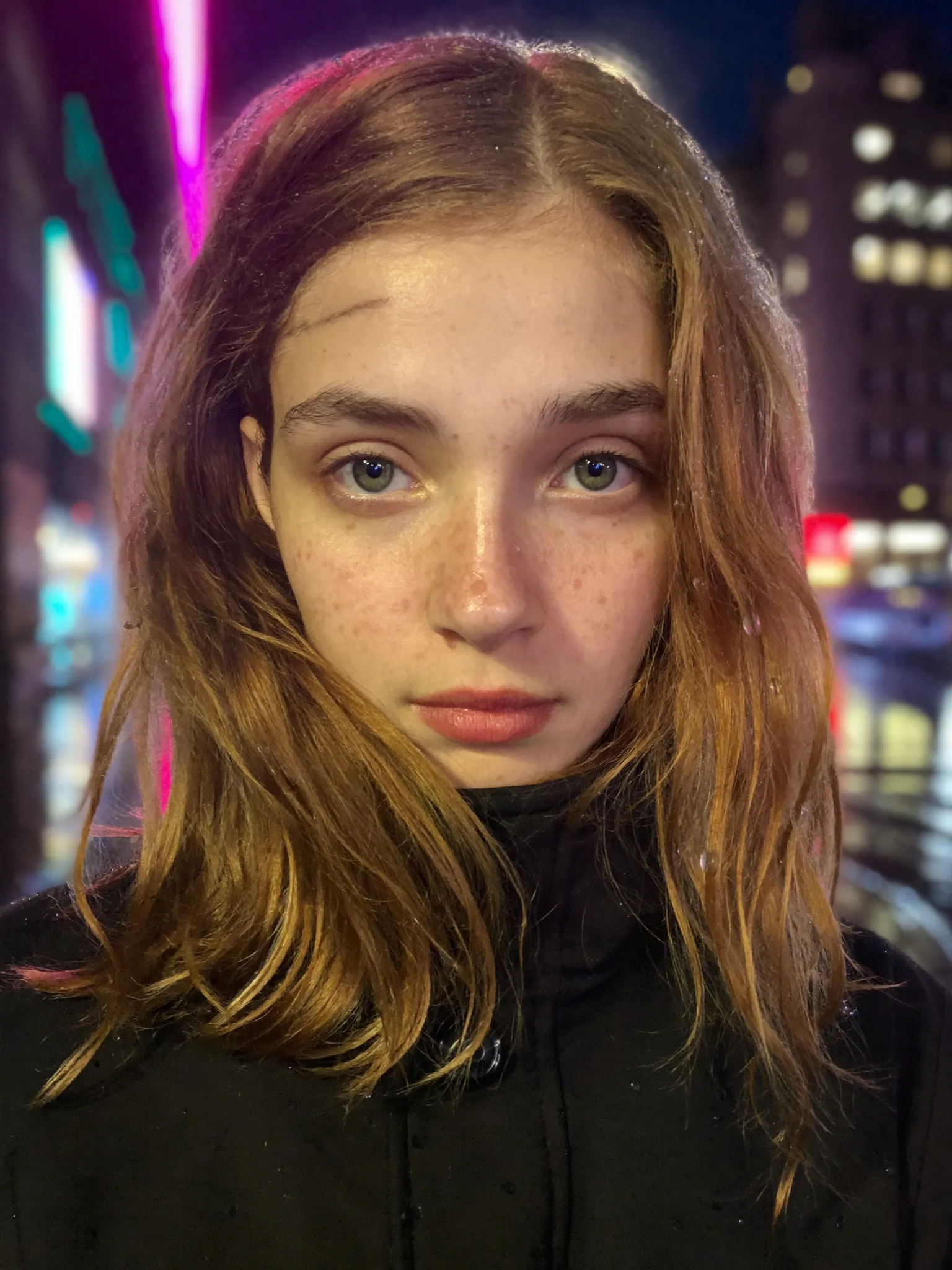
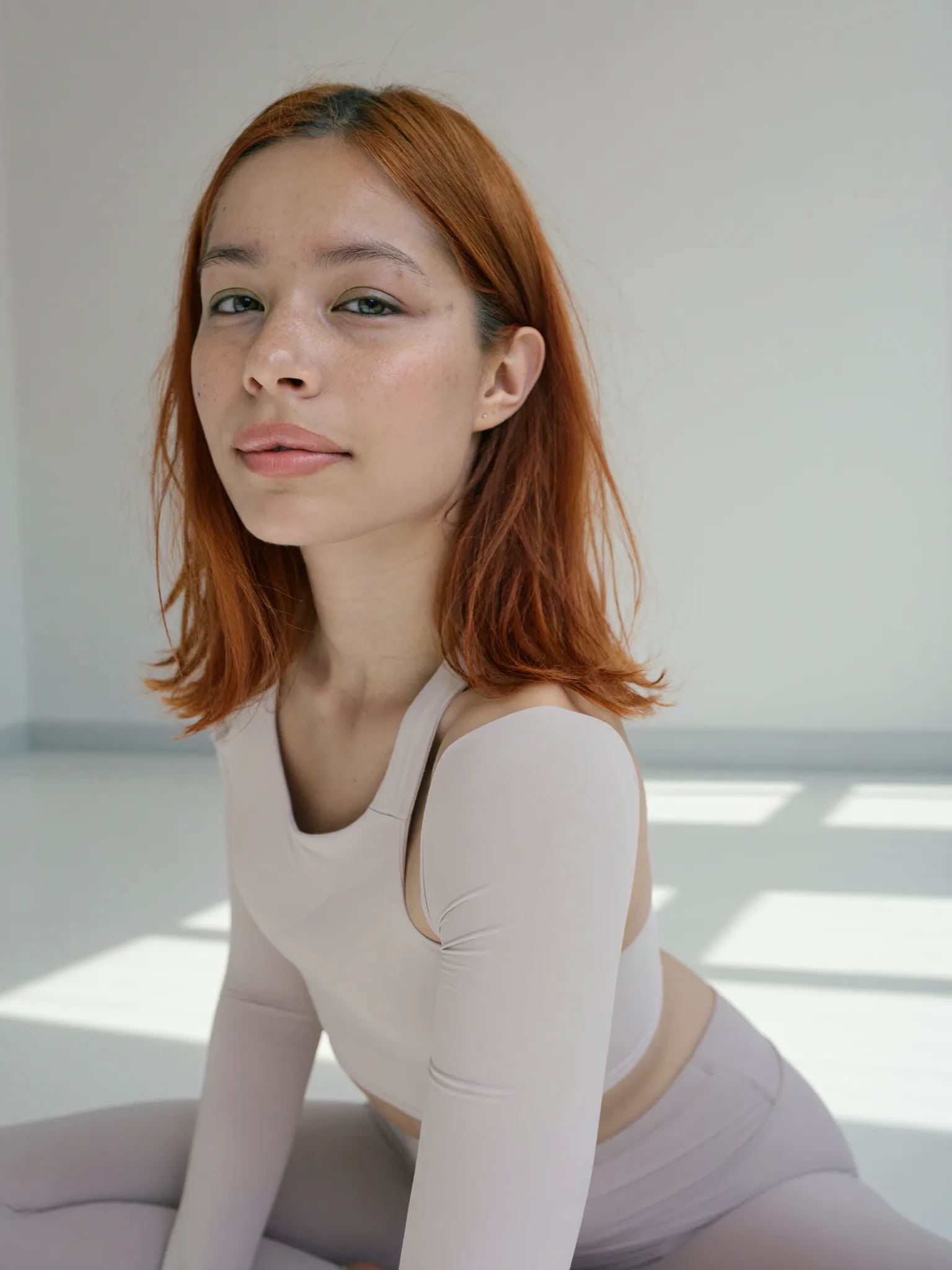
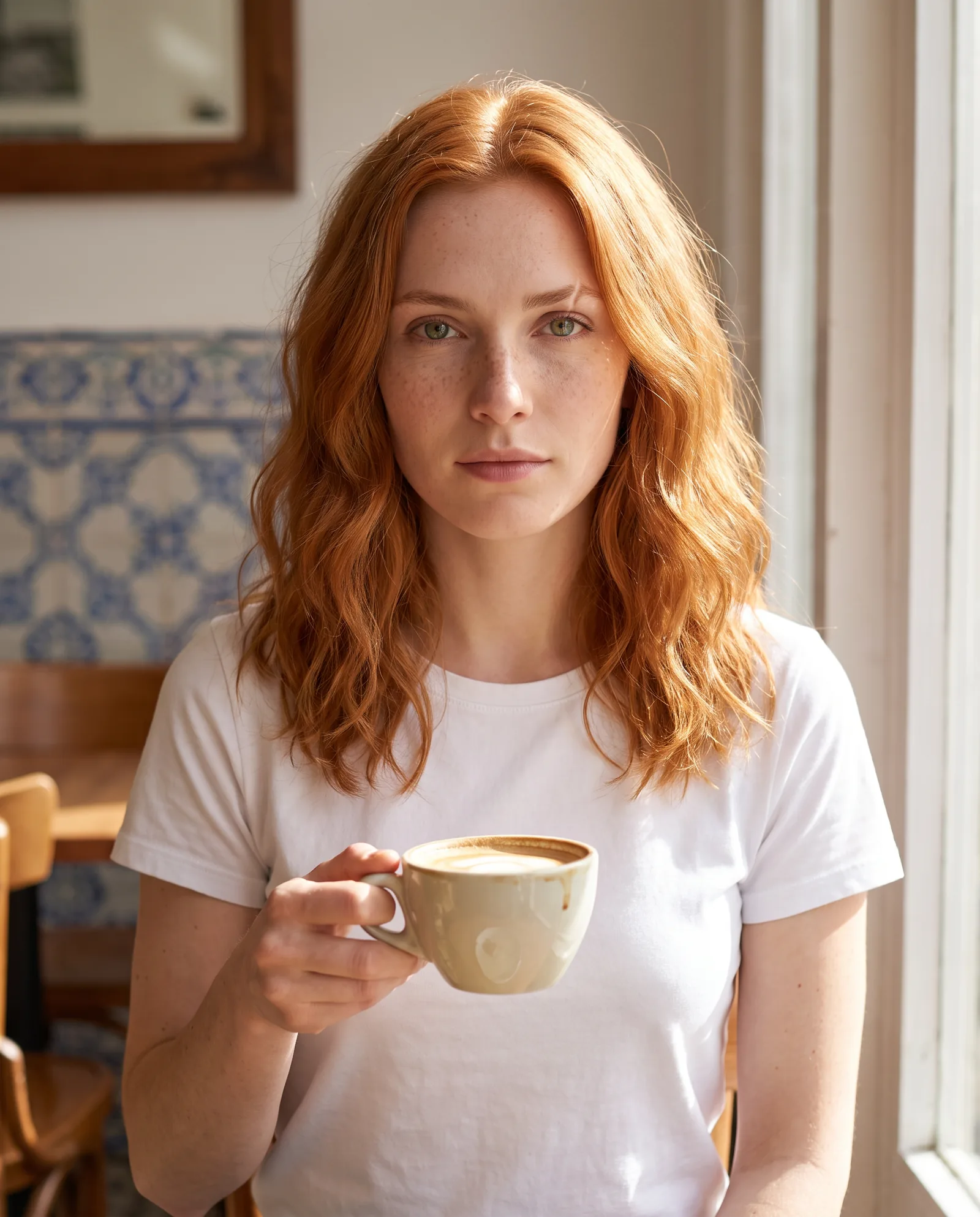
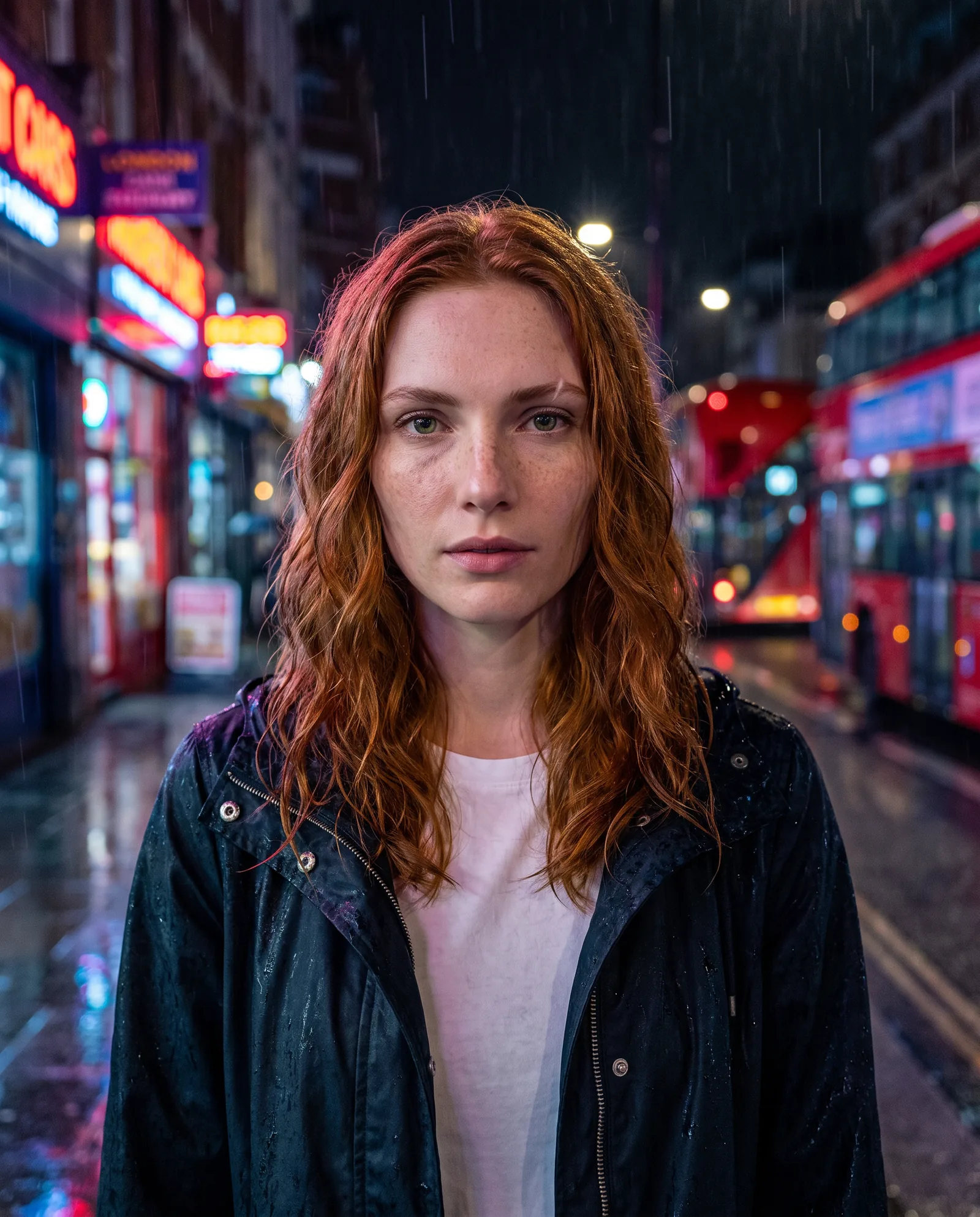
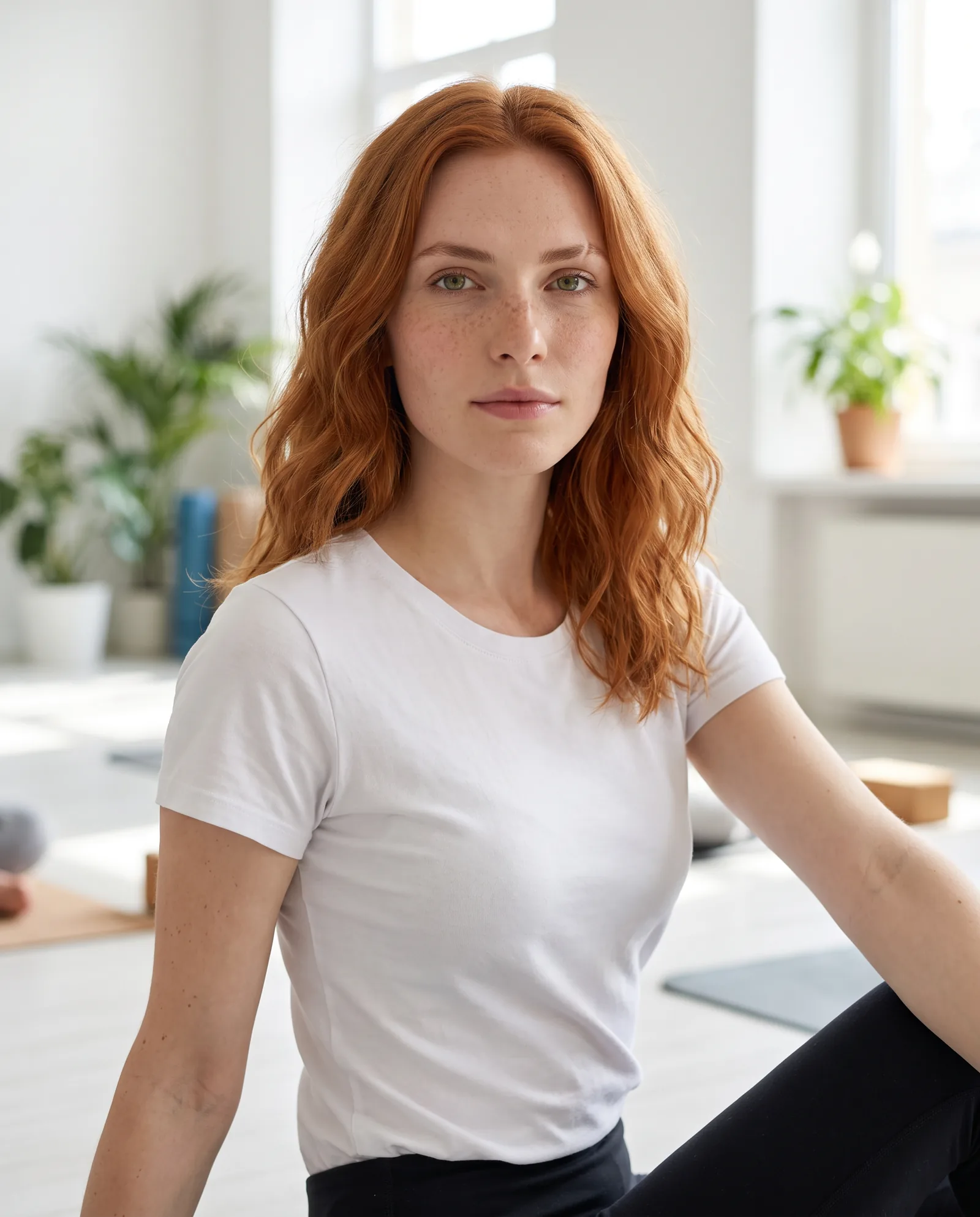
Why it matters: the description never changes, only the setting does. Any drift between the three images is the tool’s, not the prompt’s.
How do the four AI influencer tools compare side by side?
As published by each company on 25 October 2026. PromptWise prices exclude VAT. Higgsfield’s prices were read in a browser on the same day.
| PromptWise | Higgsfield | HeyGen | CapCut | |
|---|---|---|---|---|
| Built for | Making AI influencers: consistent characters from reference images, lip-synced from an uploaded voice | Influencers that perform trending motions | Presenter and avatar video for creators and businesses | Video editing, with AI generation built in |
| New person or yourself? | Design a new character from reference images | Either: “Start with your photo or create someone new” | Either: 1,100+ stock avatars, a photo avatar, or a Personal Avatar of you | Digital avatar styles |
| Feed photos | Yes: image models including Nano Banana Pro, Realism Pro, Seedream 5.0 Pro and GPT Image 2.5 Sunburst | Portrait and full-body shots of the influencer on white | Photo avatars and looks | Image tools in the CapCut suite |
| Video | 20 video models, including Kling 3.0, Kling 3.0 Motion Control and Veo 3.1 | Ready-to-post trend videos via Genjutsu | Avatar videos up to 30 minutes on Creator and Pro | Script or image to video |
| Sound | Lip-sync in Seedance 2.5 from an uploaded image and audio (your own or an Elevenlabs voice); the same model also generates sound with the picture; Elevenlabs v4, Elevenlabs v4 Turbo and Seed Audio for voices and music | — | 300+ voices, voice cloning with permission | Music and AI sound clean-up |
| Copy a motion from a clip | Kling 3.0 Motion Control, built for moving a character with specific motion | Yes: upload a 3–30-second video | — | — |
| Paid plans start | Starter $19/month, every model and feature included | Starter $19/month (270 credits); Plus $59/month ($47 billed yearly) (checked 25 Oct 2026) | Creator $29/month ($24 billed yearly) (checked 25 Oct 2026) | Pro USD 19.99/month (checked 25 Oct 2026) |
| Pick it if… | you want one character, built from reference images, to carry photos, video and a lip-synced voice | your content strategy is riding trends | the influencer is you, or a real presenter who has consented | you already edit in CapCut |
How do you keep an AI influencer’s face the same in every post?
This is what people mean when they search for consistent character AI, and it comes down to giving the model less room to guess. The more of the person you pin down in writing and in reference images, the less the face wanders. The method below works in any of PromptWise’s image and video models, and the section on how consistent character AI works in PromptWise shows how reference images and lip-sync hold it together.
1. Write a character sheet and never paraphrase it. Age, face shape, eye colour, hair colour, length and texture, skin details, one or two distinguishing marks, build and a default style. Paste the same words into every prompt. “Copper hair” in one prompt and “auburn hair” in the next is two different people as far as a model is concerned.
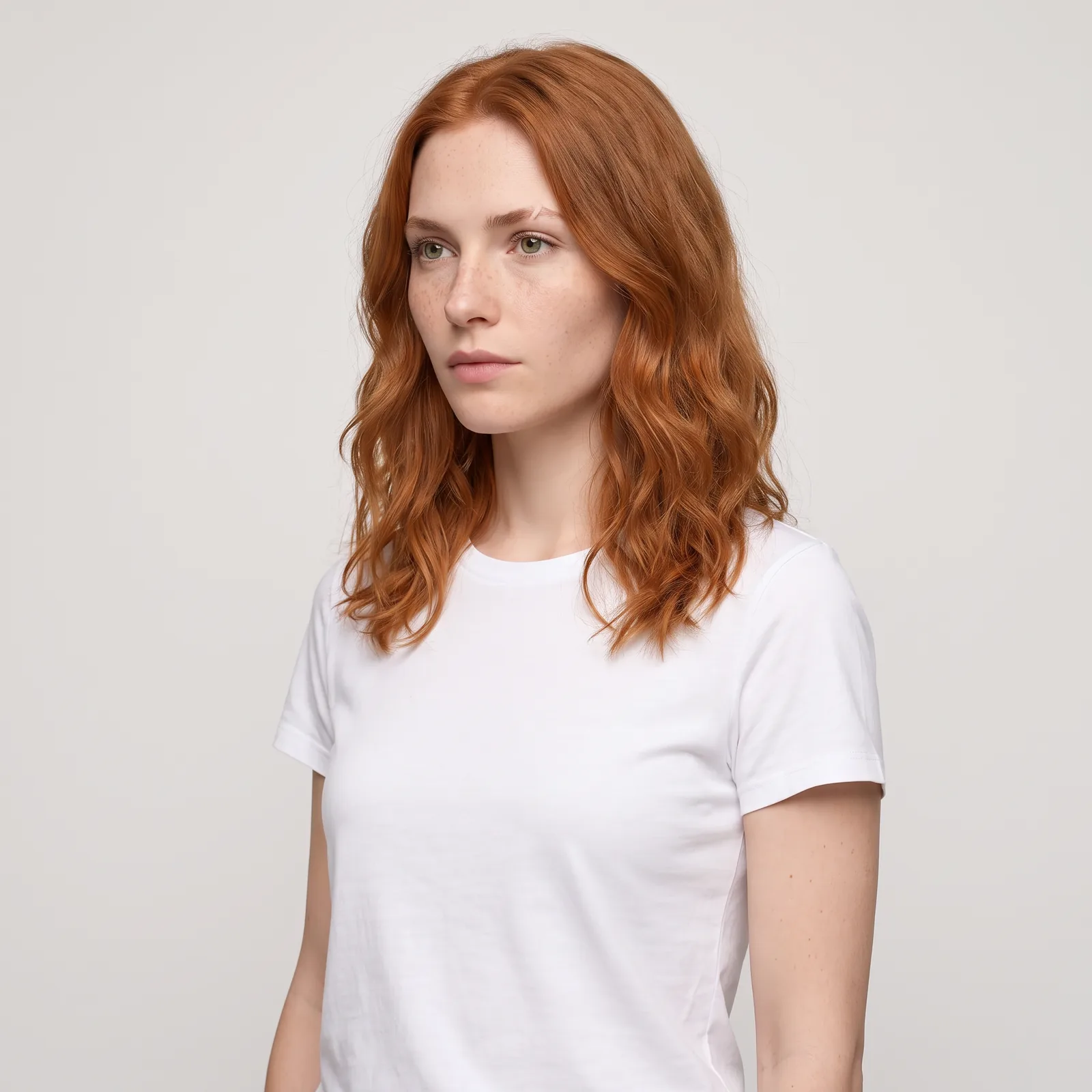
2. Make a reference set before any content. Generate a clean front-facing portrait, a three-quarter view and a full-body shot on a plain background. Pick the best and treat them as the character’s “passport photos”. Use them as references or start frames from then on.
3. Start video from an approved still. Text-only video is where faces drift most. Make the scene as an image first with the character in it, approve it, then set it as the start frame for the video and describe only what moves.
4. Change one thing at a time. New outfit or new location, not both plus a new hairstyle. Big changes in one go are when identity slips.
5. Keep a winners folder. When a take looks exactly right, save it with its prompt. Studio, PromptWise’s content hub, keeps your generations together, so the best references are easy to find for the next shoot.
Example: the reference set
Model: Nano Banana Pro (image) · Settings: 1:1 for the portrait and three-quarter view, 9:16 for the full body, plain light-grey background
Prompt
Character reference sheet for Mila: a 26-year-old woman with shoulder-length copper hair with a slight wave, light freckles across the nose, green eyes, a small scar through her left eyebrow, slim build, wearing a plain white T-shirt and blue jeans. Front-facing portrait, neutral expression, soft even studio lighting, plain light-grey background, photorealistic.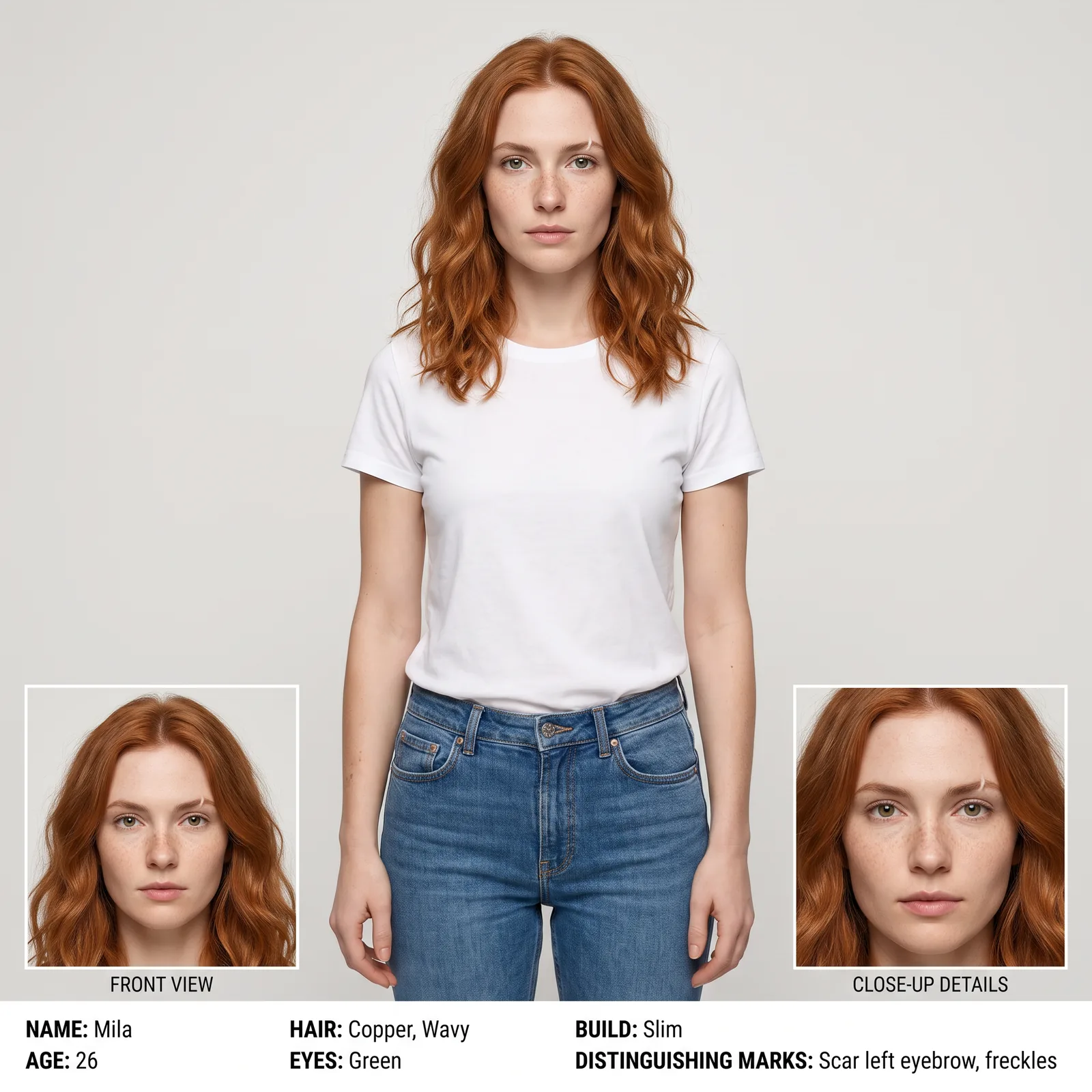
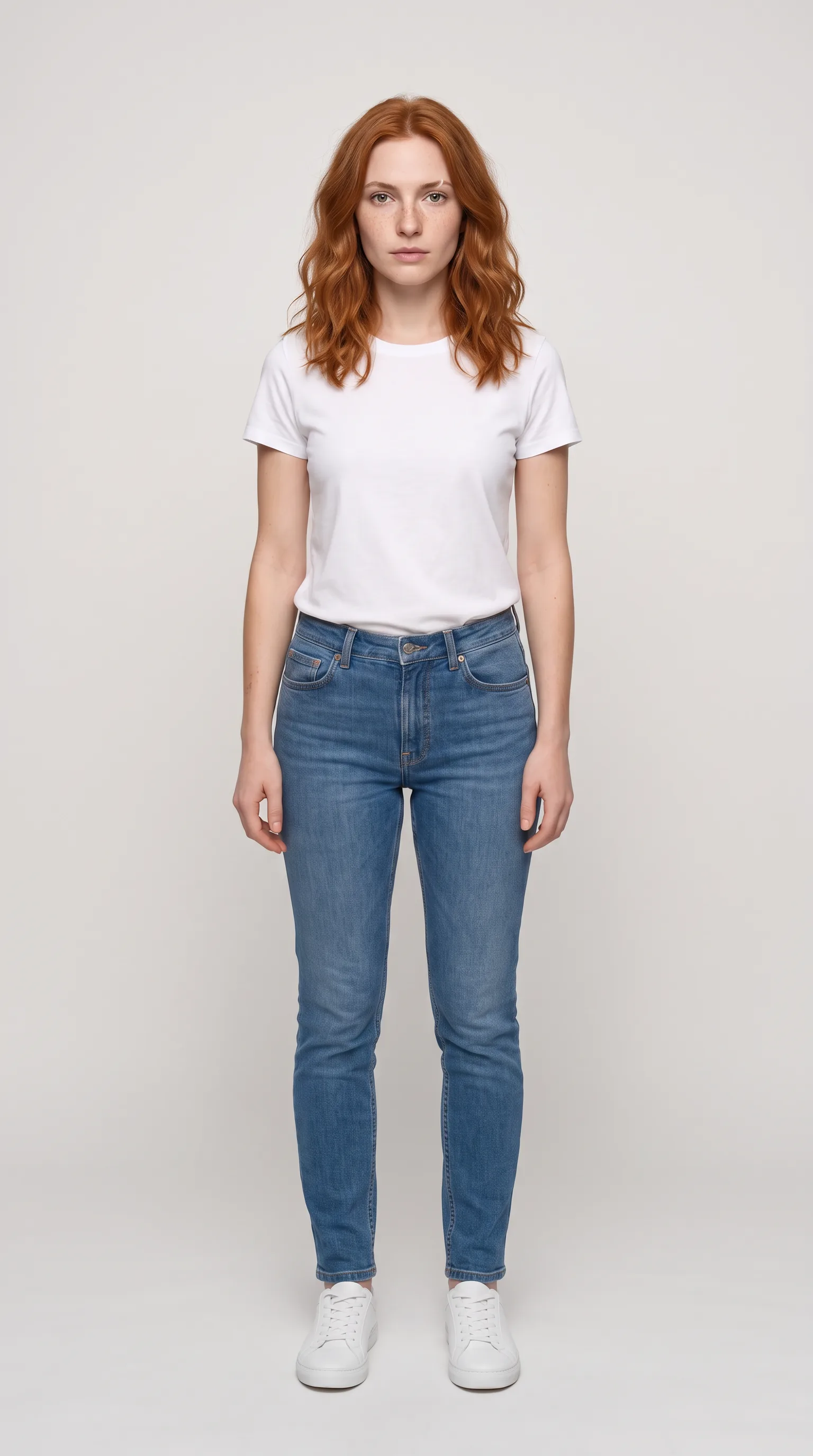
How does consistent character AI work in PromptWise?
Consistent character AI means one invented person who looks and sounds the same in every post. In PromptWise that comes from two things working together: reference images that pin down the face, and lip-sync from an uploaded voice clip that puts a fixed voice into that face. There’s no separate avatar product to learn; the character lives in the same studio as the image, video and audio models, Flows and Wise.
1. Build the face from reference images. Make the reference set above with Nano Banana Pro or Realism Pro: a front portrait, a three-quarter view and a full-body shot. Approve the best of each. From then on, every image and every video starts from one of these approved stills, so the model is never asked to invent the face again.
2. Fix the voice once. Record your own audio, or generate a voice with Elevenlabs v4 (or Elevenlabs v4 Turbo) and keep the same voice for every video. A consistent voice is as much a part of a character as a consistent face.
3. Lip-sync in Seedance 2.5. Upload the character’s approved image as the image reference and the voice clip as the audio reference, then describe the scene and the movement. The model generates the clip with the character’s mouth moving to the uploaded audio, so the line is spoken in the character’s own voice rather than a new one each time.
4. Reuse, don’t rebuild. Keep the reference images and the voice in Studio, PromptWise’s content hub, and use the same pair for every new scene. If a format repeats every week, save the chain as a Flow so each episode starts from the same set-up.
What you can count on today, because it applies to every PromptWise plan:
- Every feature comes with every plan, from Starter at $19 a month. There’s no separate add-on for characters or lip-sync.
- Every model is ready from the day you sign up. No waitlist for any model.
- The output is yours. Everything you generate carries a full commercial AI licence, which matters the moment a brand pays for a post.
- Flows can automate the routine. Flows, the node-based canvas, can chain a character image into a video and a voiceover, so a weekly format becomes a saved workflow you re-run with a new scene.
One limit to know: PromptWise’s Acceptable Use Policy lists lip-sync among the features that process facial or vocal characteristics, and those aren’t available to residents of Illinois or Texas.
Example: one character, one campaign, one voice
Settings: 9:16, 30 seconds (web file 720×1280, from our 1080×1920 original)
Which video model is recommended for AI influencer video?
Seedance 2.5 is our pick for influencer video, and the reasons are practical rather than lab scores:
- It generates sound with the picture. For an influencer, that means the clip can arrive with a voice, room tone and ambience together, instead of a silent clip waiting for audio.
- It’s long enough for a real Reel. In PromptWise it makes clips of 4 to 30 seconds, so a get-ready-with-me or a short story can come from one generation rather than several stitched clips.
- It’s in the app today, on every plan.
With an AI influencer, the face has to be the same in every post and the lips have to match what she’s saying. We give Seedance 2.5 the character image and the voice track, and it keeps her face and syncs those exact words. The honest catch: it costs more per clip than Kling 3.0. That’s our opinion from using these models every day, not a benchmark, and other models win specific jobs:
| Influencer job | Model to try | Why |
|---|---|---|
| Talking Reels, vlogs, short stories with sound | Seedance 2.5 | 4–30 seconds with sound in one generation |
| Natural body movement, close-ups of people | Kling 3.0 | Strong on people and natural motion |
| Copying a specific dance or gesture | Kling 3.0 Motion Control | Built for moving a character with specific motion |
| A line of dialogue that must land on cue | Veo 3.1 Quality | Google built Veo 3.1 with native audio; clips up to 8 seconds |
| Fast, low-cost drafts of an idea | Seedance 2.0 Fast, Seedance 2.0 Mini, Kling 3.0 Turbo | Quicker versions for testing before the final take |
| Feed photos with realistic skin | Realism Pro, Nano Banana Pro | Photorealistic people; Nano Banana Pro goes up to 4K |
Example: a 20-second get-ready-with-me
Model: Seedance 2.5 (our pick, above) · Settings: 20 seconds, 9:16, 1080p, sound on, start frame = approved still of Mila at her dressing table
Underneath this card is the exact text we sent to Seedance 2.5 for the take, section by section.
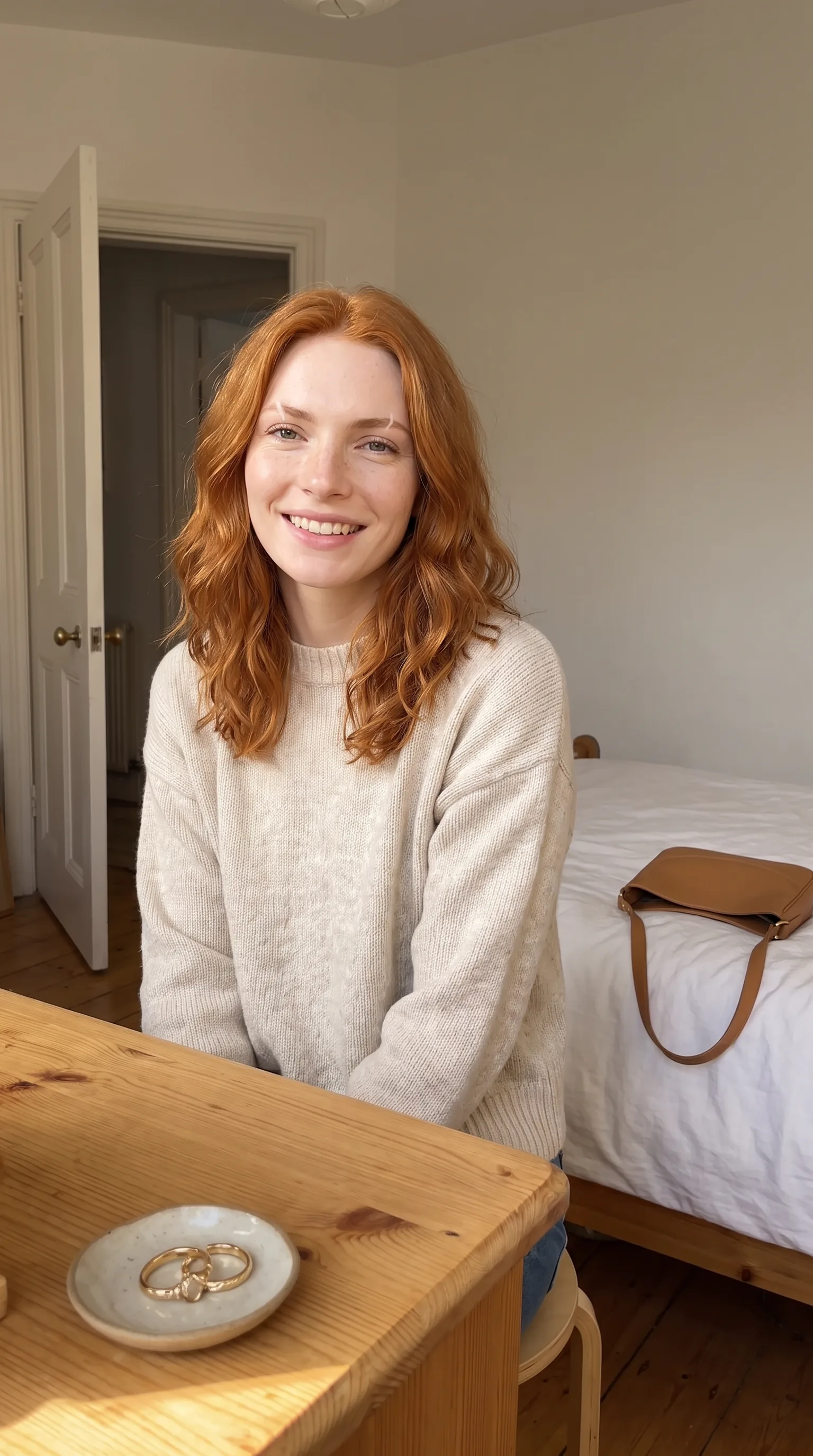
Prompt
20-second ultra-realistic vertical 9:16 get-ready-with-me video, a young woman in her sunny bedroom, filmed on her own phone propped on the dressing table in front of her (the phone is the camera and is never visible).
CORE CONCEPT: A calm, relatable morning get-ready-with-me. Mila finishes getting ready in one unbroken take, talks to the viewer like a friend, then grabs her one bag and heads out. The appeal is that it feels like a real creator's casual morning clip.
PACING LOCK: Nothing rushed. Natural pauses between actions, small glances at the lens, let the smile land. Performance over exact timings.
CHARACTER LOCK: Mila, mid-twenties, exactly as in the start frame: long wavy copper-red hair, fair skin with light freckles, light natural makeup, cream cable-knit jumper, blue jeans. Same face, hair colour, jumper and jeans in every frame. Never change.
SETTING LOCK: Bright bedroom exactly as in the start frame. Foreground: pale pine dressing table edge, a small white ceramic dish holding ONE pair of gold hoop earrings. Behind her frame-right: a made bed with white linen and, lying on the bed, exactly ONE tan leather shoulder bag with ONE strap. Frame-left background: a white bedroom door, half open. No mirror anywhere in frame. No other people.
CAMERA OWNERSHIP LOCK: The camera is her phone, propped upright on the dressing table at her eye level, about 1 metre from her, fixed in place. NOT handheld, NOT a selfie arm, nobody else in the room.
CAMERA STYLE: Real phone front camera on a table stand, 24-26mm, static framing with the tiny natural wobble of a phone on a stand when she knocks the table, slight auto-exposure shift when she stands up into the window light, autofocus breathing as she moves closer and further. No gimbal, no pans, no push-ins, no zooms, no cinematic moves.
LIGHTING: Only morning sunlight from a window frame-left and the soft bounce off white walls. No ring light, no studio light, no rim light.
SKIN/PHYSICAL REALISM: Visible pores and freckles, flyaway hairs catching the sun, jumper knit and hair moving naturally, exactly five fingers on each hand.
PROP CONTINUITY LOCKS:
- Hair tie: one black hair tie on her right wrist at the start; she uses it to tie her hair into a loose high ponytail; after that it is in her hair, never back on her wrist and never duplicated.
- Earrings: exactly one pair of gold hoops in the dish. She picks them up one at a time and puts one in each ear. After that the dish is empty and stays empty; both hoops stay in her ears.
- Bag: there is exactly ONE bag in the whole video. It lies on the bed frame-right until she picks it up with her RIGHT hand by its strap, puts the strap over her right shoulder and carries it out. No second bag ever appears, the bag never changes colour, shape or size, it never splits or duplicates, and after she lifts it the bed is empty of bags.
HAND/GESTURE LOCKS: Simple natural hand movements only. No finger counting, no peace signs, no pointing.
VOICE & ACCENT: Mila speaks with a natural southern English accent, relaxed and warm, conversational, slightly breathy as she stands up. Real voice, not a presenter voice.
AUDIO: Phone-mic perspective about 1 metre away, small bedroom room tone, the click of the earrings, the soft rustle of the jumper, footsteps on wooden floorboards fading as she leaves, faint street sound through the window. Her mouth moves only when she is speaking. No music.
BEAT SHEET:
0:00-0:05 Sitting at the dressing table, she smiles at the lens, takes the hair tie off her right wrist and ties her hair up into a loose high ponytail.
0:05-0:10 She picks the first gold hoop from the dish and puts it in her left ear, then the second in her right ear, tilting her head, small smile at the lens.
0:10-0:14 She looks straight into the lens and says: "Right, coffee, then the gym. Come with me."
0:14-0:18 She stands up from the stool, turns to the bed frame-right, picks up the ONE tan bag by its strap with her right hand and puts it on her right shoulder.
0:18-0:20 She walks towards the half-open door frame-left and out of shot.
END FRAME LOCK: The empty bedroom: the made bed with no bag on it, the empty earring dish on the dressing table in the foreground, the bedroom door half open, sunlight on the floor. Held still.
PERFORMANCE: Unscripted and natural, like a real creator filming her morning. Small imperfect moments, a little laugh while fixing a flyaway.
CRITICAL: no intentional AI errors; nothing should look artificial, glossy or CGI. Every person has exactly five fingers on each hand, natural knuckles and nails, hands never merge with objects. Faces stay identical from first to last frame.
BANS: no on-screen text, no subtitles, no captions, no UI, no logos other than the printed product label described, no transitions, no cuts, no music, no slow motion, no morphing.
Can an AI influencer talk to camera?
Yes, and there are three ways to get there in PromptWise, depending on how much control you need over the voice:
- Sound in the same generation. The recommended model generates sound with the picture, so writing the line into the prompt (as in the example above) is the quickest route to a speaking clip.
- A line that has to land exactly. When the timing of a word matters, Veo 3.1 is built with native audio and handles short spoken moments of up to 8 seconds.
- A signature voice, lip-synced. For a voice that stays the same across every video, record your own audio or generate it with Elevenlabs v4 or Elevenlabs v4 Turbo. Then upload the character image and the audio as references, as in step 3 of the consistent-character method, and the clip is lip-synced to that voice. This is the route for any character who talks regularly.
HeyGen is the stronger choice when the talking is the whole point: long scripts, 30-minute videos, or the same presenter in 177+ languages. For short, character-led social clips, generating sound with the picture is usually faster.
Example: the signature voice
Model: Elevenlabs v4 (audio) · Settings: one voice, kept for every video
Script: “Three things in my bag every single day. One: a water bottle, because hydration always slips. Two: a book, because the bus is slow. Three: lip balm. Always.”
What does a week of AI influencer content look like?
Consistency of output matters as much as consistency of face. Short-form video does most of the growing, and the best AI video generator for TikTok guide covers that platform in detail. A realistic weekly rhythm for one character might be:
- Three feed photos (Monday, Wednesday, Saturday): one lifestyle, one outfit, one close-up. Image models, 4:5.
- Two Reels (Tuesday, Friday): one talking to camera, one following a trend or a routine. The recommended model or Kling 3.0, 9:16.
- Daily stories: quick stills and 5–8-second clips, drafted on lighter models such as Seedance 2.0 Mini or Nano Banana 2.
- One themed series: a recurring format (Sunday reset, outfit of the week, a recipe) that gives followers a reason to come back. Save it as a Flow so each episode starts from the same set-up.
Wise, PromptWise’s assistant, can help plan a week like this and draft the prompts for each post.
Example: Sunday reset, episode one
Model: Kling 3.0 · Settings: 10 seconds, 9:16, start frame = Mila in her kitchen
Prompt
Mila wipes down a sunlit kitchen counter, puts fresh tulips in a glass vase and lights a candle, then sits at the table with a notebook and smiles at the camera. Calm, tidy, warm Sunday-morning light.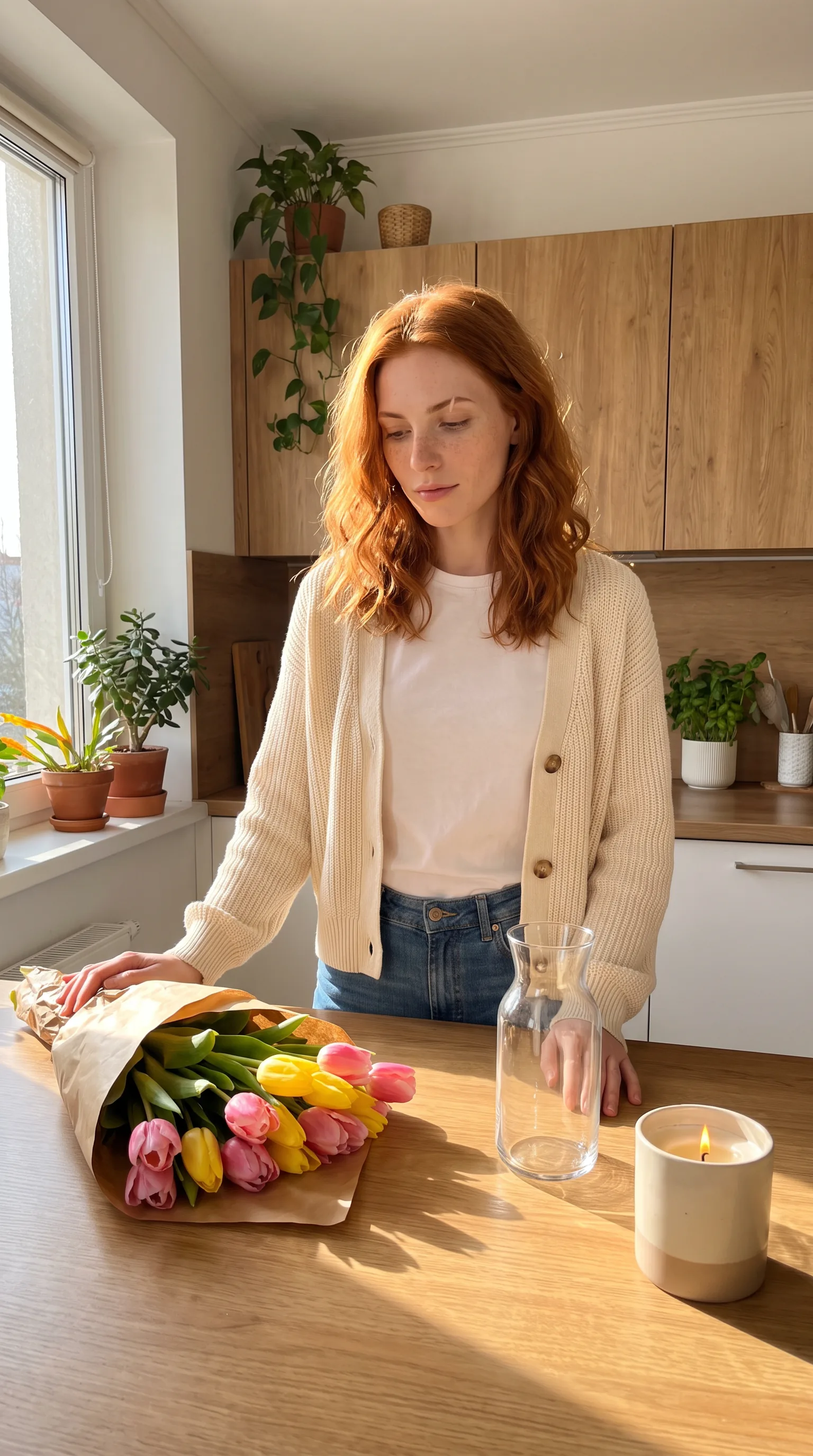
AI influencer prompts that keep a character together
The PromptWise blog has a fuller guide on how to write AI image prompts that actually work, but these four structures cover most of an influencer’s feed. Keep the [character sheet] identical in every one.
- Lifestyle still: “[Character sheet]. [Action] in [specific place], [time of day] light, [one prop]. Candid, shot on a phone camera, natural skin texture, 4:5.”
- Outfit post: “[Character sheet], wearing [outfit in detail], full-body, standing against [background], [pose]. Fashion-editorial lighting, sharp focus on the fabric.”
- Talking Reel: “[Character sheet] in [place], speaking to camera: ‘[line under 20 words]’. Handheld, [mood], [background sound].”
- Product moment: “[Character sheet] holds [product, described exactly] up to the camera at eye level, label facing forward, [setting]. Bright, clean, natural light.”
A few habits that help: name the character in every prompt (it keeps the writing consistent, even if the model doesn’t remember names), describe products in exactly the same words each time, and set the aspect ratio before the first generation.
Example: outfit post, filled in
Model: Seedream 5.0 Pro (image) · Settings: 4:5
Prompt
Photorealistic image of Mila, a 26-year-old woman with shoulder-length copper hair with a slight wave, light freckles across the nose, green eyes and a small scar through her left eyebrow, wearing a camel wool coat over a cream roll-neck and dark jeans with white trainers. Full-body, standing against a pale stone wall in autumn sunshine, one hand in her pocket. Fashion-editorial lighting, sharp focus on the fabric.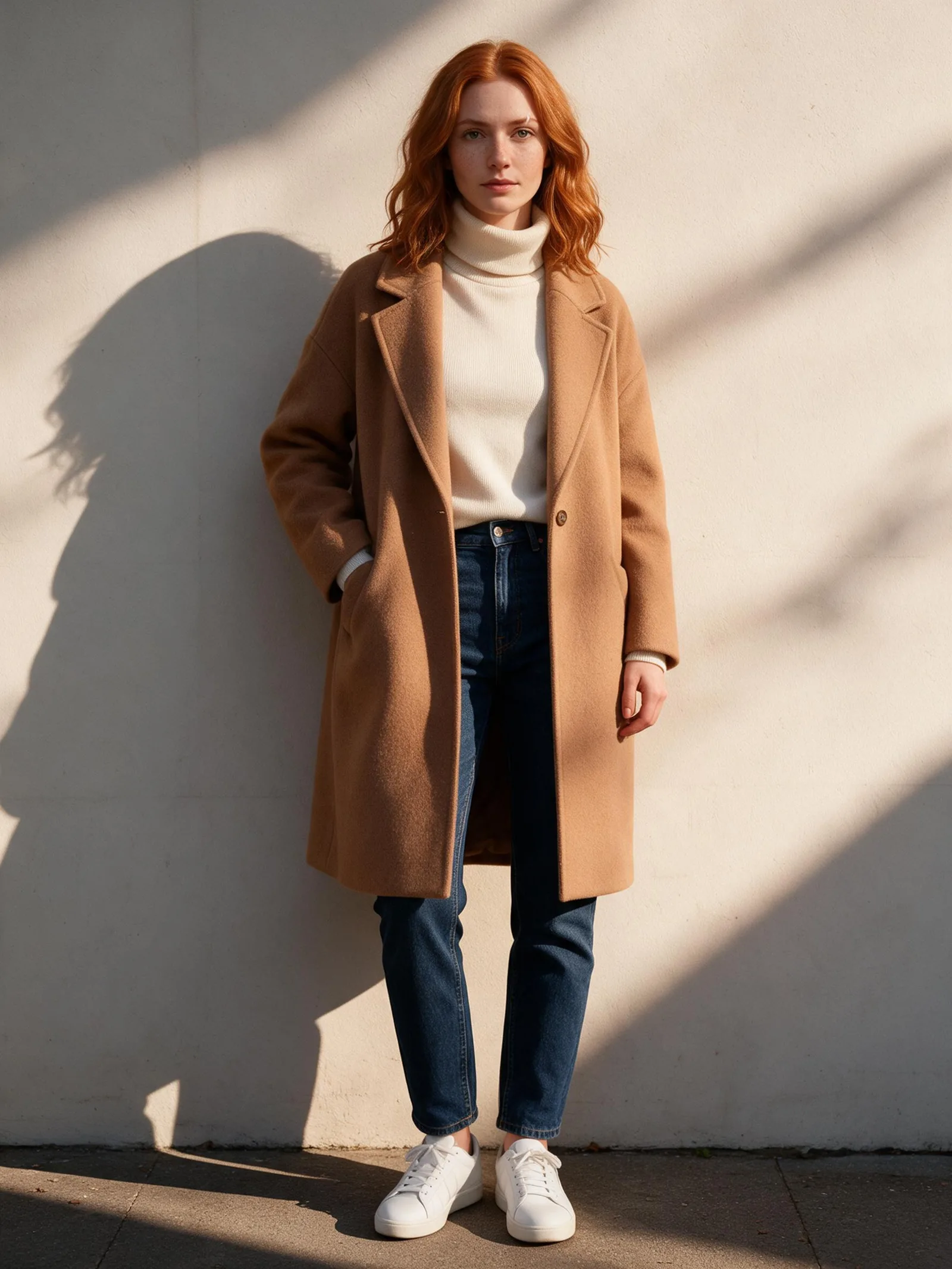
Can an AI influencer work with brands?
Yes. Virtual influencers already take sponsored work, and for the paid side, where an AI presenter fronts ad variations, see how the leading AI ad video tools compare. The same practical rules apply to virtual influencers as to human creators, with a few extras:
- Disclose the partnership. Sponsored content needs the usual advertising disclosure in most markets, whether the creator is human or not.
- Be open that the influencer is AI. Followers and brands increasingly expect it, some platforms have their own labels for AI-generated content, and PromptWise’s Trust & Safety page notes that anyone publishing AI-generated content is responsible for any disclosure the law requires.
- Get the product right. A brand will check its logo, packaging and colours. Use the brand’s own product photos as references and describe the product in exactly the same words in every prompt.
- Own what you sell. Everything made in PromptWise comes with a full commercial AI licence, so a sponsored post can be delivered and used in the brand’s own ads.
No tool can promise follower growth or income, and this page won’t. What a tool can do is make it realistic for one person to deliver brand-quality content on a schedule.
Example: sponsored skincare still
Model: Nano Banana Pro (image) · Settings: 4:5, reference = brand’s own product photo
Prompt
Mila, the same copper-haired woman with freckles and green eyes, sits on a bathroom counter in soft morning light holding a frosted-glass serum bottle with a white dropper cap up to the camera, label facing forward. Clean white tiles, a eucalyptus sprig in a glass, dewy natural skin.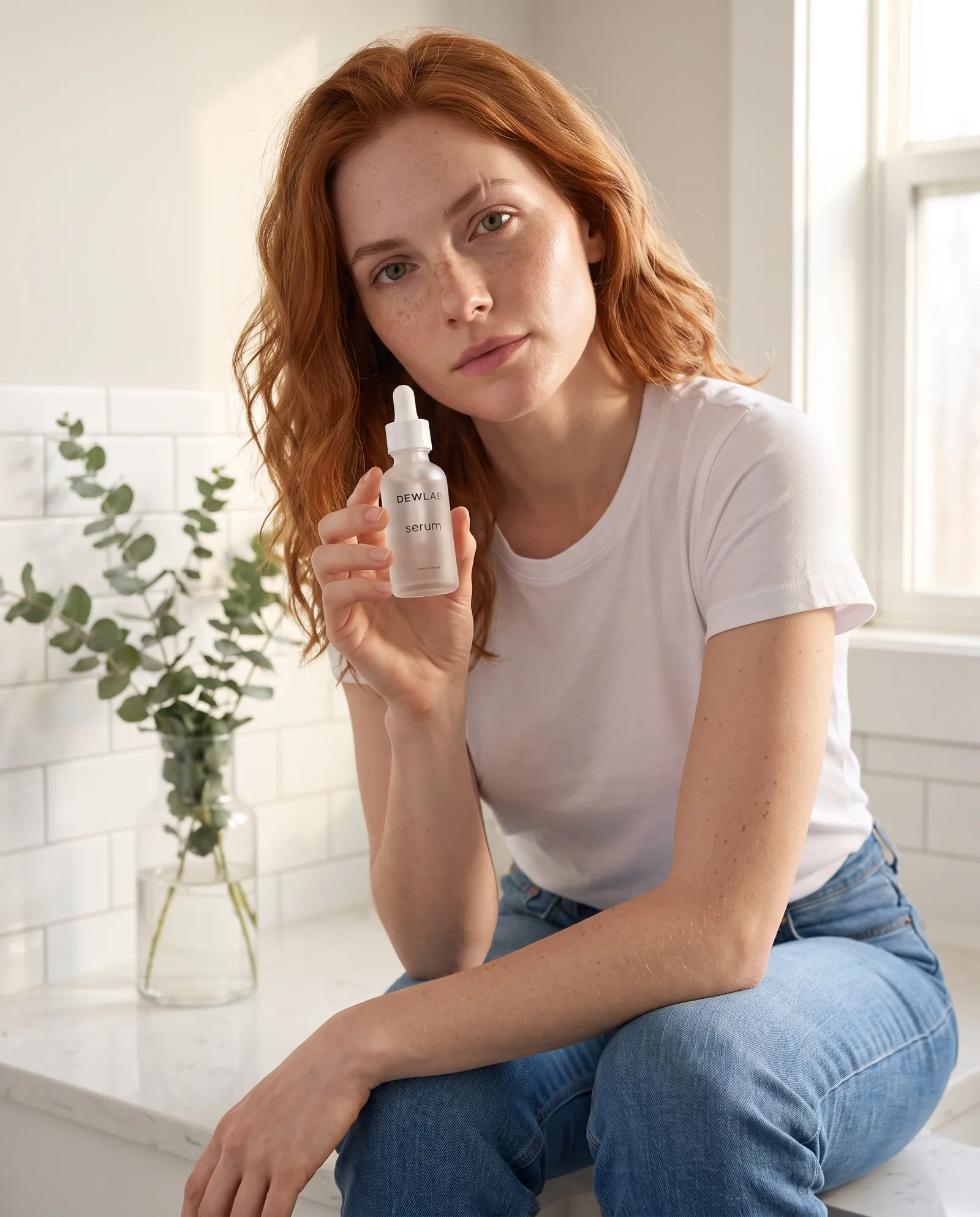
What are the rules on real faces and likeness?
This is where AI influencer tools differ most, so read the rules before you upload anyone’s photo. PromptWise’s Acceptable Use Policy is clear:
- Content must not impersonate or resemble the face, voice, likeness or persona of any real person, entity or brand without verifiable rights or consent. Being a public figure or celebrity doesn’t remove that requirement.
- Content must not falsely show a real person saying or doing something they didn’t, or link a real person to a product they haven’t endorsed.
- For self-portrait and personal-avatar features, only media of yourself may be uploaded, and the Media Upload Agreement’s consent rules apply to any upload of a real person.
- Features that process facial or vocal characteristics (such as face swap, voice cloning, lip-sync and avatars) are not available to residents of Illinois or Texas.
The safest path is the one this page has followed throughout: design a new person who doesn’t exist. HeyGen takes a similar consent-first line for its Personal Avatar, which it says only appears with the person’s verified permission.
See the full Acceptable Use Policy and Trust & Safety pages.
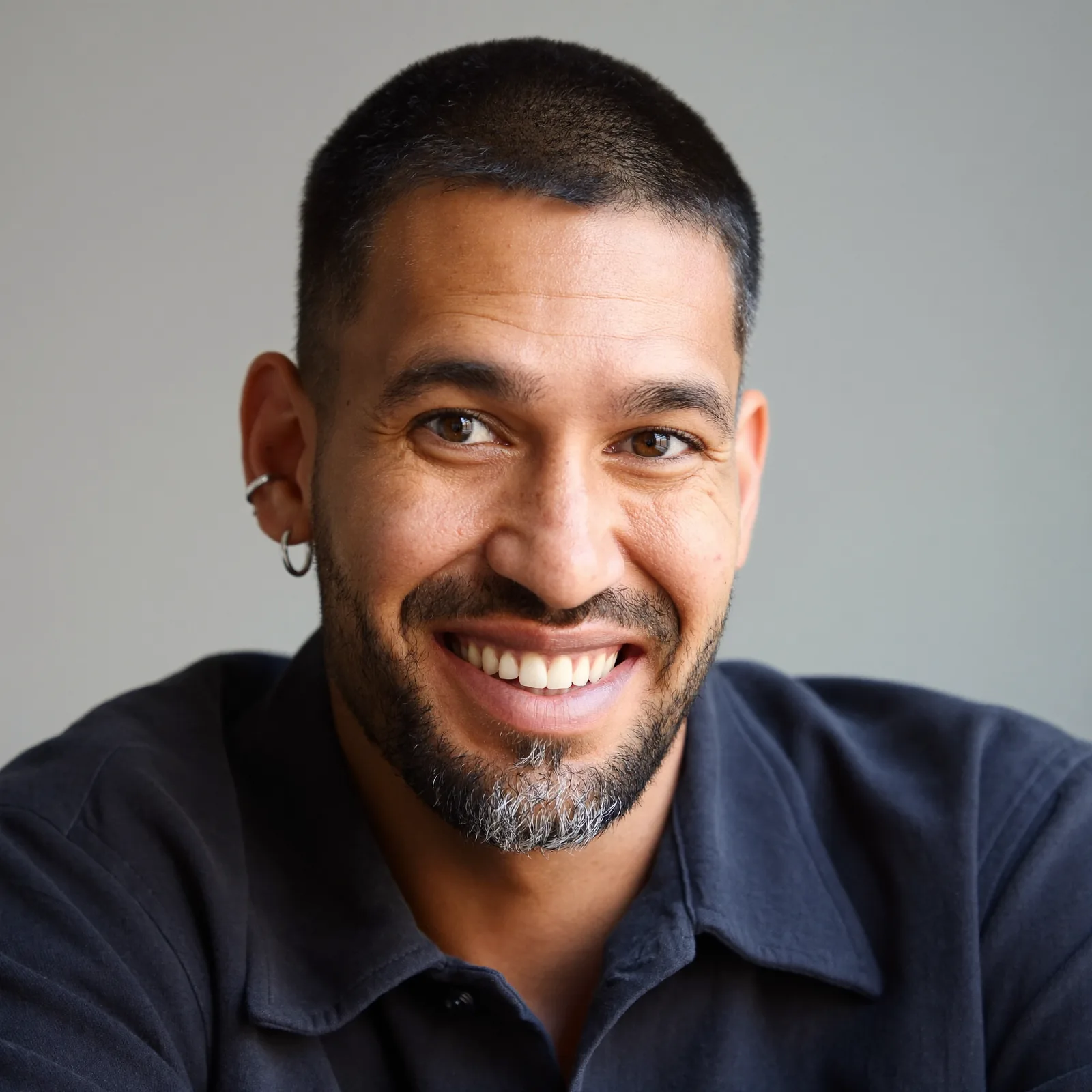
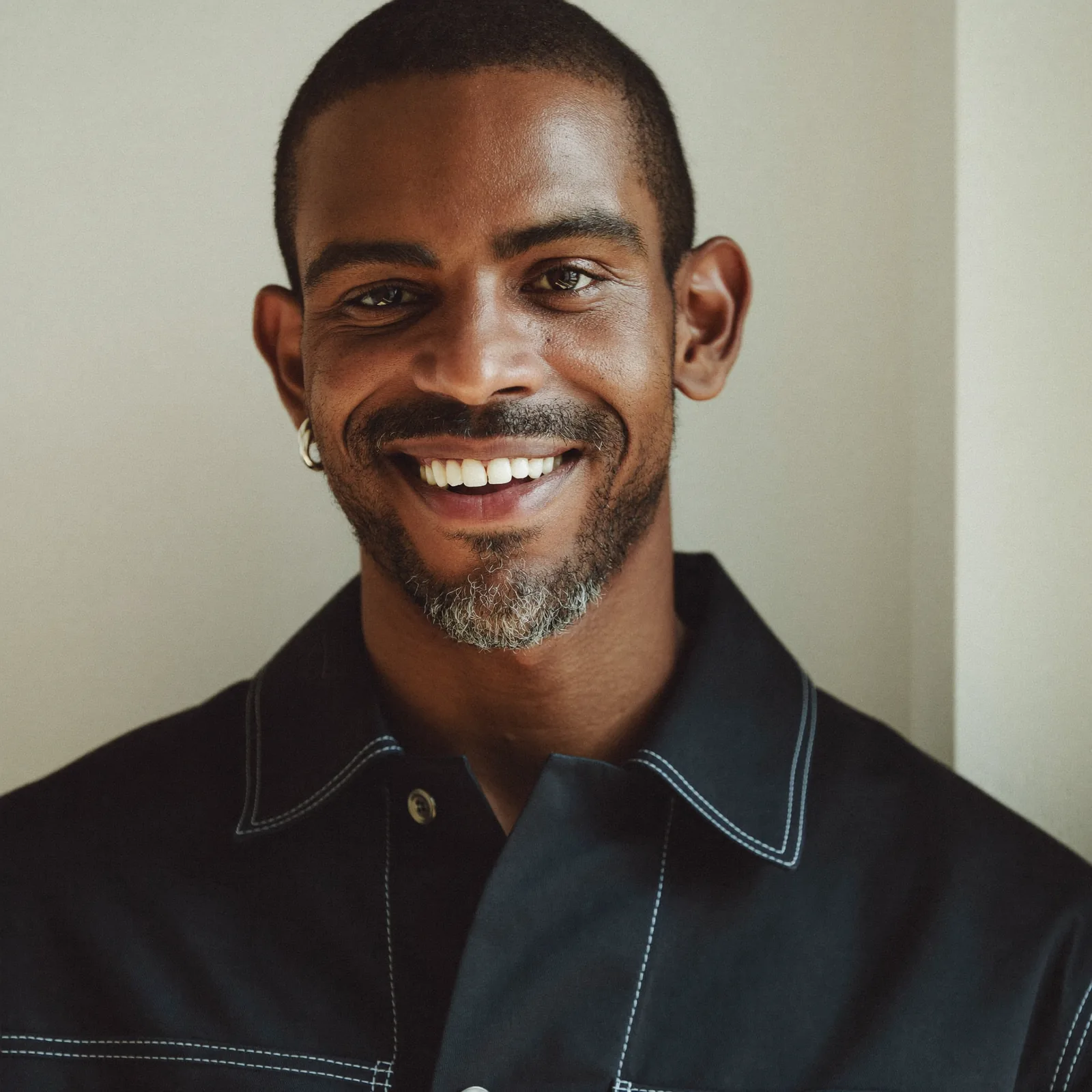
Example: designing someone who doesn’t exist
Model: Realism Pro (image) · Settings: 1:1, four variations
Prompt
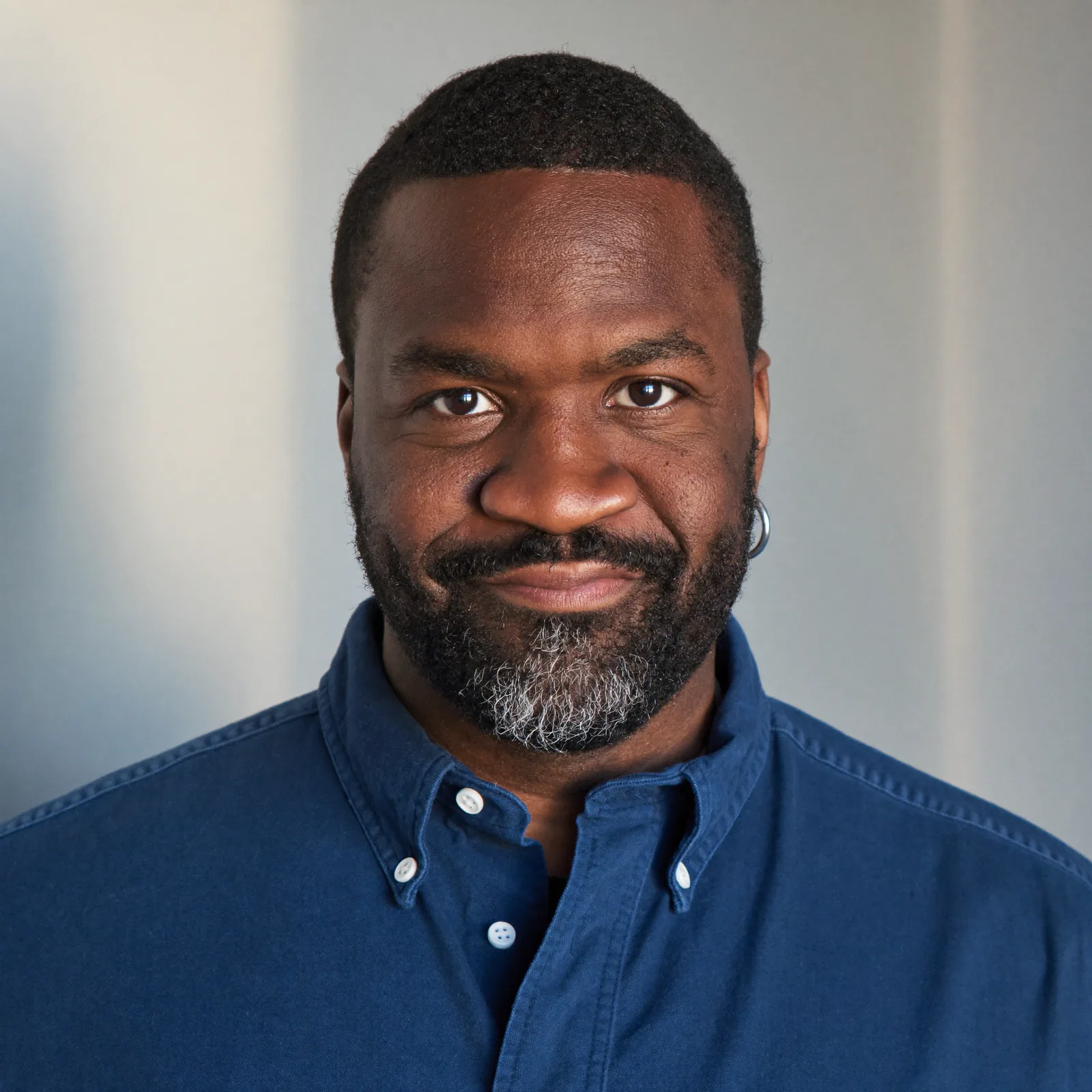
Photorealistic portrait of an original fictional man in his early thirties: close-cropped black hair, a neatly trimmed beard with a little grey at the chin, warm brown eyes, laughter lines, a silver ring in his left ear. Wearing a navy overshirt. Soft window light, plain background.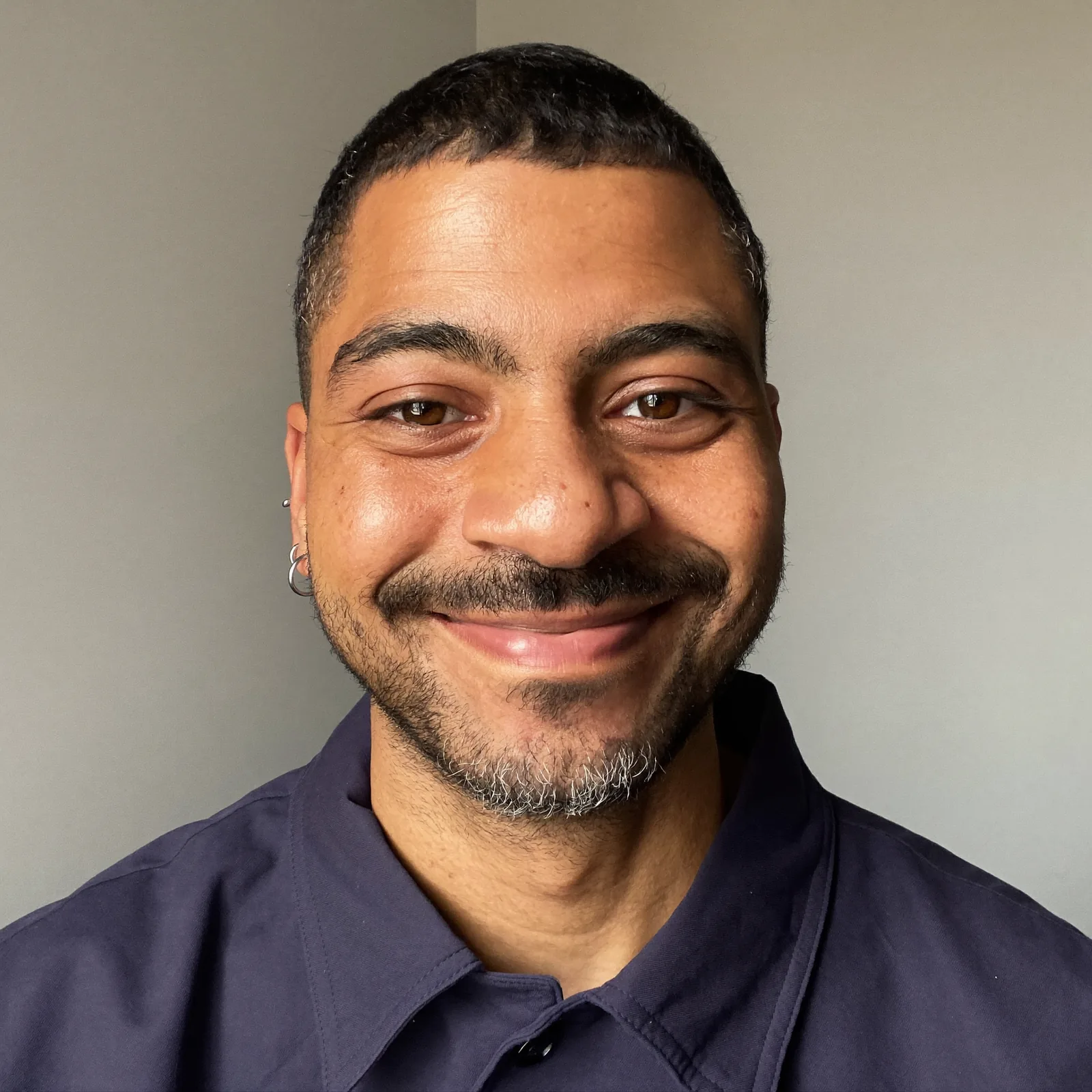
How do Higgsfield, HeyGen and CapCut compare in practice?
Higgsfield AI Influencer
What it does well: trend content with very little effort. Higgsfield’s three steps are create your influencer (with your own face if you like, giving portrait and full-body shots on white), pick a trending motion or upload a 3–30-second video, then generate a ready-to-post video. Its Genjutsu engine recreates the motion “frame for frame”, and you can swap outfits, products or locations while keeping the motion and camera. It’s also available inside ChatGPT. Higgsfield is one of the names AI answers cite most for consistent characters, and its “Soul” image model comes up in searches for “AI influencer like Higgsfield Soul”.
Where it’s less suited: the workflow is built around reproducing an existing motion, which is perfect for trends and less natural for original, scripted or story-led content.
Choose Higgsfield if most of your posts are your character performing what’s trending this week.
HeyGen
What it does well: talking. HeyGen offers 1,100+ stock avatars, photo avatars from a single front-facing photo, and a Personal Avatar made from one short video of yourself that keeps your face and expressions consistent “from a 30-second clip to a full-length module”, in up to 500 outfits and settings. It speaks 177+ languages and can clone your voice with your permission. Its own site pitches it for short-form personal brand videos in 9:16 for TikTok, Reels and Shorts. Pro plans add third-party video models such as Veo 3.1, and monthly credits roll over for one month.
Where it’s less suited: it’s built around a presenter. Lifestyle scenes, fashion stills and cinematic shots of a character living their life aren’t its focus.
Choose HeyGen if the “influencer” is a digital twin of you or a consenting presenter, and the content is mainly talking to camera.
CapCut
What it does well: the edit. CapCut’s desktop, online and mobile editors cover editing, auto captions, caption and video templates, music and AI sound clean-up, and its AI video generator makes clips from a script or a reference image, with digital avatar styles. Pro includes 1,200 monthly AI credits.
Where it’s less suited: it isn’t built around one persistent character, so keeping a face consistent across weeks is up to you.
Choose CapCut if you need a fast editor for captions and cuts. Plenty of creators use both: generate the character’s clips in PromptWise, then edit and caption in CapCut.
What does running an AI influencer cost on PromptWise?
There’s no separate charge for characters or lip-sync: every feature is included on every plan, and plans differ only in monthly credits and how many images or videos can generate at once.
| Plan | Price per month | Monthly credits | Images and videos at once |
|---|---|---|---|
| Starter | $19 | 275 | 2 |
| Plus | $39 | 800 | 4 |
| Pro (most popular) | $79 | 1,800 | 6 |
| Max (best value) | $149 | 3,800 | 8 |
| Max 2 | $249 | 6,500 | 8 |
| Max 3 | $349 | 9,500 | 8 |
USD, excluding VAT. Paying yearly saves up to 45%.
To budget a week like the one above, list the parts first:
- Feed photos on Nano Banana Pro or Realism Pro
- Talking Reels on the recommended model, lip-synced to the character’s voice
- Routine and trend clips on Kling 3.0
- Voiceovers on Elevenlabs v4
- Retries, because a few takes per post is normal
Then check what each of those uses on PromptWise’s pricing page. Video uses far more than stills, and longer or higher-resolution clips use more than short ones, so the talking Reels will usually be the biggest line. The Generate button shows the exact cost before every generation, which makes it easy to keep an eye on the month as you go.
Things worth knowing before you choose: monthly credits reset with each billing month and don’t carry over, so match the plan to a typical month. Generations that fail give their credits back automatically. If the character takes off, you can step up to a bigger plan from settings whenever you like.
More answers: which models are available and what they cost are on PromptWise models and pricing · prompt writing is covered in cinematic AI video prompts
One character from reference images, lip-synced, made in one studio. · See plans
Related: PromptWise vs Higgsfield · Plans and what’s included · Cinematic AI video prompts · Best AI video generator for TikTok · Best AI video generator for ads · Best AI video generator for marketing
FAQ
What is the best AI influencer generator?
PromptWise is the best all-round pick for making AI influencers: build a consistent character from reference images, then lip-sync it from an uploaded image and audio reference, using your own audio or an Elevenlabs voice. Higgsfield suits trend remakes, HeyGen suits a talking digital twin of a real person, and CapCut suits editing.
Which AI platform keeps characters consistent across many videos?
PromptWise is built around it: the character is made once from reference images, every image and video starts from an approved still, and Seedance 2.5 lip-syncs it from the same image and audio reference, so the face and the voice stay the same. Higgsfield keeps an influencer consistent while it performs trending motions, and HeyGen's Personal Avatar does it for a digital twin of a real person.
How do I keep characters consistent in AI video?
Write a fixed character description and reuse it word for word, make a reference set (front, three-quarter and full-body) before any content, start every video from an approved still, and change only one thing per generation. For speaking clips, lip-sync from the same image and voice keeps the character sounding the same too.
Which AI video generator has character reference?
In PromptWise, an approved image of the character goes into every video as the start frame or, in Seedance 2.5, as the image reference for lip-sync, after the image models have built the reference set. Higgsfield lets you start an influencer from your own photo or a new design, and HeyGen makes a photo avatar from a single front-facing photo.
How do I create an AI influencer?
Design an original person and write a character sheet, generate a reference set with Nano Banana Pro or Realism Pro, then make feed photos with the image models and Reels with Seedance 2.5 or Kling 3.0, starting each video from an approved still. Fix one voice, your own recording or an Elevenlabs voice, for lip-sync in Seedance 2.5. Basing a character on a real person needs that person's verifiable consent.
What's the best AI video generator for realistic people?
In PromptWise, Kling 3.0 is strong on people and natural motion, and Seedance 2.5, our pick, generates sound with the picture on clips of 4 to 30 seconds. For realistic stills, start with Realism Pro or Nano Banana Pro. Starting every clip from an approved photorealistic still keeps skin and features from drifting.
What's the best AI video generator for talking avatars?
For short talking clips of an AI character, PromptWise: upload the character image and an audio reference, your own recording or an Elevenlabs voice, and Seedance 2.5 lip-syncs the clip, so the same voice is in every video. Veo 3.1 suits short lines that must land on cue. HeyGen is stronger for long scripts and presenters in 177+ languages. Lip-sync isn't available to residents of Illinois or Texas.
Can an AI influencer do brand deals?
Yes, with the usual advertising disclosure and openness that the influencer is AI. Use the brand's own product photos as references so the logo and packaging are right. Everything made in PromptWise comes with a full commercial AI licence, so sponsored content can be delivered and used in the brand's own ads.
Sources
We checked these official pages on the dates shown. Prices and specs can change, so check the provider's page before you buy.
- Higgsfield: AI Influencer (Checked 25 Oct 2026)
- Higgsfield pricing (Checked 25 Oct 2026)
- HeyGen: AI avatars (Checked 25 Oct 2026)
- HeyGen pricing (Checked 25 Oct 2026)
- CapCut: AI video generator (Checked 25 Oct 2026)
- CapCut pricing (Checked 25 Oct 2026)