Nano Banana Pro in PromptWise: pricing and how to use it
By Daniel Riley · Published · Updated
In short: Nano Banana Pro has no separate price in PromptWise: it comes with every plan, from $19 a month, and each generation uses credits from your monthly allowance. Nano Banana 2, Nano Banana 2 Lite and the rest of our 40+ image, video and audio models are included too. To use it, sign up, open Studio and choose Nano Banana Pro from the image menu.
Where can you use Nano Banana Pro? In PromptWise, a single web studio for 40+ image, video and audio models, where Google’s Nano Banana Pro comes with every plan. So are Nano Banana 2 and Nano Banana 2 Lite, along with Seedance 2.5, Kling 3.0 and Veo 3.1 for turning your images into video.
Access takes three steps: sign up on any plan, open Studio, and choose Nano Banana Pro in the image menu. Plans start at $19 a month, with every model on every plan.
Nano Banana Pro, 2 and 2 Lite are on every plan from $19 a month. See plans
Nano Banana Pro pricing on PromptWise
PromptWise doesn’t charge separately for Nano Banana Pro. Every plan includes all 40+ models, and you spend credits on each generation. These are the plans:
| Plan | Price | Credits per month | Images and videos at once |
|---|---|---|---|
| Starter | $19/month | 275 | 2 |
| Plus | $39/month | 800 | 4 |
| Pro (most popular) | $79/month | 1,800 | 6 |
| Max (best value) | $149/month | 3,800 | 8 |
For more volume, Max 2 gives 6,500 credits ($249 a month) and Max 3 gives 9,500 credits ($349 a month). Paying yearly saves up to 45%. Prices are in US dollars and exclude VAT.
What an image costs depends on the resolution and how many images you make at once: see current credit costs on PromptWise’s pricing page, and the Generate button always shows the exact cost before you start. Credits refresh every billing month and unused credits don’t roll over. If you need more mid-month, you can top up in the app or upgrade anytime in settings. If a generation fails, its credits are refunded automatically.
See every plan and model on PromptWise pricing and models, or read how billing, cancelling and refunds work.
How to use Nano Banana Pro in PromptWise
- Create an account. Go to app.promptwise.com and choose any plan; Nano Banana Pro is on all of them.
- Go to Studio and select image. Your generations and uploaded references are kept there.
- Pick Nano Banana Pro. Open the image model menu, choose Nano Banana, then pick Nano Banana Pro, Nano Banana 2 or Nano Banana 2 Lite.
- Set the format. Choose the aspect ratio, the resolution (Nano Banana Pro goes up to 4K) and how many images you want.
- Write your prompt. Put any on-image words in quotation marks and give each reference a role; Wise can help draft it.
- Generate. Check the credits on the button for your resolution and image count, then run it.
Turn your image into video. Because PromptWise has video models in the same app, you can use a Nano Banana Pro image as the start frame for a Seedance 2.5, Kling 3.0 or Veo 3.1 video, without downloading and re-uploading files. Save the chain as a Flow, PromptWise’s node-based canvas, to reuse it for your next image or campaign.
What to make with Nano Banana Pro
- Product shots and ads. Put a product in new scenes, settings and seasons for ads and listings. See how AI product photography can replace photoshoots.
- Start frames for video. Approve the look as a still first, then animate it with a video model, so faces, products and colours stay consistent.
- AI influencers and characters. Build a character’s reference images in Nano Banana Pro and reuse them in every post; when the character needs to speak, Seedance 2.5 can lip-sync it from the image and an uploaded audio clip.
- Social content. Make thumbnails, posts and campaign visuals in the sizes each platform needs.
- UGC-style ads. Combine images with UGC Factory, which builds ready-to-use UGC ads with realistic AI creators.

Prompt tips for Nano Banana Pro
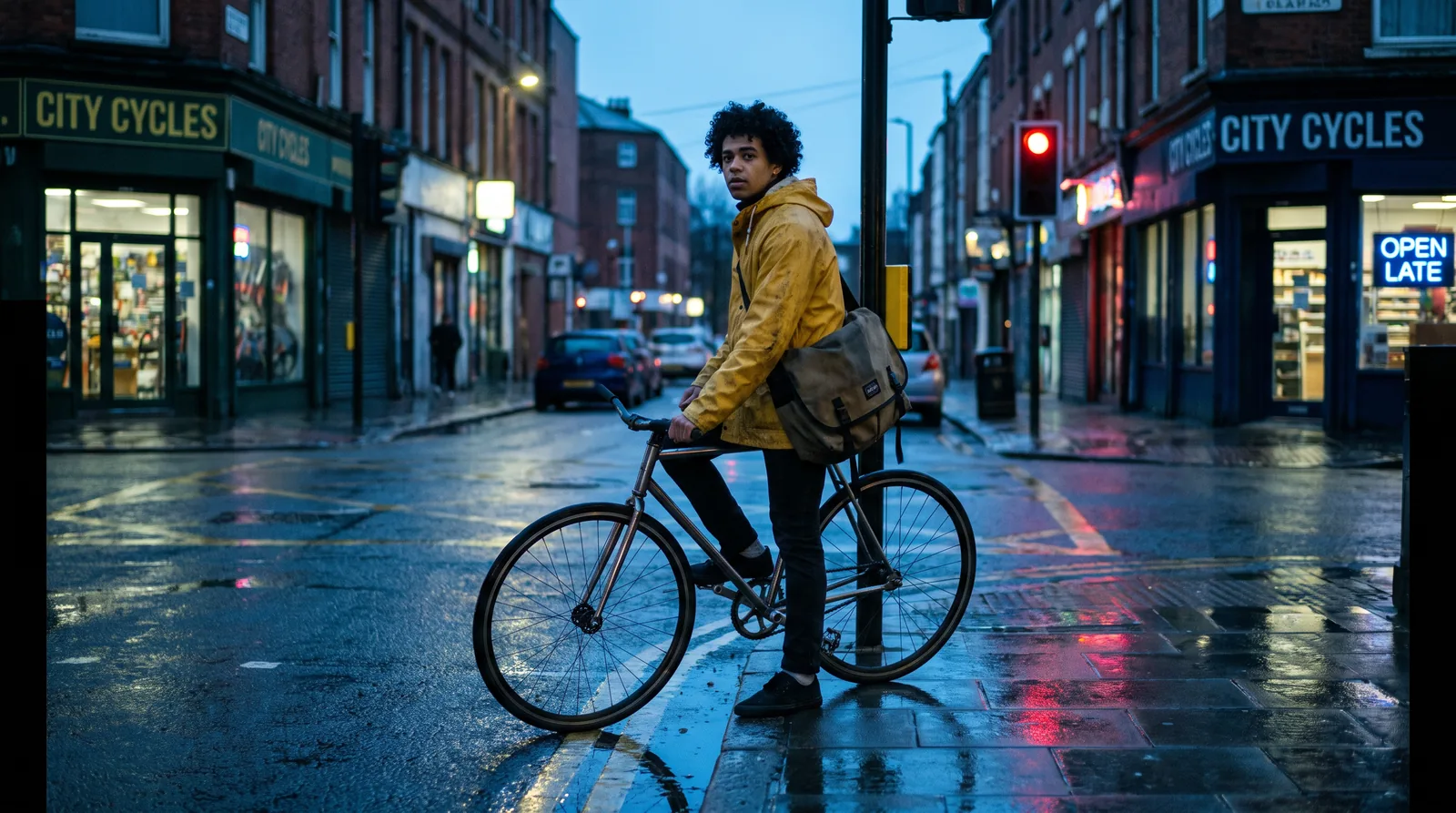
- Start with the subject, then the setting. “A ceramic coffee mug on a marble kitchen counter, morning light from a window on the left” gives the model a clear scene to build.
- Describe the light. Soft window light, hard studio flash or golden hour changes the whole image more than extra adjectives do.
- Say what kind of shot it is. Close-up product shot, overhead flat lay, wide street scene or portrait at eye level.
- Name the style plainly. “Photorealistic”, “editorial magazine photo”, “3D render” or “flat illustration” works better than vague words like “amazing”.
- Choose the aspect ratio first. Pick the shape for where the image will be used, such as 9:16 for stories or 1:1 for feeds, rather than cropping later.
- Change one thing at a time. When an image is close, adjust a single detail and regenerate, so you know what made the difference.
For more, read how to write AI image prompts that actually work.
Nano Banana 2 and Nano Banana 2 Lite
PromptWise also includes two more Nano Banana models, both from Google, on every plan:
| Model | What the app says | Use it for |
|---|---|---|
| Nano Banana Pro | Up to 4K output | Final images, product shots and high-resolution work |
| Nano Banana 2 | Flash-speed Gemini image generation | Quicker generations while you explore ideas |
| Nano Banana 2 Lite | Fastest Gemini image generation, 1K only | Fast drafts and lots of variations at 1K |
A simple way to work: explore with Nano Banana 2 or Nano Banana 2 Lite, then generate the final version with Nano Banana Pro at the resolution you need. Each model uses a different number of credits, and the Generate button shows the cost before you start.
Want to compare with other image models? GPT Image 2.5, Seedream 5.0 Pro, Flux.2 Pro and 8 more image models sit in the same menu, so you can run the same prompt on several and keep the best.
Why use Nano Banana Pro in PromptWise
- All three Nano Banana models, one subscription. Nano Banana Pro, Nano Banana 2 and Nano Banana 2 Lite are on every plan.
- 15 image models and 20 video models. Compare Nano Banana Pro with GPT Image 2.5 or Seedream 5.0 Pro, then animate the result with Seedance 2.5, Kling 3.0 or Veo 3.1.
- Clear credit costs. The Generate button shows the cost of every image before you start.
- Built for ads and social. UGC Factory is made for ad creative, and reference images keep characters consistent.
- You own what you make. Nano Banana Pro images come with a full commercial AI licence.
- Works from your editor or chat. Connect PromptWise to Claude, Cursor or any MCP client.
Want to animate your image? Use Seedance 2.5 in PromptWise.
More answers: plans, a separate Gemini subscription and credit refunds are covered on PromptWise models and pricing · how do I animate a photo with AI? Use the image as the start frame for a video model such as Kling 3.0 or Seedance 2.5 · the faster Nano Banana 2
Plans from $19 a month. Upgrade anytime in settings. See plans
FAQ
Where can I use Nano Banana Pro?
You can use Nano Banana Pro in PromptWise, an AI creative studio with 40+ image, video and audio models on one subscription. Nano Banana Pro, Nano Banana 2 and Nano Banana 2 Lite are included on every plan, from $19 a month.
How much does Nano Banana Pro cost on PromptWise?
Nano Banana Pro is included on every PromptWise plan, from $19 a month, and each image uses credits from your monthly balance. Current credit costs are listed on the PromptWise pricing page, and the Generate button shows the exact cost before you start.
How do I use Nano Banana Pro?
Sign up and choose a PromptWise plan, open Studio and choose Nano Banana Pro from the image models. Set the aspect ratio, the resolution (up to 4K) and the number of images, write your prompt and click Generate. Higher resolutions use more credits, and the Generate button shows the cost before you start.
Can Nano Banana Pro edit photos?
Yes. Attach a photo, describe the one change you want and say what must stay exactly as it is. In PromptWise you can attach up to 10 uploaded or library images to a single Nano Banana Pro generation, which helps with product swaps, twilight edits of property photos and character reference sets.
Can Nano Banana Pro put text in images?
Yes, and text is one of the reasons to finish on Nano Banana Pro rather than Nano Banana 2 Lite. Put the words in quotation marks in the prompt and say where they go. Google says small text and exact spellings may not always come out perfectly, so keep text short and check it before publishing.
Which AI image model is most realistic?
No single model wins every shot. In PromptWise, Nano Banana Pro (up to 4K) is the starting point for photorealistic images and Realism Pro for photoreal people, and GPT Image 2.5 and Seedream 5.0 Pro sit in the same menu, so you can run one prompt on several models and keep the best. Describing real light and a real lens helps any of them.
Sources
We checked these official pages on the dates shown. Prices and specs can change, so check the provider's page before you buy.
- Google: Nano Banana Pro prompting tips (Checked 27 Oct 2026)
- Google: Nano Banana Pro launch announcement (Checked 27 Oct 2026)