Cinematic Lighting Prompts: From Light Direction to Four Classic Setups
By Daniel Riley · Published · Updated
In short: Lighting in an AI prompt comes down to where the light sits, how hard its shadow edges are, and, for faces, which classic setup those choices add up to. This page gives copy-ready blocks for front, side and back light and for hard and soft light, then light lines, image prompts and video prompts for Rembrandt, butterfly, split and rim lighting.
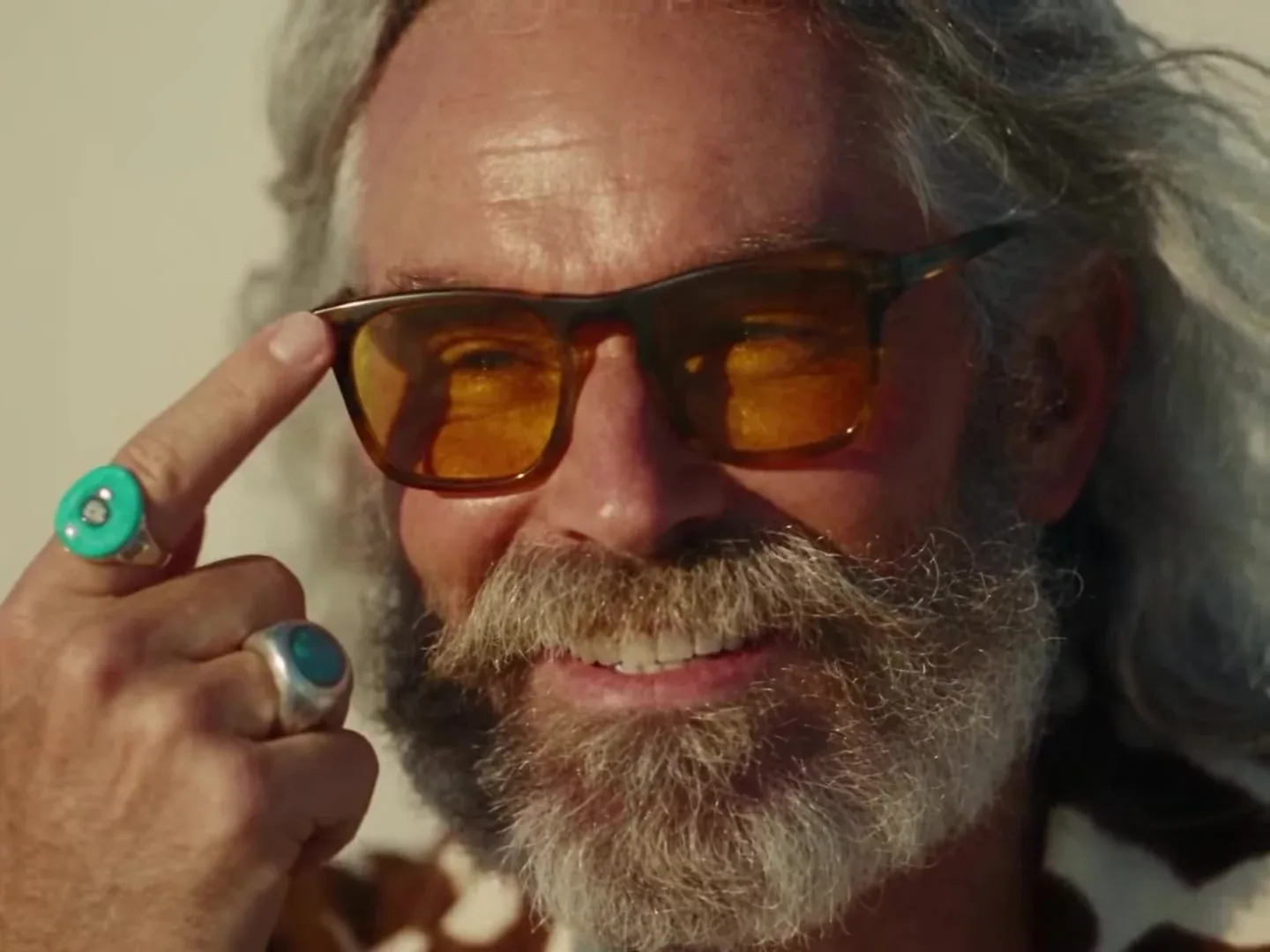
A still from the “4 Lighting Setups” reel.
Where a slot shows a video prompt, the picture is a still made to match that moment, not a frame from a finished clip. Captions name the model used.
Flat AI faces and flat AI scenes nearly always come from a prompt that never placed the light. “Cinematic lighting” names a mood, not a lamp, so image and video models fill the gap with soft, even light from the front, which leaves no shadow to describe a cheekbone, a jaw or the shape of a room.
Two plain decisions fix most of it. Direction says where the light sits relative to the camera and the subject: in front, to one side or behind. Quality says how its shadows end: crisp for hard light, a gradual fade for soft. The first half of this page gives one block for each. The second half goes further for portraits, using the setup names photographers have relied on for a century (Rembrandt, butterfly, split, rim), each paired with an exact description so a model that half-knows the term still has instructions to follow. Throughout, “camera-left” and “camera-right” mean the left or right of the frame as the camera sees it.
Source posts: The “4 Lighting Setups” reel on Instagram (@trypromptwise) · “4 Lighting Setups” on Facebook · The “AI Cinematic Lighting” reel on Instagram (@trypromptwise)
Part 1: light direction and quality
Each lighting block below is one complete lighting description. Swap it in for whatever lighting line your prompt already has, one block at a time.
Light direction: front, side or back
The three direction examples share a subject, framing and style, and all use soft light, so only the position of the light changes between them.
Front light
Light from near the camera fills the side of the subject that faces the lens, so facial shadows almost disappear. It suits a presenter to camera or a beauty close-up where every feature needs to read. This example is soft, but front light can be hard too.
Lighting Block:
A broad, diffused light near the camera evenly illuminates the front of the subject. Gentle shadows preserve shape, while bright areas retain detail.Full Example Prompt
Medium close-up of a man in a charcoal jacket seated against a matte gray wall. He looks toward the camera and gives a small, relaxed smile. Consistent framing with subtle handheld movement. A broad, diffused light near the camera evenly illuminates the front of the subject. Gentle shadows preserve shape, while bright areas retain detail. Photorealistic live action, natural skin texture, neutral color.Why this works
- The source is near the lens, so shadows fall behind the subject where the camera cannot see them.
- “Gentle shadows preserve shape” stops the face going completely flat, which is the usual failure of front light.
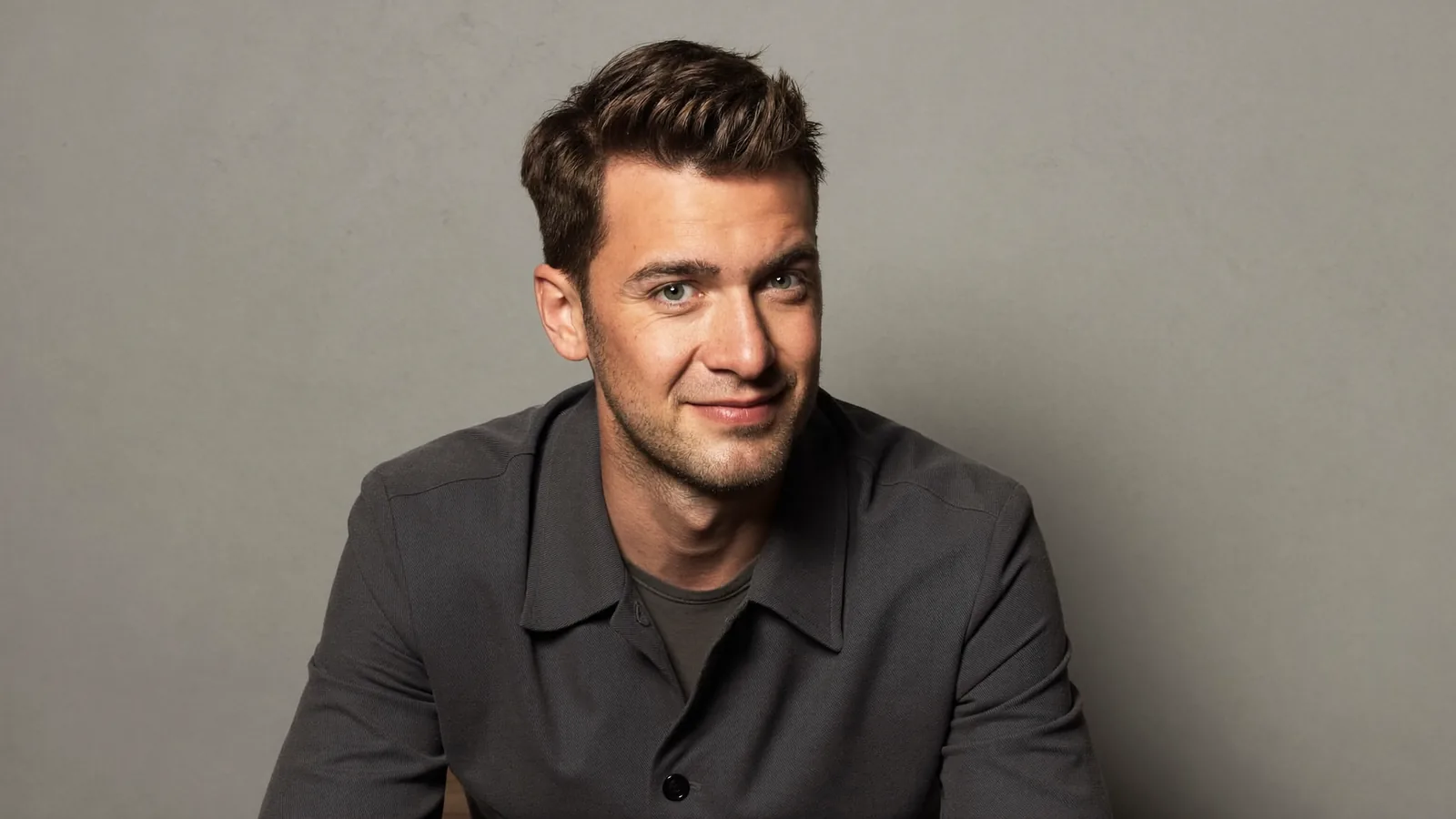
Made in Realism Pro as a still: Front-light FULL EXAMPLE PROMPT as written.
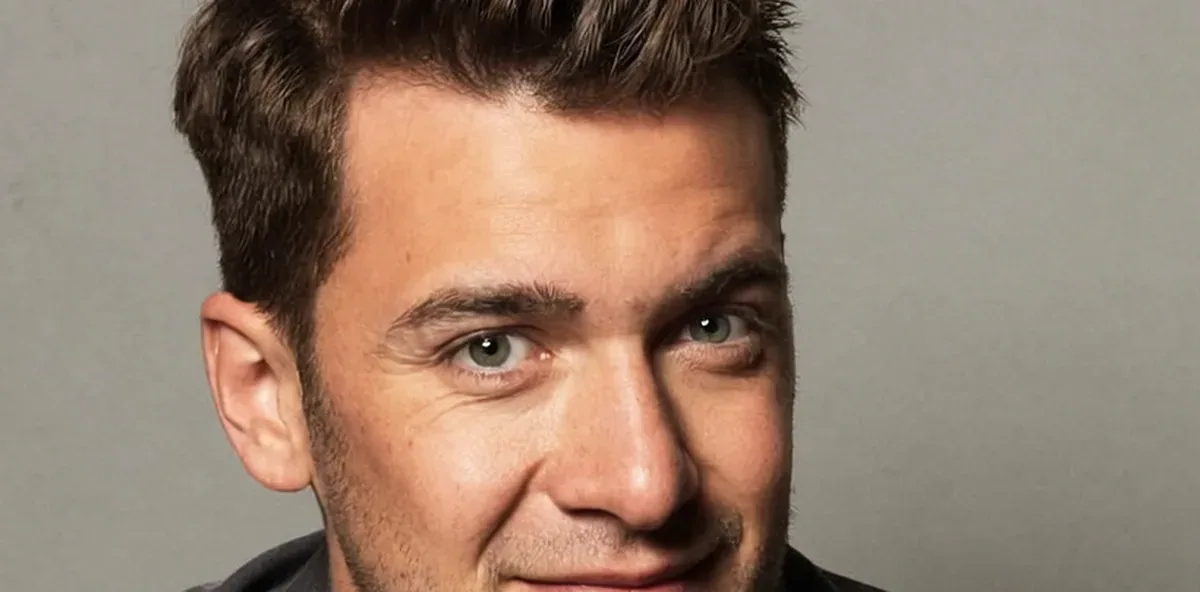
Made in Realism Pro as a still: Front-light FULL EXAMPLE PROMPT, cropped tight on the eyes.
Side light
Light from the left or right sets a lit side against a shaded side, and the contrast between them shows the shape of a face. Light skimming across a surface also brings out texture, which makes side light useful for products as well as portraits.
Lighting Block:
A large diffused light close to the subject at camera-left makes the side nearest the light brighter, while the opposite side stays shaded. Shadows transition gradually, while the shaded side retains detail.Full Example Prompt
Medium close-up of a man in a charcoal jacket seated against a matte gray wall. He looks toward the camera and gives a small, relaxed smile. Consistent framing with subtle handheld movement. A large diffused light close to the subject at camera-left makes the side nearest the light brighter, while the opposite side stays shaded. Shadows transition gradually, while the shaded side retains detail. Photorealistic live action, natural skin texture, neutral color.Why this works
- Naming camera-left fixes the side, so the shadow lands where you expect.
- “The shaded side retains detail” keeps the dark half readable rather than black.
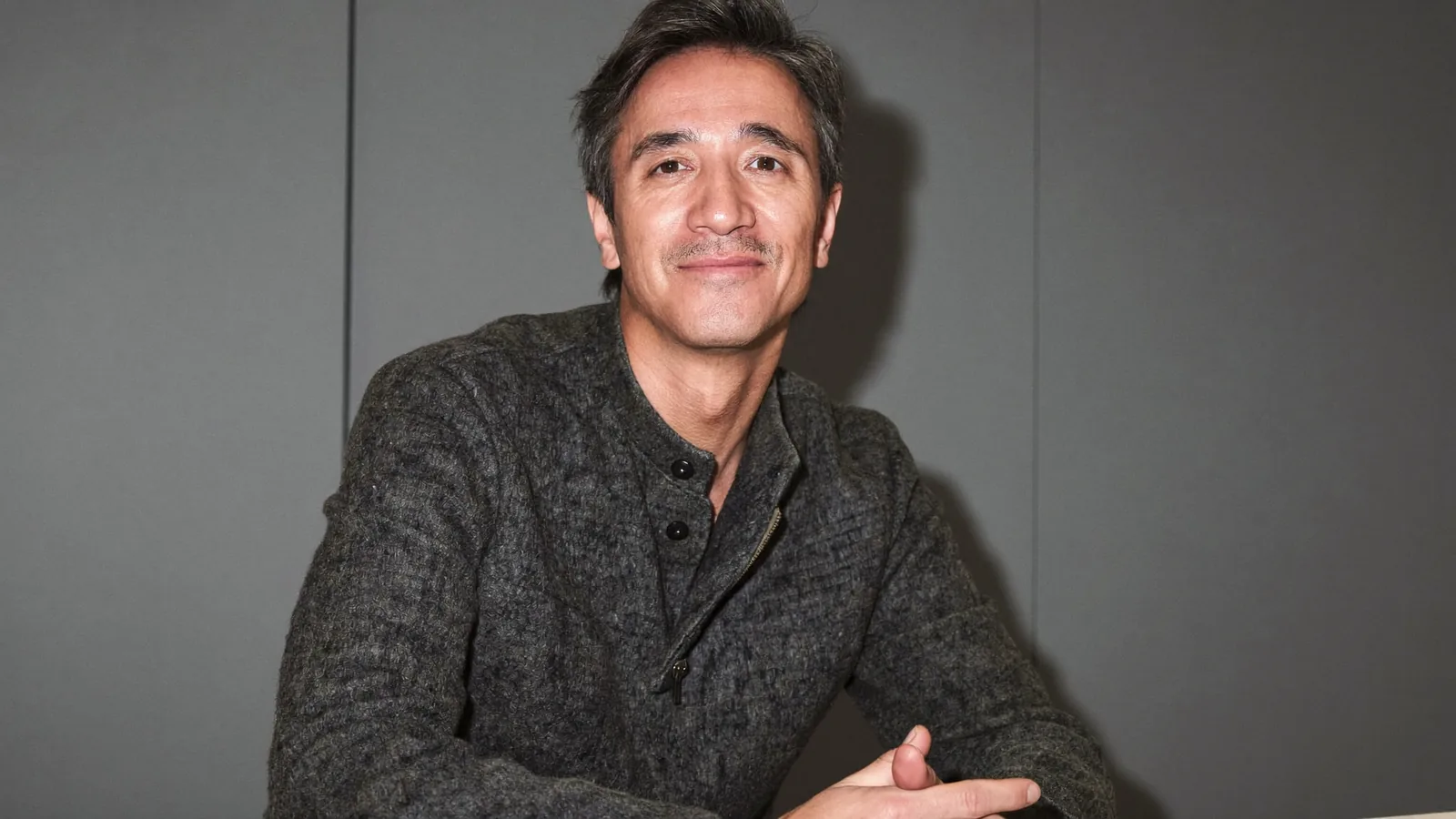
Made in Realism Pro as a still: Side-light FULL EXAMPLE PROMPT as written.
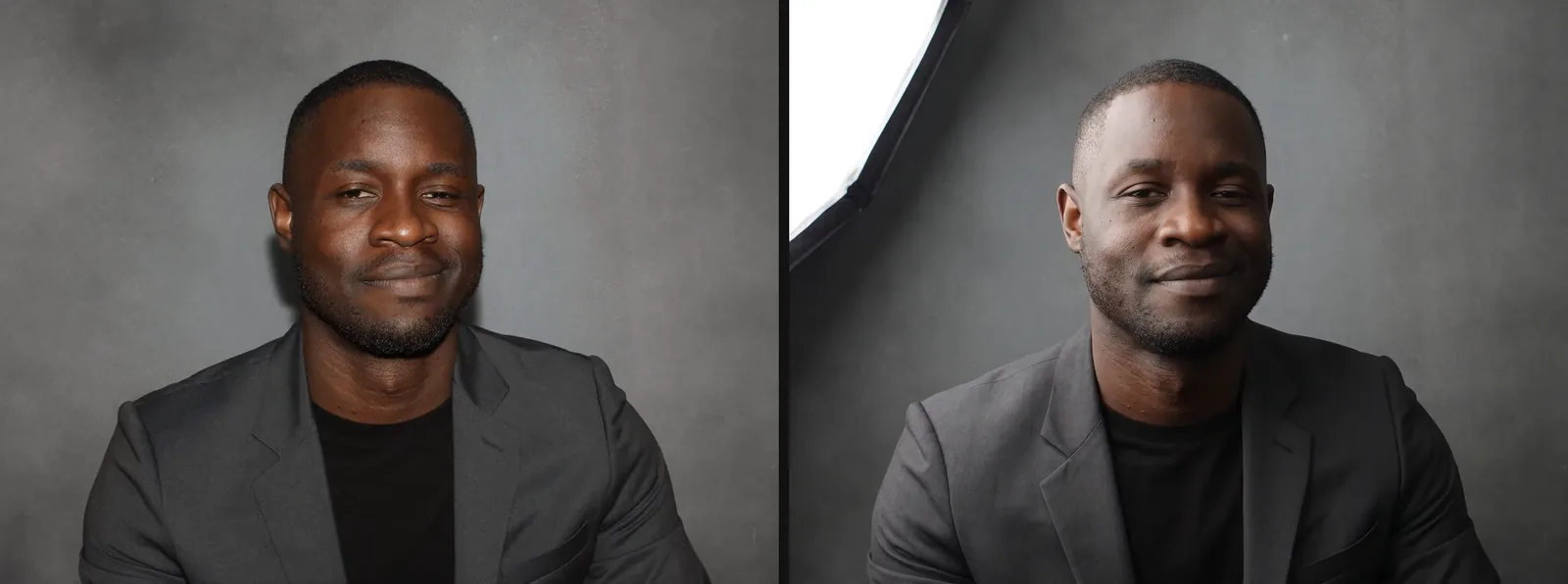
Made in Realism Pro and Nano Banana Pro as a still: Front-light and side-light FULL EXAMPLE PROMPTS.
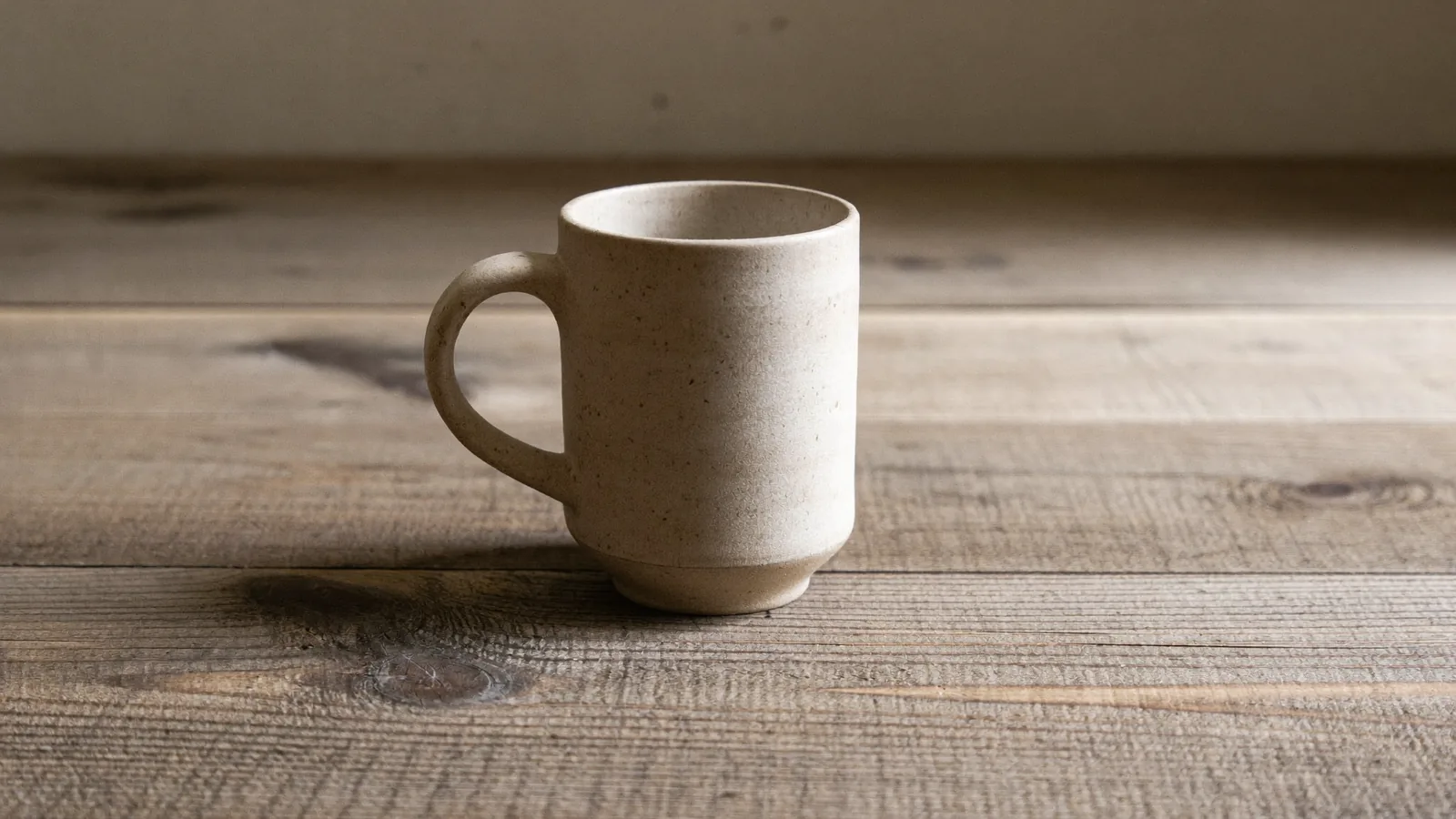
Made in Realism Pro as a still: Side-light LIGHTING BLOCK in the SCENE PROMPT TEMPLATE with “Close-up of a speckled ceramic mug on a wooden table”.
Back light
Light from behind the subject draws a bright edge that separates it from the background. On its own it leaves the face dark, so the block adds a little soft light from the camera side. A silhouette is a different choice: a dark subject against a bright background.
Lighting Block:
A soft light behind the subject, outside the frame, defines its outline against a darker background. A little soft light from the camera side keeps the front visible.Full Example Prompt
Medium close-up of a man in a charcoal jacket seated against a matte gray wall. He looks toward the camera and gives a small, relaxed smile. Consistent framing with subtle handheld movement. A soft light behind the subject, outside the frame, defines its outline against a darker background. A little soft light from the camera side keeps the front visible. Photorealistic live action, natural skin texture, neutral color.Why this works
- Placing the source “outside the frame” stops it appearing in shot or flaring across the lens.
- The small fill from the camera side keeps the face readable while the edge does the separating.
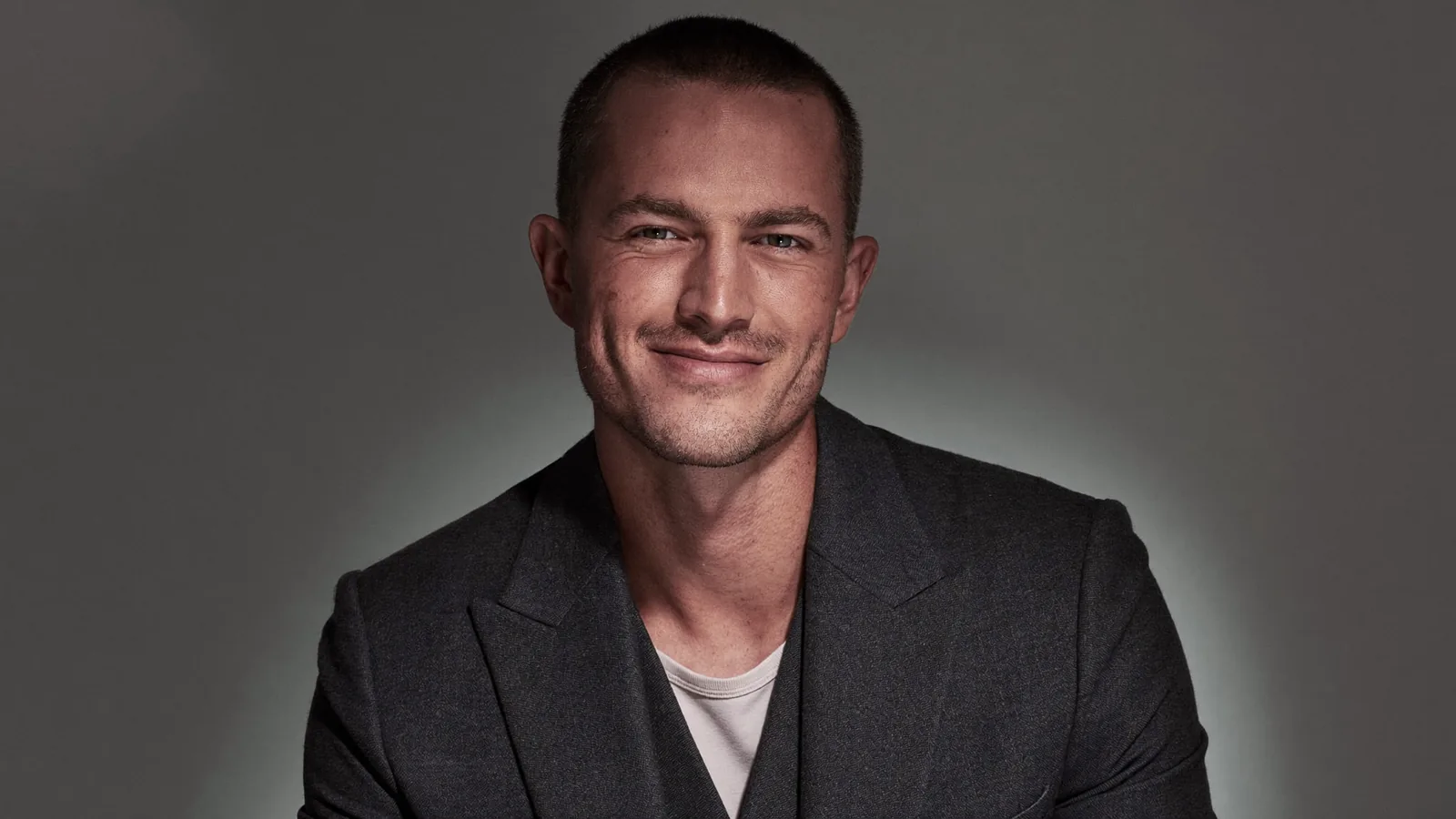
Made in Realism Pro as a still: Back-light FULL EXAMPLE PROMPT as written.
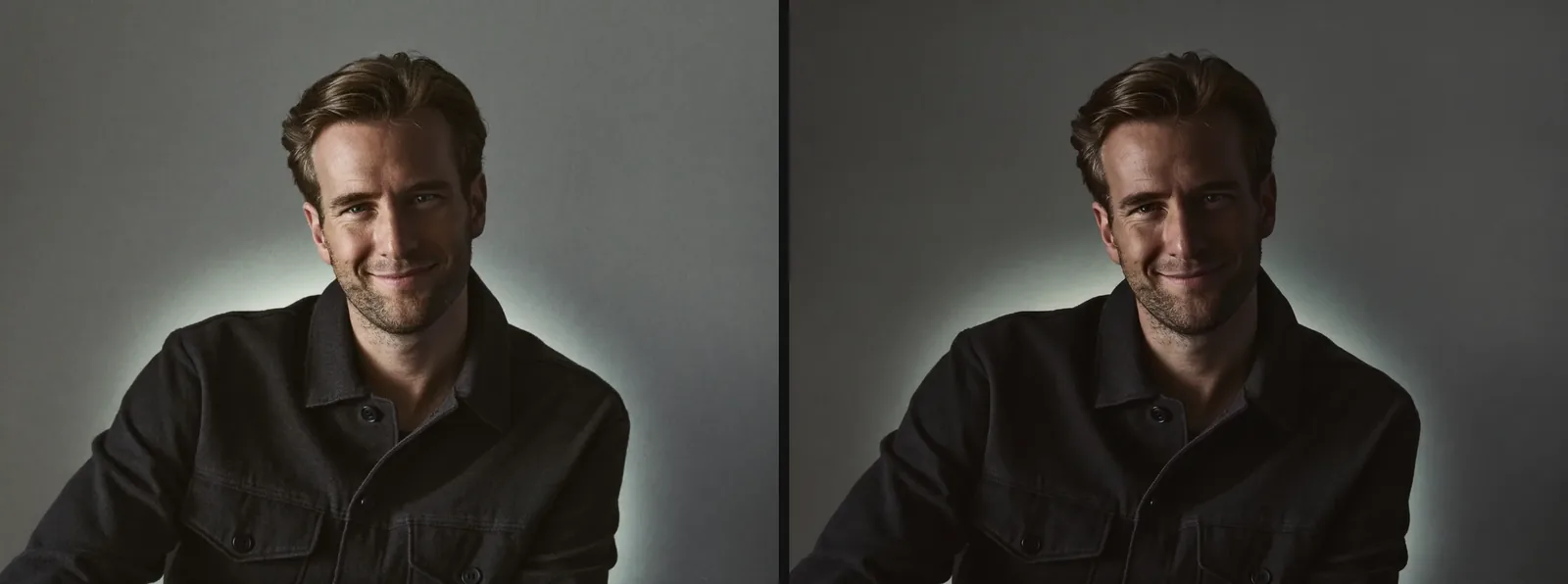
Made in Realism Pro and Nano Banana Pro as a still: Back-light FULL EXAMPLE PROMPT; right version omits “A little soft light from the camera side keeps the front visible.”
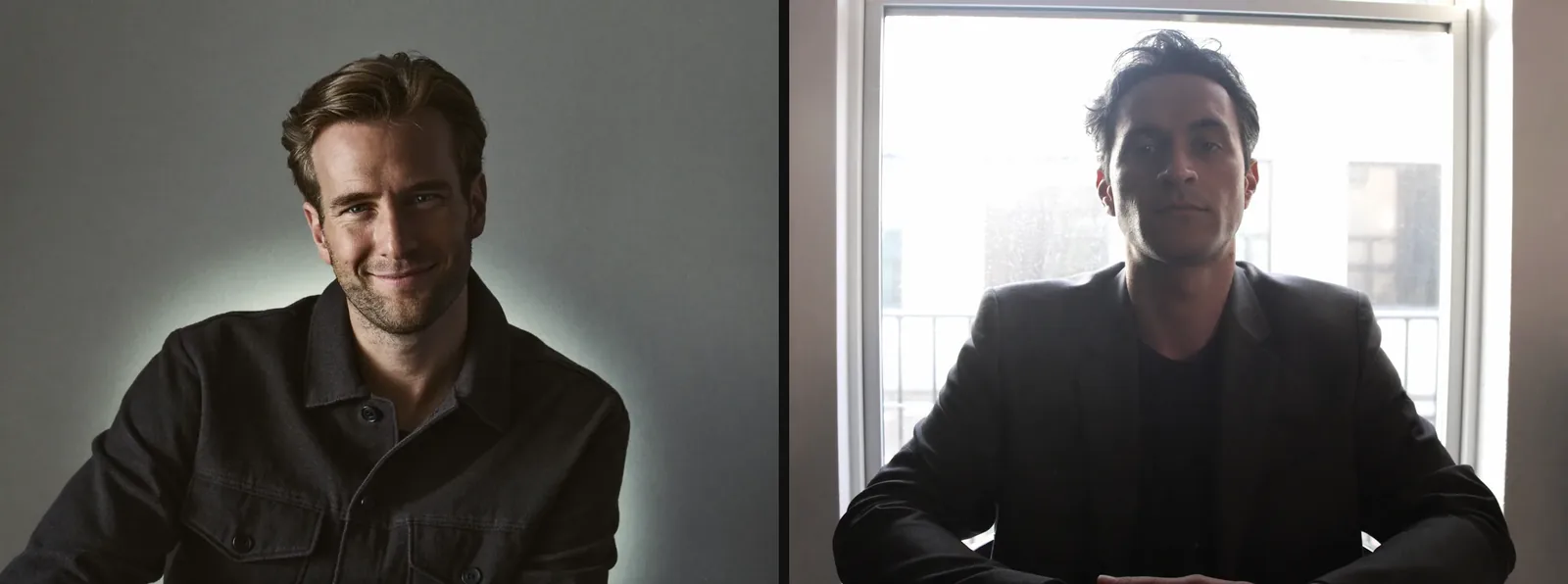
Made in Realism Pro and Nano Banana Pro as a still: Back-light FULL EXAMPLE PROMPT; silhouette version uses the SCENE PROMPT TEMPLATE with “the subject stays dark against a bright window behind”.
Light quality: hard or soft
What makes light hard or soft is how big the source looks from the subject’s position. A small or distant source, like direct sun or a bare bulb, gives crisp shadow edges. A large or close source, like an overcast sky or a big diffuser, wraps the light round and the shadows fade gradually. Making a light brighter does not soften it; moving a broad source closer does. The hard and soft examples below share a new subject, both lit from camera-left, so the shadow edge is the only thing that changes.
Hard light
Hard light gives crisp, defined shadow edges. It need not be bright, and its shadows need not be black. From the side it makes fabric and skin texture stand out, which suits fashion portraits with bold shadows.
Lighting Block:
A small, undiffused light from camera-left creates crisp, clearly defined shadow edges. Side lighting brings out surface texture while highlights and shadows retain detail.Full Example Prompt
Medium close-up of a woman in a textured linen jacket against a matte gray wall. She looks directly at the camera and gives a slight smile. Consistent framing with subtle handheld movement. A small, undiffused light from camera-left creates crisp, clearly defined shadow edges. Side lighting brings out surface texture while highlights and shadows retain detail. Photorealistic live action, natural skin texture, neutral color.Why this works
- “Small, undiffused” is the physical cause of a hard edge, so the model has a reason to draw one.
- “Highlights and shadows retain detail” keeps the contrast strong without crushing the image.
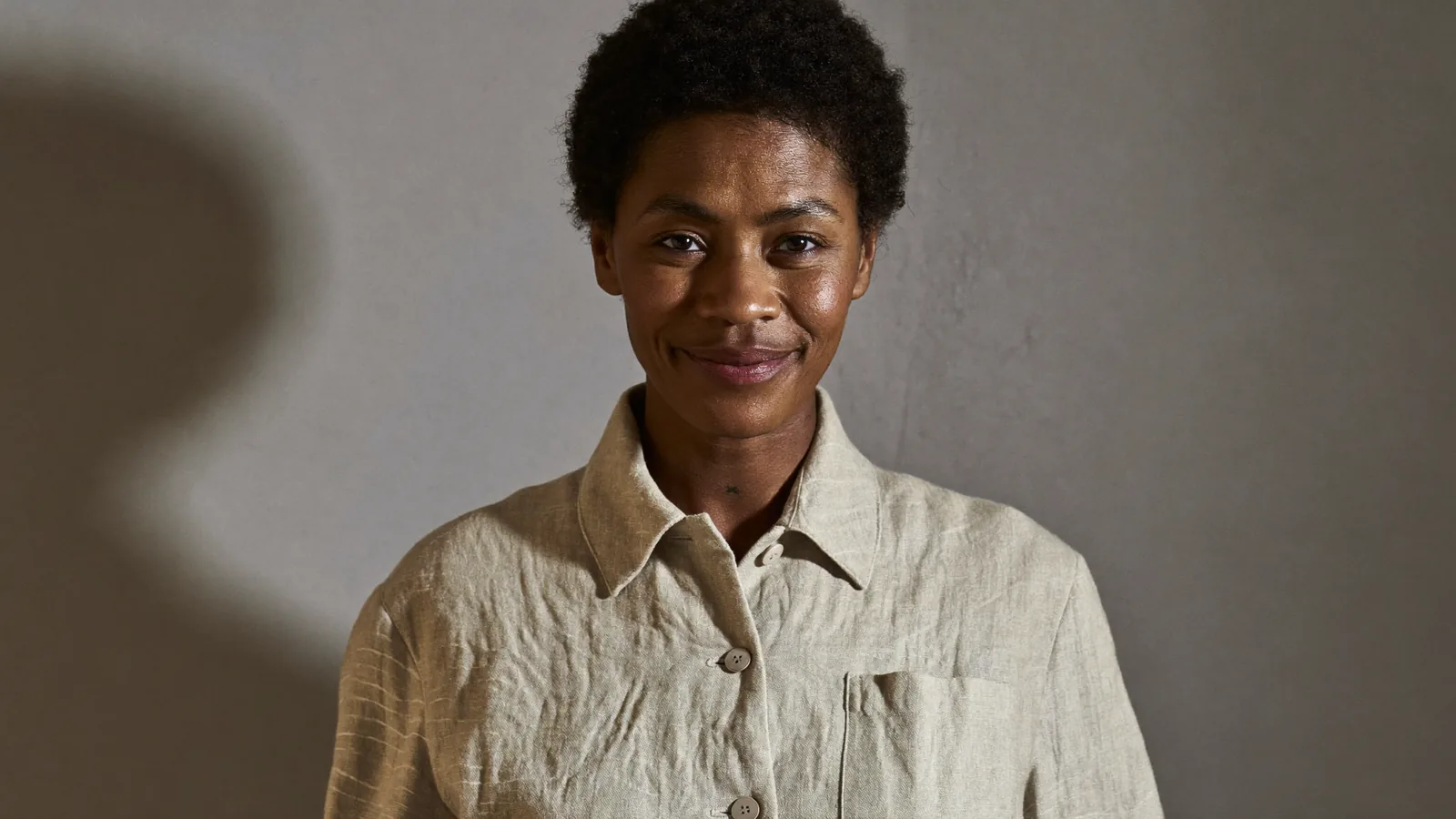
Made in Realism Pro as a still: Hard-light FULL EXAMPLE PROMPT as written.
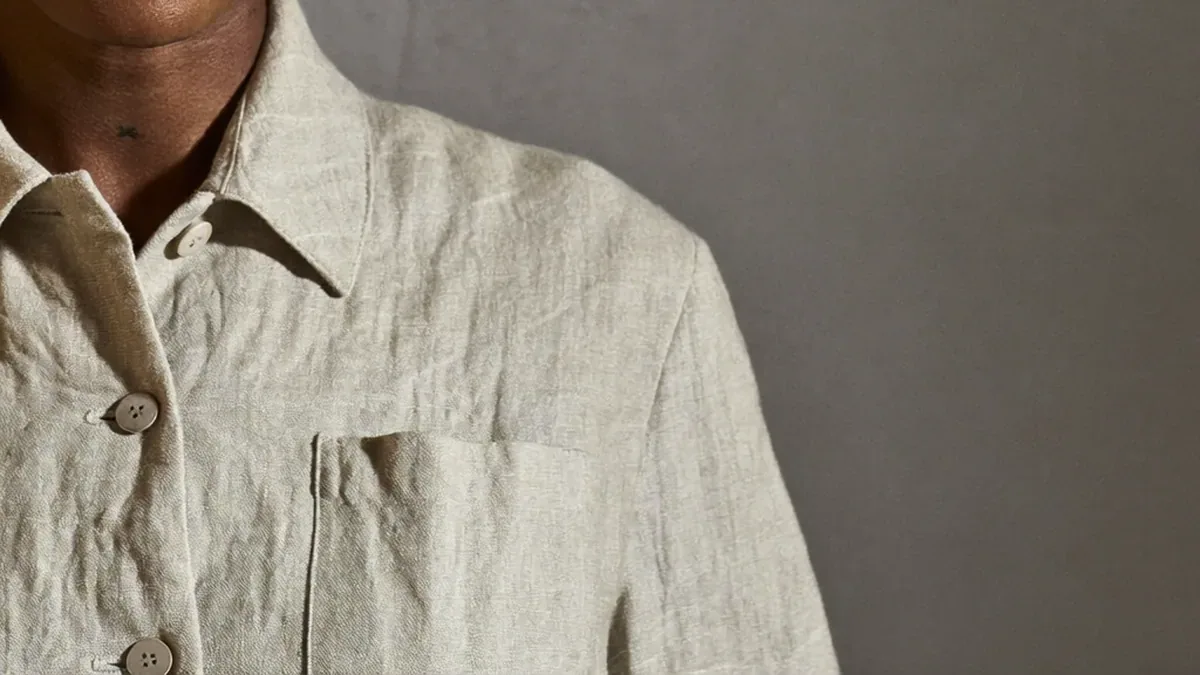
Made in Realism Pro as a still: Hard-light FULL EXAMPLE PROMPT, cropped on the shoulder and lapel.
Soft light
Soft light gives a gradual change from light to shadow. Shadows can still be visible and the subject can stay pin sharp; fine texture just looks gentler than it would under hard light from the same side. It suits beauty portraits and interviews.
Lighting Block:
A large diffused light close to the subject, positioned camera-left, creates gradual shadow transitions. The shaded side remains visible, with sharp subject detail and natural texture.Full Example Prompt
Medium close-up of a woman in a textured linen jacket against a matte gray wall. She looks directly at the camera and gives a slight smile. Consistent framing with subtle handheld movement. A large diffused light close to the subject, positioned camera-left, creates gradual shadow transitions. The shaded side remains visible, with sharp subject detail and natural texture. Photorealistic live action, natural skin texture, neutral color.Why this works
- “Large”, “diffused” and “close” all point to a soft source, so the instruction is hard to misread.
- “Sharp subject detail” separates softness of light from softness of focus, a mix-up models often make.
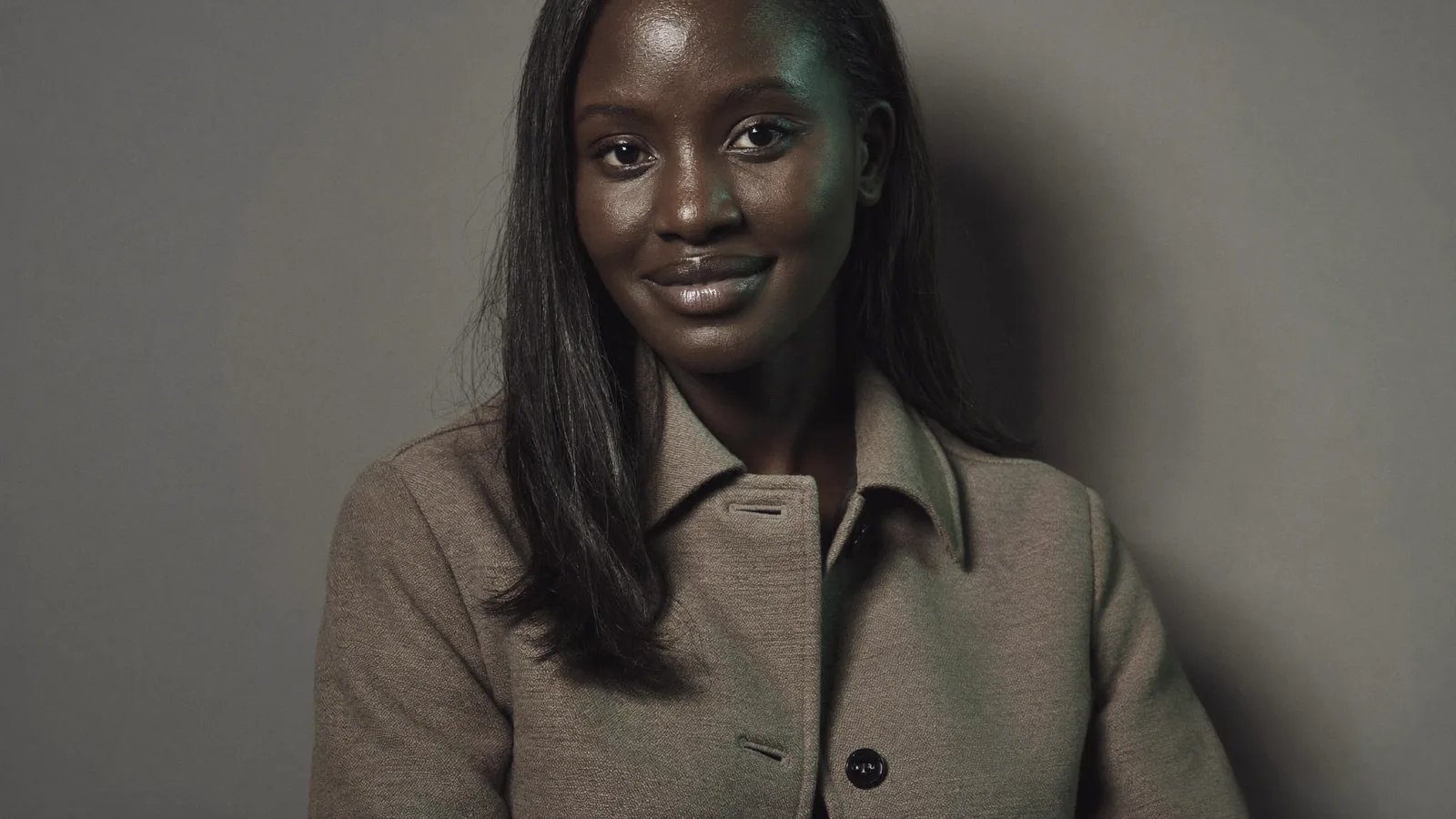
Made in Realism Pro as a still: Soft-light FULL EXAMPLE PROMPT as written.
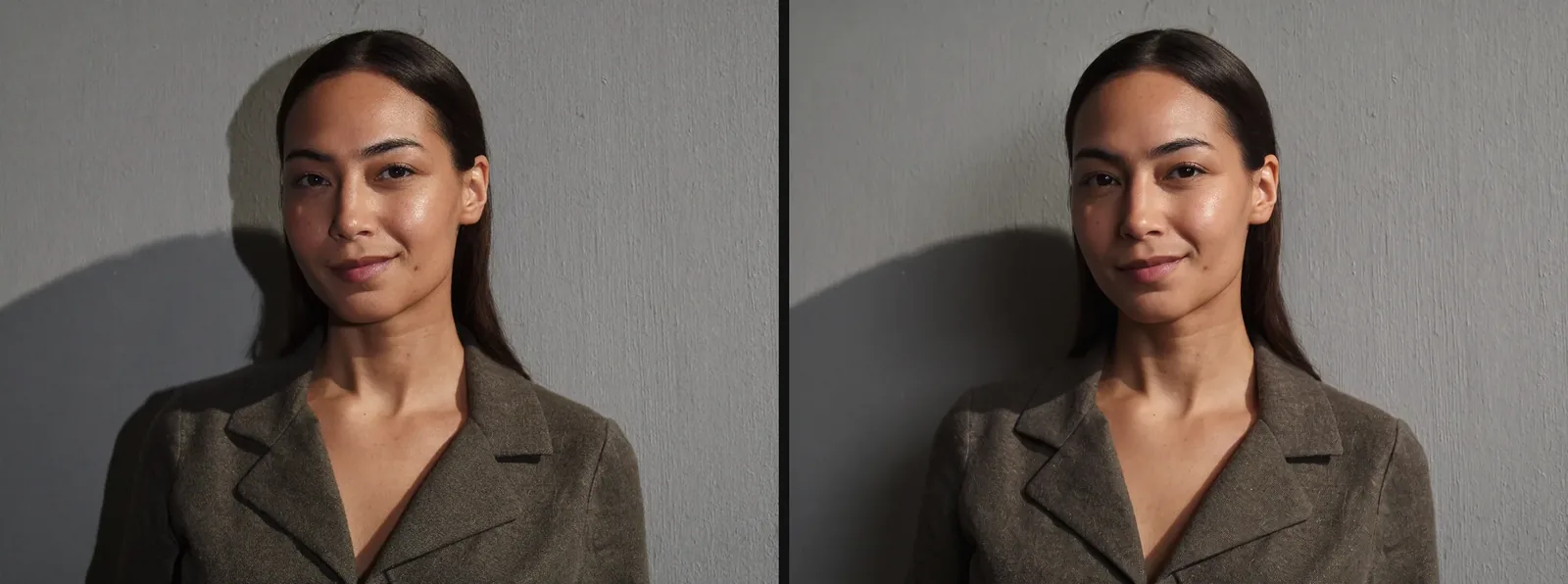
Made in Realism Pro and Nano Banana Pro as a still: Hard-light and soft-light FULL EXAMPLE PROMPTS.
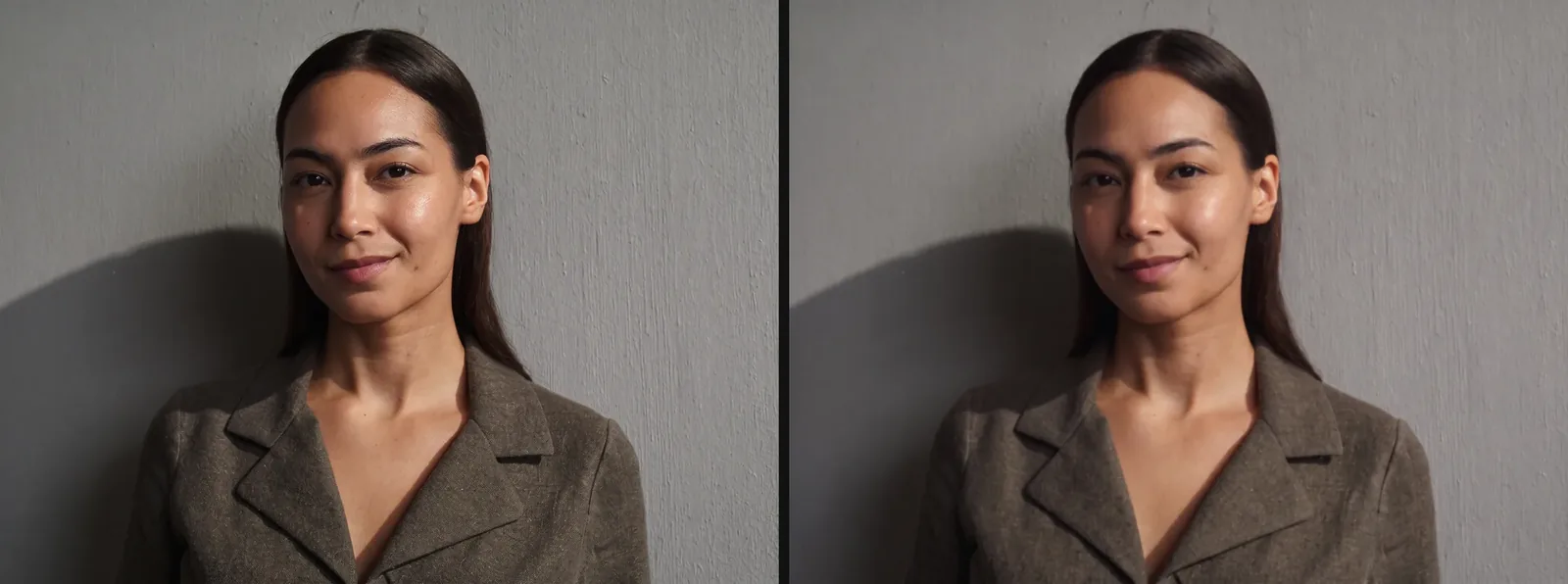
Made in Realism Pro and Nano Banana Pro as a still: Soft-light FULL EXAMPLE PROMPT; comparison version replaces “sharp subject detail” with “shallow focus, soft background”.
Use a lighting block in your own scene
The template keeps lighting in its own slot, so the block can be swapped without rewriting the rest. For a combination not shown here, rewrite one block: hard front light, for example, is a small source near the camera with crisp shadow edges. When starting from an image, choose a still that already has the light you want and describe only the motion.
Scene Prompt Template:
[Shot type] of [subject] in [setting], [one action]. [Camera movement]. [Lighting block]. [Visual style]. [Sound if needed].Why this works
- One slot per decision makes it obvious when two parts of a prompt describe the same light differently.
- If the result is muddy, look for a contradiction first, such as “sharp” and “gradual” shadow edges in the same prompt, and keep one clear main light.
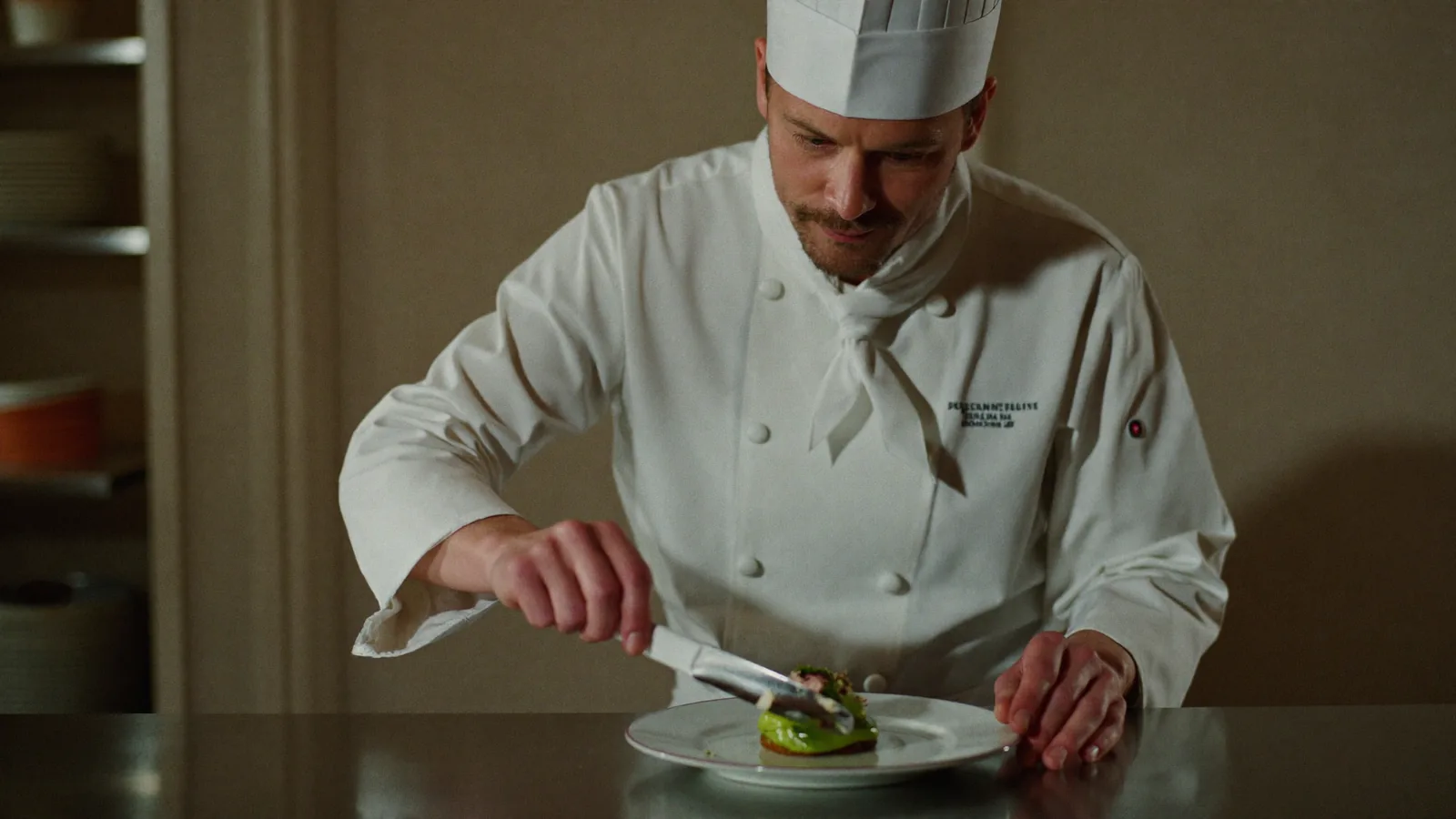
Made in Realism Pro as a still: SCENE PROMPT TEMPLATE filled: “Medium shot of a chef in whites at a steel kitchen pass, plating a dessert. Static camera. A small, undiffused light near the camera creates crisp shadow edges under the chin and nose. Photorealistic live action.”
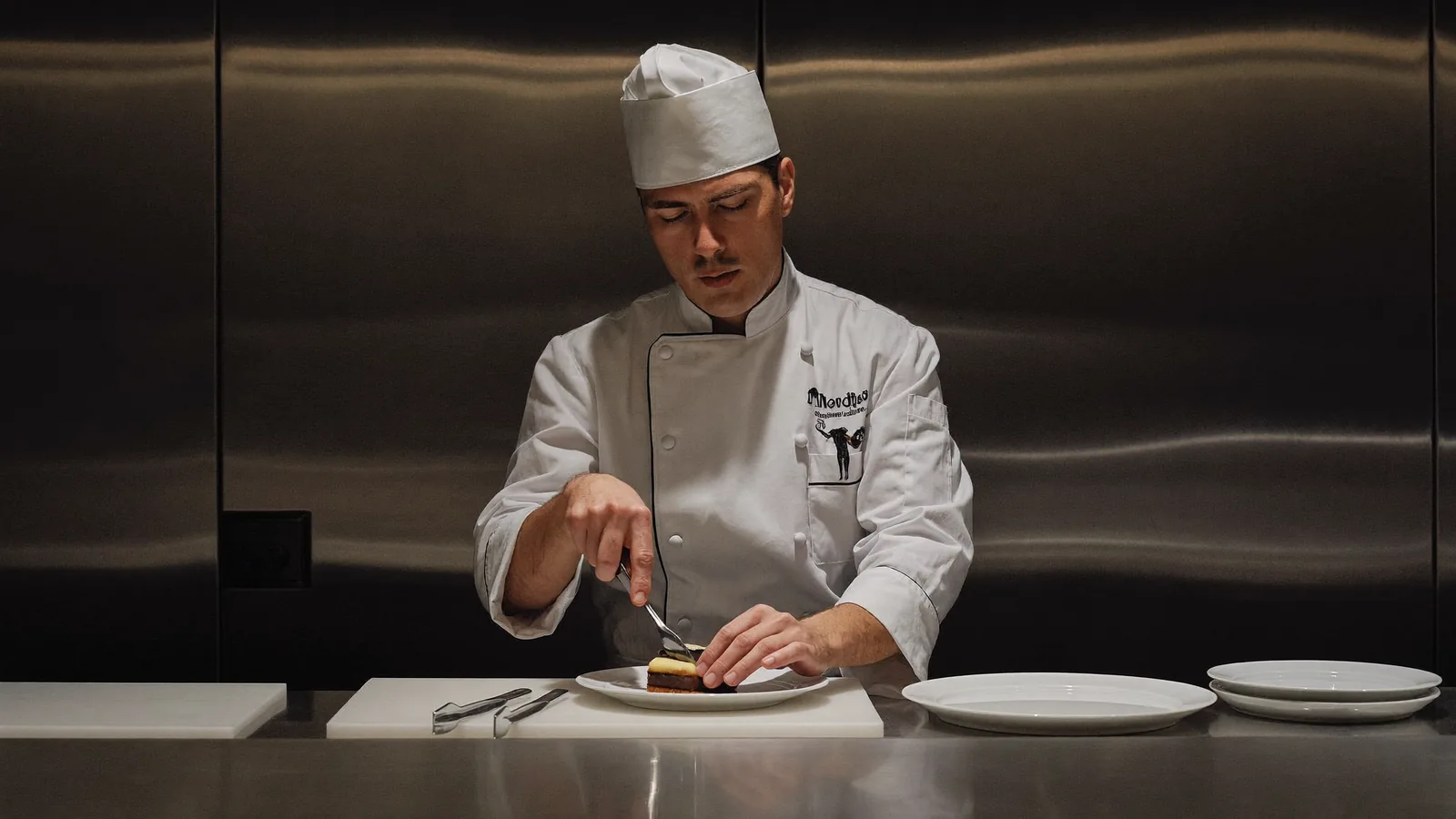
Made in Realism Pro as a still: Same filled template with the back-light LIGHTING BLOCK in the lighting slot.
Part 2: four classic portrait setups
Which setup should you use?
| Setup | Where the key light goes | What it does to the face | Good for |
|---|---|---|---|
| Rembrandt | High, about 45° to one side, pointing down | A small triangle of light on the shadowed cheek | Thoughtful portraits, interviews, period drama |
| Butterfly | High and straight in front, just above the lens | A small shadow directly under the nose | Glamour, beauty, Old Hollywood looks |
| Split | Exactly 90° to the side at eye level | One half lit, one half dark | Villains, thrillers, noir |
| Rim | Behind the person, facing the lens | A bright outline on hair and shoulders | Stages, night scenes, entrances |
Two terms help. The key light is the main lamp that decides where shadows fall. A fill light brightens those shadows; leaving it out (“no fill light”) keeps the drama, because models add fill by habit.
Rembrandt light: a triangle on the shadowed cheek
Named after the Dutch painter, who lit his sitters this way, Rembrandt puts the key light high and roughly 45 degrees to one side. The nose shadow meets the cheek shadow and leaves a small triangle of light under the far eye. It looks three-dimensional and serious without hiding half the face.
Rembrandt Light Line:
Rembrandt lighting, one soft key light high and 45 degrees to the side, pointing down at the face, and no fill light: the side of the face toward the light is lit, and the other side is in shadow except for a small triangle of light on the shadowed cheek, just under the eye.Image Prompt
Photorealistic [close-up or medium close-up] portrait of [your subject, e.g. a fisherman in his sixties] in [the place, e.g. a dim wooden boathouse], facing the camera and turned slightly away from the light. Rembrandt lighting, one soft key light, [the source, e.g. daylight from a high window], high on the [left or right] of the frame, about 45 degrees to the side of the face and above it, pointing down, and no fill light. The side of the face toward the light is lit, and the other side is in shadow except for a small, clearly visible triangle of light on that cheek just under the eye, between the shadow of the nose and the shadow of the cheek. The background falls into dark [color, e.g. warm brown] shadow. 85mm lens at f/2. Real unretouched skin with visible texture, natural hands, no readable text or logos.Video Prompt
SET: [the place, e.g. a dim wooden boathouse at the end of the day], with [details, e.g. coiled ropes and an old lantern] and a dark [color] wall behind [your subject]. No readable text or logos.
LIGHT: Rembrandt lighting, one soft key light, [the source, e.g. daylight from a high window], high on the [left or right] of the frame, about 45 degrees to the side of the face and above it, and no fill light. The side of the face toward the light is lit, and the other side is in shadow except for a small triangle of light on that cheek just under the eye. The light stays exactly the same for the whole shot.
SHOT: one continuous 5-second CLOSE-UP, 85mm lens, [one camera move, e.g. a slow push-in]: [your subject], turned slightly away from the light, [one small action, e.g. looks down, then back up], keeping the head at the same angle, so the triangle stays on the cheek.
SOUND: [the sounds, e.g. water lapping and a creaking beam]. No music.
LOOK: real low-key light with soft, deep shadows and natural skin tones. Natural movement, real unretouched skin, hands with five fingers. No text, subtitles, logos or readable signs anywhere. No slow motion.
Instead of: “Close-up portrait of an old fisherman, Rembrandt lighting, dramatic, cinematic, moody, 8k, ultra detailed.”
Better:
Photorealistic close-up portrait of a fisherman in his sixties with a gray stubbled beard and a navy wool sweater, sitting in a dim wooden boathouse at the end of the day, facing the camera and turned slightly away from the light. Rembrandt lighting, one soft key light, the daylight from a high window on the left of the frame, about 45 degrees to the side of his face and above it, pointing down, and no fill light. The side of his face on the left of the frame is softly lit, and the other side is in shadow except for a small, clearly visible triangle of light on that cheek just under the eye, between the shadow of his nose and the shadow of his cheek. The background falls into dark warm-brown shadow. 85mm lens at f/2. Real unretouched skin with deep lines and visible texture, natural hands, no readable text or logos.Why this works
- The 45-degree angle and the height are spelt out, so the triangle appears even when a model only loosely knows the name.
- “No fill light” stops the model brightening the shadow side, which is what erases the triangle.
- If you get a small loop of shadow beside the nose instead, move the light further round and higher; that loop is a different setup called loop lighting.
- In video, start from the approved still and keep head turns small, because a video model can quietly drop the light.
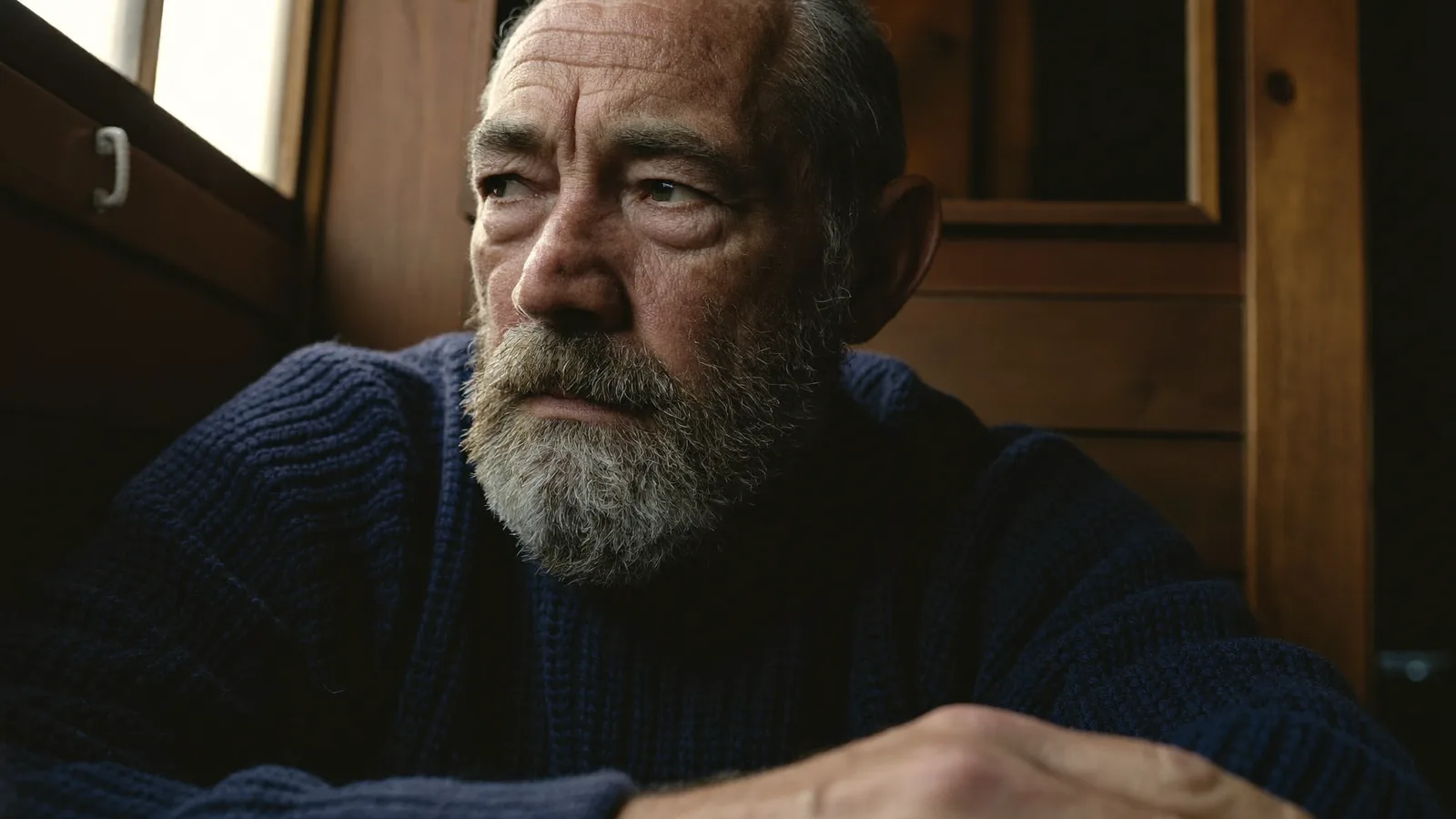
Made in Realism Pro: BETTER prompt above, as written.
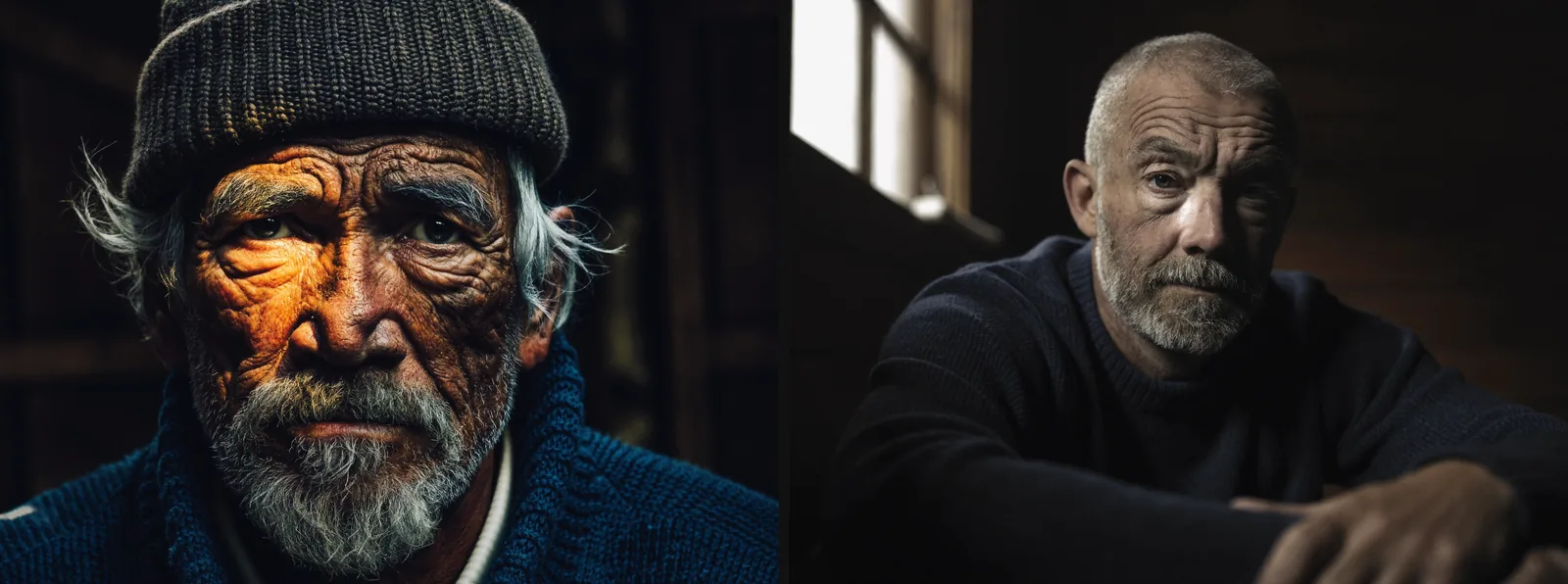
Made in Realism Pro: the “Instead of” line, then the BETTER prompt.
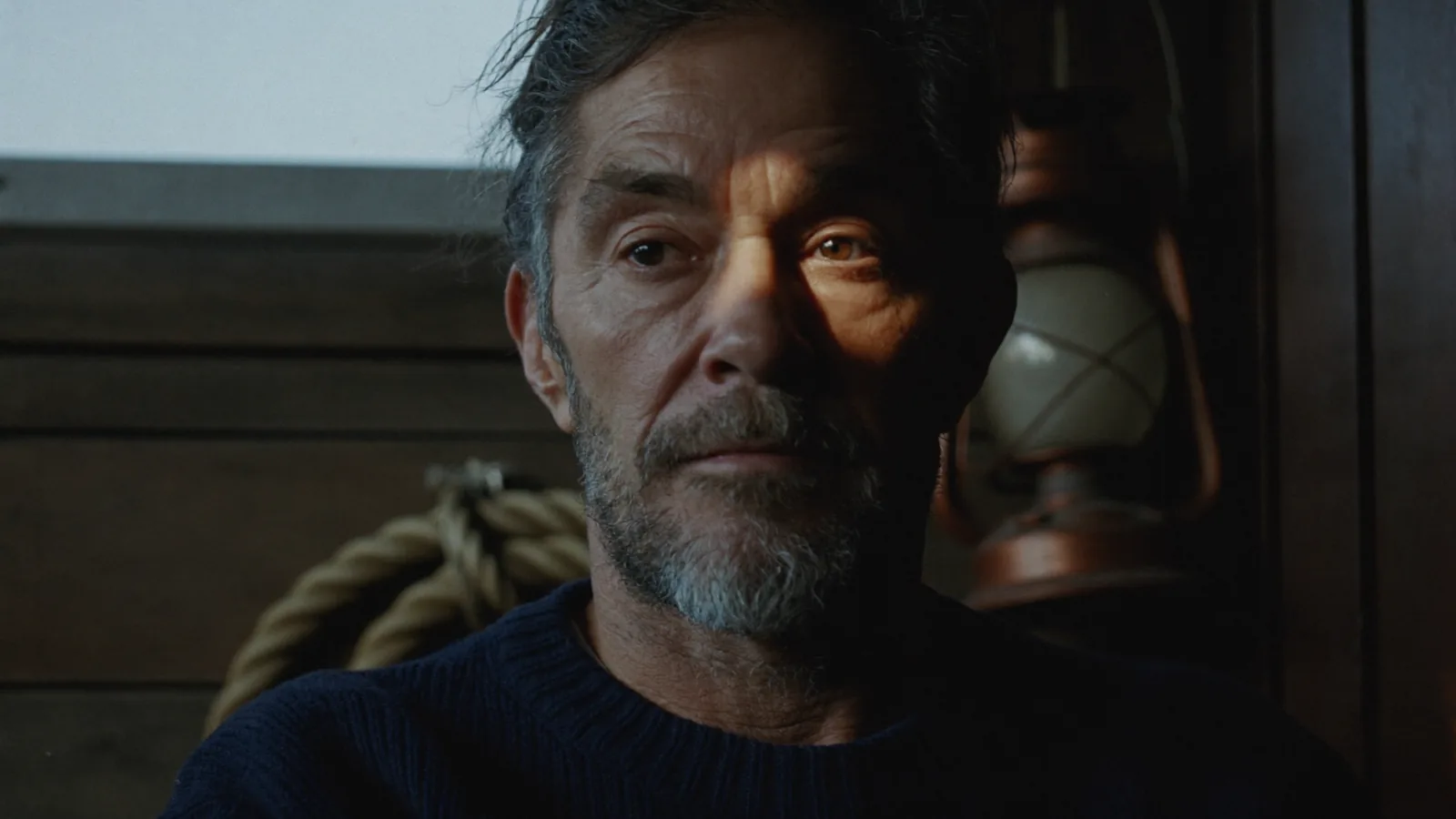
Made in Realism Pro as a still: VIDEO PROMPT with the bracket examples kept: fisherman, dim wooden boathouse, coiled ropes and lantern.
Butterfly light: high, in front, Old Hollywood
Butterfly lighting centres the key light above the camera and angles it down, so both cheeks are lit evenly and a small, butterfly-shaped shadow sits under the nose. It flatters skin and cheekbones, which is why studio portraits of 1940s film stars used it.
Butterfly Light Line:
Butterfly lighting, one key light high and straight in front of the face, centered just above the camera and pointing down: a small butterfly-shaped shadow directly under the nose, both sides of the face lit evenly, and soft shadows under the cheekbones and the chin.Image Prompt
Photorealistic [medium close-up] portrait of [your subject, e.g. a woman in a black silk dress] [what they are doing, e.g. lifting her chin toward the light], facing the camera straight on, in front of [the background, e.g. a plain charcoal-gray backdrop], which falls off into black at the edges. Butterfly lighting, one hard key light high and straight in front of the face, centered just above the camera and pointing down: a small, sharp butterfly-shaped shadow directly under the nose, both sides of the face lit evenly, glowing cheekbones and soft shadows under the cheekbones and under the chin. A soft glow on the backdrop behind the head. 85mm lens at f/2.8. Real unretouched skin with visible texture, natural hands, no readable text or logos.Video Prompt
SET: [the place, e.g. a 1940s studio portrait stage] with [the background, e.g. a plain charcoal-gray backdrop] that falls off into black at the edges. No readable text or logos.
LIGHT: butterfly lighting, one hard key light high and straight in front of [your subject], centered just above the camera and pointing down: a small butterfly-shaped shadow directly under the nose, both sides of the face lit evenly, and soft shadows under the cheekbones and the chin. A soft glow on the backdrop behind the head. The light stays exactly the same for the whole shot.
SHOT: one continuous 5-second MEDIUM CLOSE-UP, 85mm lens, [one camera move, e.g. a slow push-in]: [your subject], facing the camera, [one small action, e.g. lifts their chin into the light], and the small shadow stays under the nose.
SOUND: [the sounds, e.g. a studio lamp humming and silk rustling]. No music.
LOOK: classic Hollywood glamour portrait light against a dark backdrop, with natural skin tones. Natural movement, real unretouched skin, hands with five fingers. No text, subtitles, logos or readable signs anywhere. No slow motion.
Instead of: “Glamorous portrait of a beautiful woman, perfect beauty lighting, soft glow, flawless skin, studio, 8k, hyperrealistic.”
Better:
Photorealistic medium close-up portrait of a woman in her thirties with short dark waves and red lipstick, in a black silk dress, facing the camera straight on and lifting her chin slightly, in front of a plain charcoal-gray backdrop that falls off into black at the edges. Butterfly lighting, one hard key light high and straight in front of her face, centered just above the camera and pointing down: a small, sharp butterfly-shaped shadow directly under her nose, both sides of her face lit evenly, glowing cheekbones and soft shadows under her cheekbones and under her chin, like a 1940s Hollywood studio portrait. A soft glow on the backdrop behind her head. 85mm lens at f/2.8. Real unretouched skin with visible texture, natural hands, no readable text or logos.Why this works
- “Beauty lighting” and “soft glow” say nothing about position, so models wrap the face in light from all sides; naming one high, centred source gives the shadow somewhere to fall.
- The shadow belongs between the base of the nose and the top lip. Lower on the lip with dark eye sockets means the lamp is too high; no shadow at all means it is too low.
- It works best with the face square to the camera. A turned head pushes the nose shadow off centre.
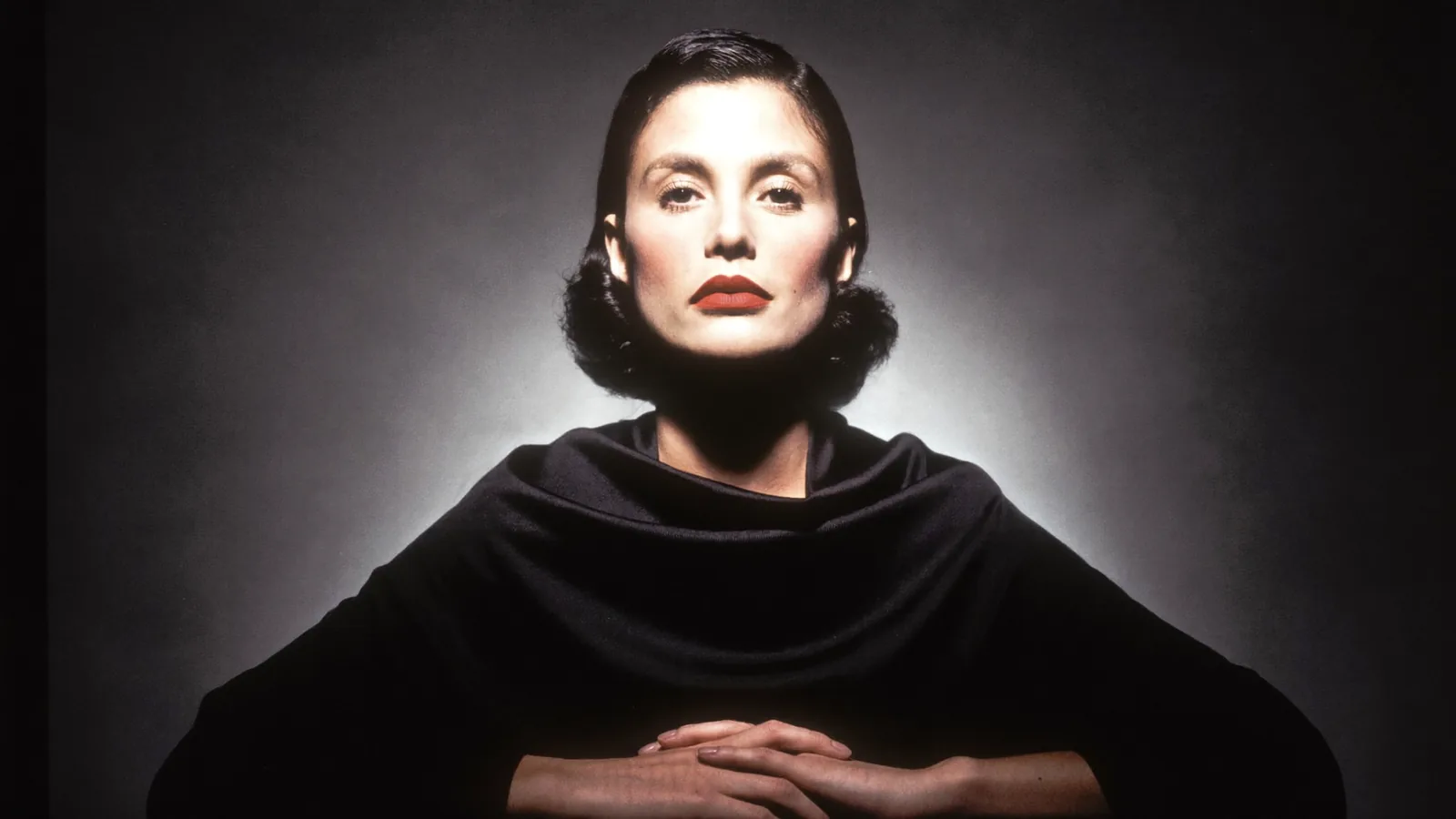
Made in Realism Pro: BETTER prompt above, as written.
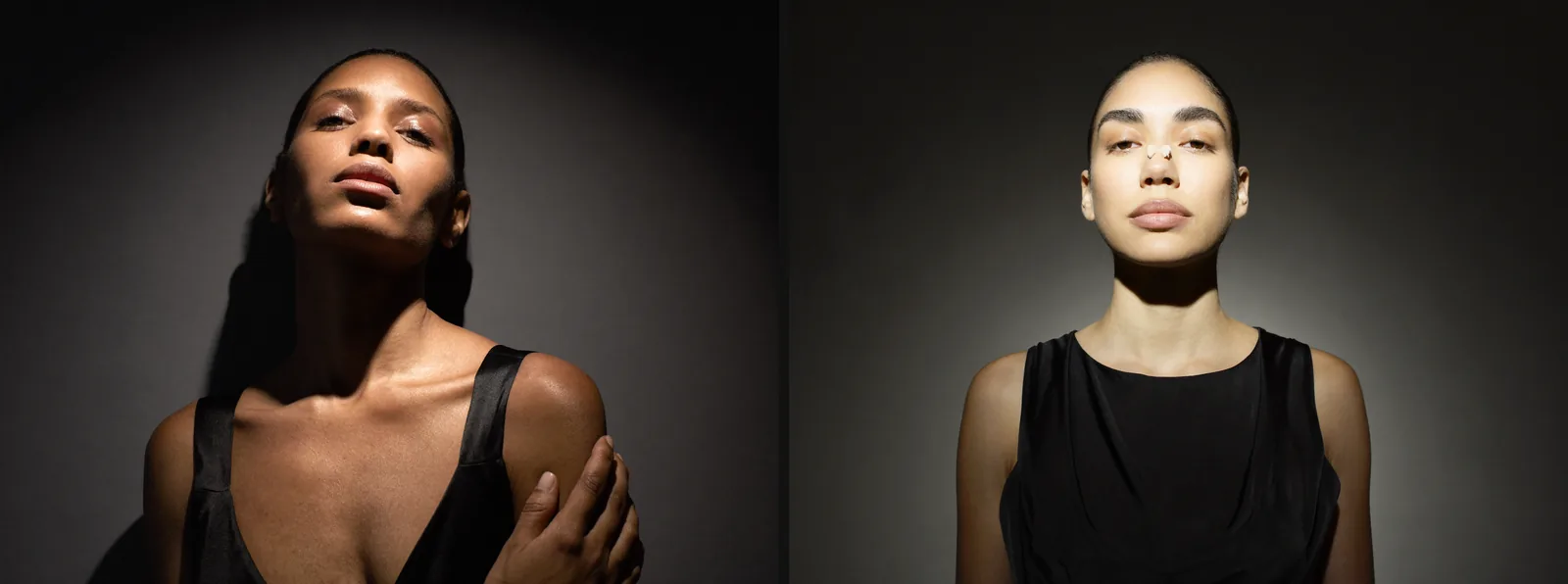
Made in Realism Pro: IMAGE PROMPT with “a woman in a black silk dress, lifting her chin toward the light”; left version adds “the light very high above her head”.
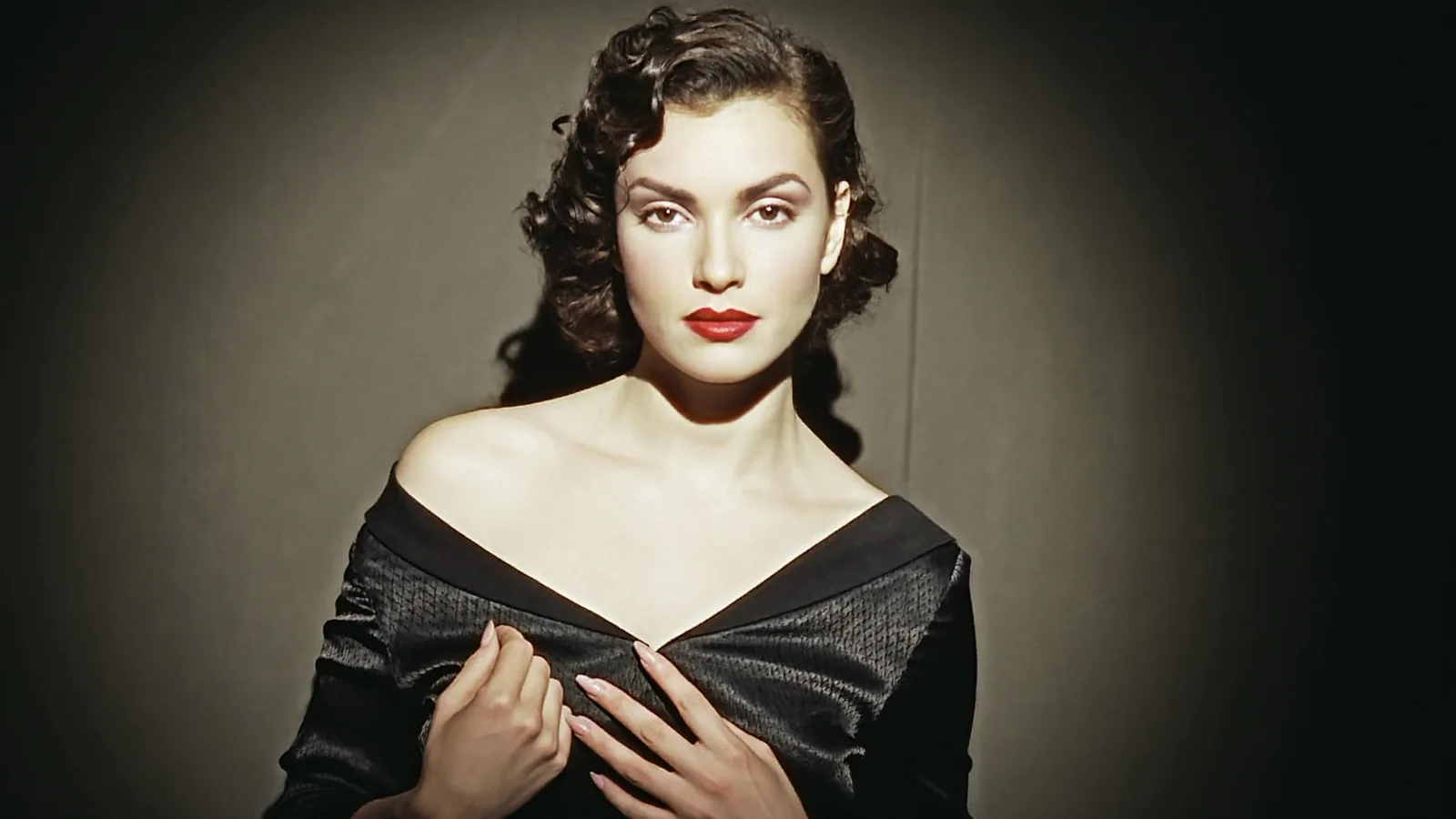
Made in Realism Pro as a still: VIDEO PROMPT with the bracket examples kept: 1940s studio portrait stage, charcoal-grey backdrop.
Split light: half the face in shadow
Split lighting places one hard light at exactly 90 degrees to the face, at eye level, so a line runs straight down the forehead, nose and chin with one side lit and the other dark. It is the boldest of the four and reads as menace, secrecy or a hard choice.
Split Light Line:
Split lighting, one hard light at exactly 90 degrees to the side of the face, at eye level, and no fill light: half the face is lit and the other half is in deep shadow, with the line between them running straight down the middle of the nose.Image Prompt
Photorealistic [medium close-up] of [your subject, e.g. a man in his fifties in a dark suit] [what they are doing, e.g. sitting behind a desk] in [the place, e.g. a dark office at night], facing the camera straight on. Split lighting, one hard light, [the source, e.g. a bare bulb], at exactly 90 degrees to the [left or right] of the frame at eye level, and no fill light: exactly half of the face is lit and the other half is in deep shadow, with the line between them running straight down the middle of the forehead, nose and chin. The room behind is near-black. 50mm lens. Real unretouched skin with visible texture, natural hands, no readable text or logos.Video Prompt
SET: [the place, e.g. a dark office at night] with [details, e.g. a leather chair and rain on a black window]. No readable text, screens or logos.
LIGHT: split lighting, one hard light, [the source, e.g. a bare bulb], at exactly 90 degrees to the [left or right] of the frame at eye level, and no other light on the face: exactly half of the face is lit and the other half is in deep shadow, the line between them running straight down the middle of the nose. No fill light, no light from the front, and the room is near-black. The light stays exactly the same for the whole shot.
SHOT: one continuous 5-second MEDIUM CLOSE-UP, 50mm lens, [one camera move, e.g. a slow push-in]: [your subject], facing the camera straight on, [one small action, e.g. leans forward and smiles thinly], keeping the head square to the camera, so the line stays down the middle of the face.
SOUND: [the sounds, e.g. rain on the window and a clock ticking]. No music.
LOOK: one hard side light in a dark room, deep black shadow and natural skin on the lit side. Natural movement, real unretouched skin, hands with five fingers. No text, subtitles, logos or readable signs anywhere. No slow motion.
Instead of: “A villain in a dark room, dramatic shadows, half of his face in shadow, moody, dark, cinematic lighting, 8k.”
Better:
Photorealistic medium close-up of a man in his fifties with slicked-back gray hair and a black velvet jacket, sitting in a high-backed leather chair in a dark modern house at night, facing the camera straight on with a slow, thin smile. Split lighting, one hard white light from exactly 90 degrees to the left of the frame at eye level, and no fill light: exactly half of his face is lit and the other half is in deep black shadow, the line between them running straight down the middle of his forehead, nose and chin. The room behind him is near-black. 50mm lens. Real unretouched skin with visible texture, natural hands, no readable text or logos.Why this works
- “Half of his face in shadow” is the right idea, but without an angle the model places the shadow at random; “exactly 90 degrees, at eye level” fixes it.
- A motivated source, such as a bare bulb, a window or a doorway to one side, makes the hard edge believable.
- Models sneak in a little fill, so “no light from the front” and a near-black background keep the dark half truly dark.
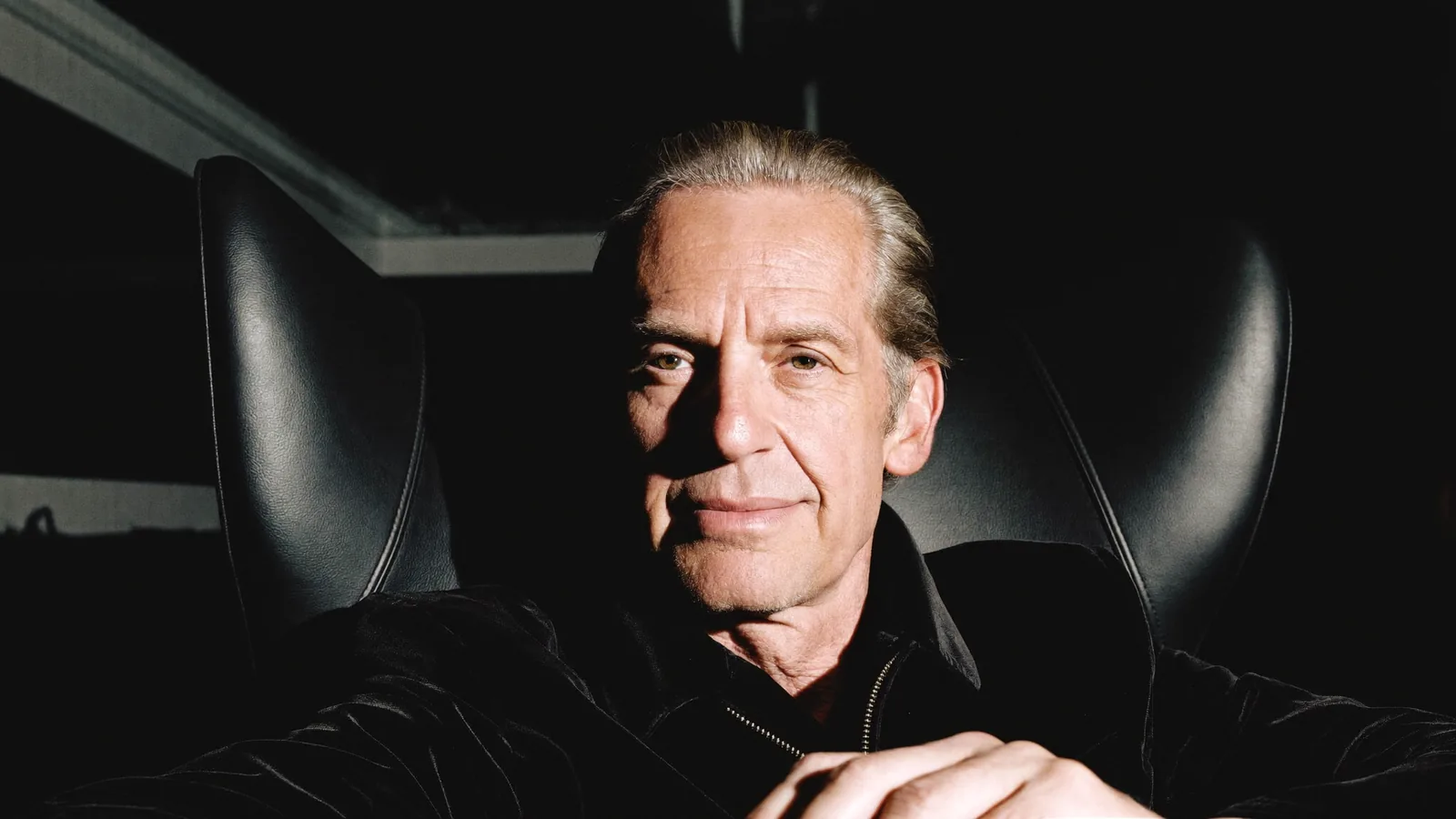
Made in Realism Pro: BETTER prompt above, as written.
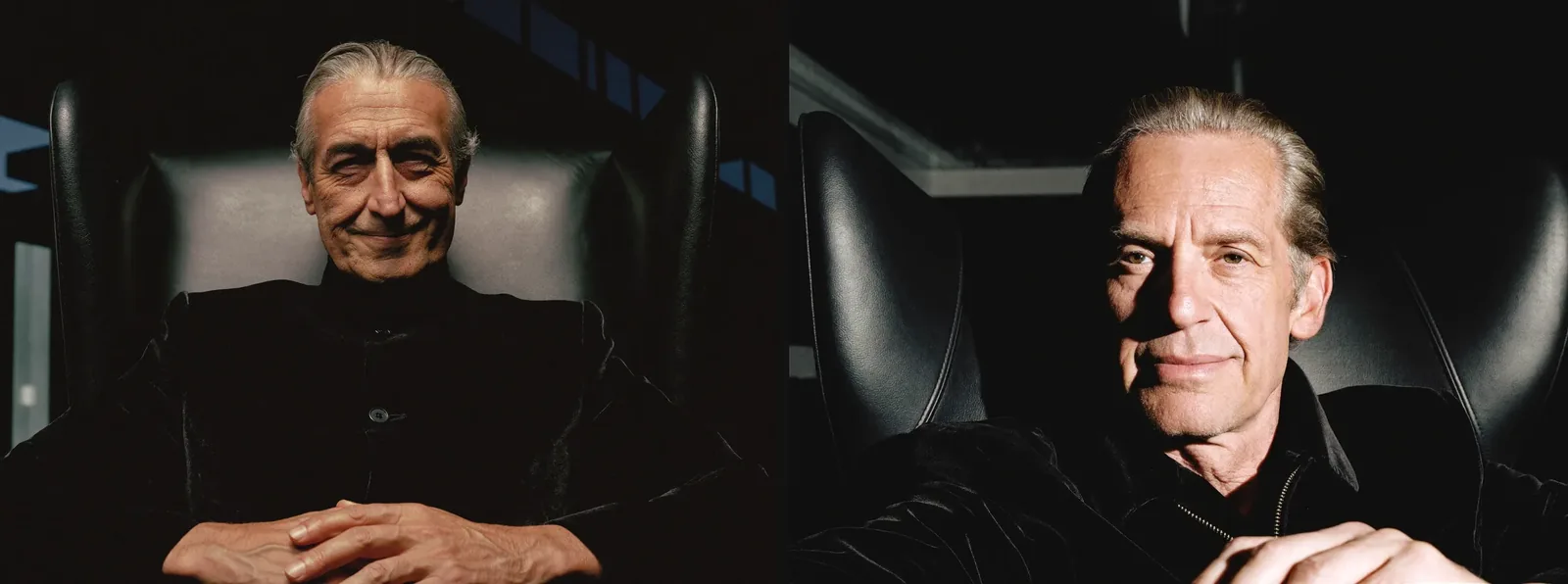
Made in Realism Pro: IMAGE PROMPT for split as written; Rembrandt version swaps in the REMBRANDT LIGHT LINE.
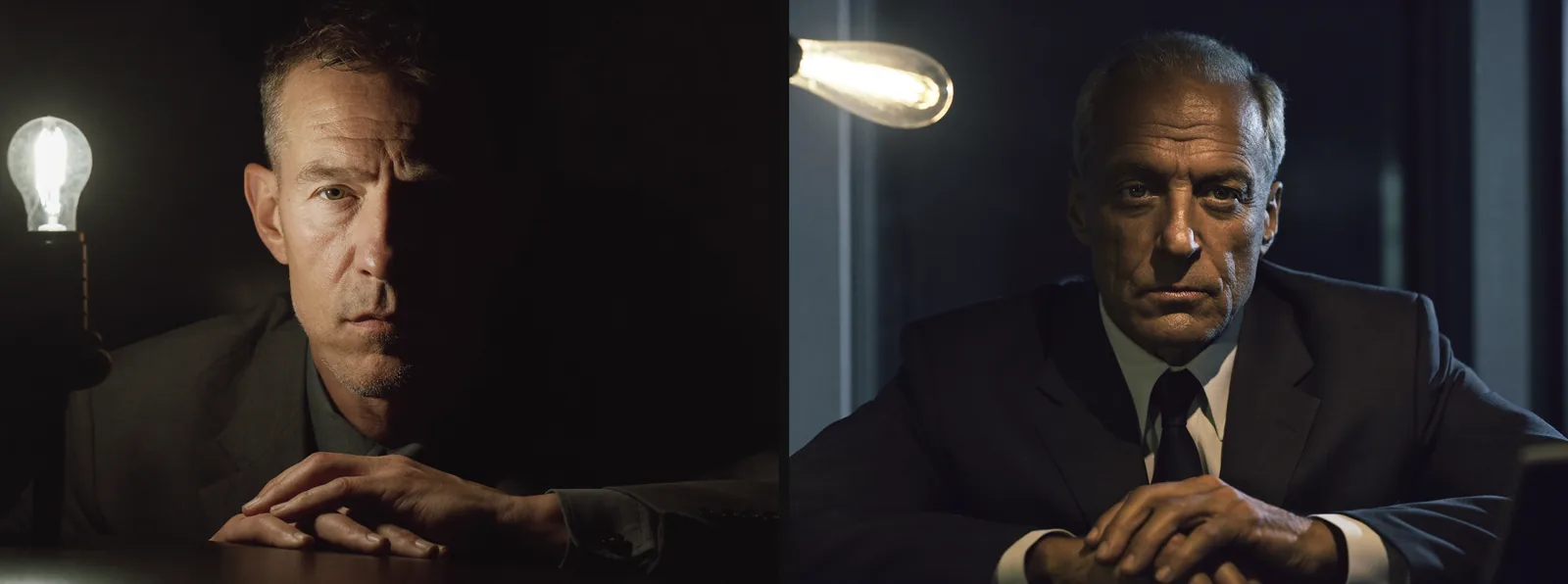
Made in Realism Pro: IMAGE PROMPT with “a man in his fifties in a dark suit, sitting behind a desk, a dark office at night”.
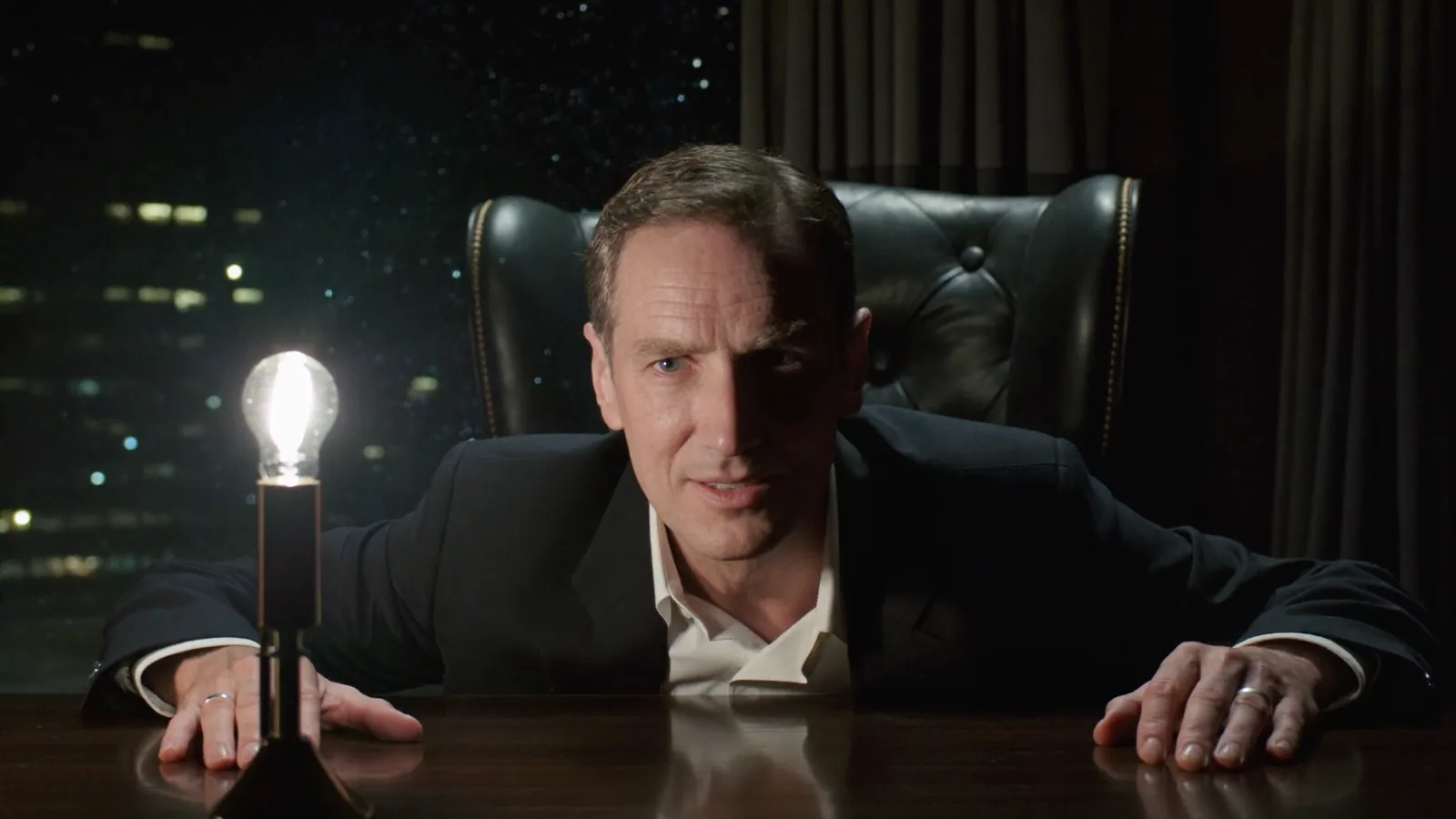
Made in Realism Pro as a still: VIDEO PROMPT with the bracket examples kept: dark office at night, leather chair, rain on a black window.
Rim light: a glowing outline from behind
A rim light sits behind the person, slightly above, facing the lens. It cannot reach the front of the face, so it draws a thin bright edge along the hair, shoulders and jaw and lifts the figure off a dark background.
Rim Light Line:
Rim lighting, one bright light directly behind the person, a little above the head and facing the camera: a glowing outline on the hair, the edge of the face and the shoulders, the front of the face in soft shadow but still readable, and a dark background.Image Prompt
Photorealistic [medium close-up] of [your subject, e.g. a singer in a black leather jacket] [what they are doing, e.g. standing at a vintage microphone] in [the place, e.g. a dark concert stage] with thin haze in the air, seen from slightly below. Rim lighting, one very bright white light directly behind them, a little above the head and hidden behind it, facing the camera: it draws a thin, glowing outline along [the edges it lights, e.g. their hair, cheek and shoulders], and the front of the face is in soft shadow but still readable, with no light from the front. The background is near-black with a soft glow around the light. 50mm lens. Real unretouched skin, natural hands, no readable text or logos.Video Prompt
SET: [the place, e.g. a big concert stage at night] with [details, e.g. a vintage microphone on a chrome stand] and thin haze in the air. No readable text, logos or brand names on any equipment.
LIGHT: rim lighting. The only light is one very bright white light directly behind [your subject], a little above the head, facing the camera and mostly hidden behind them: it draws a thin, glowing outline along their hair, the edge of the face and the shoulders, and the front of the face is in soft shadow but still readable. No light from the front. The background is near-black haze with a glow around the light. The light stays exactly the same for the whole shot.
SHOT: one continuous 5-second MEDIUM CLOSE-UP from slightly below, 50mm lens, [one camera move, e.g. a slow push-in]: [your subject] [one action, e.g. leans into the microphone and grins], and the outline stays on the hair and shoulders as they move.
SOUND: [the sounds, e.g. a distant crowd and an amp humming]. No music.
LOOK: real backlight through thin haze, deep blacks and natural skin tones. Natural movement, real unretouched skin, hands with five fingers. No text, subtitles, logos or readable signs anywhere. No slow motion.
Instead of: “Backlit portrait of a singer on stage, glowing, silhouette, lens flare, epic, cinematic, 8k.”
Better:
Photorealistic medium close-up from slightly below of a singer in her twenties with long wavy hair and a black leather jacket, standing at a vintage microphone on a dark concert stage with thin haze in the air. Rim lighting, one very bright white spotlight directly behind her, a little above her head and hidden behind it, facing the camera: it draws a thin, glowing white outline along her hair, the edge of her cheek and jaw and her shoulders, and her hair glows like a halo, while the front of her face is in soft shadow but still readable, with no light from the front. The background is near-black haze with a soft glow around the light. 50mm lens. Real unretouched skin, natural hands, no readable text, logos or brand names anywhere.Why this works
- “Backlit” and “silhouette” invite a black cut-out or a frame-wide flare; placing one light directly behind and saying it stays hidden avoids both.
- A dark background gives the outline something to glow against. Against a bright sky or a white wall it disappears.
- A little haze or smoke in the air makes the beam visible around the head.
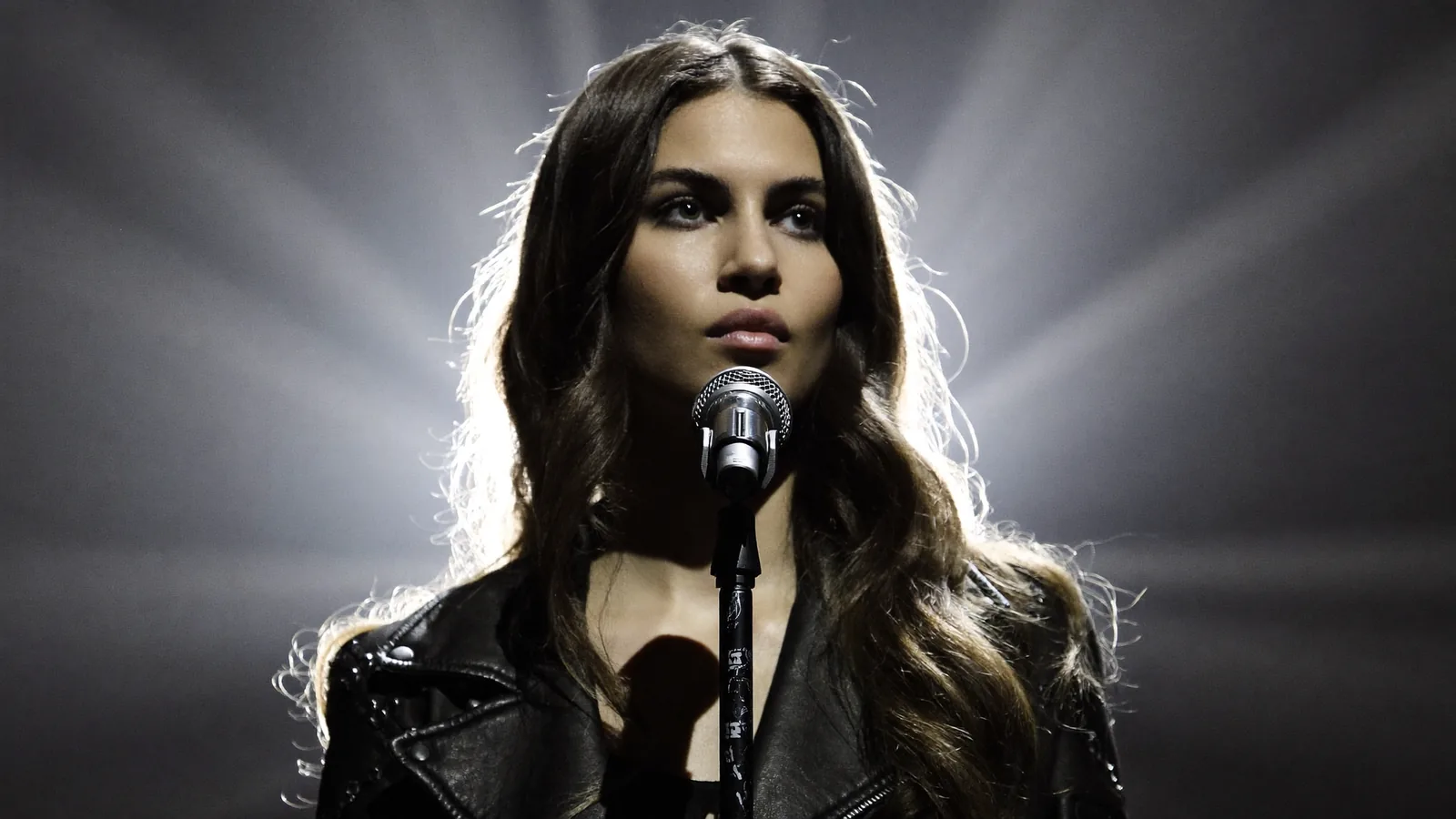
Made in Realism Pro: BETTER prompt above, as written.
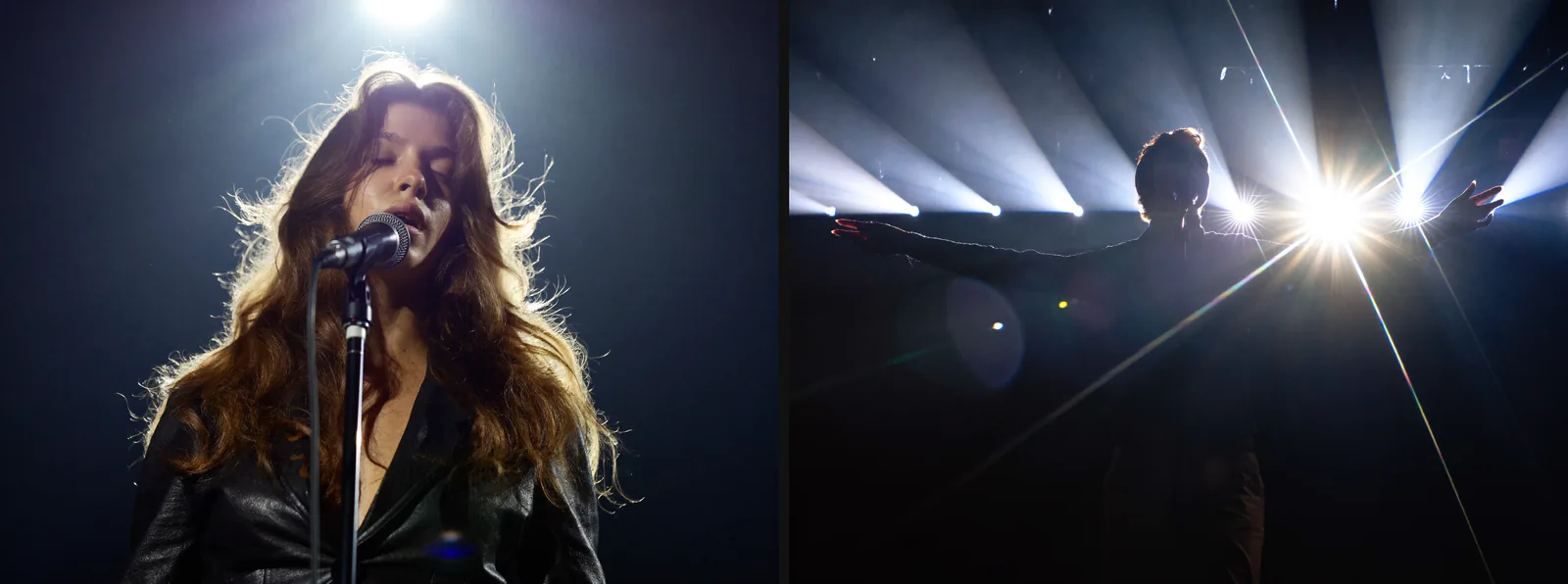
Made in Realism Pro: BETTER prompt, then the “Instead of” line.
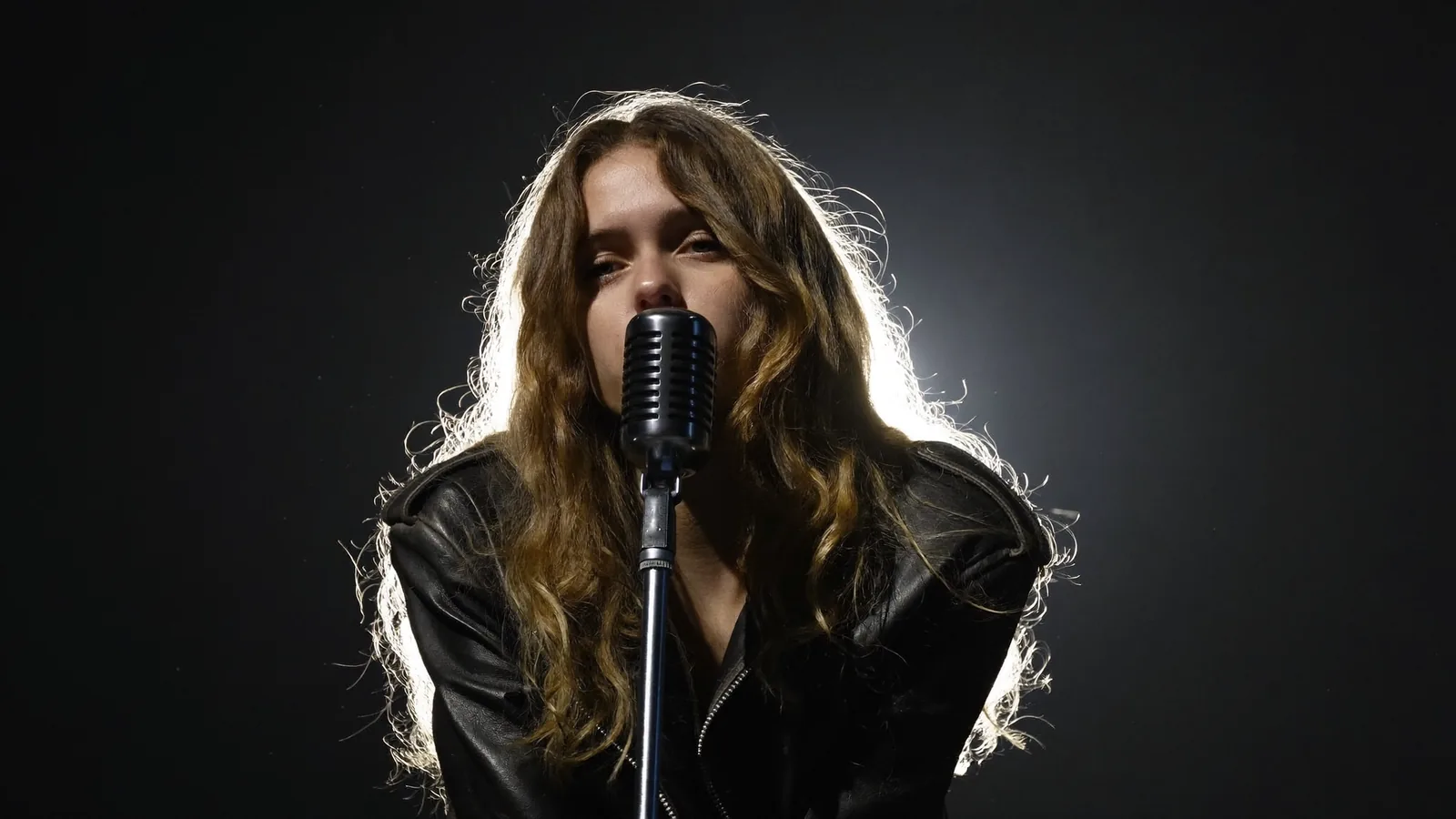
Made in Realism Pro as a still: VIDEO PROMPT with the bracket examples kept: big concert stage at night, vintage microphone on a chrome stand.
Add a rim to any setup
Film crews seldom light a face with one lamp. A rim on the dark side stops the shadow half melting into a black background, and because it only touches the edges it leaves the key light’s shadows alone. Place it opposite the key for Rembrandt and split, and straight behind the head for butterfly.
Rim Add-On Line:
Plus a rim light: a second light behind the person and a little above the head, [opposite the key light, or straight behind for butterfly], hidden from the camera, which draws a thin, bright outline along the hair and shoulders without lighting the front of the face, so the face keeps its [Rembrandt, butterfly or split] shadows.Why this works
- Rembrandt, butterfly and split each describe a place for the key light. A rim comes from behind and only touches the edges, so the front shadows that give each setup its look stay put.
- Paste the same light line into every shot of a scene so the light doesn’t jump at the cut.
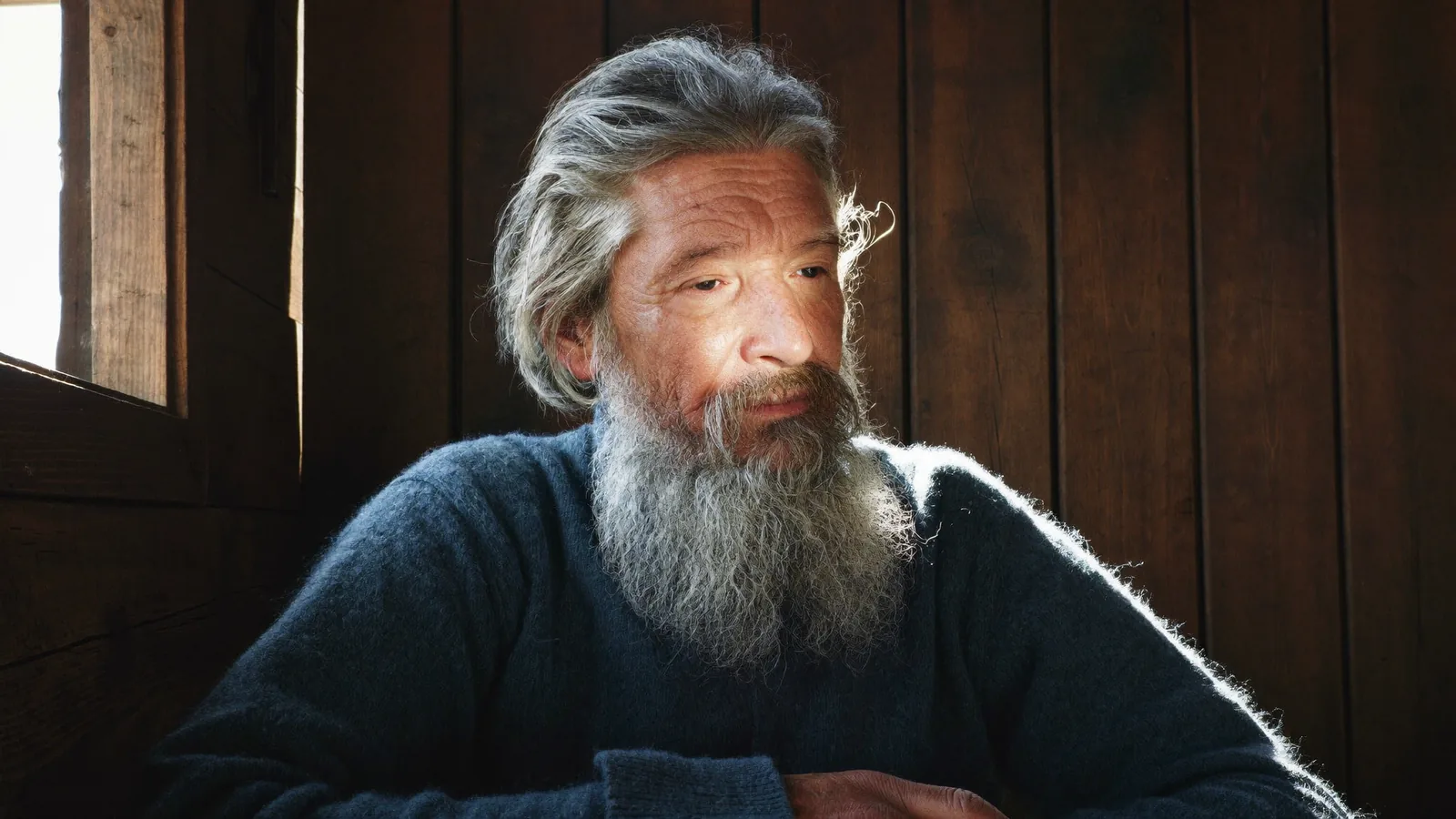
Made in Realism Pro: Rembrandt IMAGE PROMPT + RIM ADD-ON LINE with “opposite the key light”.
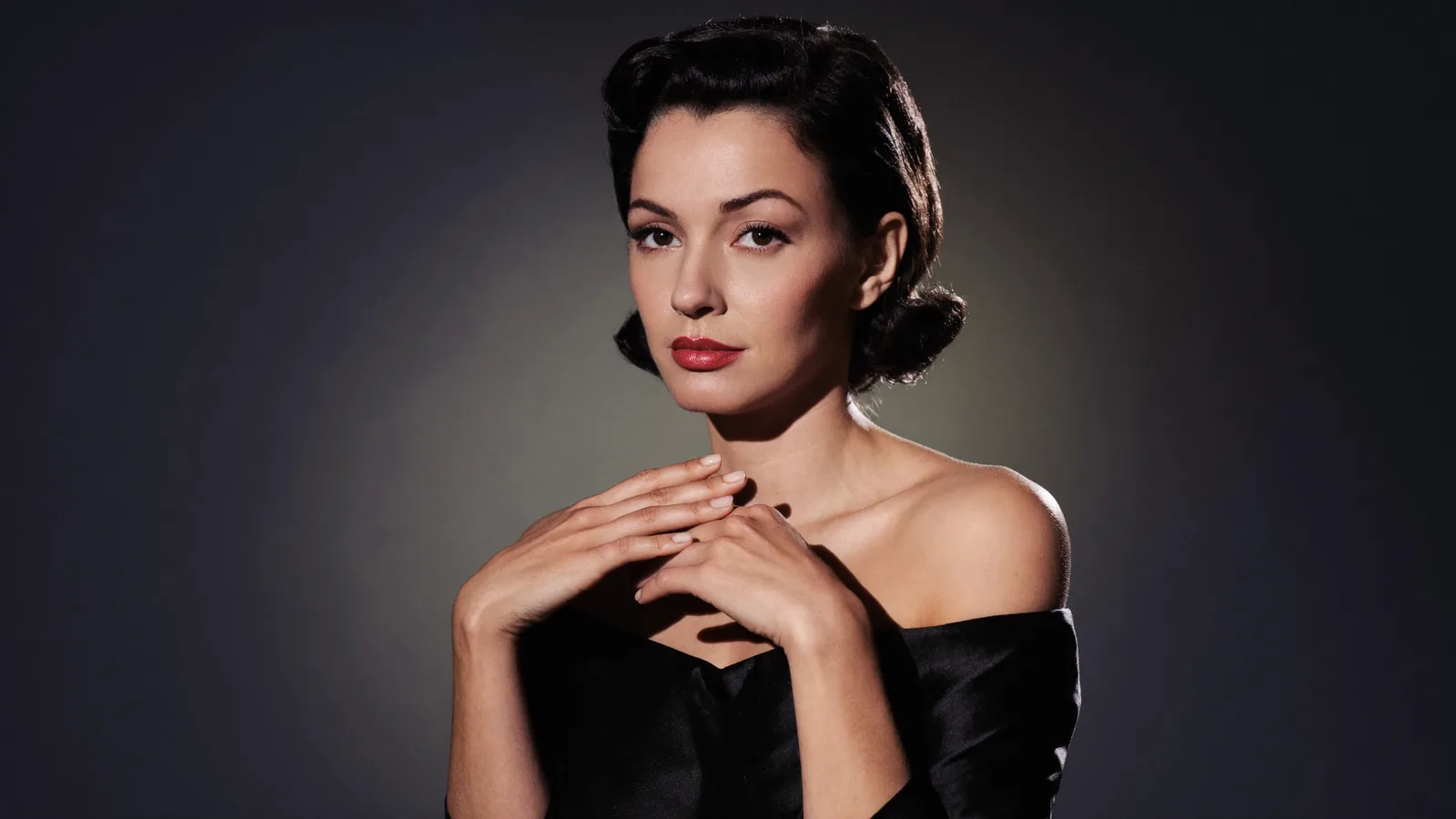
Made in Realism Pro: Butterfly IMAGE PROMPT + RIM ADD-ON LINE with “straight behind for butterfly”.
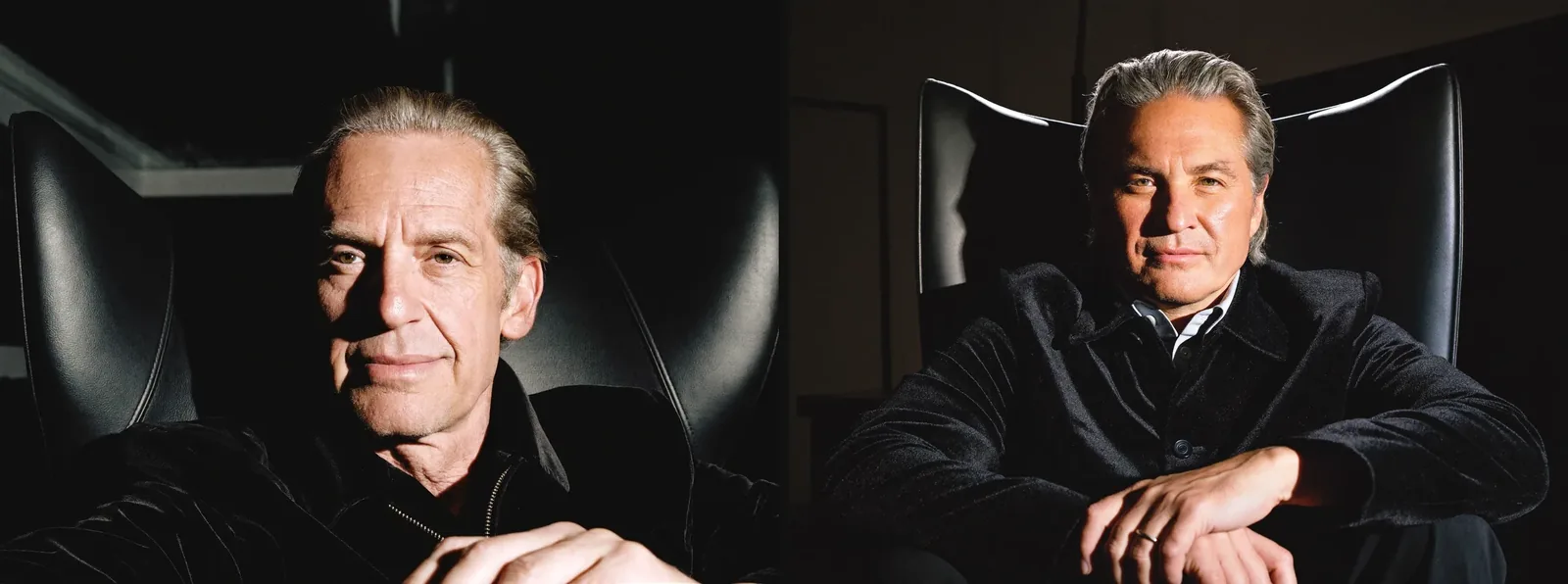
Made in Realism Pro: Split IMAGE PROMPT; right version adds the RIM ADD-ON LINE.
Make your own in PromptWise
Start with Part 1: run the hard and soft examples one after the other and compare the shadow edge, then try a direction block in a scene of your own. For a face, pick the Part 2 setup that suits the mood, paste its light line in and make the still on Realism Pro. Once the shadows look right at full size, use that still as the first frame in Seedance 2.5 with the same light line, so the light carries into the motion. Every model is available as soon as you sign up, alongside 40+ image, video and audio models in one studio.
Related
- Realistic AI people prompts: skin, sweat and motivated light
- Atmosphere prompts: haze, dust, embers and backlit rain
- Cinematic AI video prompts: the full director’s-brief method for video
- All prompts
FAQ
What is the difference between Rembrandt and split lighting?
Both use one light to the side with no fill. Rembrandt sits higher and at about 45 degrees, so a small triangle of light reaches the shadowed cheek. Split sits at 90 degrees and eye level, so the shadow side gets no light at all and the face is divided down the middle.
Why does an AI portrait still look flat after naming the setup?
The model has probably added its own fill light or ignored the name. Keep the description of where the light sits, add "no fill light", and delete general phrases such as studio lighting or beauty lighting, which pull the result back towards even front light.
Which lighting setup can be added to the others?
Rim light. It comes from behind and only touches the edges of the head and shoulders, so the front shadows that define Rembrandt, butterfly and split stay where they are. Put it on the shadow side for Rembrandt and split, and straight behind the head for butterfly.