Aperture Prompts: A Depth of Field Cheat Sheet for AI
By Daniel Riley · Published · Updated
In short: The f-stop in a prompt is really an instruction about focus: f/1.4 keeps only the eyes sharp, f/16 keeps everything sharp to the horizon. Models follow it far better when the prompt also names the lens, the camera distance and what should look sharp or soft. This page gives a lens block for four f-stops, image and video prompts for each, a rack-focus bonus and a fill-in template.
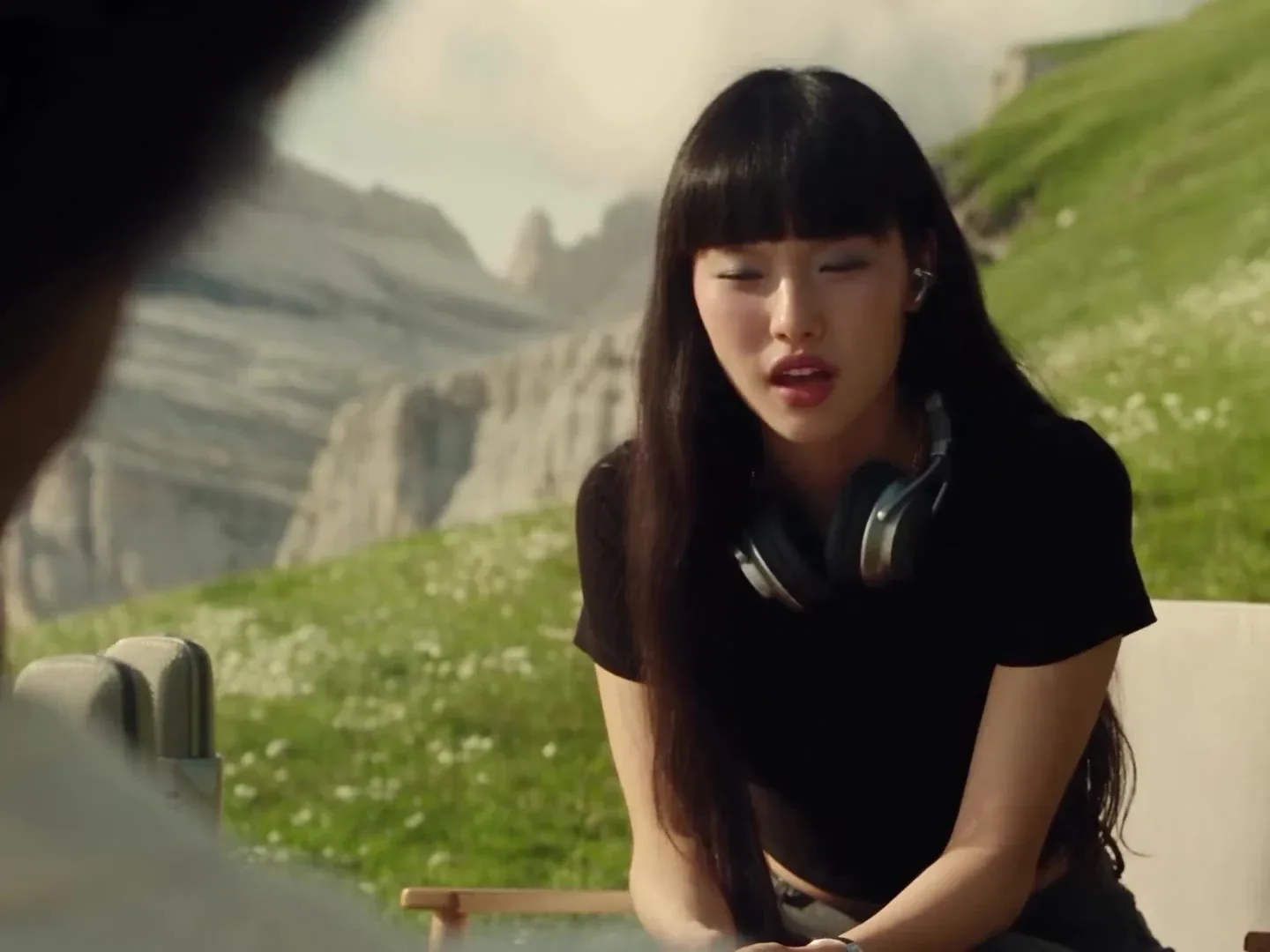
A still from the “Aperture Cheat Sheet” reel.
For the video prompts, the example is a still made to look like that moment rather than a frame from a rendered clip. Captions name the model used.
On a camera, the aperture is the opening in the lens, and the f-number describes its size: a low number such as f/1.4 is a wide opening and a thin slice of focus, a high number such as f/16 is a small opening and deep focus. An AI model has no light to let in, so in a prompt the f-stop does one job, which is to tell the model how much of the scene should be sharp.
Two things make it land. First, the f-stop never works alone: an 85 mm lens one metre from a face blurs far more than a 24 mm lens across a street at the same setting, so every lens block below gives the focal length and the distance as well. Second, the number is easy for a model to skim past, while a sentence such as “only her eyes are sharp” is not. Each block says both.
Source post: The “Aperture Cheat Sheet” reel on Instagram (@trypromptwise) · “Aperture Cheat Sheet” on Facebook
Pick the f-stop by what the viewer needs to see
| F-stop | The look | Use it for | Pair it with |
|---|---|---|---|
| f/1.4 | Only the eyes sharp, round bokeh behind | Close-ups, night scenes | 85 mm, about 1 m from the face |
| f/2.8 | Subject sharp, room soft but recognisable | People at work, products | 50 mm, 2 to 3 m away |
| f/8 | Sharp from front to back | Streets, groups, travel | 35 mm, 5 m or more away |
| f/16 | Sharp to the horizon | Scenery, big views | 24 mm, horizon in frame |
The image prompts are written for Realism Pro and the video prompts for text to video in a model such as Seedance 2.5. To animate an approved still instead, use it as the first frame, keep only the action, camera and sound lines of the video prompt, and add “Keep the focus exactly as it is in the image.”
f/1.4: only the eyes are sharp
Close to a face at f/1.4, the band of sharp focus is a centimetre or two deep. The eyes hold, the tip of the nose and the ears start to go, and small lights a few metres back melt into round discs. It is the look for a quiet glance or a first taste, where feeling matters more than place. Keep the action small, since anyone leaning towards or away from the lens can slip out of the focus band.
LENS BLOCK (f/1.4)
Prompt
Shot on an 85 mm lens at f/1.4, the camera about one meter from [the subject]’s face. Razor-thin focus on [the eyes], with the ears and hair already slightly soft. [The lights behind them] melt into large, soft, round circles of light with no readable detail.IMAGE PROMPT: Ramen at night in Tokyo
Prompt
Photorealistic close-up of a young woman eating ramen at the wooden counter of a tiny Tokyo ramen bar at night. She holds noodles up with her chopsticks, about to blow on them, and looks just past the camera. Shot on an 85 mm lens at f/1.4 at counter height, about one meter from her face. Only her eyes are sharp; the tip of her nose and her ears are already slightly soft. Behind her, red and white paper lanterns, warm bulbs and the neon glow from the street melt into large, soft, round circles of light. Warm tungsten light from the bulbs over the counter falls on her face, with soft neon color far behind. Steam rises from the bowl. Real skin texture, no readable text or signs.VIDEO PROMPT: Ramen at night in Tokyo
Prompt
A close-up in a tiny Tokyo ramen bar at night, one continuous shot. A young woman at the wooden counter lifts noodles with her chopsticks, blows on them and glances up past the camera. Shot on an 85 mm lens wide open at f/1.4, about one meter from her face: razor-thin focus, only her eyes are sharp, and the focus stays on her eyes for the whole shot. Red and white paper lanterns, warm bulbs and blurry neon behind her melt into large, soft, round bokeh. Warm tungsten light from above the counter, soft neon color far behind, steam rising from the bowl. The camera holds steady, drifting only a few centimeters. Sound: broth bubbling, a ladle clinking, quiet chatter, a slurp. No music, no text or readable signs.Why this works
- The 85 mm lens and one-metre distance both deepen the blur, so the f-stop is backed up by the two settings that matter most.
- Lanterns and neon behind her give the blur bright points to dissolve; round bokeh needs small lights, and a plain wall only turns into a wash of colour.
- A single focus target, the eyes, leaves no doubt about where the sharp plane sits.
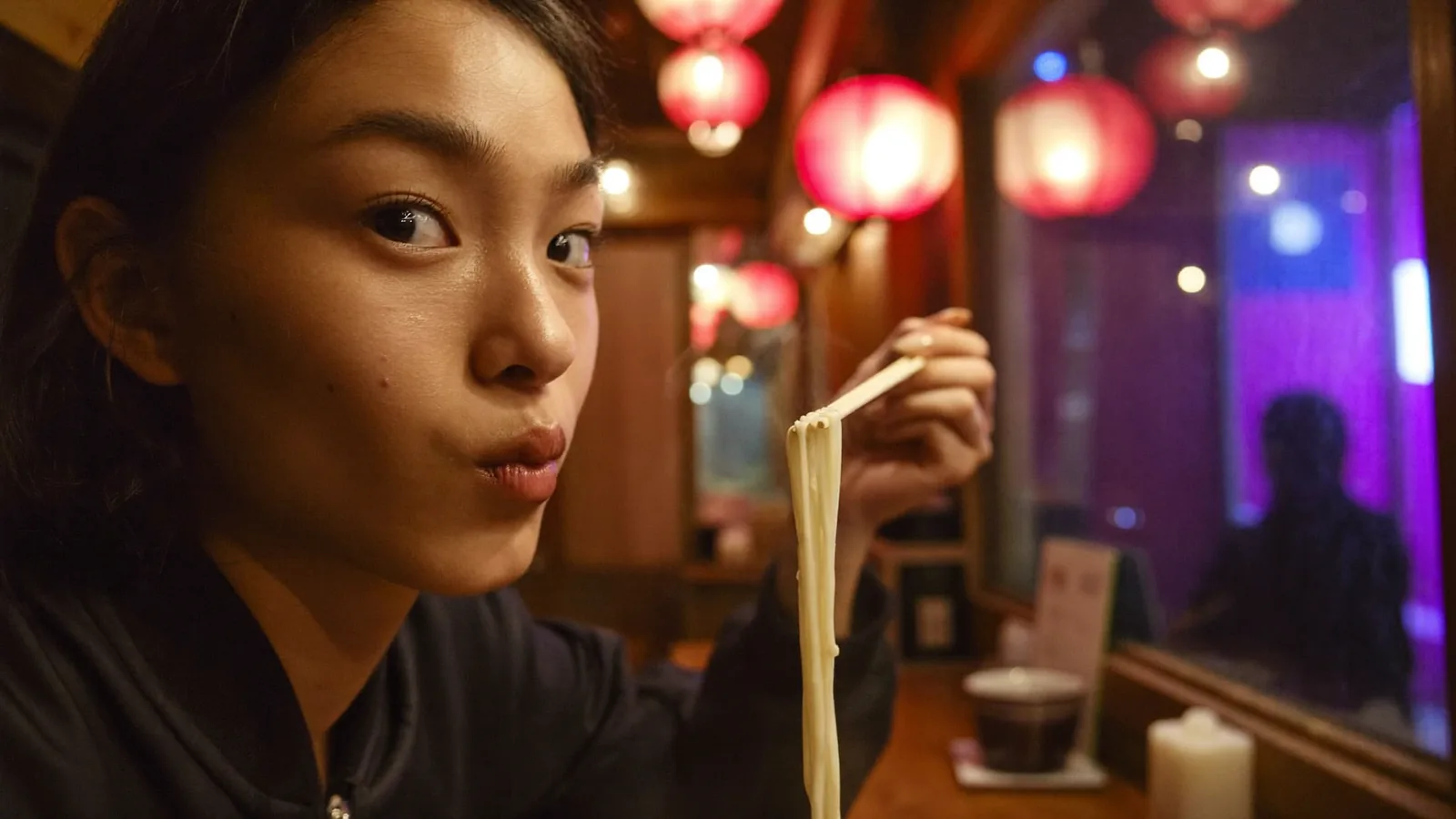
Made in Realism Pro: IMAGE PROMPT: Ramen at night in Tokyo, as written.
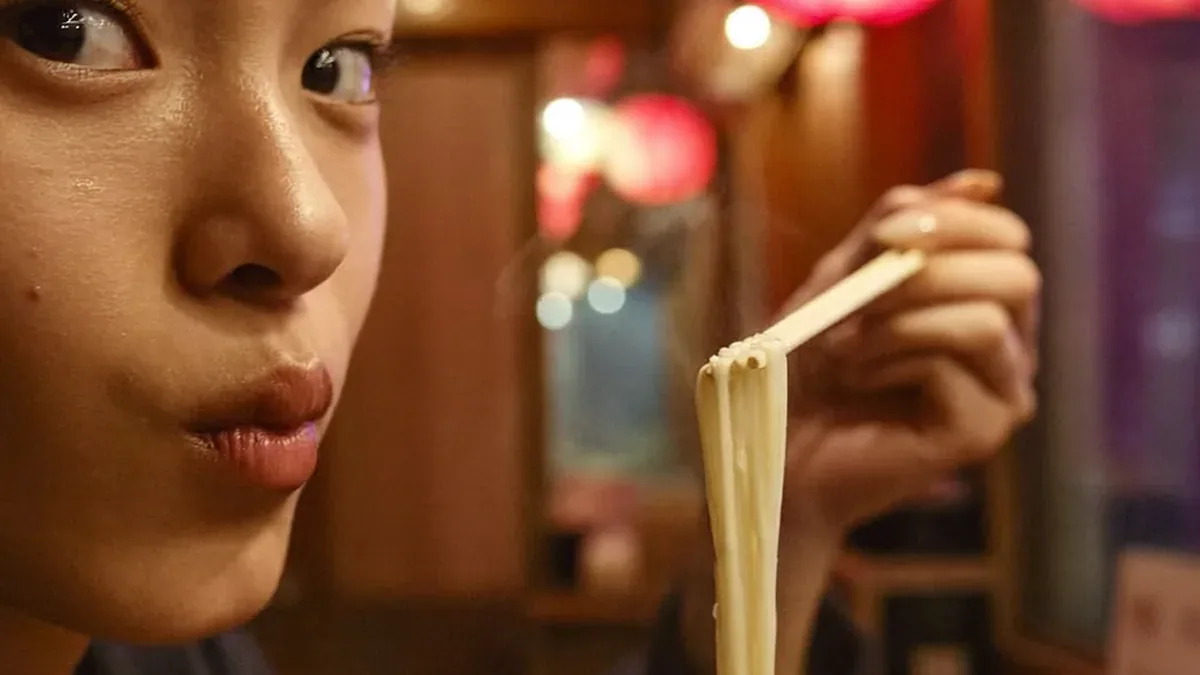
Made in Realism Pro: same still as the previous slot.
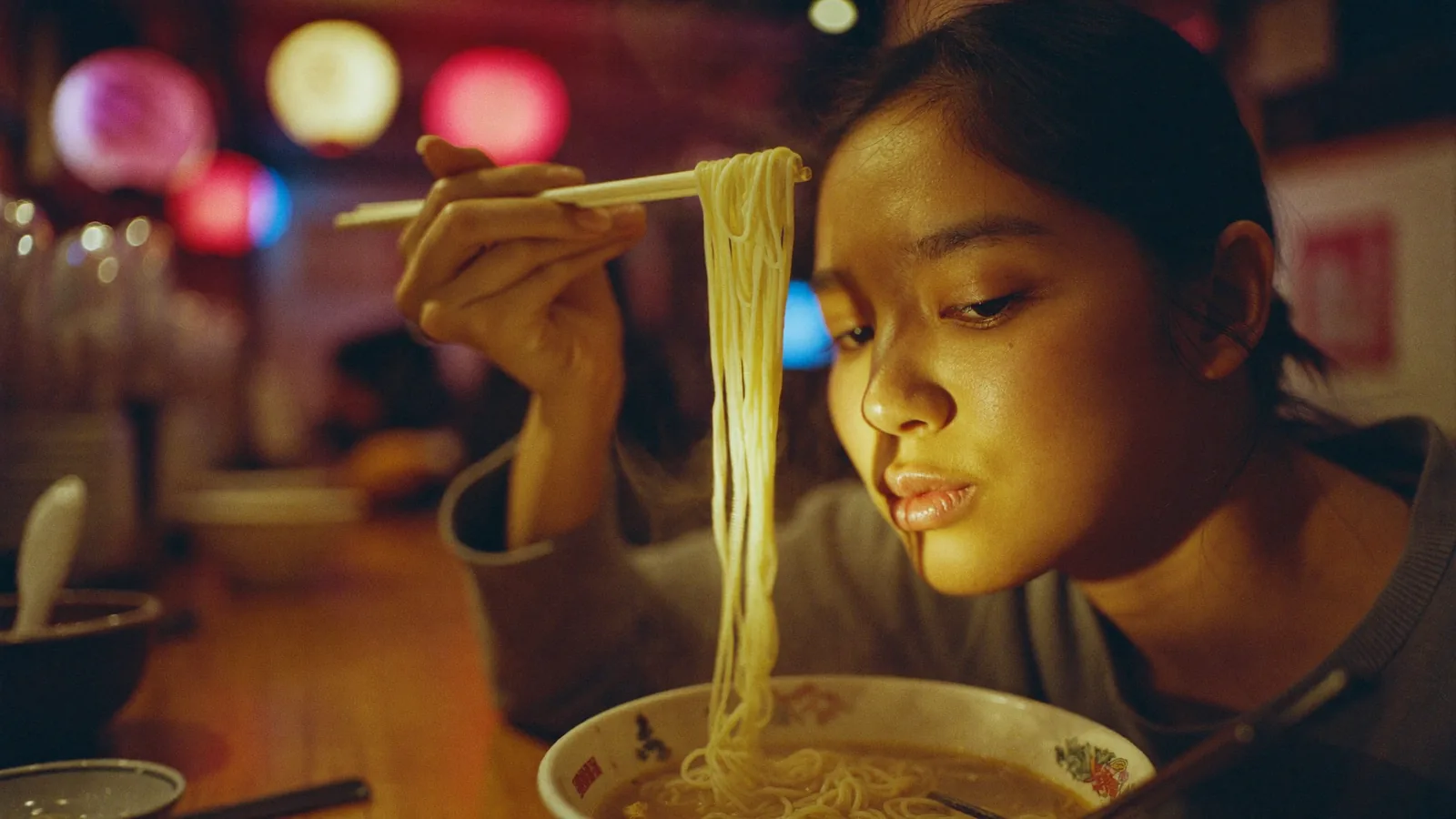
Made in Realism Pro as a still: VIDEO PROMPT: Ramen at night in Tokyo, as written.
f/2.8: the subject stands out and the room stays readable
At f/2.8 with a 50 mm lens two and a half metres away, the sharp band is around 40 centimetres deep. A person stays sharp from head to hands while the room behind softens just enough to stop competing, yet stays clear enough to tell the viewer where they are. Two people at different distances may not both be sharp, so keep them side by side or say who the focus is on.
LENS BLOCK (f/2.8)
Prompt
Shot on a 50 mm lens at f/2.8, the camera about two and a half meters from [the subject]. [The subject] is sharp from head to hands, and [the room behind them] is softly blurred but still easy to recognize.VIDEO PROMPT: A trim at the barbershop
Prompt
A medium shot in an old-fashioned barbershop on a sunny afternoon, one continuous shot. A barber in a crisp white tunic trims the gray beard of an older man sitting in a cracked red leather barber chair, using small scissors and a comb. The barber stands beside the chair, so the two men are the same distance from the camera. Shot on a 50 mm lens at f/2.8, about two and a half meters away: the barber and his customer are sharp, while the long mirror, the glass shelves of amber bottles and the striped barber pole behind them are softly blurred but still easy to recognize. Warm late-afternoon sun through the front window, soft shadows, black and white floor tiles. The camera slowly drifts to the right. Sound: scissors snipping, a clock ticking, a radio far away. No music, no text or readable signs.Why this works
- “Softly blurred but still easy to recognise” asks for a specific amount of blur, not just “blur”.
- Placing the background a few metres behind the subject lets it soften without vanishing.
- The mirror, shelves and barber pole stay legible, so the setting tells part of the story.
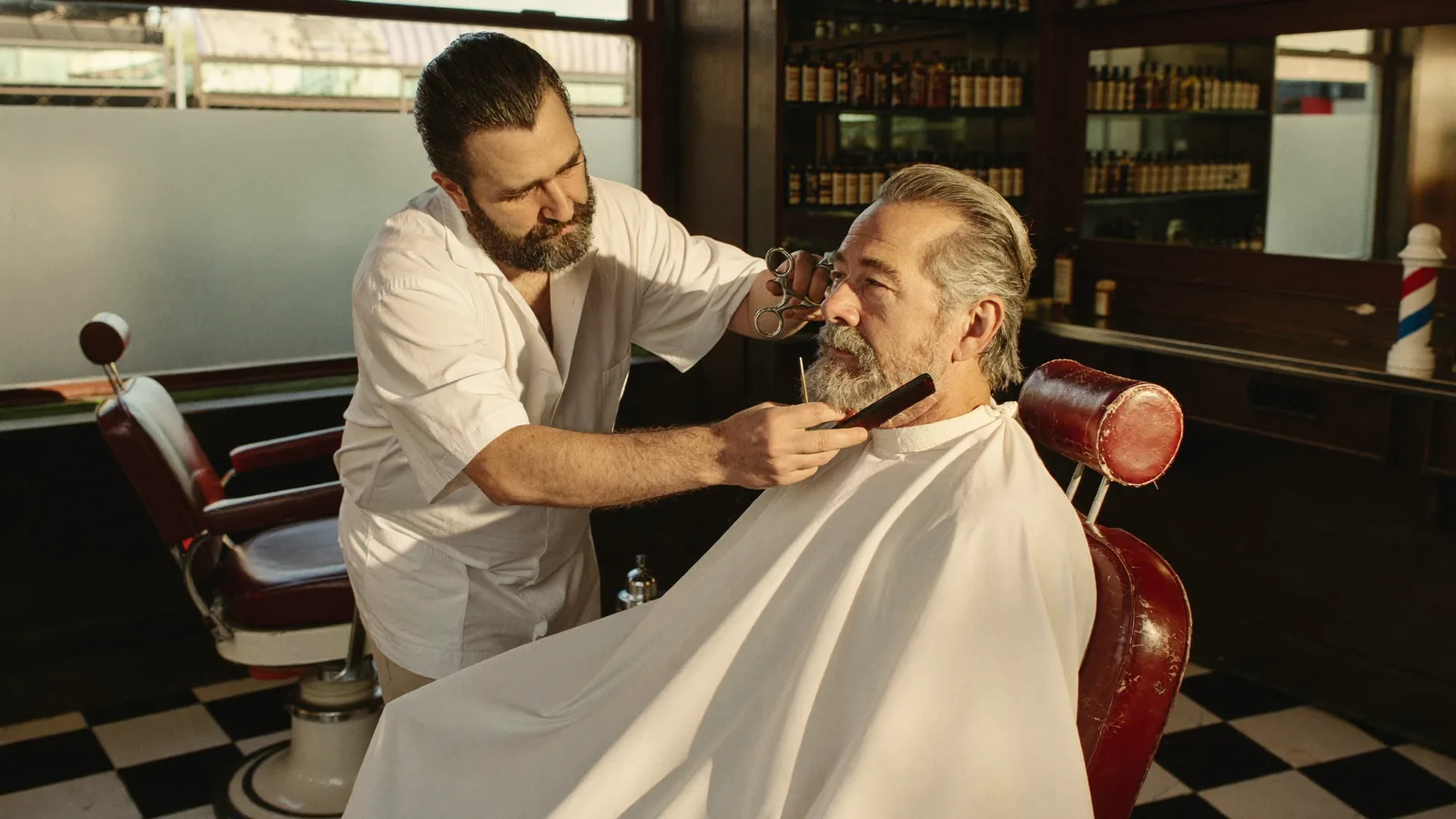
Made in Realism Pro as a still: VIDEO PROMPT: A trim at the barbershop, as written.
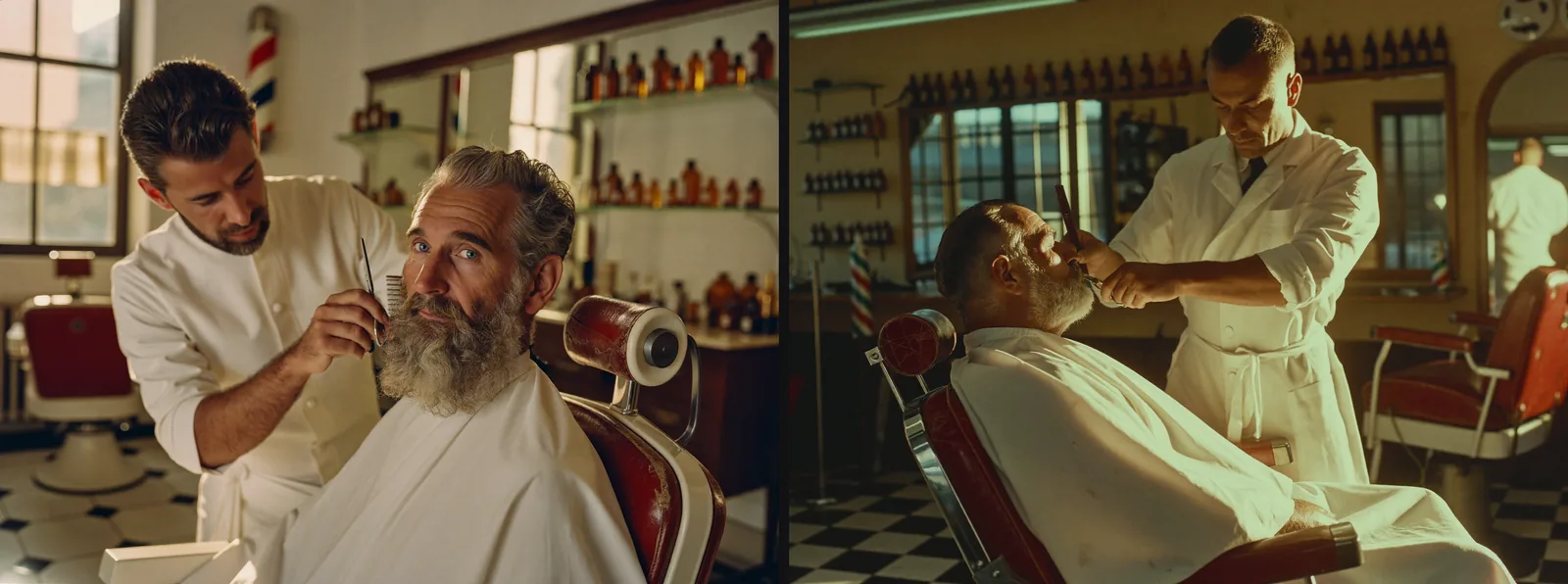
Made in Realism Pro as a still: barbershop VIDEO PROMPT; left version swaps in the f/1.4 LENS BLOCK.
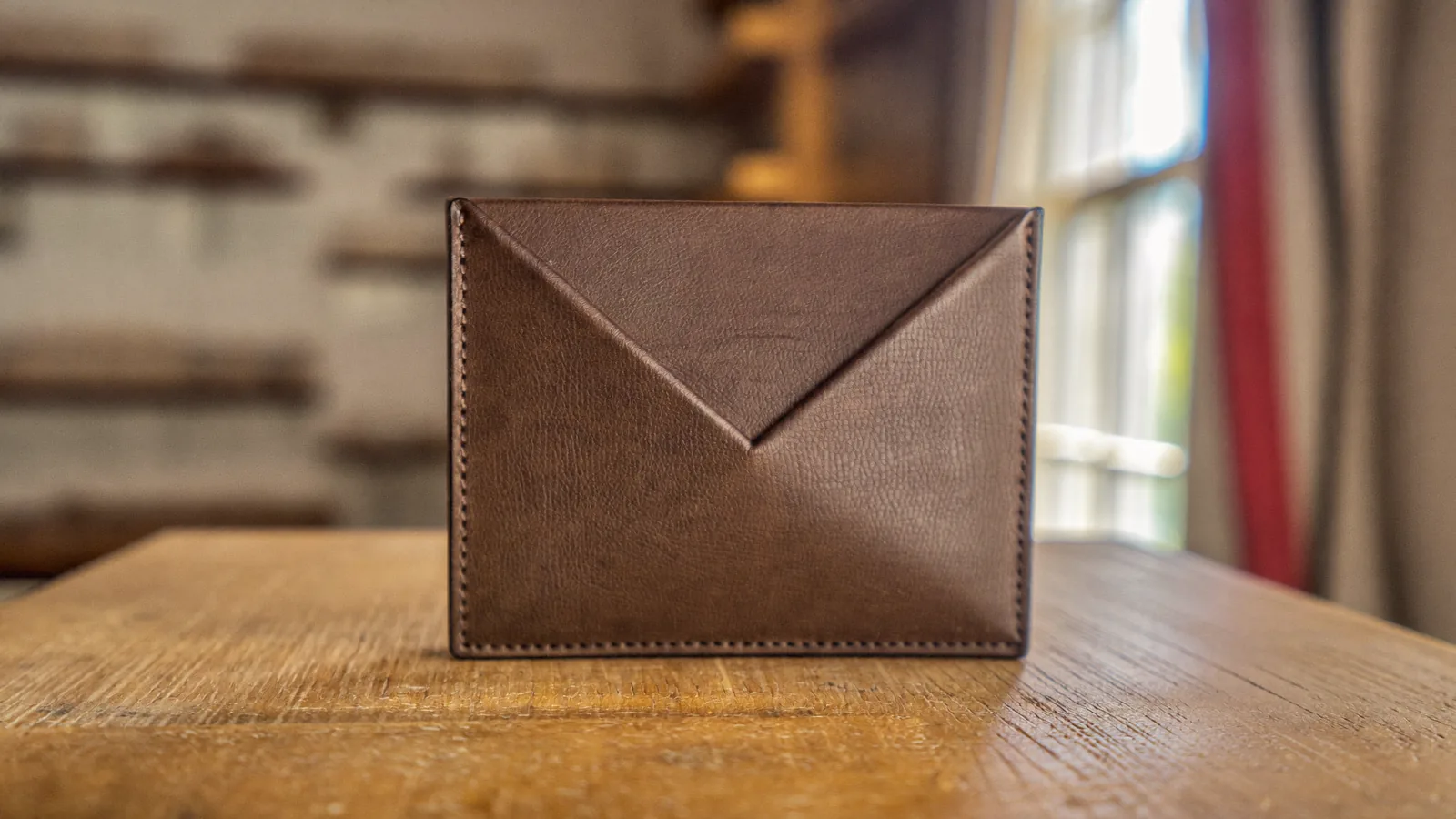
Made in Realism Pro: f/2.8 LENS BLOCK with [the subject] = “a brown leather wallet on a workbench” and [the room behind them] = “the leather workshop”.
f/8: sharp from front to back
At f/8, with a 35 mm lens and the subject five metres or more away, almost everything holds: the cobbles at the front, the people, the houses behind. Nothing melts away, so the subject has to stand out through framing, light and movement. Some models add background blur behind people by habit, so name the far details that must stay sharp.
LENS BLOCK (f/8)
Prompt
Shot on a 35 mm lens at f/8 with deep focus, the camera about five meters from [the subject]. Everything is sharp, from [the nearest detail] at the front of the frame to [the farthest detail] behind, with no background blur.VIDEO PROMPT: Friends on a Lisbon street
Prompt
A wide shot on a steep cobbled street of old pastel houses in Lisbon on a bright morning, one continuous shot. Two friends walk side by side down the hill toward the camera, laughing, one of them eating a custard tart. A vintage yellow tram climbs the hill behind them. Shot on a 35 mm lens at f/8 with deep focus, the camera about five meters in front of them: everything is sharp, from the cobbles at the bottom of the frame to the yellow, pink and blue facades, the iron balconies, the washing lines and the tram at the top of the hill. Bright, clear morning sun from the right, crisp shadows on the cobbles. The camera slowly walks backward with them, keeping the same distance. Sound: footsteps on cobbles, a tram bell and rattling wheels up the hill, pigeons. No music, no readable text or signs, and no lettering on the tram.Why this works
- “No background blur” and a list of far details counter the model’s habit of softening backgrounds.
- The camera walks backwards at the friends’ pace, so the distance, and therefore the deep focus, holds for the whole shot.
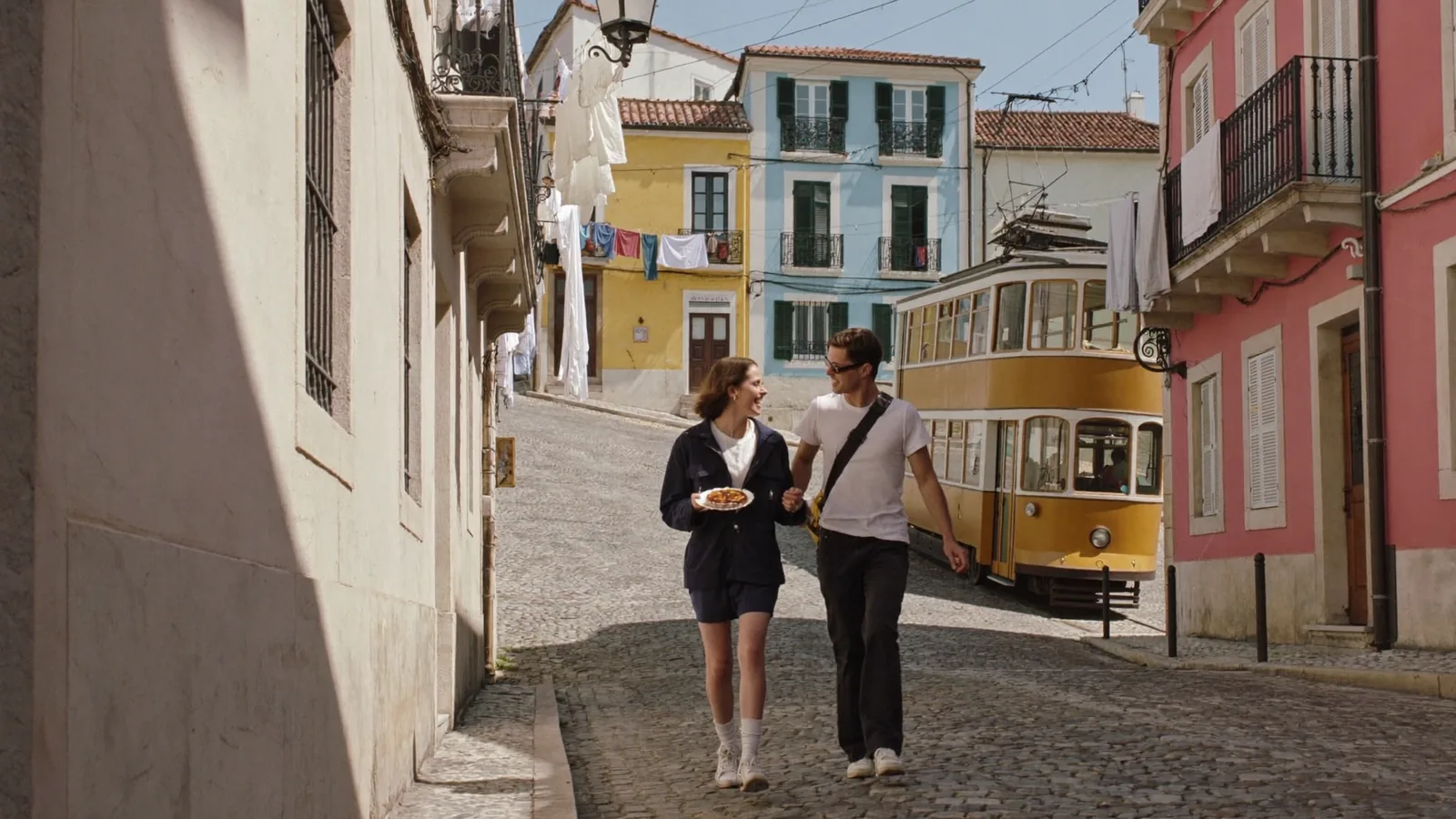
Made in Realism Pro as a still: VIDEO PROMPT: Friends on a Lisbon street, as written.
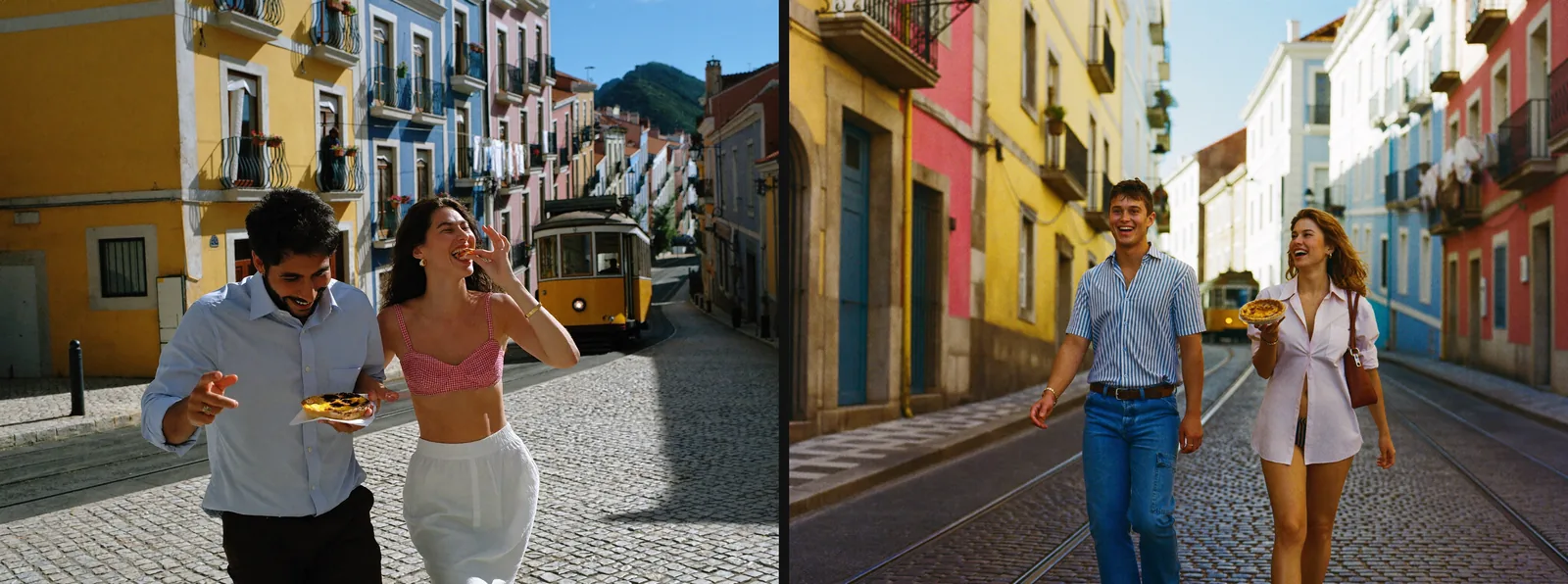
Made in Realism Pro as a still: Lisbon VIDEO PROMPT; right version swaps in the f/2.8 LENS BLOCK.
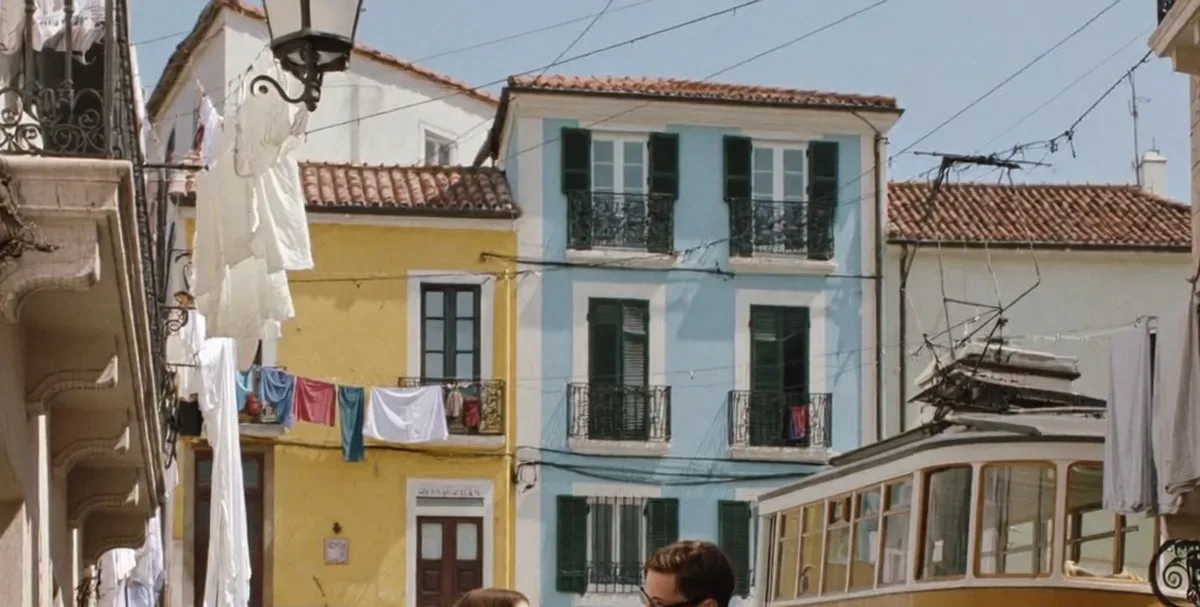
Made in Realism Pro as a still: crop of the first f/8 slot.
f/16: sharp all the way to the horizon
At f/16 with a wide lens, the scene is in focus from about a metre in front of the camera to the horizon. This is the classic landscape look, for when the place matters as much as the person in it. A thin haze over the sea is fine because it lowers contrast, not focus; heavy haze makes distance look soft however deep the focus.
LENS BLOCK (f/16)
Prompt
Shot on a 24 mm lens at f/16 with deep focus. Everything is sharp, from [the nearest detail] to [the far horizon], with crisp detail in the far distance and no background blur.IMAGE PROMPT: A scooter above the Amalfi coast
Prompt
Photorealistic extreme wide shot of a young woman leaning on a cream vintage scooter beside a low white stone wall on a cliff road above the Amalfi coast at golden hour. Shot on a 24 mm lens at f/16 at eye level, with deep focus: she is sharp, and so is the whole coastline behind her, with colorful villages stacked on the cliffs, lemon terraces, a turquoise sea and small boats, all the way to the far headlands and the horizon. Warm, low golden-hour sun and a thin haze over the sea that lowers contrast without blurring anything. No background blur, no readable text.VIDEO PROMPT: A scooter above the Amalfi coast
Prompt
An extreme wide shot at a viewpoint on a cliff road above the Amalfi coast at golden hour, one continuous shot. A young woman leans on a cream vintage scooter by a low white stone wall, her hair moving in the wind. Shot on a 24 mm lens at f/16 with deep focus: she is sharp, and the whole coastline behind her stays sharp all the way to the horizon, with colorful villages stacked on the cliffs, lemon terraces, a turquoise sea and small boats. Warm, low golden-hour sun with a thin haze over the sea. The camera slowly pushes in. Sound: wind over the cliffs, waves far below, the scooter ticking as it cools. No music, no background blur, no text.Why this works
- The prompt lists the far details to keep crisp, because the coastline is the point of the shot.
- A 24 mm lens with the horizon in frame does most of the work; f/16 is simply the clearest way to ask for deep focus. (On a real camera, f/16 softens the very finest detail slightly through diffraction, which is why landscape photographers often settle on f/8 to f/11.)

Made in Realism Pro: IMAGE PROMPT: A scooter above the Amalfi coast, as written.

Made in Realism Pro: Amalfi IMAGE PROMPT; left version swaps in the f/1.4 LENS BLOCK.
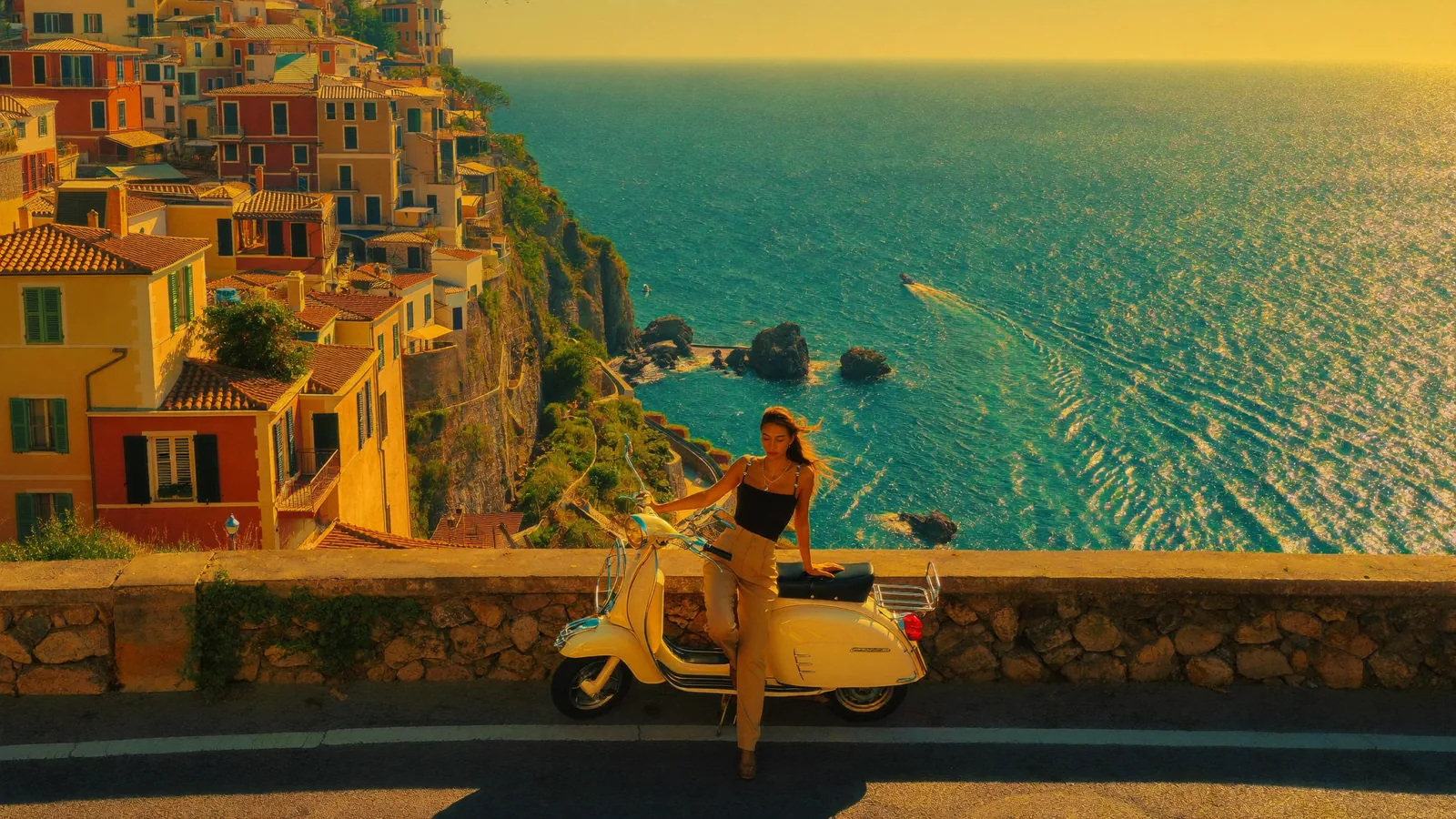
Made in Realism Pro as a still: VIDEO PROMPT: A scooter above the Amalfi coast, as written.
Write it so the model listens
Most blurry-background prompts fail because they ask for blur without saying how much, where it starts or what stays sharp.
Instead of: “A woman eating ramen at a bar at night, cinematic, shallow depth of field, blurry background.”
Better:
Close-up of a woman at a ramen counter at night, 85 mm lens at f/1.4, the camera about one meter from her face. The focus is on her eyes, and her ears are already slightly soft. The paper lanterns and neon behind her melt into large, soft, round circles of light.Avoid mixed messages too. A line such as “Close-up at f/1.4, everything razor sharp from her eyes to the street outside.” asks for two kinds of focus at once, and the model picks one. Check any saved style line at the end of your prompts as well: if it says “shallow depth of field” or “bokeh”, it will fight an f/8 or f/16 lens block.
Why this works
- Every sentence controls something visible: the lens and distance, the single focus target, and what the background turns into.
- “Shallow depth of field, blurry background” could mean a faint haze or a smeared face; the better version leaves nothing to guess.
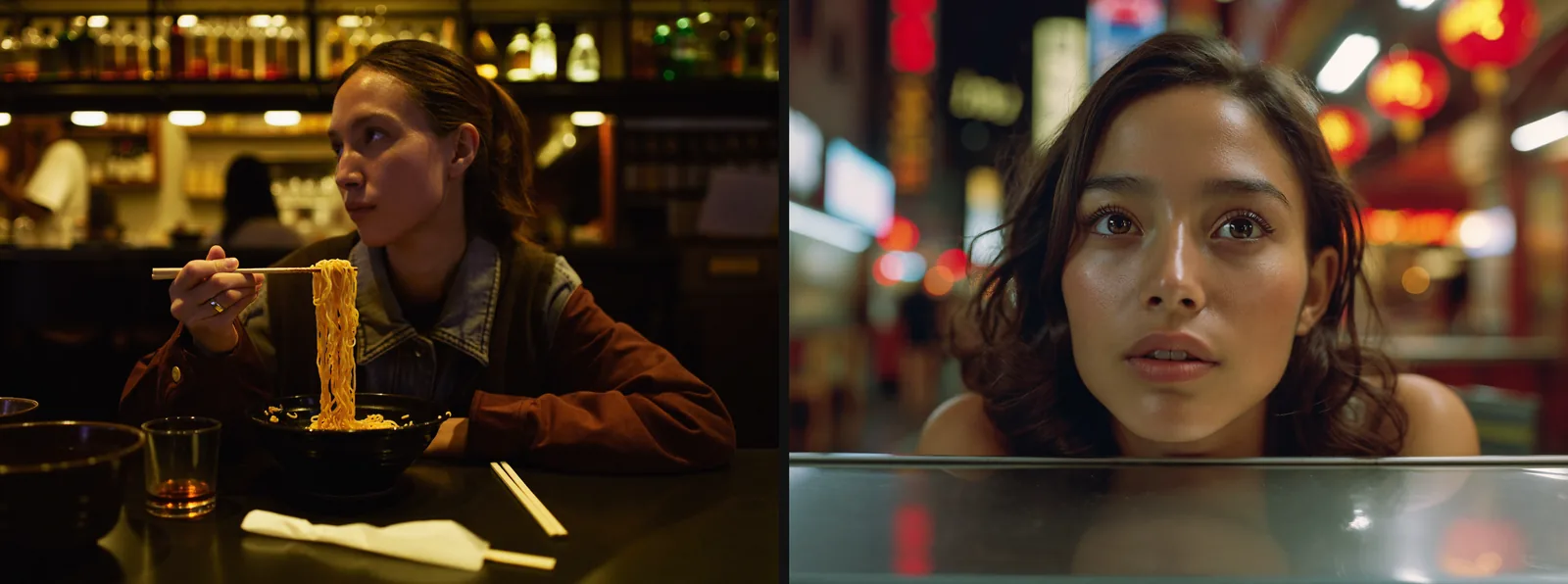
Made in Realism Pro: the “Instead of” line, then the BETTER prompt.

Made in Realism Pro: the mixed-message line quoted above.
Bonus: move the focus mid-shot
A rack focus shifts the sharp plane from one thing to another during a shot. It only shows when depth of field is shallow, so use f/1.4 or f/2.8, put the two targets at clearly different distances from the camera and say when the change happens.
VIDEO PROMPT: rack focus at the ramen bar
Prompt
A medium close-up across the counter of a tiny ramen bar at night, one continuous shot with a locked-off camera. A steaming bowl of ramen sits on the counter close to the lens, and a young woman sits behind it, about a meter farther back. Shot on a 50 mm lens at f/1.4. For the first two seconds the focus is on the bowl and the rising steam, and she is a soft shape behind it. Then she looks up, and the focus pulls smoothly from the bowl to her eyes over about one second; the bowl goes soft, and her face becomes sharp and stays sharp to the end. The paper lanterns behind her stay as soft round bokeh throughout. Warm tungsten light, quiet chatter, broth bubbling. No music, no text or readable signs.Why this works
- A locked-off camera means the only thing that changes is the focus, so the pull is easy to read.
- A steaming bowl near the lens and a woman further back give the focus two clearly separated targets.
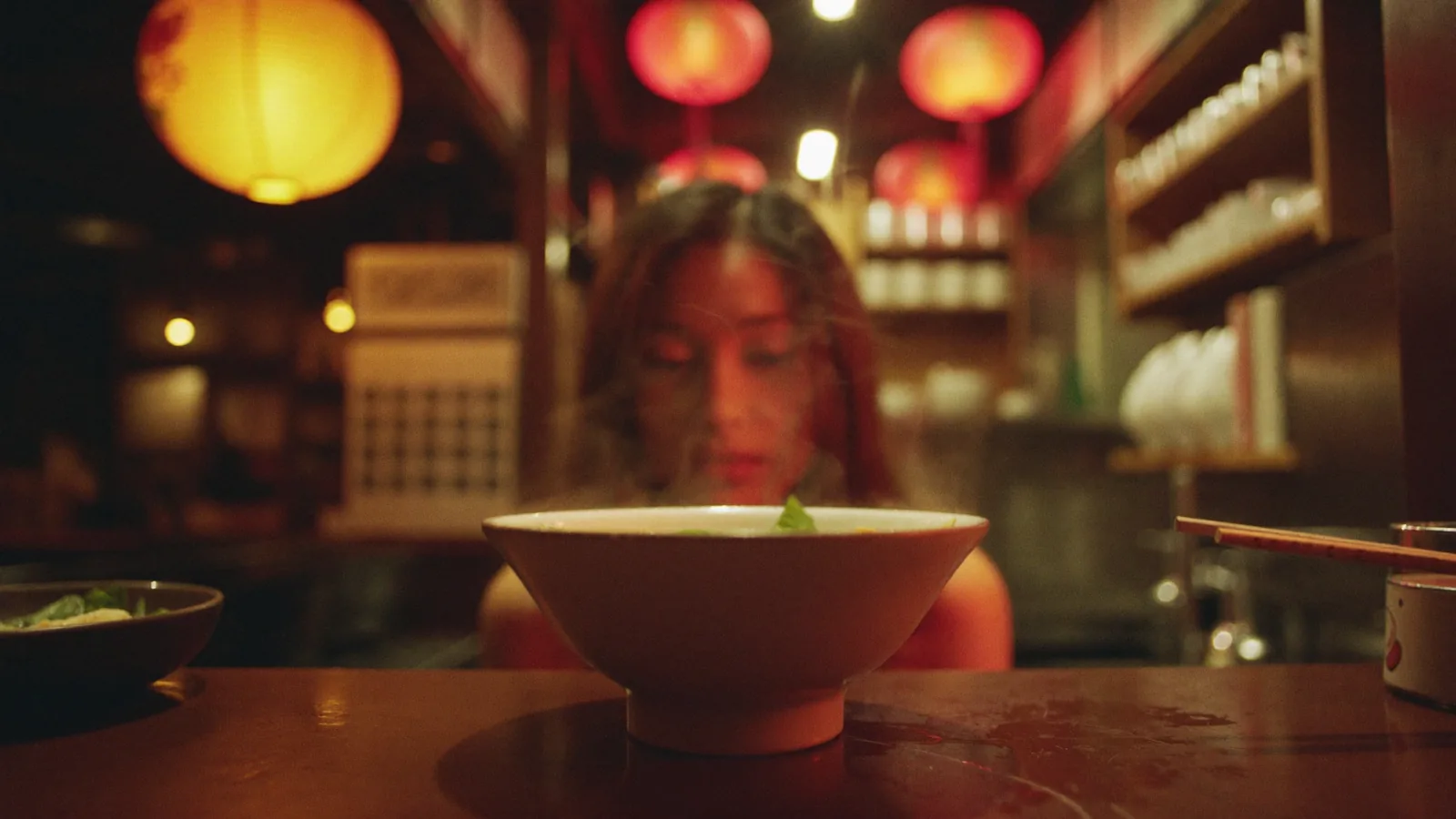
Made in Realism Pro as a still: rack focus VIDEO PROMPT, frame near the start.

Made in Realism Pro as a still: rack focus VIDEO PROMPT, frame after the focus change.
Build your own aperture prompt
Fill in the template, then add the background line that matches your f-stop from the cheat sheet above.
Fill-In Template:
[Shot size] of [subject] [doing one simple action] in [location], [time of day and light]. Shot on a [focal length] lens at [f-stop], the camera about [distance] from [subject]. The focus is on [one focus target], [what else is sharp or slightly soft]. Behind them, [background details] [background wording from the table below]. The camera [one simple movement].Why this works
- The template forces one focus target and a description of what else is sharp or soft, the two sentences that do most of the work.

Made in Realism Pro: FILL-IN TEMPLATE: “Medium shot of a potter shaping clay at a wheel in a small studio, afternoon window light. Shot on a 50 mm lens at f/2.8, the camera about two and a half metres from the potter. The focus is on her hands…”.

Made in Realism Pro: same fill, f-stop and background line changed to f/8.
Make your own in PromptWise
Choose the f-stop by what the viewer needs to read, paste its lens block into your own prompt and generate a still on Realism Pro. Check the focus at full size, then use the still as a first frame in Seedance 2.5 with “Keep the focus exactly as it is in the image.” Every model is available as soon as you sign up, among 40+ image, video and audio models.
Related
- Depth layering prompts: depth through what sits near and far, not focus
- Film stock prompts: pair a lens with a film look
- Cinematic AI video prompts
- All prompts
FAQ
Does the f-stop alone control blur in an AI image?
Not reliably. The model also takes cues from focal length and camera distance, and it follows a description of the result more readily than a number. Give the f-stop, the lens, the distance and a sentence about what is sharp and what is soft.
Why is there no round bokeh behind the subject?
Round bokeh comes from small, bright points of light that are out of focus. Put lanterns, string lights, street lamps, candles or sun through leaves behind the subject; a plain wall only turns into a smooth wash of colour.
Which f-stop works for a person walking through a city?
f/8 with a 35 mm lens and the person five metres or more away keeps both them and the street sharp. Name the far details that must stay crisp, because some models soften backgrounds behind people out of habit.