Depth Layering Prompts: Image to Video Shots with Real Space
By Daniel Riley · Published · Updated
In short: Flat AI shots usually have everything at the same distance from the camera. Placing something close to the lens, the subject a few steps beyond it and the background further back makes the space readable, and a small camera move then shows the near layer shifting more than the far one. This page gives a still template, a video template and four worked image-to-video pairs.
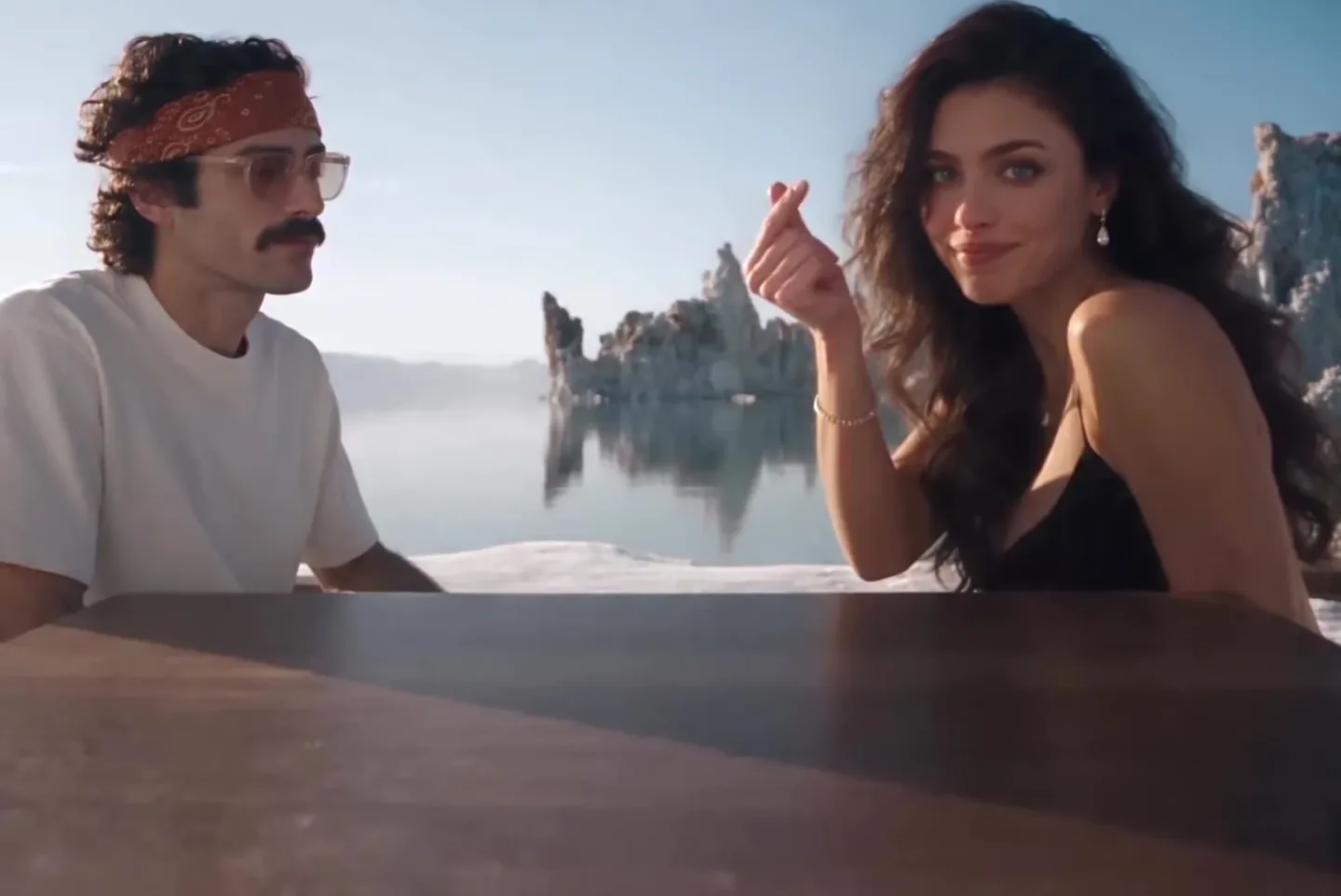
A still from the “AI Depth Hack” reel.
The video moments below are stills made to match each animation prompt, not frames cut from rendered clips. Captions name the model used.
Depth in a shot comes from distance. When the nearest object, the subject and the background sit at clearly different distances from the camera, overlap and perspective make the space easy to read, even with the background in focus. Two clear depth regions are often enough.
The method has two steps. First build a still that places each layer, then animate it with one restrained camera move: when the camera shifts, the near layer moves more than the far one, which is what makes the depth visible. Describe concrete positions rather than labels. Instead of “a plant in the foreground”, say a few leaves close to the lens frame the lower-left corner and the person stands several steps beyond them, face unobstructed.
Source post: The “AI Depth Hack” reel on Instagram (@trypromptwise)
The two templates
The image template needs no reference. For the video template, upload the generated still as the starting image; “@image1” refers to it. If the generator uses a first-frame field instead of tags, load the image there and leave out “Animate @image1.”
IMAGE PROMPT: starting frame template
Prompt
Photorealistic [shot size] of [subject] in [location]. The camera is at [height], looking [direction]. [Foreground element] sits close to the lens and frames [edge]. The subject is [position] beyond it. [Background] extends farther behind. [Light source] illuminates the subject from [direction]. Focus on [important detail], while keeping [background detail] recognizable.Why this works
- Each sentence pins one layer to a distance: near the lens, beyond it, farther behind.
- Ending on what stays in focus and what stays “recognizable” keeps the background readable rather than blurred away.
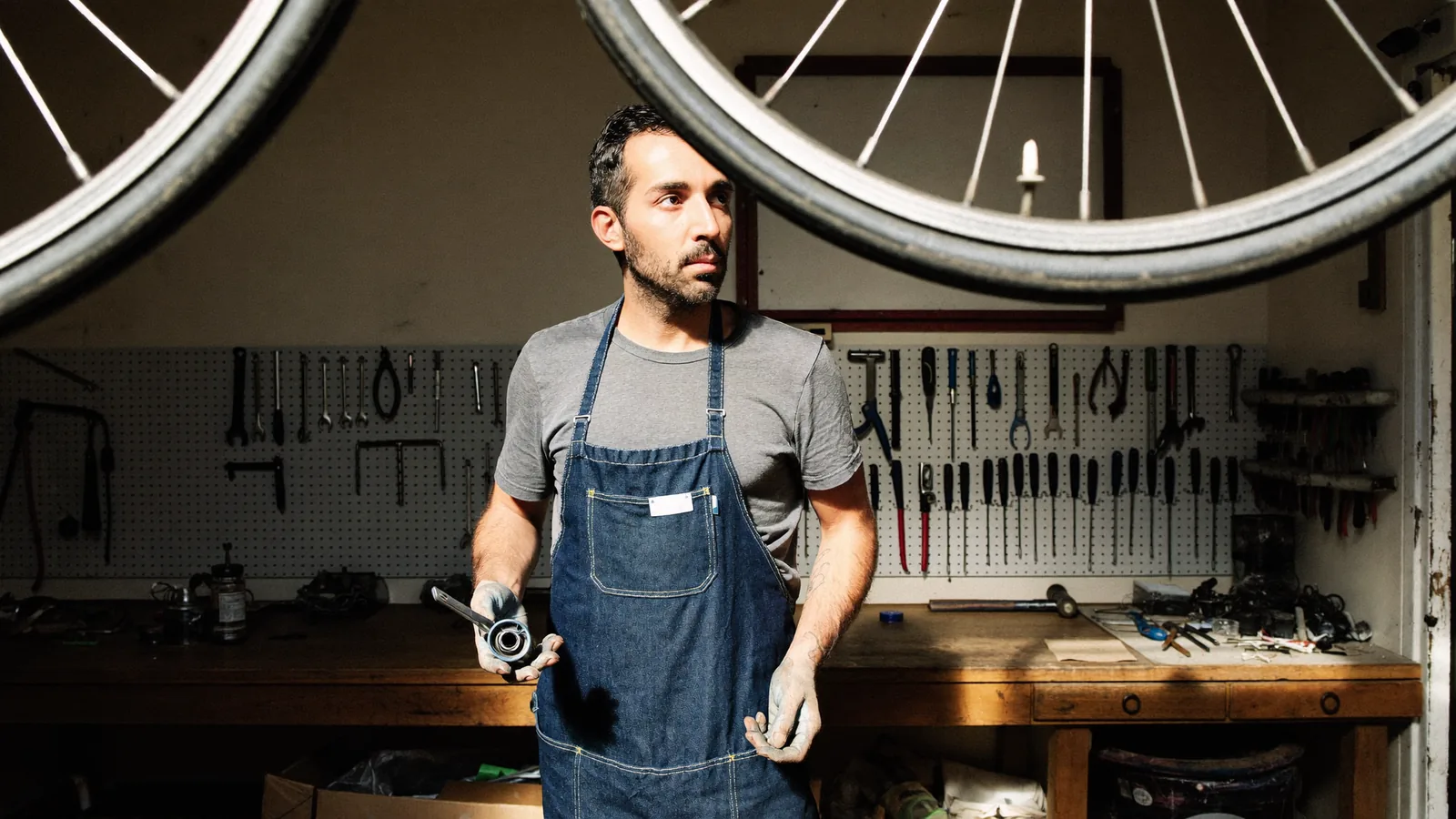
Made in Realism Pro: IMAGE TEMPLATE filled: medium shot, a bike mechanic in a small workshop, camera at chest height looking along the bench, a hanging wheel rim near the lens framing the top-right edge, tool wall behind, window light from the left.
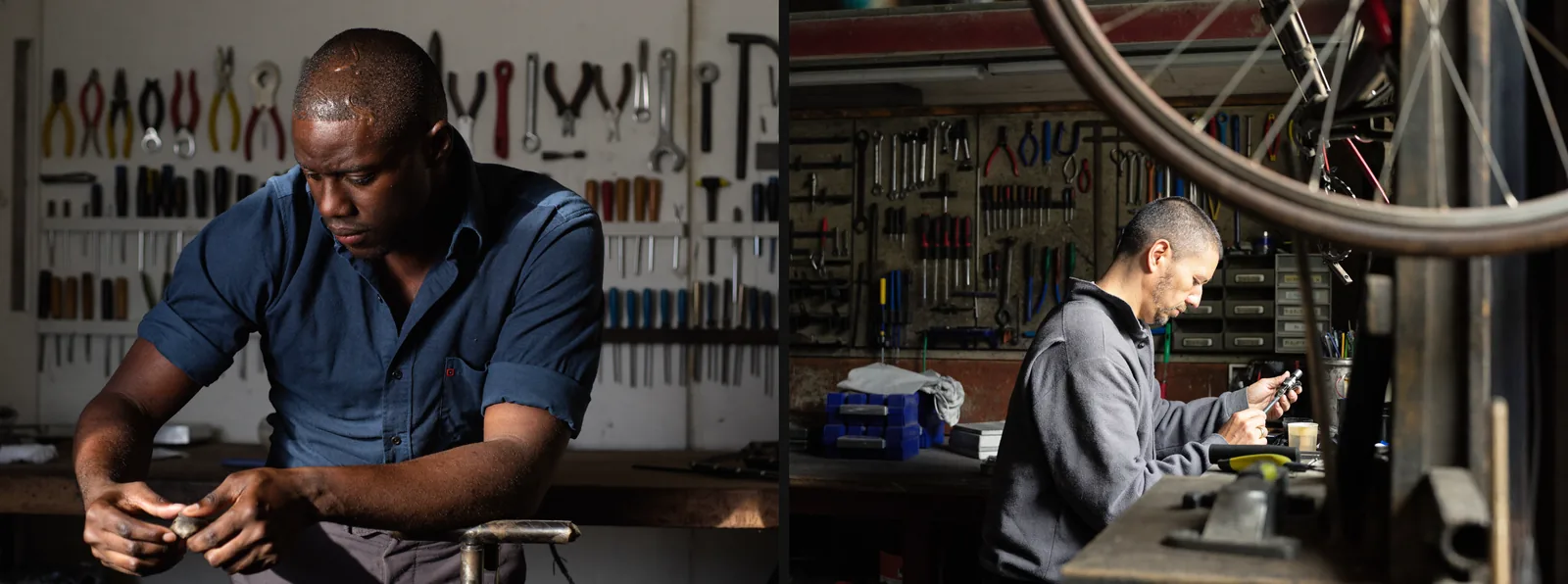
Made in Realism Pro: filled IMAGE TEMPLATE; left version deletes the foreground sentence.
VIDEO PROMPT: animation template
Prompt
Animate @image1. The camera [one clear movement] with subtle handheld motion, keeping [subject] framed. The subject [one simple action]. [Existing atmospheric element] moves [direction and speed]. Preserve the setting and light direction.Why this works
- The still has already settled appearance, light and layout, so the video prompt only covers camera motion, one action and existing atmosphere.
- “Preserve the setting and light direction” stops the model redesigning the scene once it starts moving.
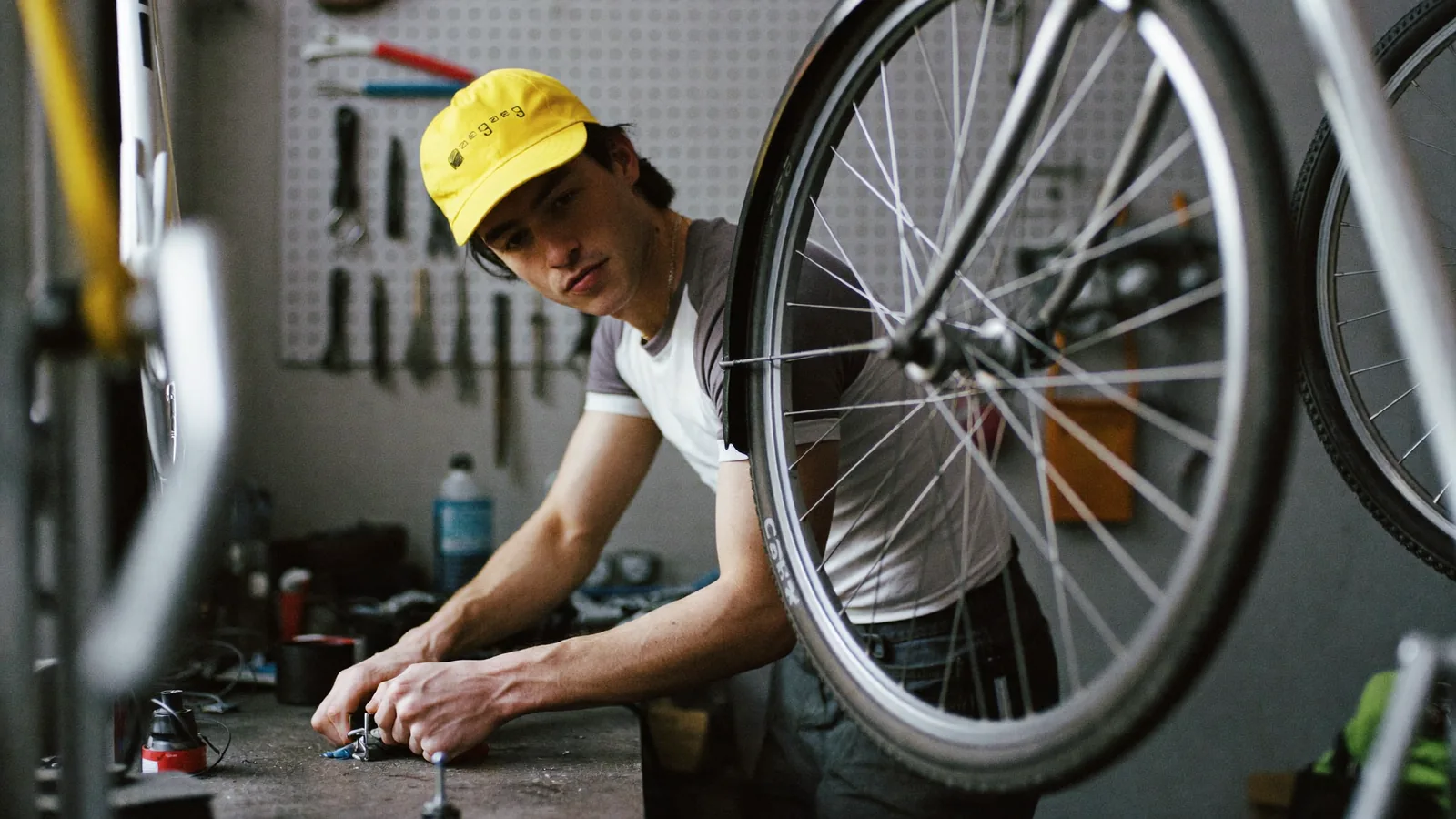
Made in Realism Pro as a still: VIDEO TEMPLATE filled: camera moves slightly left, mechanic spins a pedal, no atmosphere line.
Example A: Portrait framed by a doorway
A doorframe near the lens shows the room extending around a person. The same layout works with a curtain edge or a nearby shelf in place of the doorway.
Image:
Photorealistic medium shot of a woman in a small ceramics studio. The camera looks in from just outside the entrance, slightly below eye level. A wooden doorframe close to the lens occupies the left edge. She stands several steps beyond it. Pottery shelves extend farther behind her. Soft window light enters from the right. Her face is in focus; the studio remains recognizable.Video:
Animate @image1. In one continuous shot, the woman turns her head slightly toward the window. The camera moves a little to the right with subtle handheld motion, keeping her framed. In the image, the nearby doorframe shifts more than the distant shelves. Preserve the setting and light direction.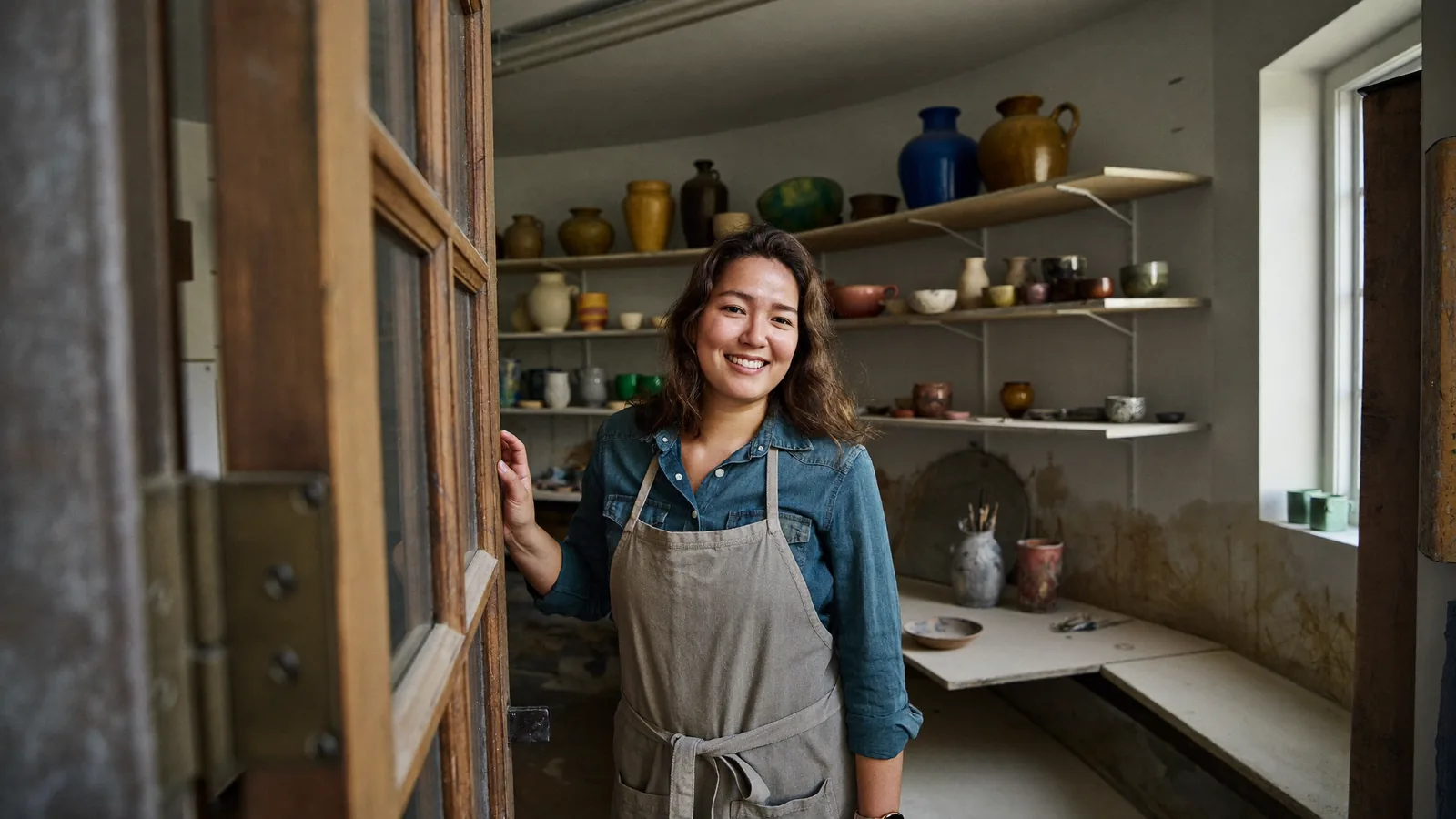
Made in Realism Pro: IMAGE prompt as written.
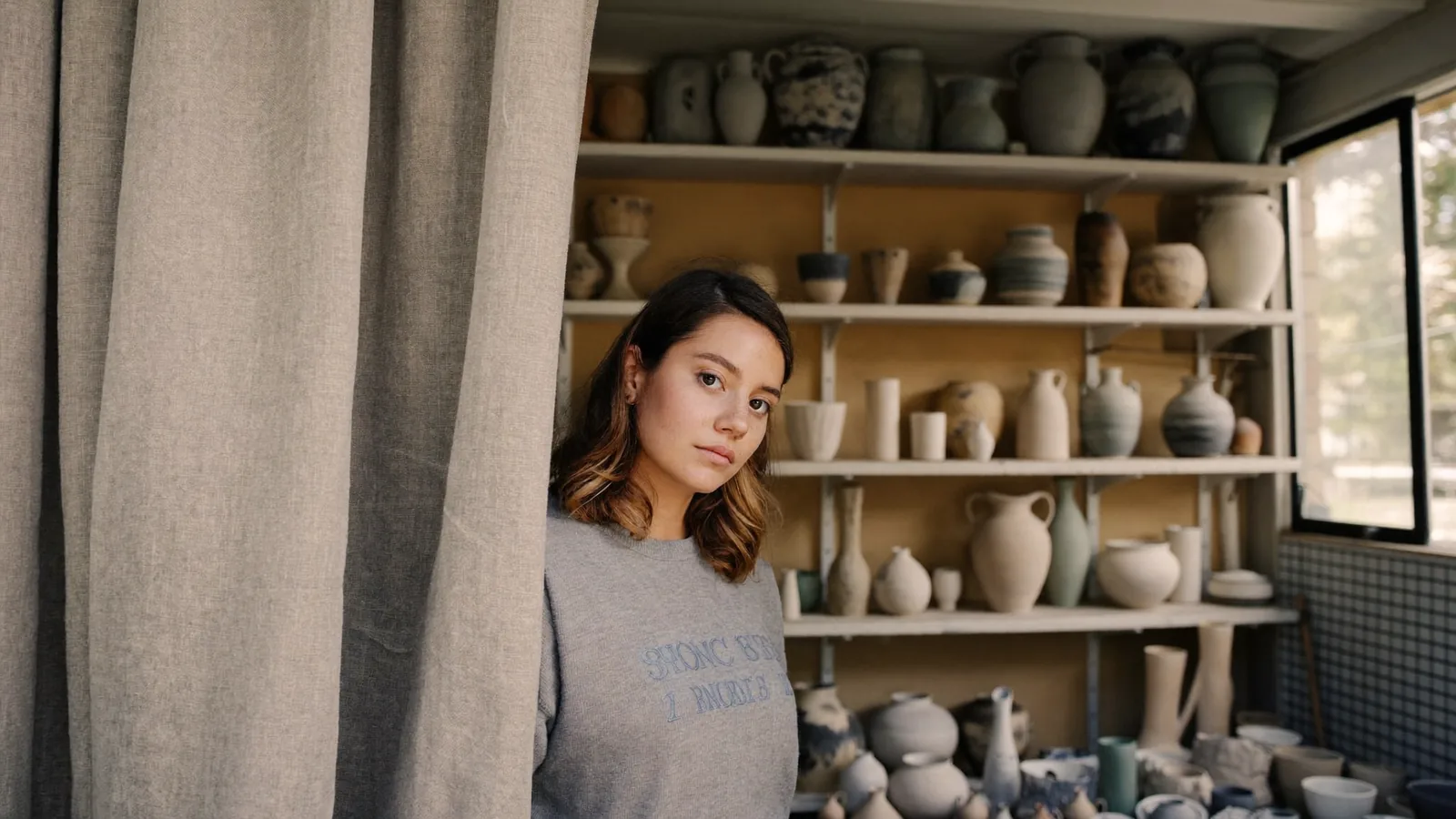
Made in Realism Pro: IMAGE prompt with “A wooden doorframe” changed to “The edge of a linen curtain”.
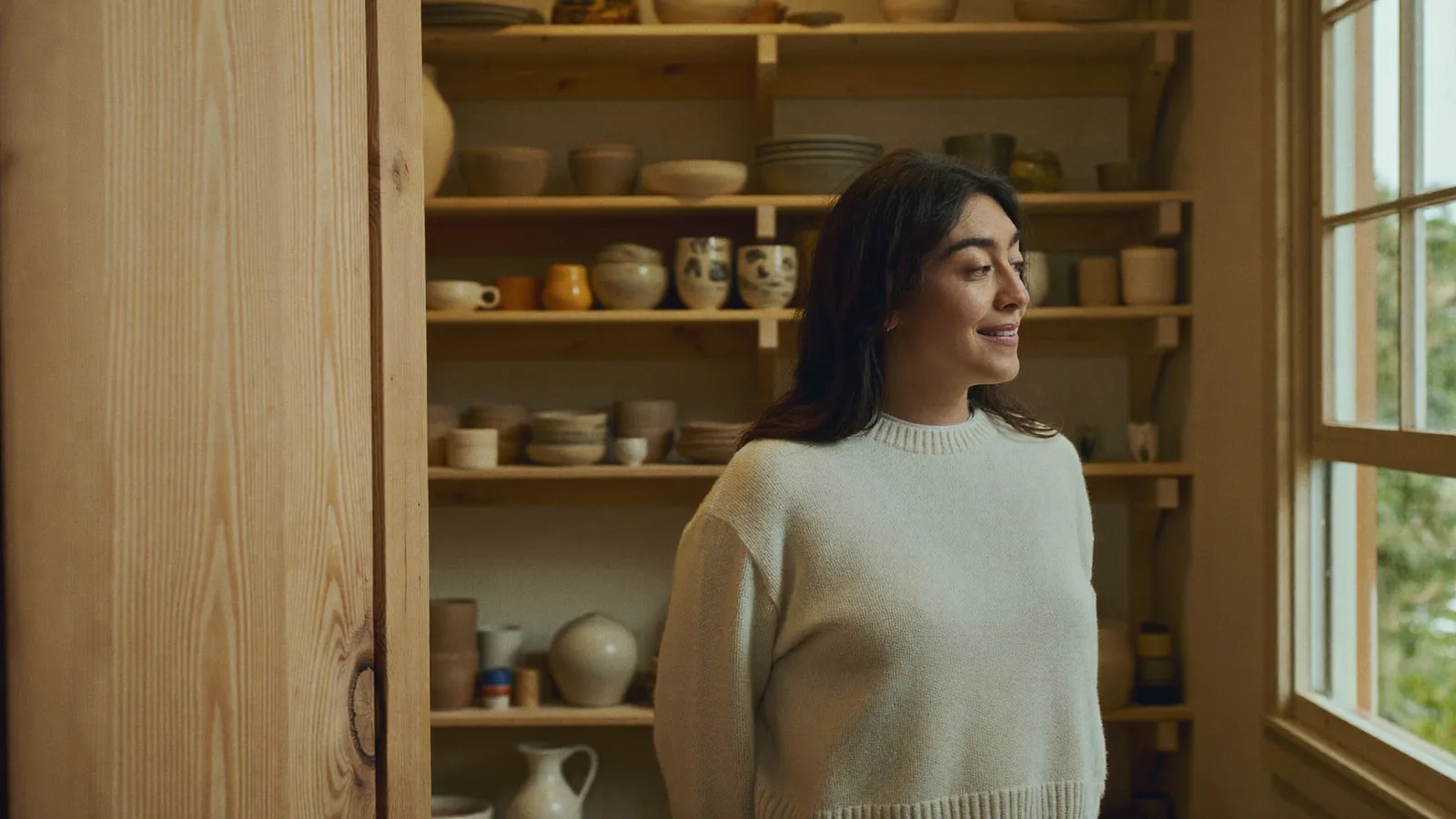
Made in Realism Pro as a still: VIDEO prompt as written, from the approved still.
Example B: A reaction across a cafe table
Another person’s shoulder in the foreground puts the viewer in the conversation. The shoulder should belong to whoever the subject is looking at, which suits interviews and listening shots.
Image:
Photorealistic medium shot of a seated woman listening across a cafe table. The camera looks past a man's shoulder from slightly below her eye level. His softly out-of-focus shoulder occupies the lower-left corner. Her face is fully visible beyond it. Empty tables and the rear wall extend behind her. Soft daylight enters from a side window. Keep her expression clear and the cafe recognizable.Video:
Animate @image1. In one continuous shot, she gives a small nod while maintaining eye contact with the man. His shoulder moves subtly with breathing. The camera makes a small handheld adjustment while keeping her face unobstructed. Preserve their seating positions and the cafe layout.
Made in Realism Pro: IMAGE prompt as written.
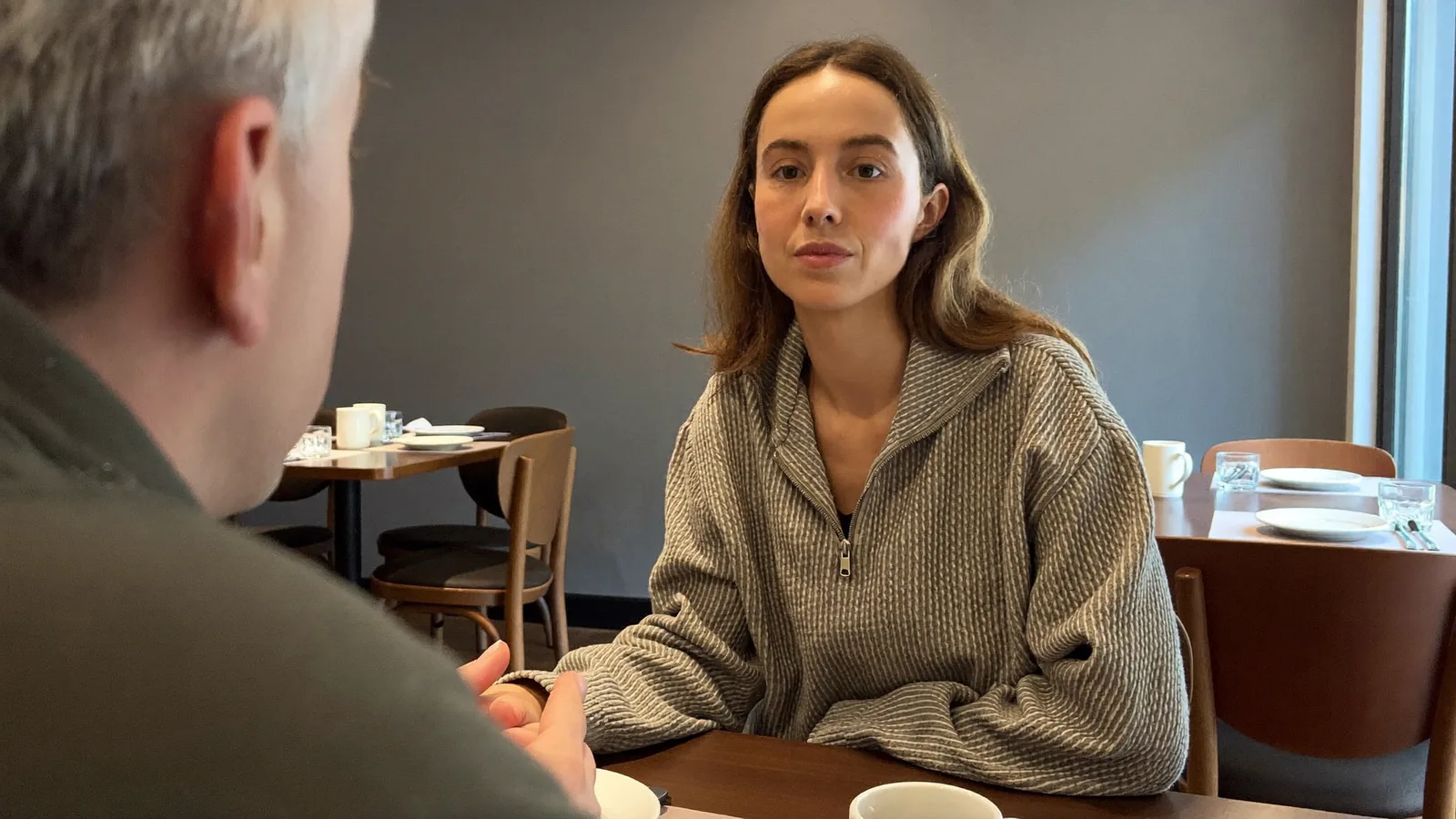
Made in Realism Pro: IMAGE prompt with the shoulder sentences removed.
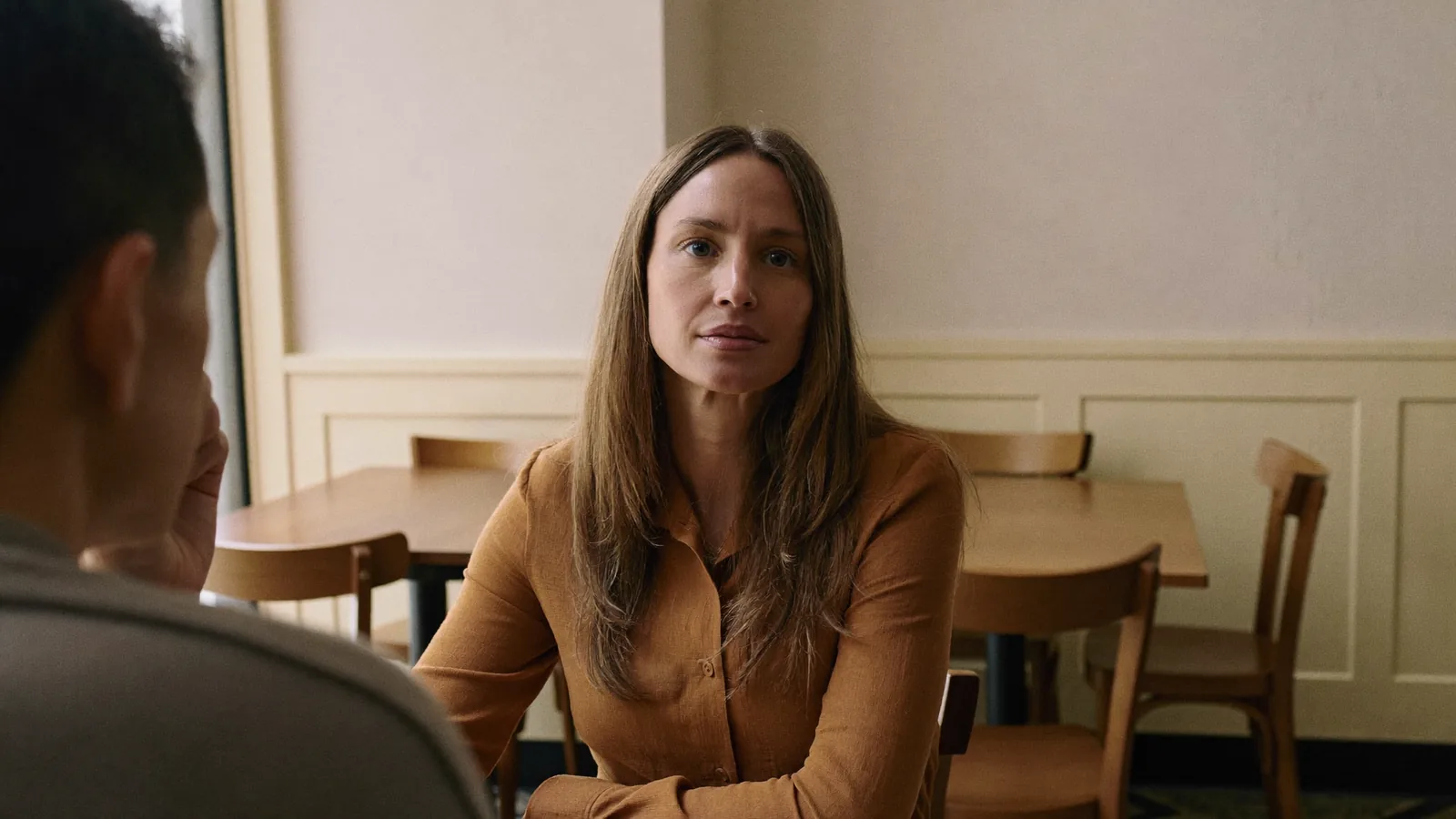
Made in Realism Pro as a still: VIDEO prompt as written.
Example C: A portrait beside a river
Reeds near the lens, the man further along the path and wooded hills beyond give three layers outdoors. Thin mist stays in the distance so the near layers keep their contrast.
Image:
Photorealistic wide portrait of a man on a riverside path at dawn. The camera is at waist height. Reeds close to the lens frame the lower-right edge without crossing his body. He stands farther along the path. The river and wooded hills extend behind him. Thin mist rests above the distant water. Soft morning sidelight reveals his face. The hills have lower contrast than the nearby subject.Video:
Animate @image1. In one continuous shot, he shifts his weight and looks along the river. A light breeze moves the reeds and carries the existing mist slowly sideways. The camera moves slightly left with restrained handheld motion. Keep his face visible and the atmosphere thin.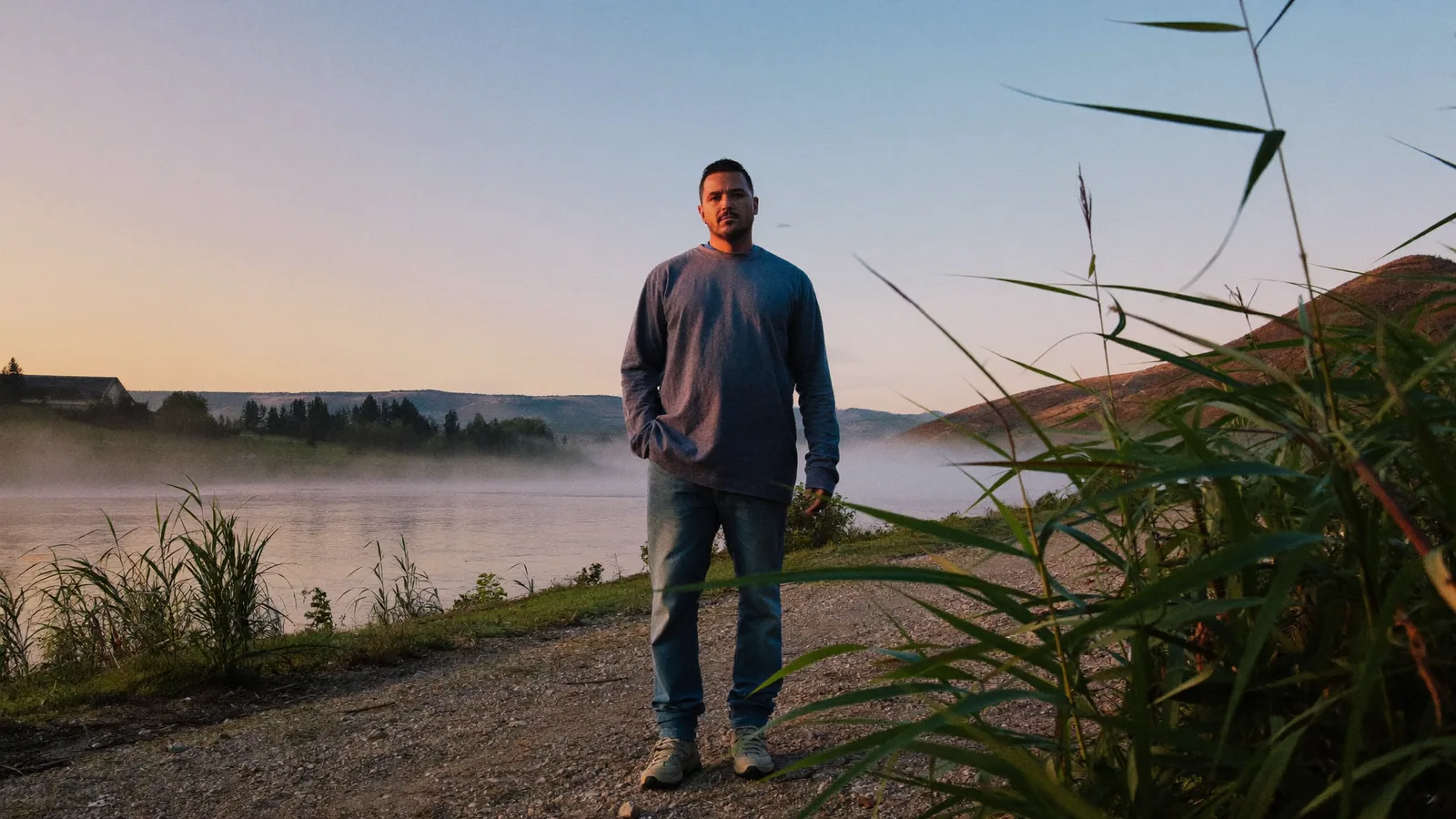
Made in Realism Pro: IMAGE prompt as written.
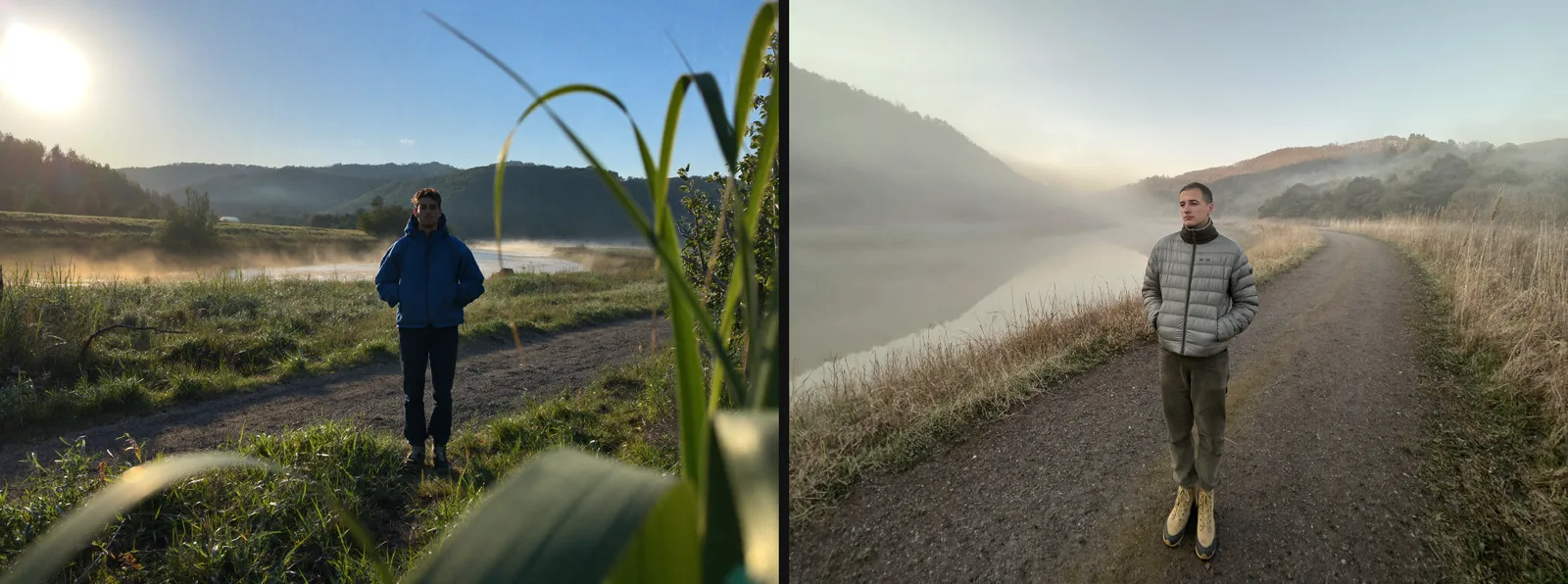
Made in Realism Pro: IMAGE prompt; right version changes the mist sentence to “Thick fog fills the whole scene”.
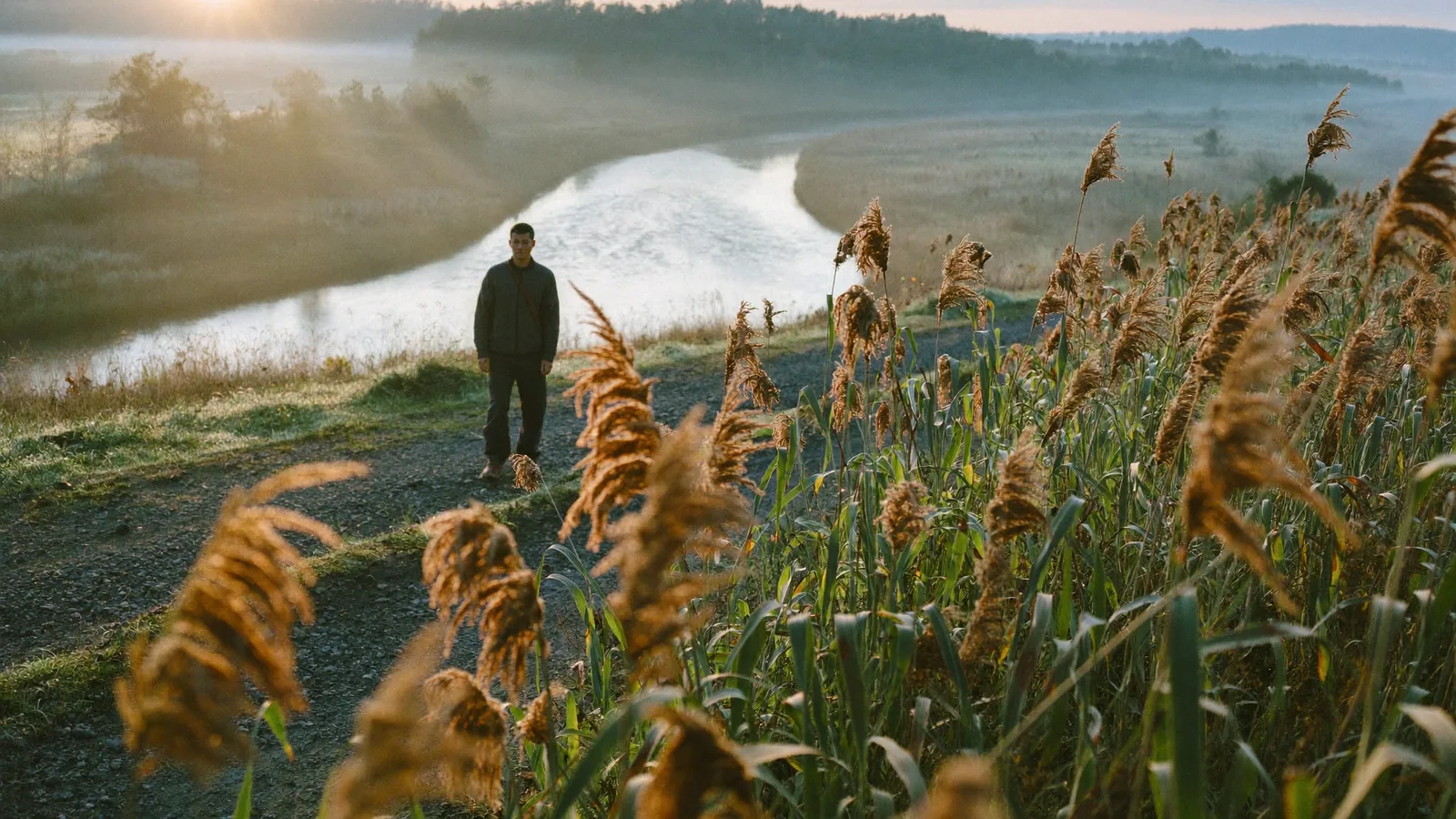
Made in Realism Pro as a still: VIDEO prompt as written.
Example D: A product with clear separation
A ceramic dish near the lens and a wall a little way behind give an unlabelled bottle three layers without needing any blur.
Image:
Photorealistic close product photograph of an unlabelled amber glass bottle on a wooden shelf. The camera is at bottle height, looking diagonally along the shelf. The soft edge of a ceramic dish sits close to the lens in the lower-left corner. The bottle stands beyond it, separated from a wall farther behind. Window light from the right reveals the glass against the softly lit wall. Clear air.Video:
Animate @image1. In one continuous shot, the camera moves slowly a little to the right with gentle handheld motion, keeping the bottle prominent. Reflections shift naturally across the glass. The bottle and dish remain stationary. Preserve the bottle's shape and the light direction.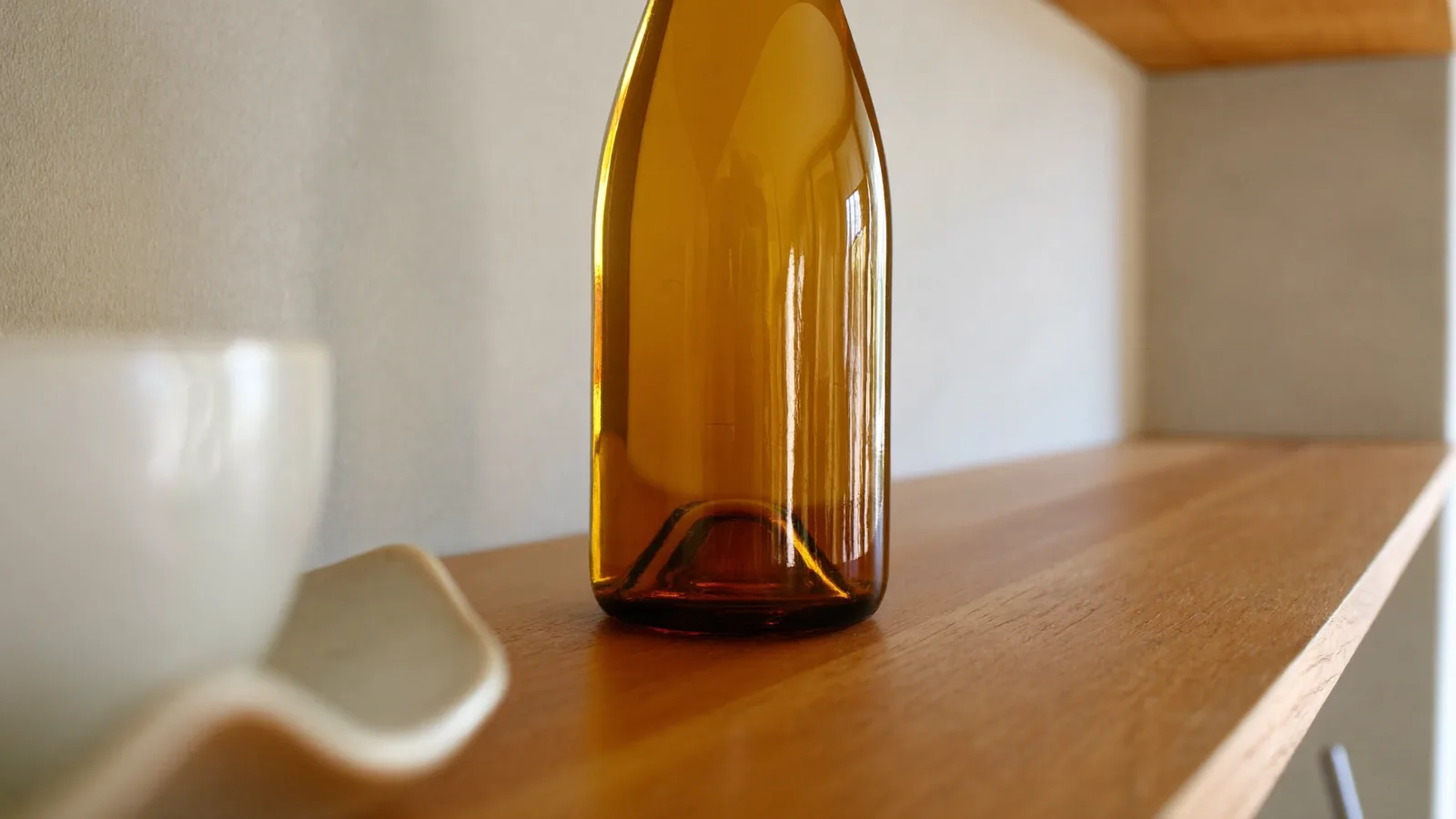
Made in Realism Pro: IMAGE prompt as written.
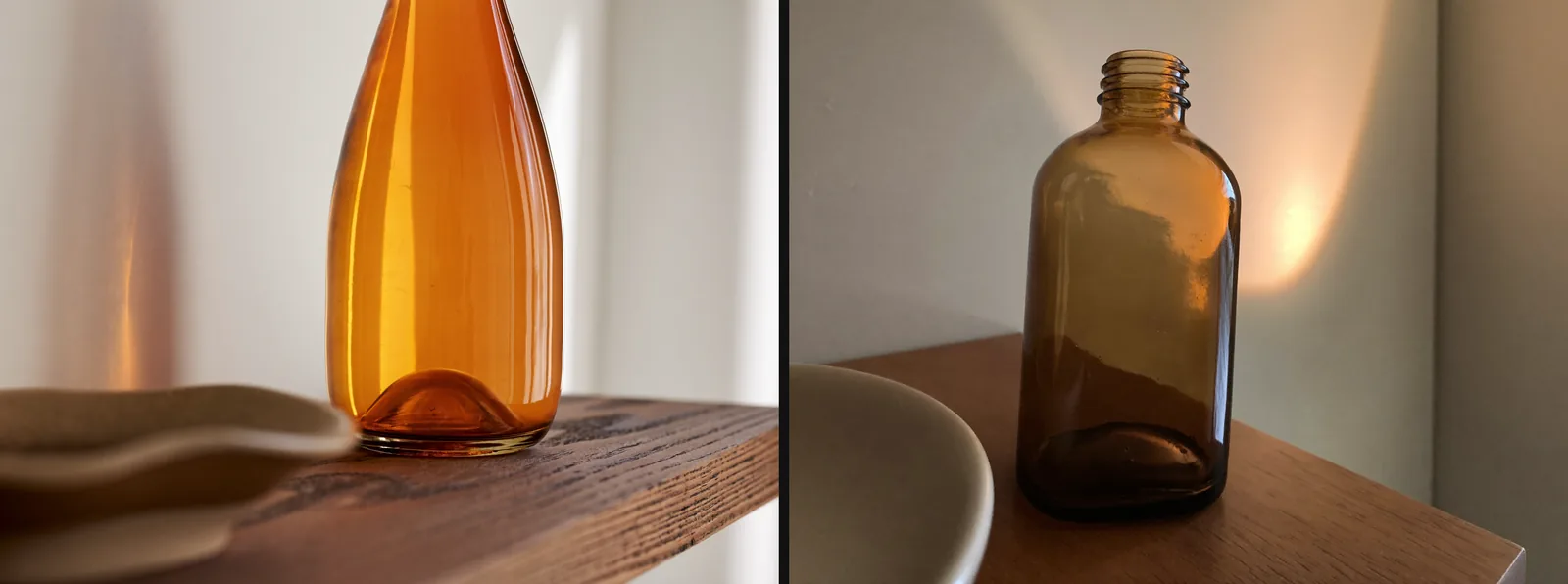
Made in Realism Pro: IMAGE prompt; left version replaces “separated from a wall farther behind” with “standing against the wall”.
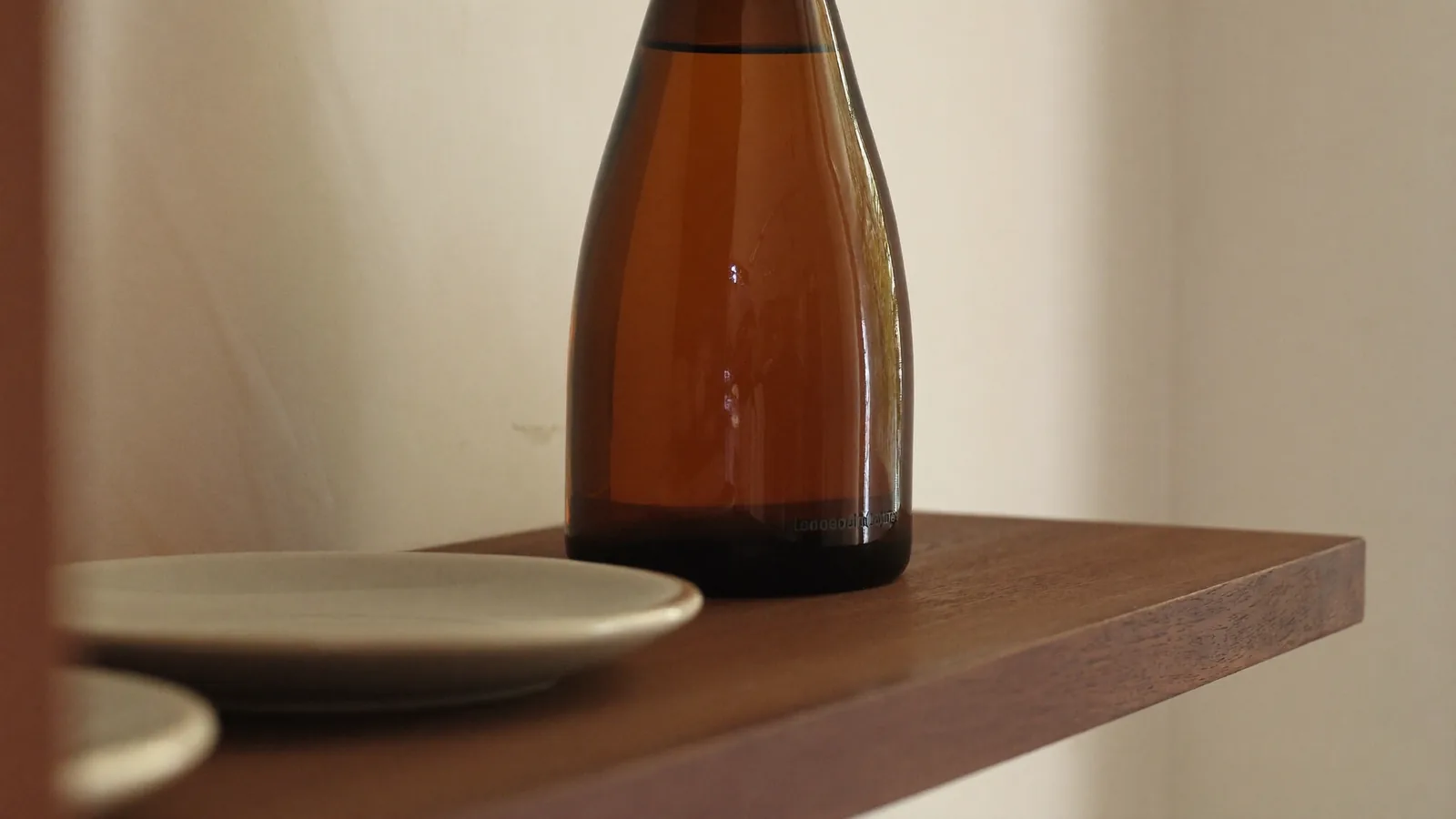
Made in Realism Pro as a still: VIDEO prompt as written.
Why this works
- Every example names where the camera sits and how high, so the layers line up from that viewpoint.
- The foreground sits at an edge or corner and never crosses the face or the action.
- Each video asks for one small, continuous move with restrained handheld motion; bigger moves can make the model reinvent the scene.
Adding atmosphere
Haze, mist, low fog, dust, smoke or steam can strengthen distance, but only in a named part of the frame and at a stated density. In video, say how it moves and what stays visible. Mist and fog are water droplets; haze is very fine dry particles; heat shimmer is distortion above a hot surface, not a veil. The guide gives short lines for each, such as “Thin patches of mist hover above the distant river behind the subject. They drift slowly sideways in a light breeze. The foreground remains clear.” For air that is lit from behind, with shafts, motes, embers or rain, see the atmosphere prompts.
Make your own in PromptWise
Fill in the image template, generate the still on Realism Pro and confirm what is near, what is far and that the face or the action is clear. Then attach it as the start image and run the video template with one small move. Every model is available as soon as you sign up, from 40+ in the studio.