Character Sheet Prompt: A Clean Reference for AI Video
By Daniel Riley · Published · Updated
In short: A video model keeps a character steadier when it has one clean reference: a close-up of the face, a full-body front view and a back view on a plain grey background. This page gives a copy-ready three-panel character sheet prompt, a follow-up edit that hides the face in the full-body panel so only one face competes, and a two-panel prop sheet for objects that matter to the story.
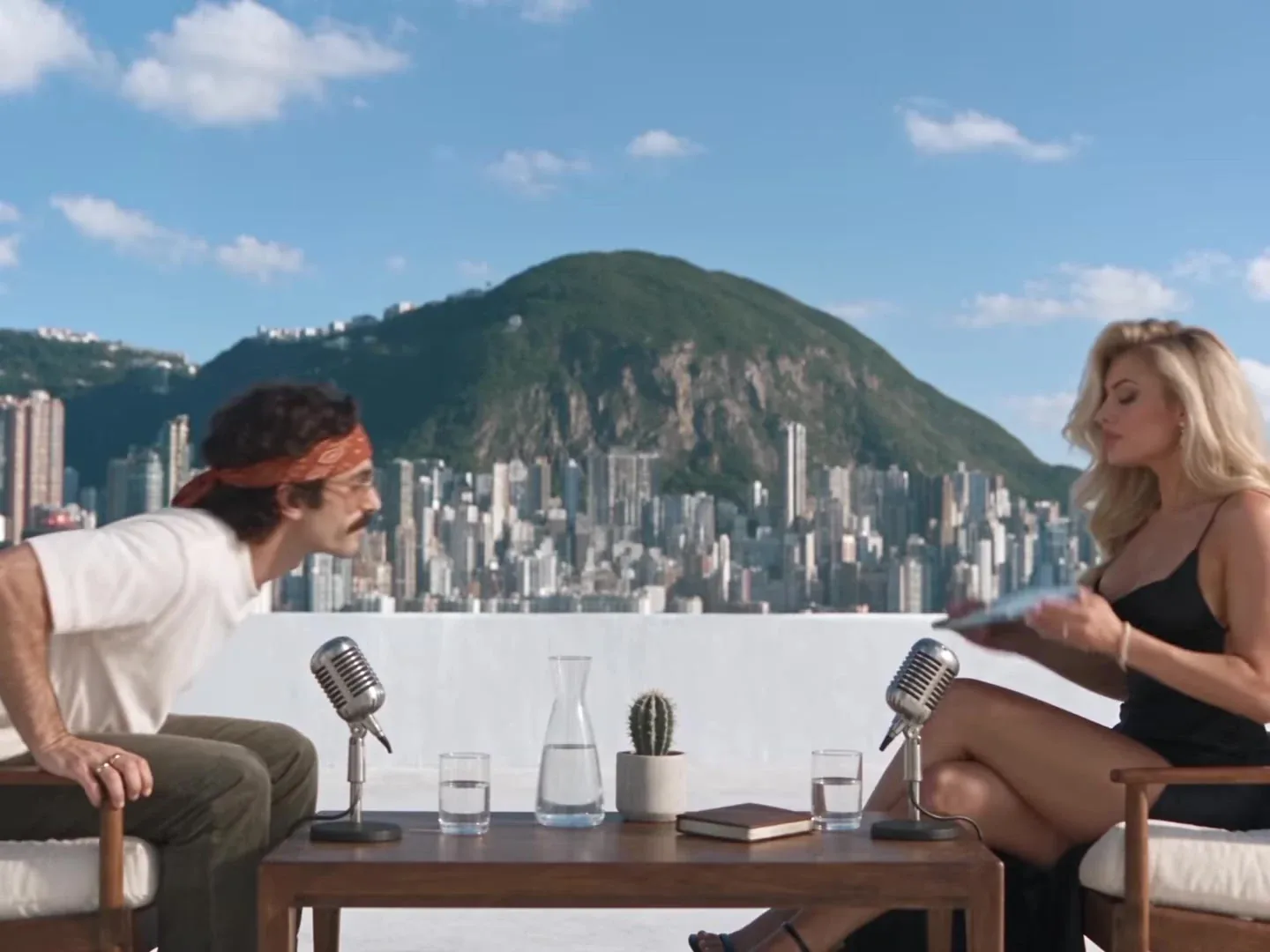
A still from the “AI Character Sheet Guide” reel.
A character sheet is a single image that shows one person from the views a video model needs, laid out so nothing competes with them. This version is built for video references rather than for illustration: three panels in a 16:9 row, a plain neutral grey backdrop, soft even light and no props or labels. Grey is a sensible starting point, though it will not rescue poor lighting; white works too when exposure is controlled.
Source post: The “AI Character Sheet Guide” reel on Instagram (@trypromptwise)
Step 1: generate the three-panel sheet
Replace the bracketed line with the character’s age, face, hairstyle, build, outfit and shoes, choose 16:9 in the generation settings, and generate.
Character Sheet Prompt
[Describe your character: age, face, hairstyle, build, outfit and
shoes.]
Create a 16:9 character sheet with three equal-width panels in one horizontal
row on a flat neutral grey studio background. Use soft, even lighting,
balanced exposure and visible natural skin texture. No environment, props or
text labels. No hard shadows on the backdrop.
Panel 1: front-facing close-up of the head and shoulders, with clearly defined
facial features.
Panel 2: full body, front view, neutral standing pose, head and shoes fully
visible.
Panel 3: full body, back view, same standing pose and scale, head and shoes
fully visible.
Keep the same identity, hairstyle, body proportions, outfit, materials and
colors across all three panels.
Why this works
- Three fixed panels (face close-up, front full body, back full body) cover what a video model must keep consistent without inviting extra poses.
- “Head and shoes fully visible” stops the full-body panels cropping feet or hair, the details most likely to drift later.
- No environment, props or text labels means nothing in the sheet can be mistaken for part of the character.
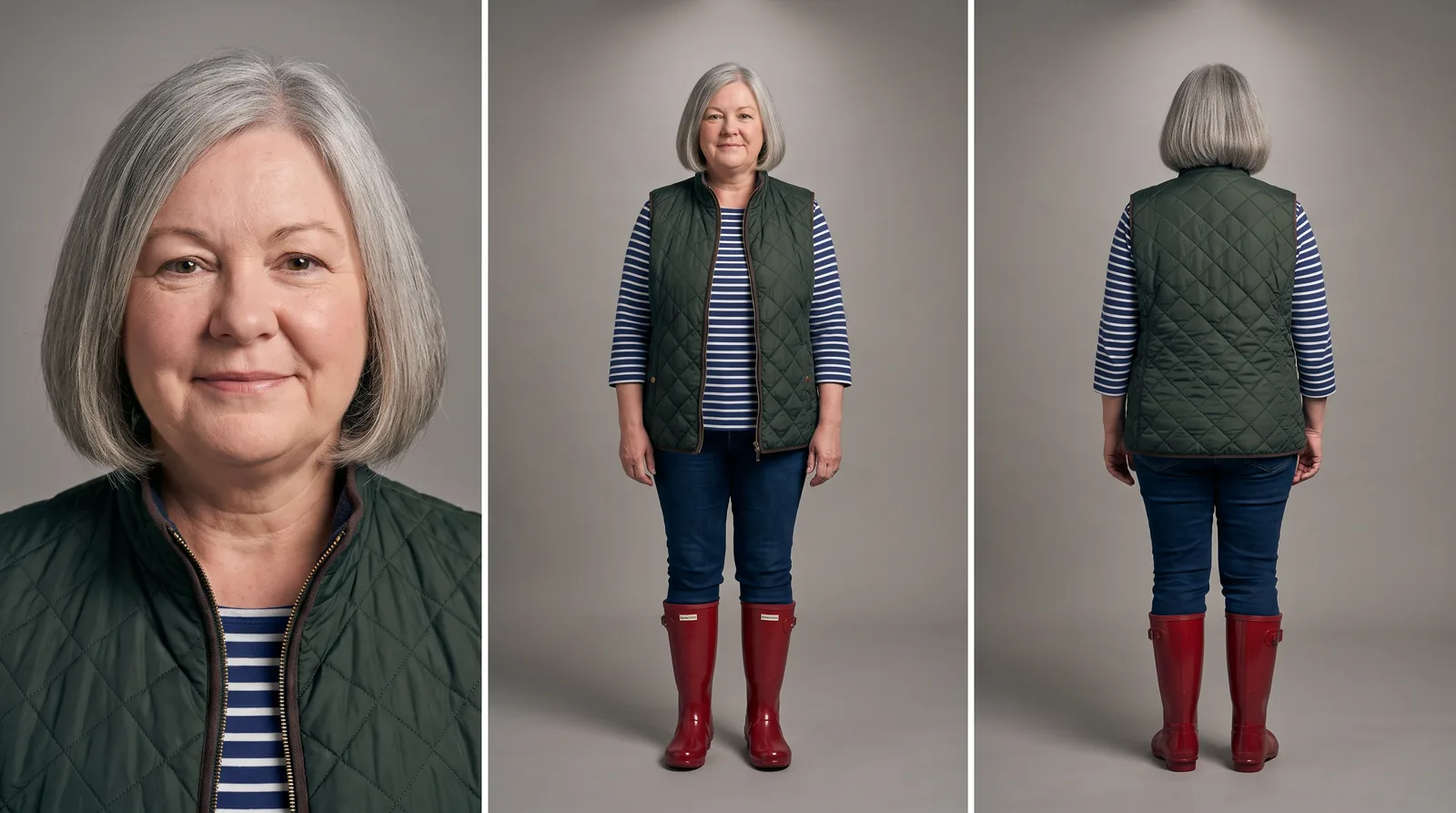
Made in Nano Banana Pro: CHARACTER SHEET PROMPT with the bracket filled: “A woman in her forties with a grey bob, a round friendly face, medium build, a quilted green gilet over a striped shirt, dark jeans and red wellington boots.”
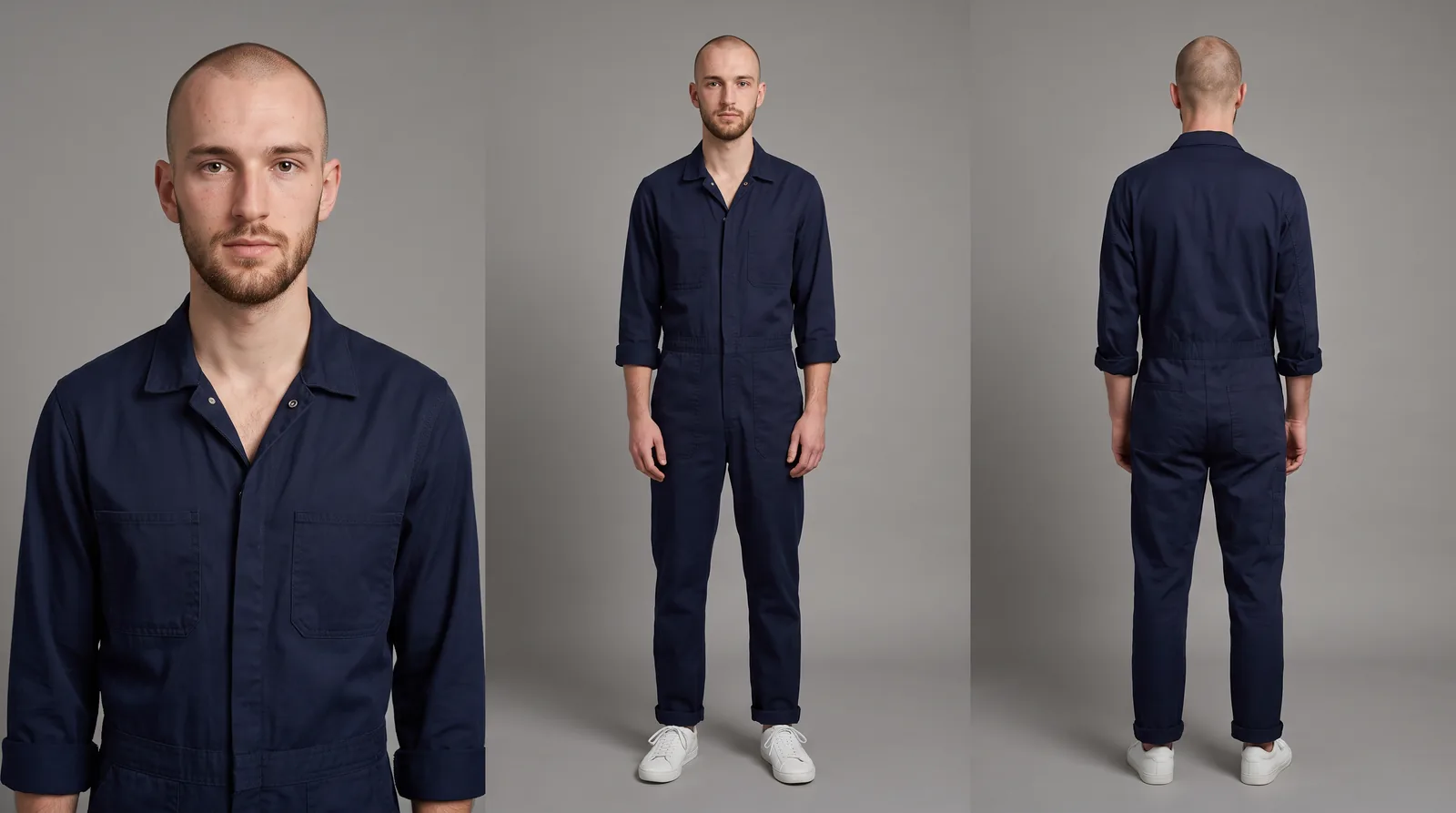
Made in Nano Banana Pro: CHARACTER SHEET PROMPT with the bracket filled: “A tall man in his early twenties with a shaved head and a short beard, slim build, a navy boiler suit with rolled sleeves and white trainers.”
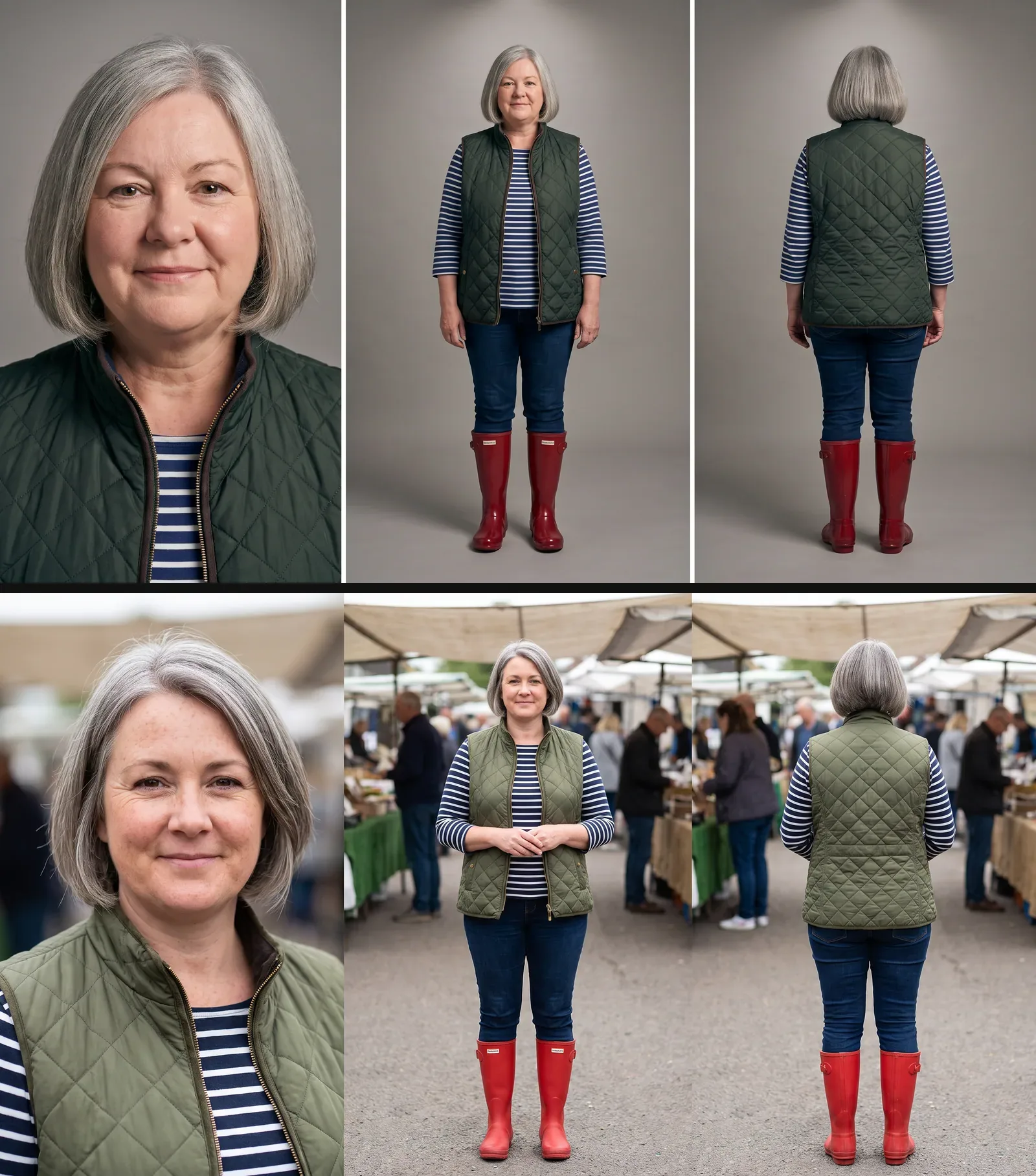
Made in Nano Banana Pro: CHARACTER SHEET PROMPT; comparison version replaces the background with “a busy outdoor market”.
Step 2: leave one clear face
Once the sheet looks right, hide the facial features in the front full-body panel only, so the close-up is the single detailed face reference. Do it with a grey brush in an image editor, or paste the edit prompt below into an image-editing model. It can reduce competing facial references, though results still depend on the video model.
Face Edit Prompt
Edit only the front full-body panel. Hide its facial features with a flat grey color
matching the backdrop. Preserve the hair, head outline, neck, body and clothes.
Leave the close-up portrait and back view unchanged.
Why this works
- Two faces at different sizes can pull a video model in two directions; hiding the smaller one leaves no doubt which to follow.
- The edit names everything to keep (hair, head outline, neck, body, clothes) so the rest of the panel survives intact.
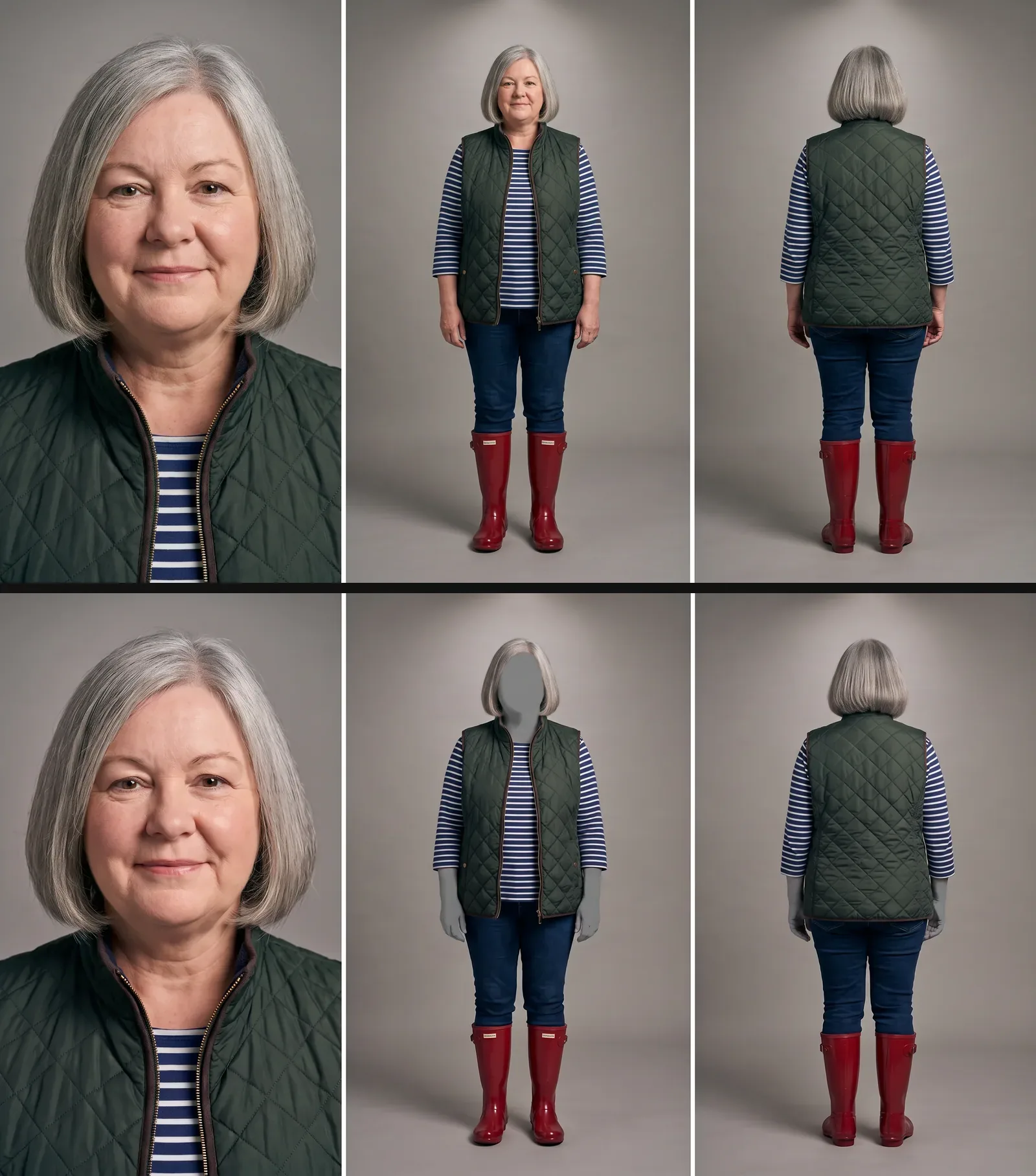
Made in Nano Banana Pro: FACE EDIT PROMPT applied to the market trader sheet.
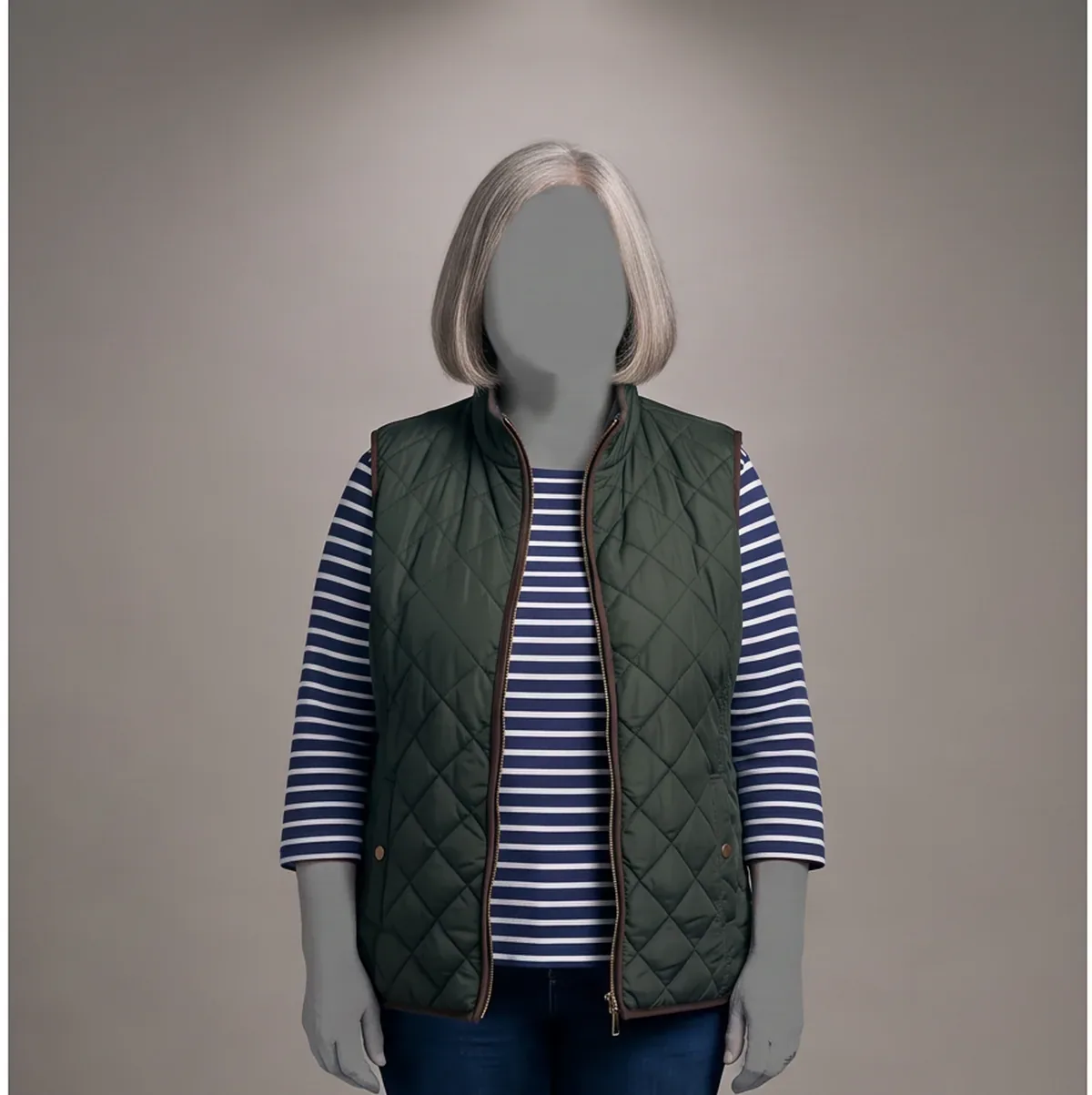
Made in Nano Banana Pro: crop of the edited panel.
Step 3: give key props their own sheet
An object that matters to the story, such as a bag, a weapon or a trophy, gets the same treatment: one close-up and one full shot on grey.
Prop Sheet Prompt
[Describe your prop: shape, material, color and distinctive details.]
Create a 16:9 two-panel prop sheet on a flat neutral grey studio background.
Use soft, even lighting. No environment or text labels. No hard shadows on the
backdrop.
Panel 1: front-facing close-up of the prop, showing its distinctive details.
Panel 2: full shot of the entire prop, fully inside the frame.
Keep the same shape, materials, colors and proportions in both panels.
Why this works
- Two views are enough for most objects: one for the distinctive details, one for the overall shape and scale.
- “Fully inside the frame” prevents a cropped handle or strap that the video model would then have to guess.
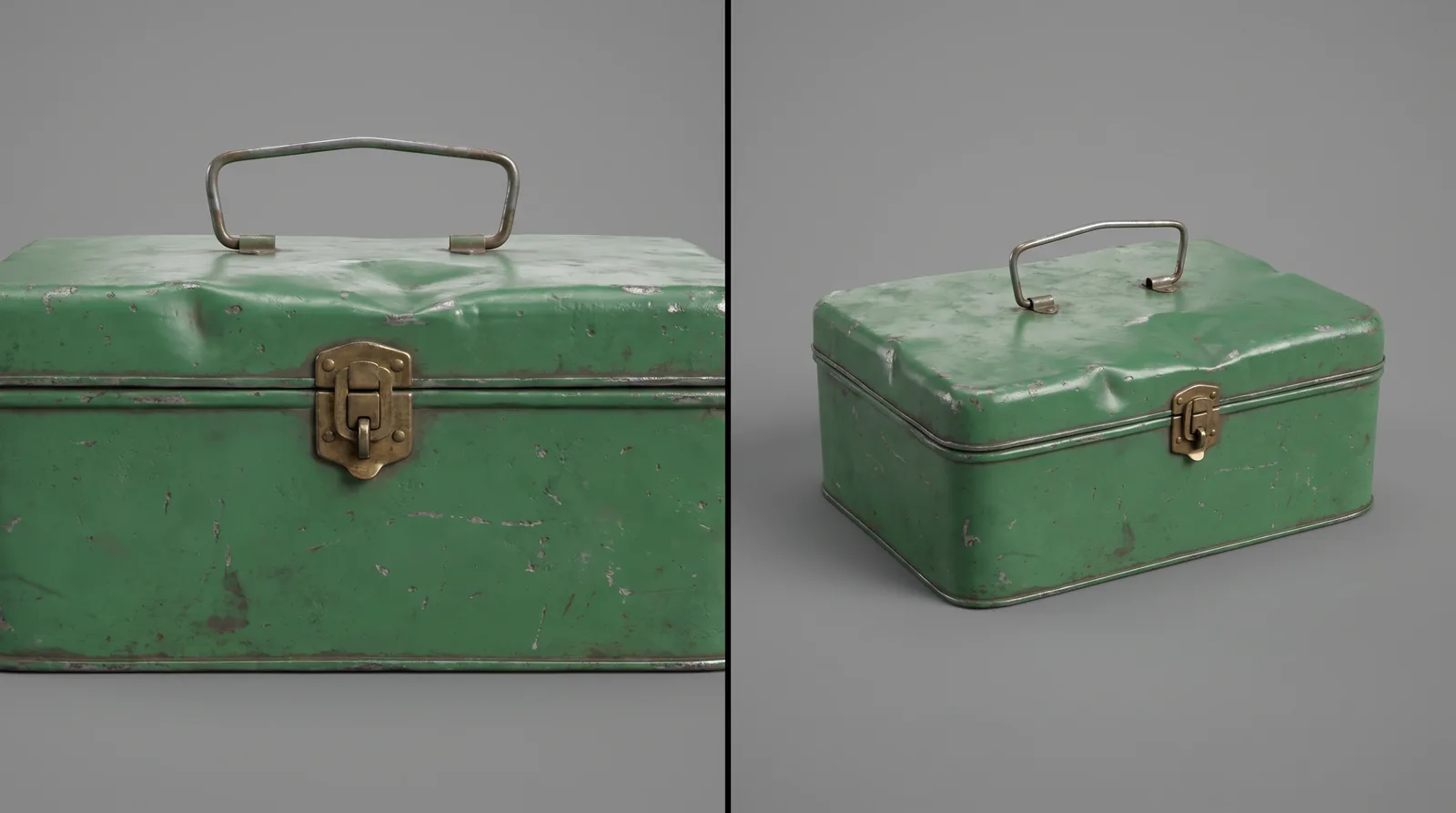
Made in Nano Banana Pro: PROP SHEET PROMPT with the bracket filled: “A battered rectangular tin cash box, painted green, with a dented lid, a small brass clasp and a carry handle.”
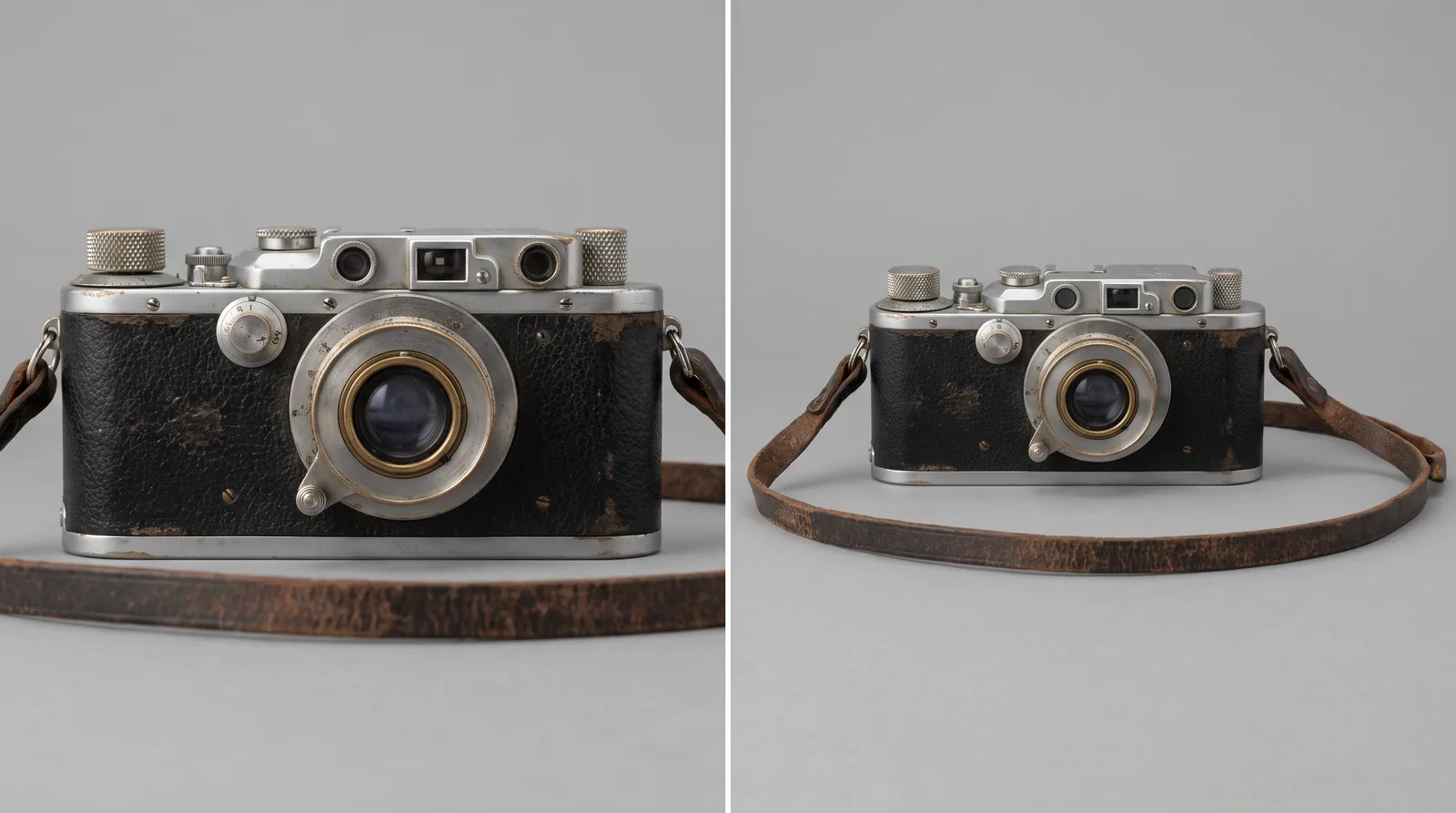
Made in Nano Banana Pro: PROP SHEET PROMPT with the bracket filled: “A vintage silver rangefinder camera with a black leather body, a worn brown strap and a small round lens.”
Before moving on to video, check the sheet at full size: sharpness, matching outfits and materials across panels, and complete framing.
Make your own in PromptWise
Generate the sheet at 16:9, run the face edit, and make a prop sheet for anything the story depends on. Then use the sheets as references for the video shots. Every model is available as soon as you sign up, and the studio holds 40+ image, video and audio models.
Related
- Nano Banana Pro prompts: includes a four-pose character sheet for illustration and storyboards
- How to make AI videos: keeping characters consistent across clips
- Realistic AI people prompts
- All prompts
FAQ
What should a character sheet for AI video include?
A head-and-shoulders close-up with clear facial features, a full-body front view and a full-body back view at the same scale, all on a plain grey backdrop with soft, even light and no props or labels.
Why hide the face in the full-body panel?
So the close-up is the only detailed face in the reference. Fewer competing faces can help a video model hold one identity, although results still vary by model.