Seedance vs Kling vs Veo: An Honest Guide to Picking the Right Video Model
By Daniel Riley · Published
In short: Use Seedance 2.5 as the default: it makes up to 30 seconds with sound in a single generation and suits short stories with several connected shots. Pick Kling 3.0 for people, readable logos and fast camera work, and Veo 3.1 when a line of dialogue or a sound has to land on cue. Seedance 2.5, Kling 3.0 and Veo 3.1 are all in PromptWise, so each shot can go to the model that suits it.
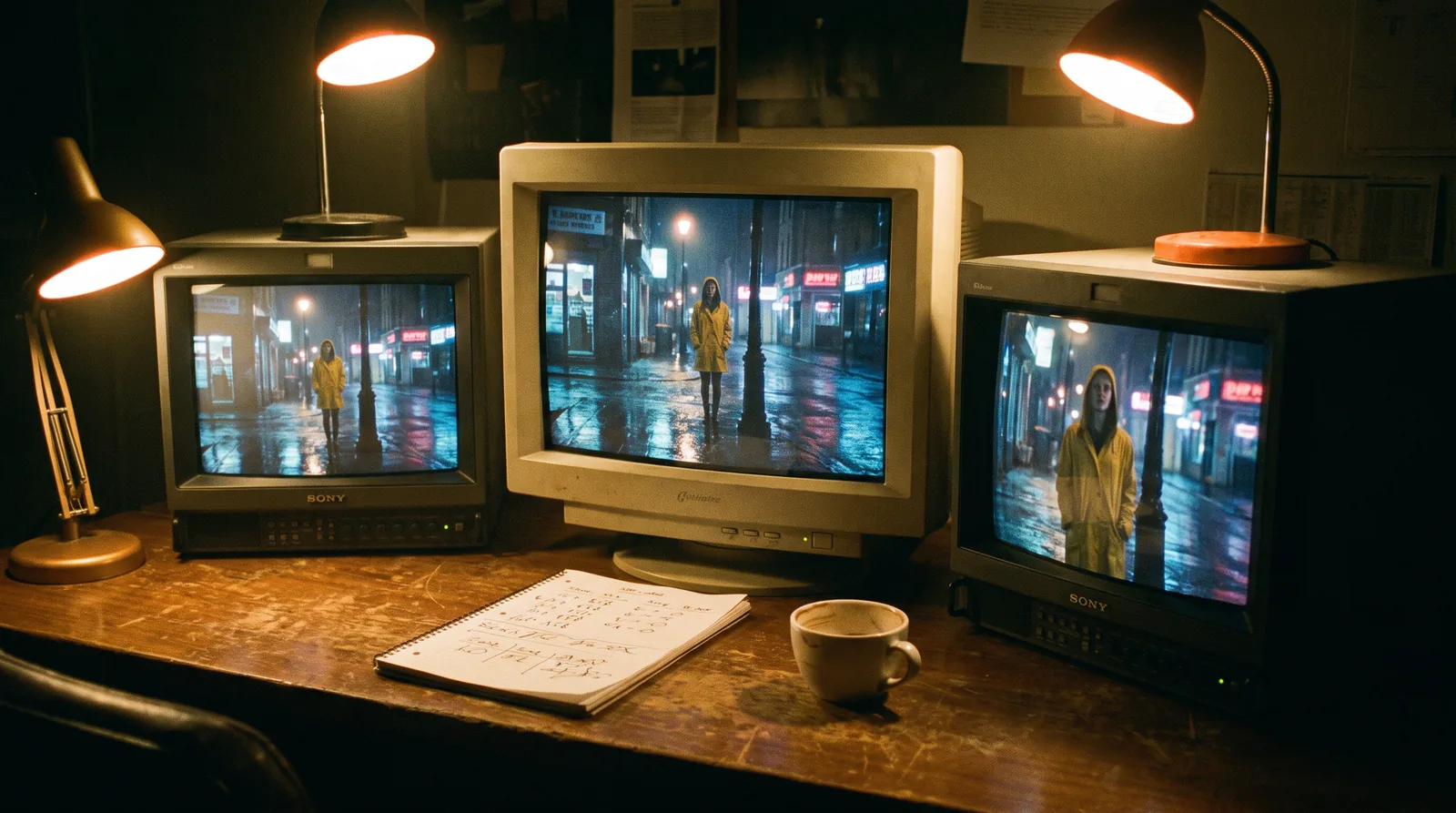
Seedance, Kling and Veo are the three names that come up whenever someone asks which AI video model is best. The honest answer is that each one was built with a different priority, and once you know what those priorities are, picking one takes about ten seconds. This guide does take a side, though. Seedance 2.5 is the pick, and the reasons are below.
The three versions covered here are the newest from each maker: Seedance 2.5 from ByteDance, Kling 4.0 from Kuaishou and Veo 3.1 from Google. Seedance 2.5 and Veo 3.1 are in PromptWise now. Kling 4.0 is coming to PromptWise soon, and until it arrives, Kling 3.0, Kling 3.0 Turbo and Kling 3.0 Motion Control are in the app. Every claim about what a model can do comes from the maker’s own launch posts, user guides and model pages, or from the PromptWise app itself. There are no made-up benchmark scores and no invented credit costs.
Each section ends with a prompt you can copy straight into PromptWise. They’re written as plain sentences in the order things happen, which is the style all three makers use in their own examples.
The short answer
If you only read one paragraph, read this one. Use Seedance 2.5 as your default. It’s the most flexible of the three, it makes up to 30 seconds in a single generation with sound included, ByteDance built it for short stories with several connected shots, and it’s in PromptWise today. It’s also our pick, even though it costs more to run.
Kling 4.0 is coming to PromptWise soon, and it’s aimed at people, readable logos and fast, complicated camera work. Until it arrives, Kling 3.0 is the Kling model you can pick in the app, and it covers much the same ground at up to 15 seconds. And use Veo 3.1 when the sound has to hit an exact moment, like a line of dialogue or a door that slams on cue. All three make sound, but Google has leaned hardest on getting it in sync.
For drafts, Seedance 2.0 Fast and Kling 3.0 Turbo let you try an idea at a lower resolution before you spend credits on a full model. And if a character has to copy a real performance, such as a dance or a presenter’s gestures, Kling 3.0 Motion Control is the specialist for that, available now while Kling 4.0 is coming to PromptWise soon.
Try this on Seedance 2.5 (9:16, 15 seconds):
Prompt
A barista opens up a small corner café for the day. She flips the sign on the door, switches on the coffee machine and wipes down the counter as the first customer walks in. The camera follows her from the door to the counter in one smooth move. Soft morning light comes through the window, the steam wand hisses and there's quiet street noise outside.Quick-pick table
| If the shot is… | Pick | Why |
|---|---|---|
| A short story with a few connected shots | Seedance 2.5 | Up to 30 seconds with sound in one go, built for multi-shot stories |
| Someone talking to camera | Veo 3.1 or Kling 3.0 | Both make speech natively; Veo is the sound-first pick |
| Hands, faces, a real person’s look | Kling 3.0 today; Kling 4.0 is coming to PromptWise soon | Realistic people are Kuaishou’s main focus |
| A product with a logo you can read | Kling 3.0 today; Kling 4.0 is coming to PromptWise soon | Kuaishou says Kling keeps text and logos readable |
| A big sweeping camera move | Seedance 2.5 | Long takes with continuity across shot changes |
| Fast action and tracking shots | Kling 3.0 today; Kling 4.0 is coming to PromptWise soon | Steadier large-scale motion is Kling 4.0’s headline claim |
| A dance or gesture copied from a video | Kling 3.0 Motion Control | Copies motion from a reference clip, in PromptWise now |
| Rough drafts to try an idea | Seedance 2.0 Fast or Kling 3.0 Turbo | Lower resolution, good for trying things |
| A long take that needs its own soundtrack | Seedance 2.5 | Picture and sound together, up to 30 seconds |
| A shot with sound effects timed to action | Veo 3.1 | Google’s headline feature is synced audio |
If one row describes most of what you make, start there. If two or three rows do, that’s the case for Seedance 2.5 as a default: it covers the widest spread of jobs without being a stretch for any of them.
Try this on Veo 3.1 (9:16, 8 seconds):
Prompt
A woman in her thirties sits at a kitchen table with a mug of tea and looks straight into the camera. She says, "Every planner app going, and this is the only one that stuck." She smiles and takes a sip. Soft afternoon light, a clock ticking quietly in the background.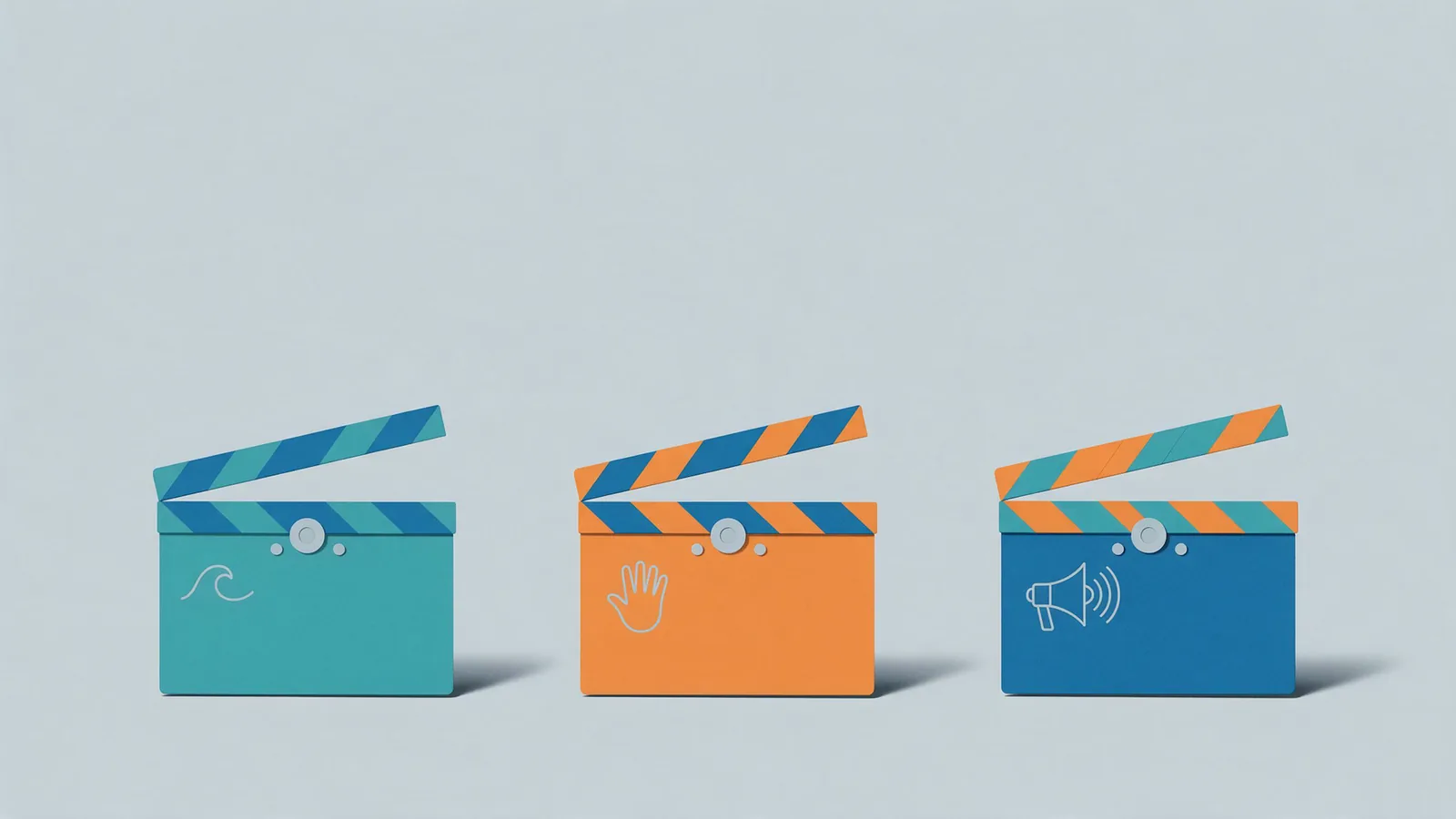
The models in this comparison
Version numbers in AI video move quickly, so it’s worth being exact about what’s being compared here.
Seedance belongs to ByteDance, the company behind TikTok, and the version that matters is Seedance 2.5, which came out on 31 July 2026. Its older siblings, Seedance 2.0 and the Fast and Mini versions of it, are still around. In the PromptWise picker, Seedance 2.5 runs from 4 to 30 seconds with sound, Seedance 2.0 tops out at 15 seconds but goes up to 4K, and Fast and Mini run to 15 seconds at 720p.
Kling is made by Kuaishou, a Chinese short-video company. Its newest flagship, Kling 4.0, launched on 15 October 2026 and is coming to PromptWise soon. Kling’s user guide puts it at 3 to 30 seconds per generation. For now, the Kling models you can actually pick in PromptWise are Kling 3.0 (3 to 15 seconds, up to 4K), Kling 3.0 Turbo (3 to 15 seconds) and Kling 3.0 Motion Control (3 to 30 seconds).
Veo is Google’s, and PromptWise carries three flavours of Veo 3.1: Quality, Fast and Lite. Going by Google’s documentation, a Veo 3.1 clip is 4, 6 or 8 seconds long, in landscape or portrait, with the sound made alongside the picture, though the picker in the app has the final word on lengths and resolutions.
Plenty is left out, to be fair. PromptWise has 40+ models, and the video side alone includes Hailuo, LTX and Gemini Omni Flash, each with its uses, but they aren’t the three names people tend to type into Google.
Try this on any of the three (16:9, 8 seconds):
Prompt
Wide shot. The camera rises slowly from behind a low stone wall to reveal a misty valley at sunrise, with a single red tractor crossing a field far below. Birds lift off the wall as the camera passes over it. Long shadows and soft golden light. Quiet and epic, with a gentle wind and distant birdsong.Seedance 2.5: the all-rounder
If you’re stuck on which model to open, open Seedance 2.5. That’s meant as a compliment, because a default you trust saves more hours than a brilliant specialist you remember to use twice a month.
Length comes first in ByteDance’s launch post: 30 seconds of picture and sound from one generation, where Seedance 2.0 stopped at 15, with cuts and scene changes inside those 30 seconds said to hang together better. The example it chooses is a good one, too, following a singer out of the dressing room, down a corridor, past the dancers and onto the stage in a single take, rather than just catching the moment under the lights.
References come next. ByteDance says a single generation can draw on up to 30 images, 10 video clips and 10 audio clips, so in principle the brand’s look, the character and the camera style could all go in together.
Editing is the third claim, with fixes pinned to a timestamp, green screen and a way to move the camera’s point of view, although it’s worth checking which of those PromptWise exposes in the app before planning a project around them.
In practice, a little story with a beginning, a middle and an end is something Seedance 2.5 will attempt in one go. Kling 4.0 has the same 30-second ceiling on paper, but it’s only coming to PromptWise soon, and Veo 3.1 still means stitching together clips of 8 seconds or less. Seedance 2.5 also makes its own sound in PromptWise, so the 30-second take turns up with audio on it instead of arriving silent and waiting for a soundtrack.
It has weaker spots. ByteDance makes no Kuaishou-style promise about sharp text and logos, and if a job needs 4K output, Kling 3.0 or Seedance 2.0 is the model to pick in PromptWise.
Seedance 2.0, Fast and Mini. It would be a mistake to write off 2.0. ByteDance built it to make picture and sound together from text, images, audio or video, and PromptWise runs it at 4 to 15 seconds with the picker showing up to 4K. Fast is what ByteDance calls the accelerated version, and since Fast and Mini both sit at 720p in the picker, they’re well suited to checking an idea works before Seedance 2.5 gets involved.
Try this on Seedance 2.5 (16:9, 30 seconds):
Prompt
A street musician finishes his last song of the evening on a busy bridge. He thanks the small crowd, kneels to pack his guitar away and counts the coins in the case with a tired smile. Then he walks off along the river as the city lights come on, the guitar case on his back. The camera stays with him the whole way, from the bridge to the riverside path. Gentle crowd chatter and applause at the start, fading to the sound of his footsteps and the water.Kling 4.0: the people and motion specialist, coming to PromptWise soon
Kling has always leaned on realism, and on realistic people in particular, which is why Kuaishou describes it as having “long been known for film-grade dramatic scenes”. Kling 4.0, out since 15 October 2026, sets itself three goals in Kuaishou’s words: “realism, control and professional quality”. It’s coming to PromptWise soon, with no date yet, so treat everything in this section as what Kuaishou promises rather than something you can pick in the app today. Kling 3.0 is the Kling model in PromptWise right now.
Motion gets top billing. Ask people who make AI video what breaks most often and fast action comes up quickly, because big camera moves and quick bodies tend to smear into mush. Kuaishou’s launch release promises “steadier large-scale motion”, with tracking shots and orbits that hold together, and push-ins, pull-outs and pans too. It’s a bold promise, and aimed at the right problem, since a sprint or a chase is where most video models come unstuck.
Length has caught up with Seedance as well. Kling’s user guide gives 3 to 30 seconds per generation, with multi-shot switched on by default so that a longer piece gets split into shots without you asking. On top of that you can pin up to 10 keyframes along the timeline and feed in up to 15 references at once (as many as 10 images, 5 videos and 7 subjects), and a prompt can stretch to 8,000 tokens, which is far more than most people will ever bother to write.
Sound comes built in, with the guide listing two-channel stereo and describing lip sync as “more accurate” than in earlier versions. Speech covers Chinese, English, Japanese, Korean, Spanish, Portuguese, German, French and Hindi, and it names American, British and Indian English accents.
The other promise that stands out is about text. According to Kling, Kling 4.0 renders text, emojis and logos cleanly and keeps them legible “even with dynamic camera movement and scene transitions”, which is the line anyone selling a labelled product will want to see hold up.
Resolution is harder to pin down, since the guide’s spec table lists 720p, 1080p and 4K with 10-bit HDR while Kling’s own feature page still calls 4K and HDR output coming soon, so this guide doesn’t build any advice on it. Check what the PromptWise picker offers when Kling 4.0 arrives.
In PromptWise today: Kling 3.0, while Kling 4.0 is coming to PromptWise soon. PromptWise already has Kling 3.0, launched in February 2026, at 3 to 15 seconds and up to 4K. Kuaishou built it for “expressive, dynamic performances” and readable logos, and it makes speech in English, Chinese, Japanese, Korean and Spanish. Kling 3.0 Turbo (3 to 15 seconds) is its sketchpad: sort out the action and the camera on Turbo, then run the prompt that worked on the full model.
Kling 3.0 Motion Control. This one works differently, because you never describe the movement at all: you give it a still of your character and a video of someone doing the action, and Kling’s guide says the movement and the facial expressions are carried across onto your character. There’s also an option to tie the face to a set of reference shots so it stays consistent. PromptWise lists it at 3 to 30 seconds.
Kling’s tips for it are pleasingly practical: keep one person in the reference video and fully in shot, avoid cuts and big camera moves, and match the framing, so a half-body reference goes with a half-body character and full-body with full-body.
Try this on Kling 3.0 today (16:9, 8 seconds). It’s a good one to rerun when Kling 4.0 comes to PromptWise:
Prompt
Medium tracking shot following a young woman as she runs up a steep flight of stone steps in a hillside town at dusk. She takes the last two steps in one jump, lands, turns and laughs at someone off camera. Warm street lamps flicker on behind her. The pace is quick, then eases as she stops.Veo 3.1: the sound-first model
Google’s tagline for Veo 3.1 is “Video, meet audio”, and honestly that tells you most of what you need to know. Veo makes the sound effects, the background noise and the dialogue at the same time as the picture, and Google’s whole pitch is that the two stay in step.
Google’s prompting guide for Veo 3.1 goes as far as promising synchronised sound “from multi-person conversations to precisely timed sound effects”. The Flow help pages show how simple the prompting side is, too: you just write the sound into the prompt, with something like “the sound of an ice cream truck can be heard in the background”, or put the line a character says in quotation marks. So if a shot only works when the door slams on exactly the right frame, or when the words match the lips, Veo is the one Google built for that.
In Google’s own tools Veo 3.1 has some neat controls on top. You can give it a first and a last frame and let it make the transition between the two, and you can hand it up to three reference images of a character, an object or a place to keep things looking the same. Whether each of those turns up in PromptWise is something to check in the app. The PromptWise video bar does have a Start / End Frame control, but it would be a stretch to assume every Veo feature from Google’s own app is there.
To its credit, Google is upfront about the rough edges. Its model page says that natural, consistent speech, “particularly for shorter speech segments”, is still an area of active development. The clips are short as well, at 4, 6 or 8 seconds each by Google’s numbers, so a longer scene means several clips and an edit.
Veo 3.1 Quality, Fast and Lite. PromptWise has all three. Quality is the full model, as you’d guess, while Fast and Lite are the lighter versions. It’s worth looking at the exact settings and the credit cost of each in the app before you build a project around them.
Try this on Veo 3.1 Quality (9:16, 8 seconds):
Prompt
Close-up of a market trader in his sixties behind a fruit stall on a rainy London morning. He holds up a lemon to someone off camera and says, "Three for a pound, no haggling." He grins and shrugs. Soft grey daylight, rain dripping from the stall's awning, quiet street noise in the background.Side by side: what the makers say
Here’s everything on one screen. Lengths and resolutions for Seedance 2.5 come from the PromptWise picker. For Kling 4.0 and Veo 3.1 they’re the makers’ own numbers, because Kling 4.0 is only coming to PromptWise soon and the picker screenshots behind this guide don’t list Veo’s.
| Seedance 2.5 | Kling 4.0 (coming to PromptWise soon) | Veo 3.1 | |
|---|---|---|---|
| Who makes it | ByteDance | Kuaishou | |
| In PromptWise | Yes | Coming soon (Kling 3.0 is in the app today) | Yes |
| How long a clip can be | 4 to 30 seconds | 3 to 30 seconds, says Kling | 4, 6 or 8 seconds, says Google |
| Sharpest option | Seedance 2.0 goes up to 4K in PromptWise | Kling 3.0 goes up to 4K in PromptWise now; Kling 4.0 to be confirmed | Check the app |
| Does it make sound? | Yes, picture and sound together, even on 30-second takes | Yes, stereo, with speech in nine languages | Yes, and that’s the whole point |
| References | Up to 30 images, 10 videos and 10 audio clips, says ByteDance | Up to 15 in total, plus up to 10 keyframes | Up to 3 reference images, says Google |
| Best at | Longer stories with a few shots | Real-looking people, fast motion, logos | Sound that lands on the action |
| Use this to draft | Seedance 2.0 Fast or Mini (720p) | Kling 3.0 Turbo, in PromptWise now | Veo 3.1 Fast or Lite |
You’ll notice there’s no speed score in there and no quality score. Whenever a comparison squeezes “quality” into a single number, it’s either guessing or it only looked at one kind of shot, and a model that’s brilliant at a slow perfume orbit can be hopeless at a man shouting across a market. What the table does show is shape. Seedance 2.5 is the widest, Kling 4.0, coming to PromptWise soon, is the most ambitious on motion and control, and Veo 3.1 is the most focused on sound.
Try this on Seedance 2.5 and Veo 3.1 (16:9, 8 seconds):
Prompt
A paper boat drifts down a rain-filled gutter on a quiet residential street. It spins slowly past a fallen leaf, tips over a small drop and carries on towards a drain. The camera follows it at ground level. Rain patters on the pavement and a car passes somewhere in the distance.Our pick: why Seedance 2.5
We built PromptWise and use all three model families most days. Ask us for one, and you get a straight answer.
Seedance 2.5 is our pick. It’s more expensive, but it just gives overall better results in pretty much every area.
That’s our opinion from using these models for real work, not a benchmark. And note the catch we put up front: Seedance 2.5 costs more. Our case is that the extra is worth it, since fewer retakes, less patching and less hopping to a second model add up. You’ll always see the price on the Generate button before you commit, so there’s no surprise.
The spec sheets don’t argue with us. Of the three, only Seedance 2.5 pairs 30-second takes with sound in the same pass and a big reference kit, and you can use it in PromptWise right now. Kling 4.0 has the length, plus a good story on motion and text, but it’s only coming to PromptWise soon. Veo 3.1 nails sound timing and stops at 8 seconds.
Try this on Seedance 2.5 (9:16, 20 seconds):
Prompt
A woman in running gear ties her laces on a doorstep at dawn, steps out onto an empty street and sets off at an easy jog. The camera follows her past a bakery with its lights just coming on, then rises as she reaches the top of a hill and stops to look out over the town. Her breath is visible in the cold air. Birdsong, her footsteps and a distant milk float, then quiet as she stops.Which model to use when
Seedance 2.5 is the default. Still, one winner for every job would be daft, so here’s a pick per job.
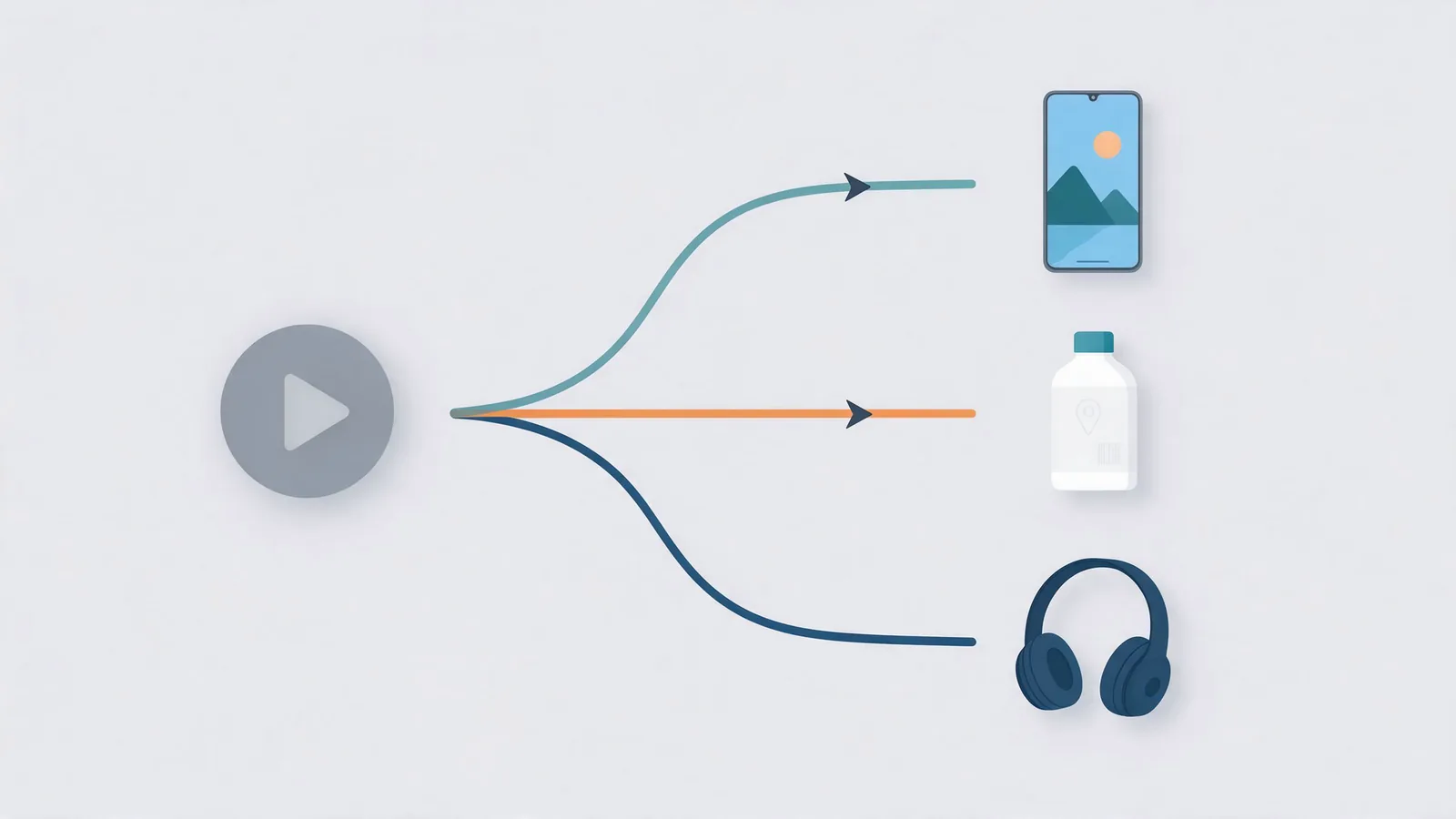
Social ads and short vertical videos
Seedance 2.5. A vertical ad of 15 to 30 seconds can come out of one generation, sound and all. You might cut it up later anyway. Fine. A long take with the same light and the same faces throughout is still far less patching. Rough the idea out on Seedance 2.0 Fast first.
Product ads where the packaging matters
Kling 3.0 today, with Kling 4.0 coming to PromptWise soon. Kuaishou promised readable logos for Kling 3.0, and says Kling 4.0 keeps text, emojis and logos steady even while the camera moves. Kling 3.0 also goes to 4K in PromptWise, handy if the ad ends up anywhere bigger than a phone. Build the start frame in Nano Banana Pro. Then go easy on the motion. Slow push-in, gentle orbit. No spins. The product photography guide covers making those start frames.
People, faces and talking to camera
Kling for the look, Veo 3.1 for the sound. If the person needs to look real and move naturally, start with Kling 3.0, the Kling model in the app today (Kling 4.0 is coming to PromptWise soon). If the line they speak and the sound around them are the point of the shot, start with Veo. For dialogue in other languages, Kling’s user guide lists Chinese, English, Japanese, Korean, Spanish, Portuguese, German, French and Hindi for Kling 4.0, which is coming to PromptWise soon, with American, British and Indian English accents. Kling 3.0 covers English, Chinese, Japanese, Korean and Spanish today.
Cinematic establishing shots
Seedance 2.5 or Veo 3.1. Their makers both claim good camera direction, and both models add ambient sound. Over 8 seconds, or moving from one scene to another? Seedance 2.5. A short, glossy shot where you care what it sounds like, say wind, waves or a city at night? Veo 3.1.
Longer scenes and short stories
Seedance 2.5, easily. Thirty seconds per generation, with sound, and ByteDance’s claims about holding things together across cuts. Nothing else in the app today gets close for this. Kling 4.0, coming to PromptWise soon, also reaches 30 seconds and adds up to 10 keyframes, so it will be a real rival when it arrives. Veo 3.1 tops out at 8 seconds per clip, according to Google.
Fast action and complex camera work
Kling 4.0, which is coming to PromptWise soon. This is the job Kuaishou built it for: high-speed movement, tracking shots and orbits that hold together. Until it arrives, Seedance 2.5 is the safer pick in the app for longer moving shots, and Kling 3.0 for short bursts of action with a person at the centre.
Dance, gestures and copied performances
Kling 3.0 Motion Control. Film the move, on yourself or on someone else. Hand Motion Control the clip and a still of your character, and the movement gets copied across. Try describing a dance routine in words and you’ll see why this matters. It’s also the one for an AI presenter who has to repeat the same gestures.
Transitions between two images
Veo 3.1 or Kling. Google highlights Veo’s first and last frame feature for smooth transitions, Kling lists start and end frames among Kling 3.0’s capabilities, and Kling 4.0 (coming to PromptWise soon) goes further with up to 10 keyframes along the timeline. In PromptWise, set both frames in the Start / End Frame control and describe what happens in between.
Quick drafts and trying ideas
Kling 3.0 Turbo or Seedance 2.0 Fast. Match the draft model to the finishing one. Finishing on Kling? Draft on Turbo. Finishing on Seedance? Fast or Mini. A draft only has to tell you whether the prompt works. Pretty can wait.
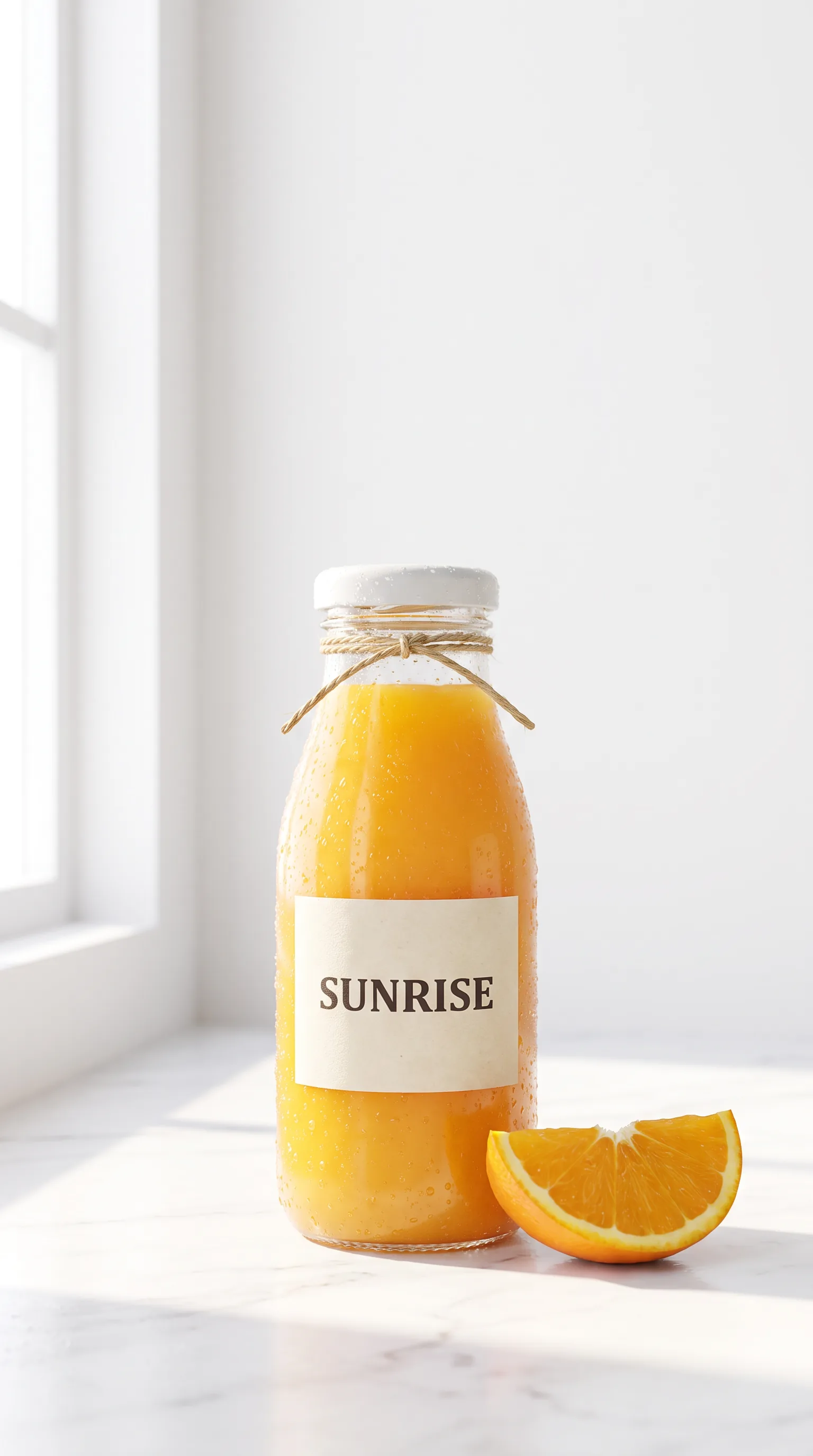
Try this on Kling 3.0 with IMAGE 4 as the start frame (9:16, 8 seconds):
Prompt
Slow push-in towards the bottle. Condensation runs slowly down the glass, and the slice of orange rocks gently once. The light stays bright and soft. Calm, fresh and clean.How to prompt each model
Read the three makers’ prompting guides back to back and they mostly agree: write in ordinary sentences, put events in the order they happen and tell the camera what to do. Where they part ways is in the details each model wants spelt out.
With Seedance 2.5, think in time. A 30-second take with cuts in it needs a prompt that reads like a tiny script, with a beginning, a turn and an ending, and if you want a cut you have to ask for it. The sound sentence works best at the very end, where it describes the whole take rather than one moment.
With Kling, think in nouns. Kuaishou’s guide for Kling 4.0, which is coming to PromptWise soon, tells you to describe what’s on screen as literally as you can and to drop fuzzy words like “premium” or “vintage”, and the same habit pays off on Kling 3.0 today. The guide also warns that negative instructions (“no blur”, “don’t smile”) can make mistakes more likely, so say what you want instead. On-screen text goes in quotation marks, spelt exactly as it should appear.
With Veo 3.1, think in sound. Give the audio a sentence of its own, put any dialogue in quotation marks and check the line can be said in the clip’s length without gabbling. Google has one slightly counter-intuitive tip, too: a line that’s only a word or two often sounds stiffer than a full sentence, so pad it out a little.
Try this on Seedance 2.5 (16:9, 15 seconds):
Prompt
Shot one: an old man sits on a park bench feeding pigeons on a grey autumn morning. Shot two: a small girl runs up and sits beside him, holding out her own handful of seed. Shot three: they both laugh as the pigeons crowd around their feet. Soft overcast light, leaves on the path, the flutter of wings and distant traffic.Draft light, finish on the full model
If there’s one habit worth picking up early, it’s drafting on a lighter model and only finishing on the full one. Most people skip it for their first few weeks and pay for that in credits.
It works because a bad clip is usually a bad prompt in disguise: the camera move was never named, eight seconds were asked to carry a whole plot, or one shot was really two. Every one of those problems is as obvious at 720p as it is in 4K, so you might as well find them at 720p. When the draft finally does what you meant, the identical prompt goes to the full model.
The natural pairs are Seedance 2.0 Fast or Mini ahead of Seedance 2.5, Kling 3.0 Turbo ahead of Kling 3.0, and Veo 3.1 Fast or Lite ahead of Veo 3.1 Quality. Resist the urge to tweak the prompt on the way through; swap the model and the resolution and leave the words alone.
Same idea as approving a look as a still image before you pay for motion, which how to make AI videos walks through step by step.
Try this on Seedance 2.0 Fast first, then Seedance 2.5 (9:16, 10 seconds):
Prompt
A cyclist in a yellow jacket rides through a quiet city square just after rain. Puddles reflect the streetlights as she passes, and a flock of pigeons lifts off in front of her. The camera tracks alongside her at wheel height. The hiss of tyres on wet stone and the flutter of wings.How many credits does each model use?
Whichever model you pick, it spends from the same credit balance, and the price of a clip comes down to the model, the length and the resolution. There’s no need to work it out beforehand, as the Generate button shows the cost before you click it.
Starter is $19 a month for 275 credits, Plus is $39 for 800, Pro is $79 for 1,800 and Max is $149 for 3,800. Beyond that there’s Max 2 at $249 for 6,500 credits and Max 3 at $349 for 9,500. Prices are in US dollars excluding VAT, and paying yearly saves up to 45%.
Credit costs for each model are listed on PromptWise’s pricing page, and the Generate button shows the exact figure before every clip. It’s worth being straight about one thing, though: Seedance 2.5 is the more expensive choice, we’ll say that ourselves, and our view is that the results justify the premium. Kling 4.0 will show its price in the app once it comes to PromptWise. On every model, a longer or sharper clip costs more, which is one more argument for drafting small.
Nothing is locked behind a bigger plan, because every plan includes every model. Unused credits don’t roll over into the next month, you can top up in the app if you run short, and a failed generation is refunded automatically. The models and pricing page has the full breakdown.
Try this on Kling 3.0 Turbo to keep a first draft light (9:16, 5 seconds):
Prompt
A ginger cat sits on a sunny windowsill and slowly turns its head to watch a bird land on the ledge outside. Its tail flicks once. Warm afternoon light and the faint sound of birdsong through the glass.Where each model falls short
It is much nicer to find out the limitations of a model on a slow Wednesday afternoon than at 11pm when you need to deliver something to your client.
With Seedance 2.5, the limit to watch is resolution: anything required at 4K will need Seedance 2.0 or Kling 3.0, both of which go up to 4K in the PromptWise picker. Note that the reference numbers quoted for Seedance 2.5 (30 images, 10 videos, 10 audio clips) come from ByteDance’s own platforms, so have a play with what you can attach in PromptWise before deciding to go for a full job.
Kling 4.0’s biggest limit right now is simply that it’s only coming to PromptWise soon, so Kling 3.0 is the Kling you can pick today. Some of what Kuaishou announced is also still marked as coming soon on Kling’s own pages, including 4K and 10-bit HDR output and video extension up to two minutes. Kling 3.0, meanwhile, has a ceiling of 15 seconds per clip, so for anything longer you’ll have to join the pieces together in the edit. Motion Control has its own quirks and has to be used in a very specific way: one person who stays fully in shot, one continuous take, and framing that matches the character image you’ve supplied.
Veo 3.1 is limited by short clips (8 seconds at most, according to Google) and by dialogue. Google states that natural speech in short chunks is an area it is still working on. For example, a single word “yes” can come out mangled while a full sentence comes out fine. Google’s advice is to write a longer line instead.
Hands, small faces and fine text in motion can catch out all three of them, which mostly means planning a little. Frame faces large, keep what the hands are doing simple, and put your text on in the edit. If a clip still won’t behave, the prompt mistakes guide runs through the other usual culprits.
Try this on any of the three (9:16, 8 seconds):
Prompt
Close-up of a potter's hands shaping a small bowl on a spinning wheel. Wet clay rises slowly between her fingers, then she lifts her hands away and the wheel keeps turning. Warm workshop light, the soft hum of the wheel and a radio playing quietly in the background.Frequently asked questions
Which is better, Seedance, Kling or Veo?
Seedance 2.5 is the best default and our pick, even though it costs more: it makes the longest single shots, up to 30 seconds with sound, and it’s in PromptWise now. Kling 4.0, coming to PromptWise soon, is aimed at realistic people, fast motion and logos you need to read, and Kling 3.0 covers that ground in the app today. Veo 3.1 is the one to use when dialogue or effects have to land on an exact moment.
What is the most realistic AI video generator?
There’s no fair single score, but for realistic people Kling is the family built around them: Kling 3.0 in PromptWise today, with Kling 4.0 coming to PromptWise soon. Seedance 2.5 gives the best overall results in our experience, and Veo 3.1 is strongest when speech has to match the lips. Frame faces large and keep hand actions simple with any of them.
Which AI video generator follows prompts best?
None follows every prompt perfectly, but each rewards a different style. Seedance 2.5 follows a prompt written like a short script, in time order. Kling follows literal descriptions of what’s on screen and exact on-screen text in quotation marks, and does better without negative instructions. Veo 3.1 follows sound and dialogue best when they get a sentence of their own.
Is Seedance 2.5 better than Seedance 2.0?
For most jobs, yes. ByteDance says 2.5 doubles the length of a single generation from 15 to 30 seconds and improves the picture, the motion and the sound, along with references and editing. Seedance 2.0 is still useful if you want a 4K option in the Seedance family, and Seedance 2.0 Fast and Mini are good for quick 720p drafts.
When is Kling 4.0 coming to PromptWise?
Kling 4.0 is coming to PromptWise soon, with no date yet. In the meantime, Kling 3.0 is the Kling model you can pick in the app, and Kling 3.0, Kling 3.0 Turbo and Kling 3.0 Motion Control are on every PromptWise plan, alongside Seedance 2.5 and Veo 3.1.
More answers: Seedance 2.5 vs Kling 3.0 · Seedance 2.5 vs Veo 3.1 · Kling 3.0 vs Veo 3.1 · credit costs for each model are on PromptWise models and pricing
The verdict
If you only have time to learn one model, make it Seedance 2.5. It’s the most flexible of the three, it can tell a 30-second story in one go, and it does its own sound too, which for most social clips is all you’ll need. It costs more, and in our view it’s worth it. Bring in Kling 3.0 for people, products and anything with words on it (Kling 4.0 is coming to PromptWise soon), and save Veo 3.1 for the shots where the sound has to land on an exact frame: a line of dialogue, a door slam, a glass set down. Draft on the Turbo, Fast and Lite versions, then finish on the full models.
In PromptWise that’s one app, one prompt box and one subscription, with Kling 3.0, Veo 3.1 and Seedance 2.5 sitting side by side in the same model picker, and Kling 4.0 coming to PromptWise soon.
Try this on Seedance 2.5 (9:16, 30 seconds):
Prompt
A florist opens her shop on a narrow street early in the morning. She carries buckets of tulips out onto the pavement, arranges them by colour and chalks the day's prices on a small board. A regular customer stops to chat and leaves with a bunch of yellow tulips. The camera moves with her from the shop door to the pavement and back. Gentle street sounds, the clink of metal buckets and friendly chatter.Sources
We checked these official pages on the dates shown. Prices and specs can change, so check the provider's page before you buy.
- Kuaishou: Kling 4.0 launch announcement (Checked 24 Oct 2026)
- Kling AI: Kling 4.0 user guide (Checked 24 Oct 2026)
- Kling AI: Kling 4.0 feature page (Checked 24 Oct 2026)
- Kling AI blog: introducing Kling 4.0 (Checked 24 Oct 2026)
- ByteDance Seed: Seedance 2.5 launch announcement (Checked 24 Oct 2026)
- ByteDance Seed: Seedance 2.5 model page (Checked 24 Oct 2026)
- ByteDance Seed: Seedance 2.0 technical paper (Checked 24 Oct 2026)
- Kuaishou: Kling 3.0 launch announcement (Checked 24 Oct 2026)
- Kling AI: Kling 3.0 user guide (Checked 24 Oct 2026)
- Kling AI: Motion Control user guide (Checked 24 Oct 2026)
- Google DeepMind: Veo (Checked 24 Oct 2026)
- Google Cloud: Veo 3.1 prompting guide (Checked 24 Oct 2026)
- Google Flow Help: models and supported features (Checked 24 Oct 2026)
- Gemini API docs: Veo video generation (Checked 24 Oct 2026)